
پیژندنه
This manual provides comprehensive instructions for the assembly, operation, maintenance, and troubleshooting of your FLEXISPOT One-Piece Electric Standing Desk. Please read this manual thoroughly before assembly and use to ensure proper function and safety. Keep this manual for future reference.

Image: The FLEXISPOT One-Piece Electric Standing Desk, featuring a black desktop and black frame, set up with a laptop and monitor.
تنظیم او مجلس
Your FLEXISPOT Electric Standing Desk is designed for straightforward assembly. The desk ships in two separate packages, which may arrive at different times. Please ensure all components are present before beginning assembly.
اړین اوزار (شامل نه دي):
- Electric drill (recommended for faster assembly)
د مجلس پړاوونه:
- ټولې برخې خلاصې کړئ او د جلا اسمبلۍ لارښود کې چمتو شوي برخو لیست سره سم تایید کړئ.
- Attach the desk legs to the desktop frame. The main bracket and motor are pre-attached for convenience.
- Secure the desktop to the frame. The desktop is a single, seamless piece, 1 inch thick, providing enhanced stability.
- Connect the control panel and power cables according to the wiring diagram in the assembly guide.
- Install any optional accessories, such as the headphone hooks, if desired.
مهم: Always follow the detailed assembly instructions included in your product packaging. Ensure all screws are tightened securely to prevent instability. Do not exceed the maximum weight recommendation of 132 pounds.

انځور: نږدې انځور view highlighting the seamless, one-piece desktop with rounded edges, emphasizing its solid construction.
عملیاتي لارښوونې
The FLEXISPOT Electric Standing Desk features an intuitive control panel for easy height adjustment and memory presets.
د لوړوالی سمون:
- د کارولو Up او ښکته arrow buttons on the control panel to adjust the desk height.
- میز د لږترلږه ۲۸.۵ انچه لوړوالي څخه تر ۴۶.۸ انچه اعظمي لوړوالي پورې تنظیم کیدی شي.
- The motor operates quietly, under 50 dB, ensuring minimal disruption to your workspace.
د حافظې پریزیټ:
The desk includes four programmable memory height presets, allowing you to save and recall your preferred sitting and standing positions instantly.
- د پورته/ښکته تڼیو په کارولو سره میز د خپلې خوښې لوړوالي سره سم تنظیم کړئ.
- فشار ورکړئ 'م' button (or similar memory set button, refer to your control panel diagram).
- سمدلاسه د شمیرې شوي مخکینۍ تڼۍ څخه یو فشار ورکړئ (۳، ۴، ۵، یا ۶) ترڅو اوسنی لوړوالی دې موقعیت ته خوندي شي.
- د خوندي شوي لوړوالي د یادولو لپاره، په ساده ډول د اړونده شمیرې سره سم تڼۍ فشار ورکړئ. میز به په اتوماتيک ډول خوندي شوي موقعیت ته لاړ شي.

انځور: یو مفصل view of the smart control panel, showing the LED display for height, up/down buttons, and four memory preset buttons.

Image: A visual representation of the desk's height adjustment range, indicating minimum (28.1 inches) and maximum (45.7 inches) heights.
ساتنه
منظم ساتنه ستاسو د ولاړ میز اوږد عمر او غوره فعالیت تضمینوي.
- پاکول: ډیسټاپ او چوکاټ د نرم، d سره پاک کړئamp ټوکر. د خړوبولو پاکوونکو یا سختو کیمیاوي موادو څخه ډډه وکړئ چې کولی شي پای ته زیان ورسوي.
- د کیبل مدیریت: په دوره یي ډول کیبلونه وګورئ او تنظیم کړئ ترڅو د پیچلتیا مخه ونیسئ او د لوړوالي تنظیم کولو پرمهال اسانه عملیات ډاډمن کړئ.
- د وزن حد: Do not exceed the maximum weight capacity of 132 pounds. Overloading can strain the motor and frame.
- د چاپیریال شرایط: میز د تودوخې مستقیم سرچینو او ډیر رطوبت څخه لرې وساتئ.
- د تړلو چک: کله ناکله ټول پیچونه او فاسټینرونه وګورئ ترڅو ډاډ ترلاسه شي چې دوی کلک پاتې دي. که اړتیا وي نو بیا یې ټینګ کړئ.
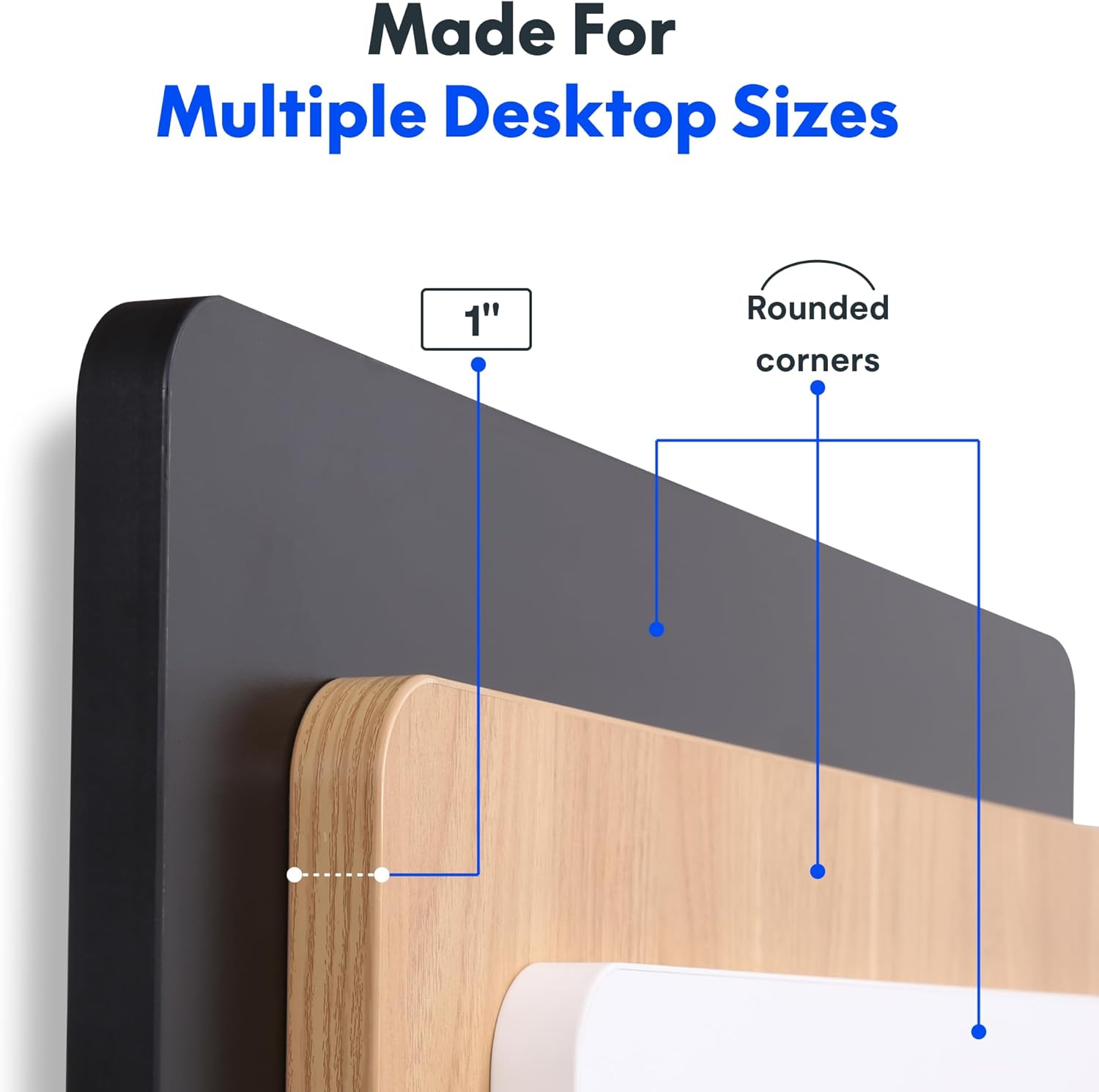
Image: The desk in operation, illustrating its smooth and quiet movement, ideal for maintaining concentration.
د ستونزو حل کول
If you encounter issues with your FLEXISPOT Electric Standing Desk, refer to the following common problems and solutions.
Desk Not Adjusting Height:
- د بریښنا پیوستون: Ensure the power cord is securely plugged into both the desk and a working electrical outlet.
- د کیبل پیوستون: Check all cables connecting the control panel to the motor and power supply for secure connections.
- اوورلوډ: Verify that the weight on the desk does not exceed the maximum capacity of 132 pounds. Remove excess weight and try again.
- د بیا تنظیم کولو طرزالعمل: Consult your specific assembly guide for any factory reset procedures for the control panel.
Unusual Noises During Adjustment:
- د کلیک کولو غږ: A clicking sound, particularly when lowering, may indicate an issue with the motor or leg mechanism. Ensure the desk is not overloaded. If the issue persists, contact customer support.
- وهل: Ensure all assembly screws are tightly secured. Check that the desk is on a level surface.
که دا ګامونه ستونزه حل نه کړي، مهرباني وکړئ د نورو مرستو لپاره د تضمین او ملاتړ برخې ته مراجعه وکړئ.
مشخصات
Detailed specifications for the FLEXISPOT One-Piece Electric Standing Desk (48x24 inch model).

Image: A diagram illustrating the key dimensions of the desk: 48 inches in width, 24 inches in depth, and a 1-inch desktop thickness.
| فیچر | تفصیل |
|---|---|
| برانډ | FLEXISPOT |
| ماډل | One-Piece Electric Standing Desk 48x24 |
| د ډیسکټاپ ابعاد (W x D) | 48 انچه x 24 انچه |
| د ډیسټاپ ضخامت | 1 انچه |
| د لوړوالی تنظیم کولو سلسله | له ۲ انچه (لږترلږه) څخه تر ۱۵ انچه (زیات) پورې |
| د موټرو شور کچه | د ۵۰ ډیسیبل څخه کم |
| د حافظې پریزیټ | 4 |
| د اعظمي وزن ظرفیت | ۲.۴۵ پونډه |
| د چوکاټ مواد | د الماس فولاد |
| د ډیسټاپ مواد | انجنیري لرګي |
| رنګ | تور سر + تور چوکاټ |
| ځانګړي ځانګړتیاوې | One-Piece Desktop, Headphone Hook |
| مجلس ته اړتیا ده | هو |

انځور: نږدې انځور view of the desk's underside, highlighting the two convenient headphone hooks for storage.
د تضمین معلومات
FLEXISPOT provides the following warranty for your Electric Standing Desk:
- چوکاټ، موټور، او میخانیکي برخې: د 5 کلن محدود تضمین.
- الکترونیکي برخې: د 2 کلن محدود تضمین.
This warranty covers defects in materials and workmanship under normal use. Please retain your proof of purchase for warranty claims. For specific terms and conditions, refer to the warranty documentation included with your product or visit the official FLEXISPOT webسایټ
د پیرودونکي ملاتړ
For further assistance, technical support, or warranty claims, please contact FLEXISPOT customer service. You can typically find contact information on the official FLEXISPOT webسایټ یا د پرچون پلورونکي له لارې چیرې چې تاسو محصول اخیستی.
کله چې د ملاتړ سره اړیکه ونیسئ، مهرباني وکړئ لاندې معلومات چمتو ولرئ:
- Product Model: One-Piece Electric Standing Desk 48x24
- ASIN: B0DRFZWN7X
- د پیرودلو نیټه
- د مسلې تفصيلي توضیحات
لیدنه وکړئ په ایمیزون کې د FLEXISPOT پلورنځی د نورو محصولاتو معلوماتو او ملاتړ سرچینو لپاره.