
1. محصول ختم شوview
The Rosewill Helium Flow is a mid-tower computer case designed for optimal airflow and ease of assembly. It features a mesh panel design for enhanced cooling and tool-free access for convenient component installation and maintenance.
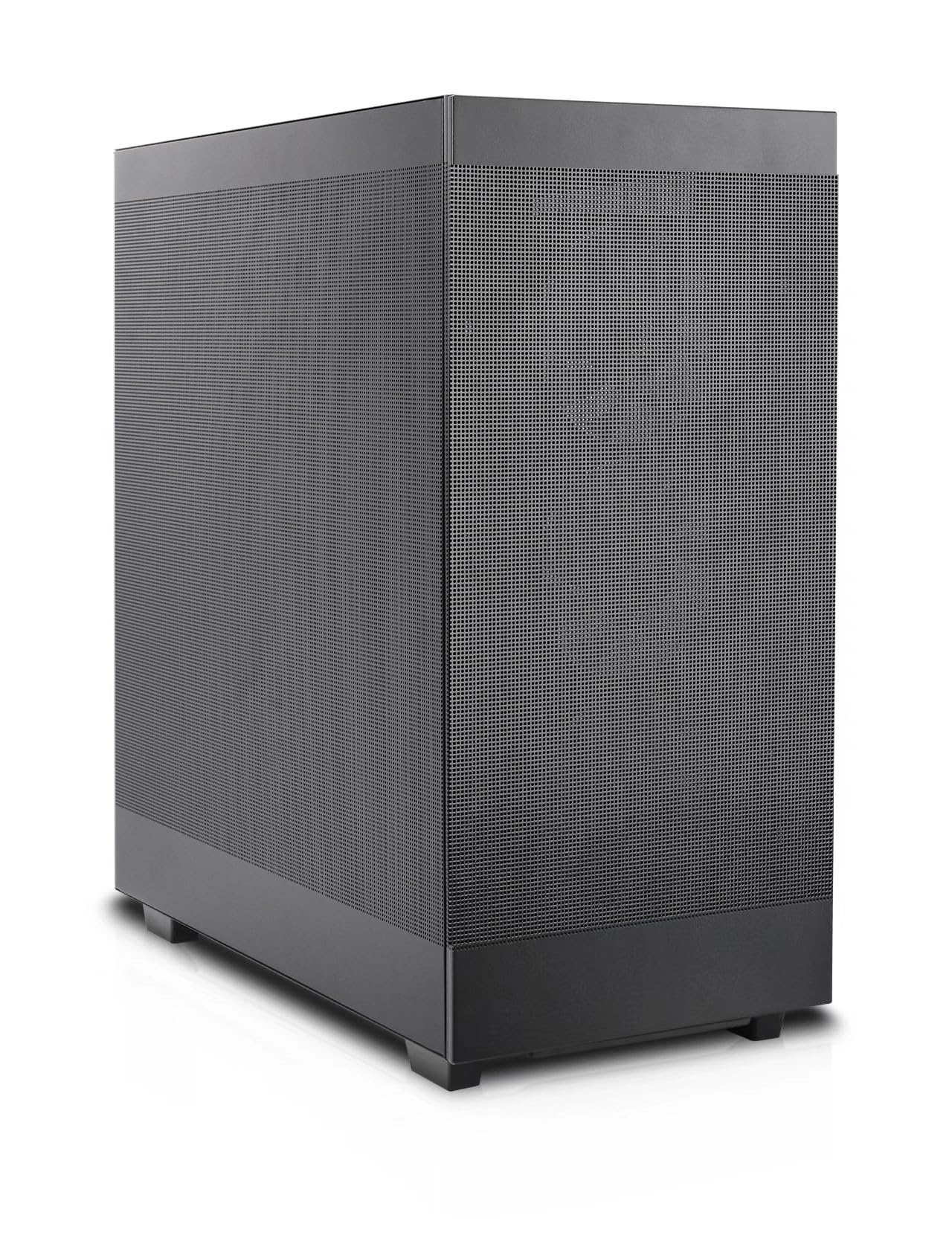
Figure 1: Rosewill Helium Flow Mid Tower Computer Case, angled view showing the mesh side panel.
کلیدي ځانګړتیاوې:
- Tool-Free Disassembly: Side panels can be removed without tools for quick access and maintenance.
- Versatile Modular Design: Supports various configurations and dual 360mm liquid cooling solutions.
- Enhanced Cooling System: Features 1mm mesh ventilation holes for optimal airflow and dust resistance, ensuring efficient heat dissipation.
- پراخه داخلي: Accommodates GPUs up to 390mm with 40mm clearance from the side panel, suitable for high-end components and 12VHPWR cables.
- د کارونکي دوستانه مجلس: Designed for straightforward building, suitable for both new and experienced PC builders.
2. ترتیب او نصب کول
۳.۱ د قضیې چمتو کول
Before installing components, ensure the case is placed on a stable, flat surface. Remove the side panels by unscrewing the thumb screws at the rear and sliding the panels off. The tool-free design allows for easy access to the interior.

شکل 2: داخلي view of the case, highlighting the spacious layout for component installation.
۳.۴ د اجزاو نصبول
- موربورډ: Install your ATX motherboard onto the pre-installed standoffs. Secure it with the provided screws.
- د بریښنا رسولو واحد (PSU): The PSU mounts at the bottom of the case. Slide the PSU into its designated bay and secure it with screws from the rear.
- د ذخیره کولو ډرایوونه: The case supports 2.5" and 3.5" drives. Utilize the mounting points behind the motherboard tray for installation.
- ګرافیک کارت (GPU): Install your GPU into the appropriate PCIe slot. The spacious interior supports cards up to 390mm in length. A GPU support bracket is included and adjustable to prevent sag for larger cards.
- Cooling Fans and Radiators: The case supports up to ten 120mm cooling fans. Radiators up to 360mm can be installed at the top and front. An included 120mm PWM fan is pre-installed at the rear.
2.3 د کیبل مدیریت
The case provides 28mm of space behind the motherboard tray for cable routing. Utilize the cable tie-down points and channels to organize cables, ensuring optimal airflow and a clean build appearance.

Figure 3: Cable management space behind the motherboard tray for a tidy build.
2.4 مخکینۍ پینل I/O
مخکینۍ تخته اړینو بندرونو ته اسانه لاسرسی چمتو کوي:
- 1x USB 3.1 Type-C port
- 1x USB 3.0 بندر
- Combination audio/microphone jack
- د بریښنا تڼۍ
- د بیا تنظیم کولو تڼۍ

Figure 4: Front panel I/O for easy peripheral connection.
3. Operating and Cooling
The Rosewill Helium Flow case is designed for high-airflow operation, ensuring your components remain cool under load. The 1mm mesh panels on the front, top, and sides facilitate unrestricted air intake and exhaust.

Figure 5: Airflow diagram demonstrating the case's cooling potential.
For optimal cooling performance, ensure that fans are installed to create a balanced airflow, typically with intake fans at the front and exhaust fans at the rear and top.
4. ساتنه
Regular maintenance helps prolong the life of your components and ensures consistent performance. The mesh panels act as a dust filter, but periodic cleaning is recommended.
۷.۱ د قضیې پاکول
- بهر: بهرنۍ سطحې په نرمۍ سره مسح کړئ، دamp ټوکر د کثافاتو پاکونکو څخه ډډه وکړئ.
- Interior and Mesh Panels: Use compressed air to remove dust from the mesh panels and internal components. For stubborn dust, the side panels can be easily removed for thorough cleaning.
- مینه وال: Gently clean fan blades with a soft brush or compressed air to prevent dust buildup, which can impede airflow.
5. ستونزه حل کول
If you encounter issues during or after assembly, consider the following common troubleshooting steps:
- سیسټم نه فعالیږي: Double-check all power connections, including the 24-pin ATX, 8-pin CPU, and GPU power cables. Ensure the PSU switch is in the 'ON' position. Verify front panel header connections (power switch, reset switch).
- ډیر ګرمول: Confirm all fans are spinning correctly and installed in the correct orientation for optimal airflow (intake/exhaust). Ensure CPU cooler and GPU fans are functioning. Check for dust buildup on mesh panels and components.
- د ښودلو محصول نشته: Ensure the monitor is connected to the graphics card (not the motherboard integrated graphics, unless no dedicated GPU is present). Reseat the graphics card and RAM modules.
- تړلې اړیکې: During transport or after initial build, components can sometimes become loose. Reseat all major components and cables.
6. مشخصات
| فیچر | مشخصات |
|---|---|
| برانډ | روزویل |
| لړۍ | Helium Flow |
| د ماډل نوم | Helium Flow |
| د قضیې ډول | منځنی برج |
| د مور بورډ مطابقت | ATX |
| رنګ | تور |
| مواد | د الماس فولاد |
| د محصول ابعاد (LxWxH) | 17.5 x 9.05 x 19.44 انچه (444.5 x 230 x 494 mm) |
| د توکي وزن | ۲.۴۵ پونډه |
| د USB 3.0 پورټونو شمیر | 1 |
| د بریښنا رسولو د نصبولو ډول | لاندې غر |
| د یخولو طریقه | هوا |
| اعظمي GPU اوږدوالی | 390mm |
| د اعظمي CPU کولر لوړوالی | 165mm |
| د ریډیټر ملاتړ | Dual 360mm (Top and Side) |
۱۱. د محصول ویډیو
ویډیو ۱: رسمي محصول پای ته ورسیدview of the Rosewill Helium Flow case, demonstrating its features and design. (Duration: 1:01)
8. تضمین او ملاتړ
Rosewill products are designed for reliability and performance. For specific warranty details, please refer to the warranty card included with your product or visit the official Rosewill website. For technical support, product inquiries, or assistance with your Rosewill Helium Flow case, please contact Rosewill customer service through their official channels.
Rosewill Inc.
Webسایټ: Rosewill Store on Amazon