
1. پیژندنه
د پیرودلو لپاره مننهasing the AGPTEK A02XT MP3 Player. This device is designed to provide a high-quality audio experience with its HIFI lossless sound and Bluetooth 5.3 connectivity. It features a compact design, button operation, and various functions including FM radio, voice recording, and a pedometer. This manual will guide you through the setup, operation, and maintenance of your new MP3 player.

Figure 1.1: AGPTEK A02XT MP3 Player with accessories.
2. محصول ختم شوview
2.1 د بسته محتويات
- AGPTEK A02XT MP3 Player (1)
- د USB-C چارج کیبل (1)
- د کارن لارښود (1)
- Earphones (1 pair) - May vary by region/package

Figure 2.1: Contents of the AGPTEK A02XT package.
2.2 Device Layout and Controls
Familiarize yourself with the buttons and ports on your A02XT MP3 player.

شکل 2.2: مخکی view of the A02XT MP3 Player.
- سکرین: مینو، د موسیقۍ معلومات، او ترتیبات ښکاره کوي.
- M تڼۍ: Menu/Back button. Long press to lock/unlock the screen.
- د پلی کولو/پاز بټن: پلے بیک شروع کوي یا وقفه کوي.
- مخکینۍ/راتلونکې تڼۍ: Navigates through tracks or menu options.
- د VOL تڼۍ: د حجم کنټرول.
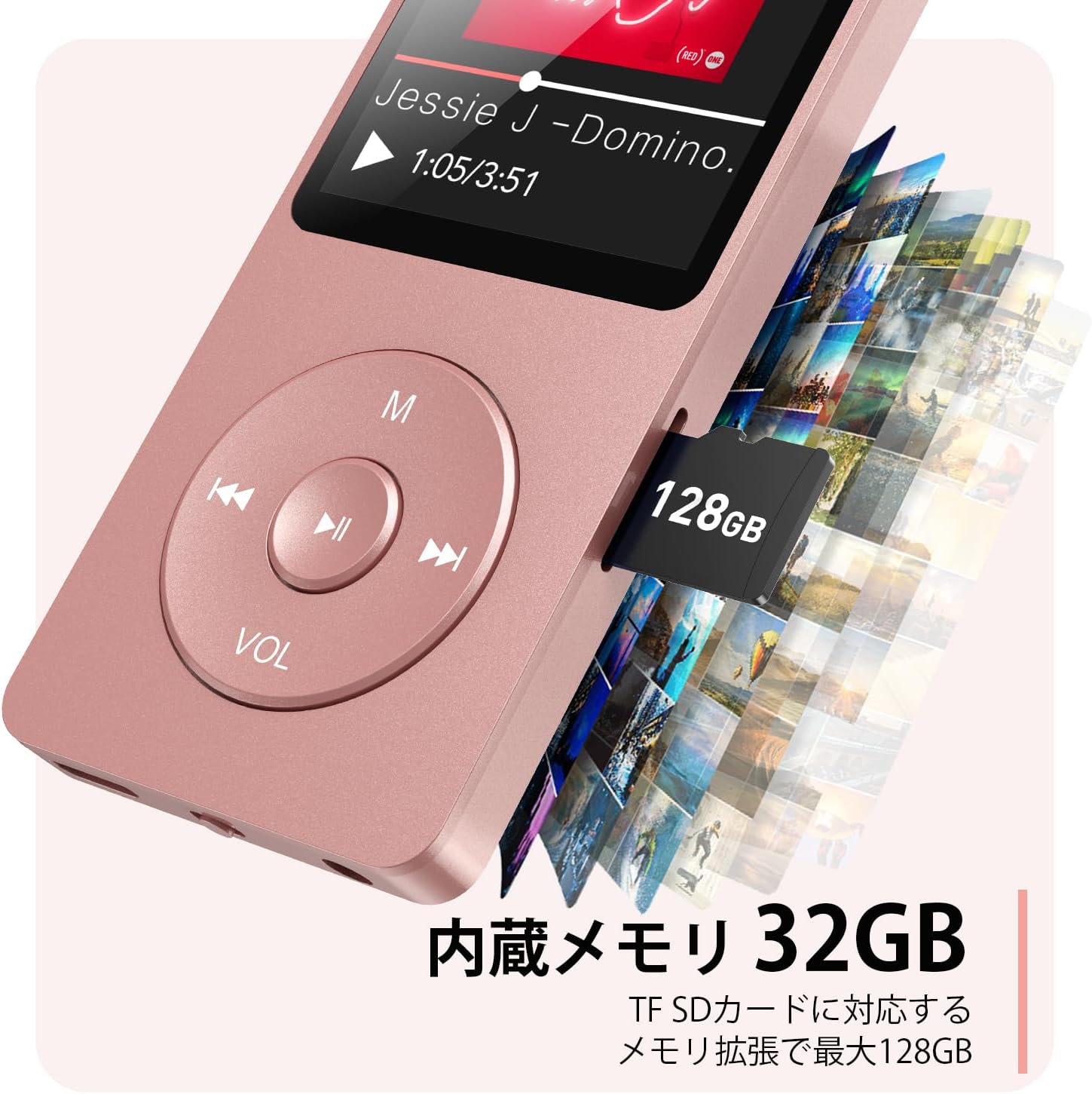
شکل 2.3: اړخ view with microSD card slot.
- د USB-C پورټ: د چارج کولو او ډیټا لیږد لپاره.
- د 3.5mm هیډفون جیک: د تار لرونکي آډیو آوټ پټ لپاره.
- د مایکرو ایس ډی کارت سلاټ: تر ۲۵۶ جي بي پورې د پراخېدو وړ ذخیره کولو لپاره.
3. ترتیب کول
3.1 د وسیلې چارج کول
Before first use, fully charge the MP3 player. Connect the provided USB-C cable to the player's USB-C port and the other end to a USB power adapter (not included) or a computer's USB port. The screen will indicate charging status. A full charge takes approximately 2 hours and provides up to 40 hours of music playback.

Figure 3.1: MP3 Player charging indication.
۵.۲ د مایکرو ایس ډی کارت داخلول
The player has 32GB of internal storage. To expand storage, insert a microSD card (up to 64GB, not included) into the microSD card slot until it clicks into place. Ensure the card is inserted correctly to avoid damage.
۵.۳ د موسیقۍ لیږدول Files
- د USB-C کیبل په کارولو سره MP3 پلیر خپل کمپیوټر سره وصل کړئ.
- The player will appear as a removable disk on your computer.
- خپل میوزیک ډریګ او پریږدئ files (MP3, WMA, OGG, WAV, APE, FLAC, AAC, ACELP) into the 'Music' folder on the player or microSD card.
- د کیبل له منحل کولو دمخه وسیله په خوندي ډول له خپل کمپیوټر څخه وباسئ.
4. عملیاتي لارښوونې
۸ پاور آن/بند
- پاور آن: Long press the Power button (usually on the side or top edge) until the screen lights up.
- بندول: Long press the Power button until the 'Power Off' option appears, then select it.
4.2 بنسټیز نیویګیشن
Use the navigation buttons (Previous, Next, Play/Pause, M) to move through menus and select options. The Play/Pause button often acts as a 'Confirm' button in menus.

Figure 4.1: Main menu interface with various functions.
4.3 د میوزیک غږ
- د اصلي مینو څخه، 'میوزیک' غوره کړئ.
- Browse by Artist, Album, Songs, Playlists, etc.
- د غږولو پیل کولو لپاره یوه سندره غوره کړئ.
- Use the Previous/Next buttons to skip tracks, and Play/Pause to control playback.
- Adjust volume using the VOL button.
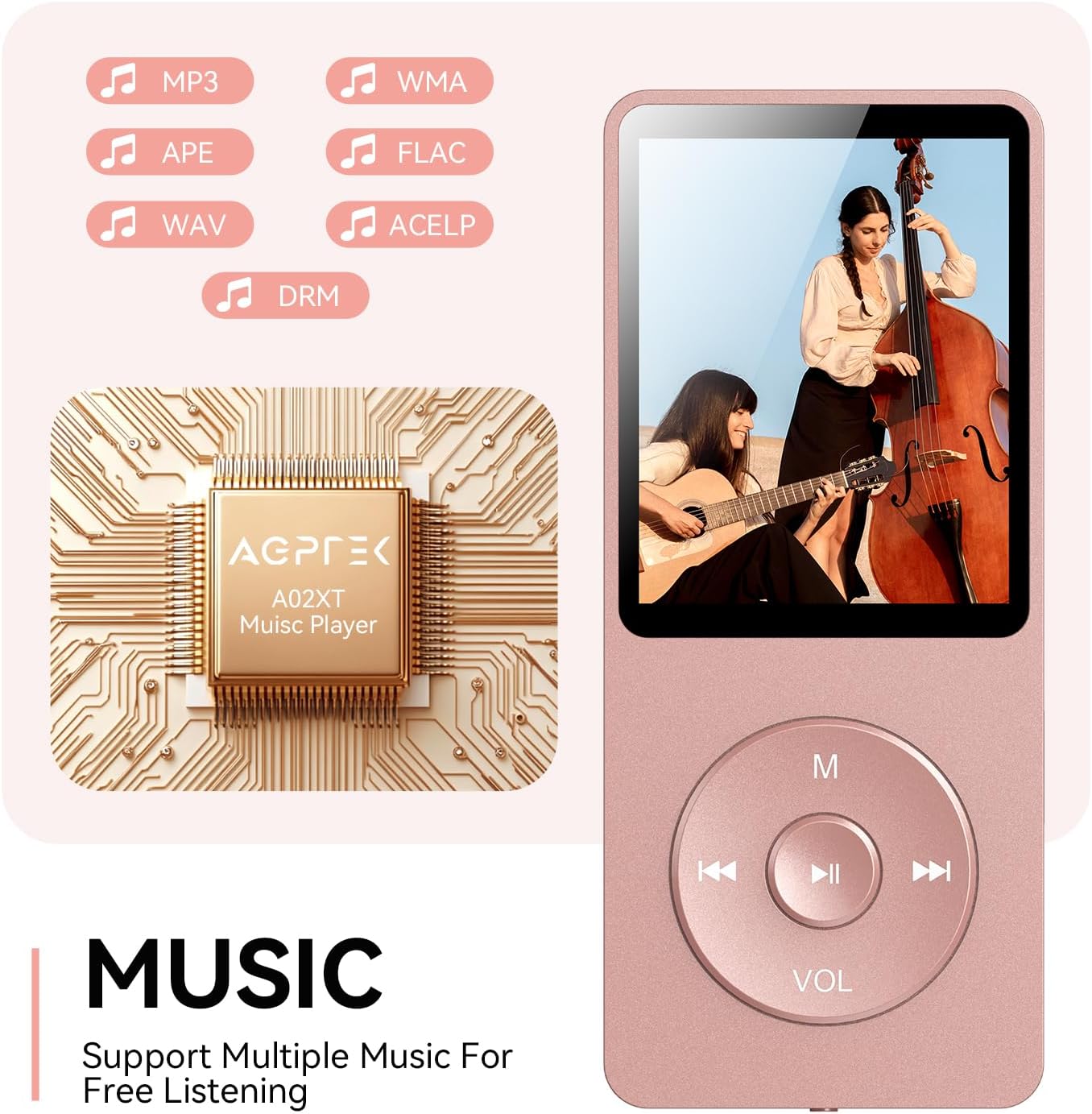
Figure 4.2: Music playback screen and supported formats.
4.4 د بلوتوث اتصال
The A02XT supports Bluetooth 5.3 for wireless audio output to headphones or speakers.
- From the main menu, select 'Bluetooth'.
- Turn on Bluetooth on the player.
- ډاډ ترلاسه کړئ چې ستاسو د بلوتوث هیډفونونه/سپیکر د جوړه کولو حالت کې دي.
- The player will search for nearby devices. Select your device from the list to pair.
4.5 ایف ایم راډیو
- Connect wired earphones to the 3.5mm jack; they act as the antenna.
- د اصلي مینو څخه، 'ایف ایم راډیو' غوره کړئ.
- د سټیشنونو سکین کولو یا په لاسي ډول ټون کولو لپاره د نیویګیشن تڼۍ وکاروئ.
4.6 غږ ثبتول
- د اصلي مینو څخه، 'ریکارډ' غوره کړئ.
- د پیل کولو لپاره 'د غږ ثبتول پیل کړئ' غوره کړئ.
- Press Play/Pause to stop and save the recording.
4.7 د سکرین لاک
To prevent accidental button presses, long press the 'M' button to lock the screen. Repeat the action to unlock.
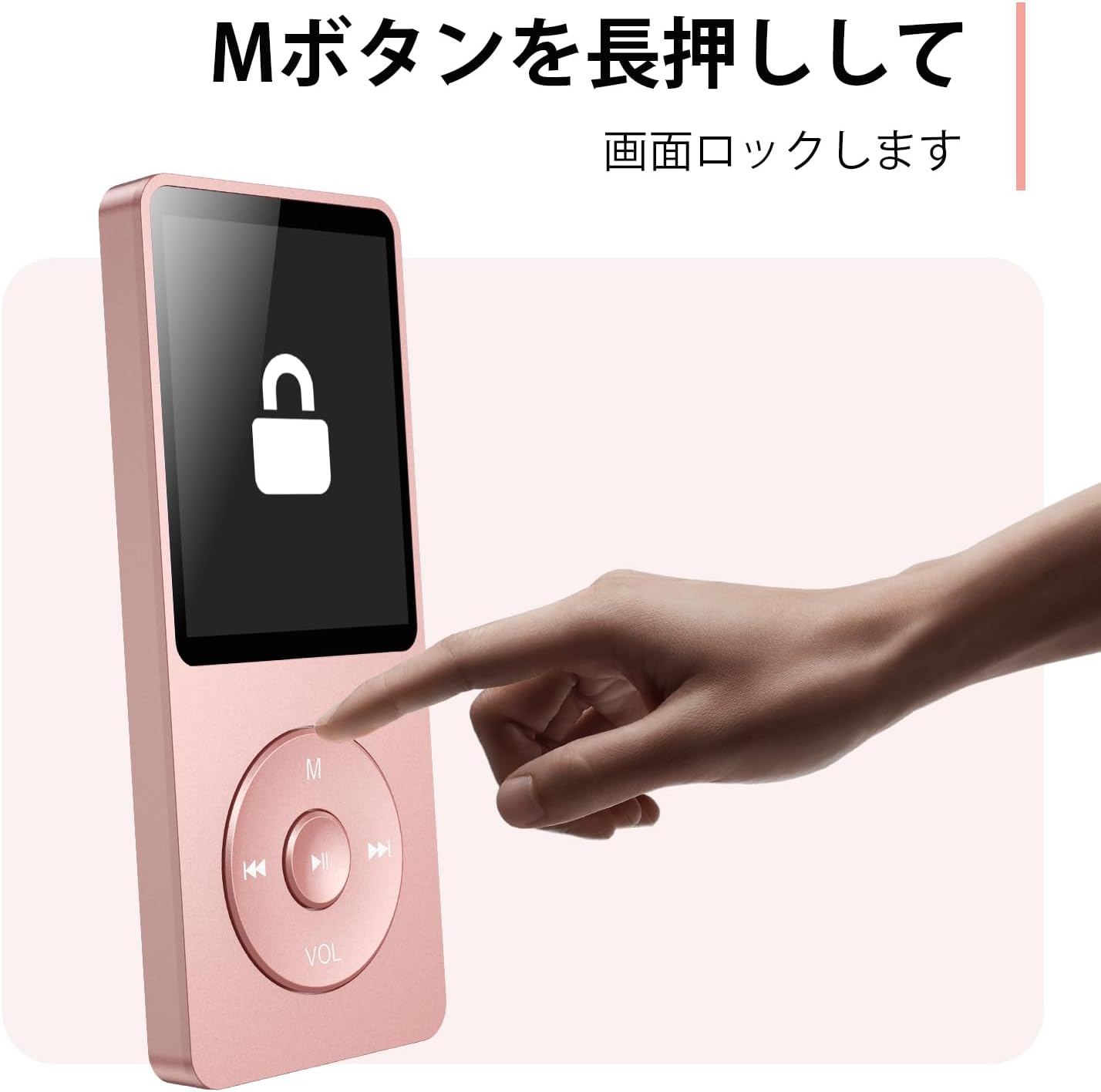
Figure 4.3: Screen lock function using the M button.
5. ساتنه
5.1 پاکول
- وسیله د نرم ، وچ ټوکر سره مسح کړئ.
- مایع پاکوونکي یا محلول مه کاروئ.
5.2 ذخیره کول
- لوبغاړی په یخ او وچ ځای کې د مستقیم لمر وړانګو او سختې تودوخې څخه لرې وساتئ.
- د قوي تاثیراتو سره د وسیله له مینځه وړلو یا تابع کولو څخه ډډه وکړئ.
5.3 د بیټرۍ پاملرنه
- د بیټرۍ روغتیا ساتلو لپاره، حتی که په استعمال کې نه وي، بیټرۍ په منظم ډول چارج کړئ.
- د بیټرۍ په مکرر ډول له بشپړې وچولو څخه ډډه وکړئ.
6. ستونزه حل کول
۷.۱ وسیله نه چالانېږي
- ډاډ ترلاسه کړئ چې بیټرۍ چارج شوې ده. د بریښنا سرچینې سره وصل شئ او بیا هڅه وکړئ.
- Perform a hard reset by pressing and holding the power button for 10-15 seconds.
۶.۳ نشي لیږدول کېدای Files
- Check the USB-C cable connection. Try a different cable or USB port.
- Ensure the device is properly recognized by your computer.
- تایید کړئ چې د file format is supported by the player.
۵.۳ د بلوتوث جوړې ستونزې
- Ensure both the player and the Bluetooth device are in pairing mode and within range.
- په دواړو وسیلو کې بلوتوث بند او فعال کړئ.
- پخوانۍ جوړې حذف کړئ او بیا جوړه کولو هڅه وکړئ.
6.4 غږ نشته
- د حجم کچه وګورئ.
- Ensure headphones are properly connected or Bluetooth device is paired.
- Test with different headphones or Bluetooth device.
7. مشخصات
| برانډ | AGPTEK |
| د ماډل نوم | A02XT د محصول ځانګړتیاوې |
| د حافظې د ذخیره کولو ظرفیت | 32 GB (expandable up to 64 GB via microSD card) |
| رنګ | ګلابي |
| د سکرین اندازه | ۳۰.۵ سانتي متره (تقریبا ۱۲ انچه) |
| د رسنیو ډول | د مایکرو ایس ډي کارت |
| ټیکنالوژي ښکاره کول | LCD |
| ملاتړ شوي آډیو فارمیټونه | MP3, WMA, OGG, WAV, APE, FLAC, AAC, ACELP |
| د بیټرۍ ژوند | تر 40 ساعتونو پورې |
| د توکي وزن | 130 ګرامه |
8. تضمین او ملاتړ
8.1 د تضمین معلومات
This AGPTEK A02XT MP3 Player comes with a 1 کلن تضمین د پیرود نیټې څخه. دا تضمین د عادي استعمال لاندې د تولید نیمګړتیاوې او نیمګړتیاوې پوښي. دا د ناوړه ګټې اخیستنې، پیښو، غیر مجاز تعدیلاتو، یا عادي اغوستلو او اوښکو له امله رامینځته شوي زیانونه نه پوښي.
8.2 د پیرودونکي ملاتړ
If you encounter any issues or have questions regarding your AGPTEK A02XT MP3 Player, please refer to the troubleshooting section of this manual first. If the problem persists, contact AGPTEK customer support through the official website or your retailer's support channels. Please have your purchase receipt and product model number (A02XT) ready when contacting support.