
پیژندنه
The Trust Gaming GXT 498B Forta Gaming Headset is officially licensed for PlayStation 5 and PlayStation 4 consoles, designed to provide an immersive audio experience. This wired over-ear headset features 50mm drivers for powerful sound, a detachable microphone with a pop filter for clear communication, and comfortable ear pads for extended gaming sessions. This manual provides instructions for setup, operation, maintenance, and troubleshooting to ensure optimal performance of your headset.
په بکس کې څه دي
- Trust Gaming GXT 498B Forta Gaming Headset
- Detachable Microphone with Pop Filter
- 1.2m Audio Cable (3.5mm jack)
- د کارن لارښود

Image: The retail packaging for the Trust Gaming GXT 498B Forta Gaming Headset, showing the headset and included accessories.
د تنظیم کولو لارښوونې
- د آډیو کیبل سره وصل کړئ: Locate the 3.5mm audio jack on your PlayStation 5 DualSense wireless controller or PlayStation 4 DualShock 4 wireless controller. Insert the 3.5mm audio cable from the headset firmly into the controller's audio jack.
- مایکروفون ضمیمه کړئ: The microphone is detachable. Align the microphone's connector with the port on the left earcup of the headset and push it in until it clicks securely into place. Ensure the pop filter is correctly positioned over the microphone for optimal voice clarity.
- د هیډسیټ فټ تنظیم کړئ: Extend or retract the adjustable padded headband to fit comfortably over your head. The earcups are moveable to ensure a snug fit over your ears.
- Configure Audio Settings (PlayStation):
- د PS5 لپاره: ورتګ ترتیبات > غږ > د آډیو تولید. وټاکئ هیډفونونه as the output device. Adjust the volume and microphone levels as needed.
- د PS4 لپاره: ورتګ ترتیبات > وسایل > غږیز وسایل. وټاکئ هیډسیټ د کنټرولر سره وصل شوی as the input and output device. Adjust the volume and microphone levels.
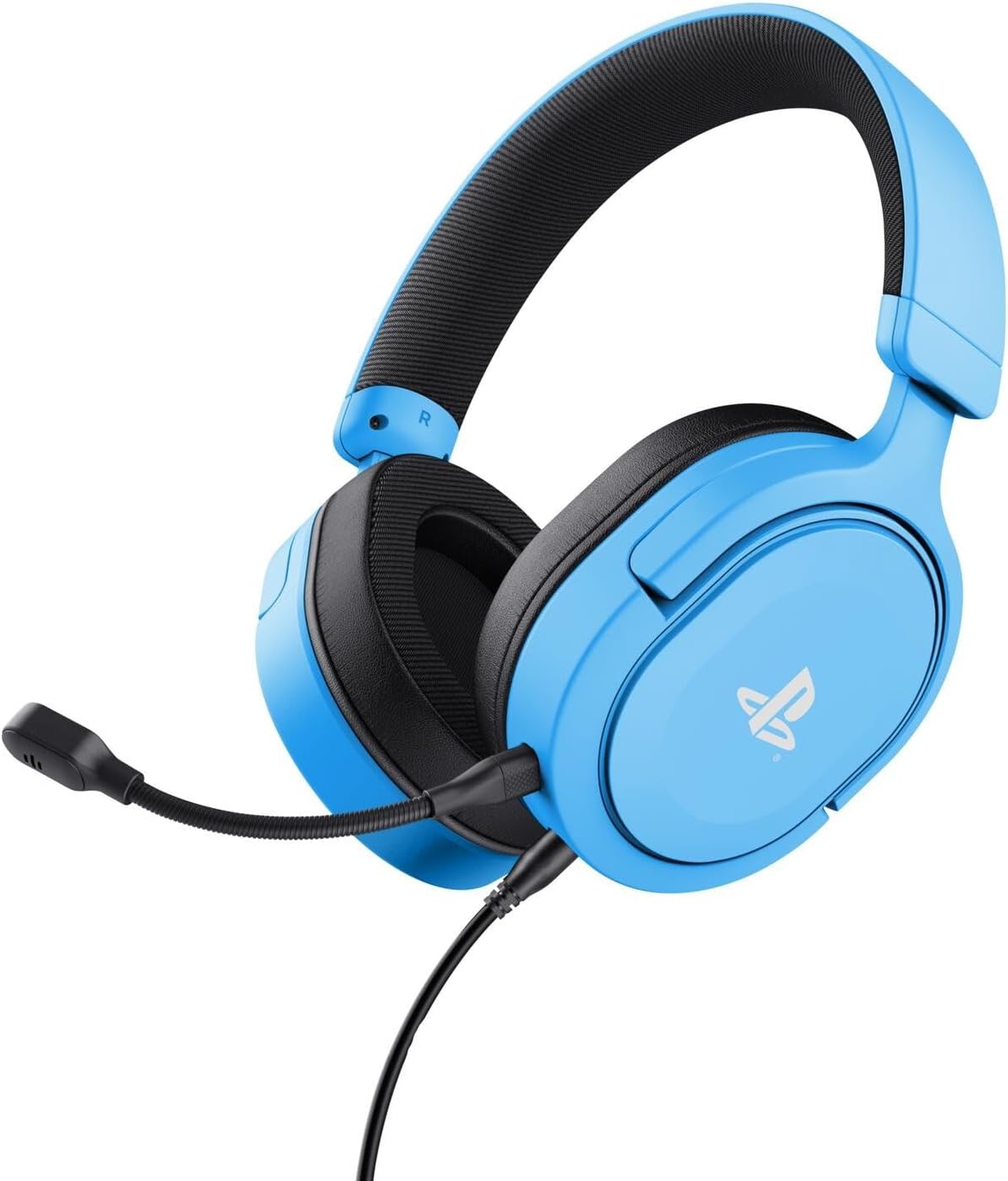
Image: The Trust Gaming GXT 498B Forta Gaming Headset, showcasing its design and detachable microphone.
عملیاتي لارښوونې
- د حجم کنټرول: The headset features an in-line volume control wheel on the audio cable. Rotate the wheel up or down to adjust the audio output level.
- د مایکروفون خاموش کول: An in-line mute switch is located on the audio cable. Slide the switch to mute or unmute the microphone.
- درې بعدي غږ: The headset supports 3D Audio on compatible PlayStation 5 games, providing an enhanced spatial sound experience. Ensure 3D Audio is enabled in your PS5 sound settings for optimal immersion.
- د لرې کولو وړ مایکروفون: The microphone can be detached when not in use for a more streamlined headset profile. Store it safely to prevent loss or damage.

انځور: نږدې انځور view of the Trust Gaming GXT 498B Forta headset, highlighting the earcups and the attached audio cable with controls.
ساتنه
- پاکول: Use a soft, dry cloth to clean the headset. For ear pads, a slightly damp ټوکر کارول کیدی شي، مګر ډاډ ترلاسه کړئ چې رطوبت د سپیکر ګریلونو ته ننوځي. سخت کیمیاوي توکي یا د کثافاتو پاکونکي مه کاروئ.
- ذخیره کول: هیډسیټ په یخ او وچ ځای کې د مستقیم لمر وړانګو او سختې تودوخې څخه لرې وساتئ. په هیډسیټ باندې د درنو شیانو له ایښودلو څخه ډډه وکړئ.
- د کیبل پاملرنه: Avoid sharp bends or kinks in the audio cable. Do not pull the cable forcefully when disconnecting.
- د مایکروفون پاملرنه: Handle the detachable microphone with care. When not in use, detach it and store it safely to prevent damage.
د ستونزو حل کول
- د هیډسیټ څخه هیڅ غږ نشته:
- Ensure the 3.5mm audio cable is fully inserted into both the headset and the controller.
- Check the in-line volume control wheel on the cable and turn it up.
- Verify audio settings on your PlayStation console (refer to "Setup Instructions" section).
- Test the headset with another device (e.g., smartphone, PC) to determine if the issue is with the headset or the console.
- مایکروفون کار نه کوي:
- ډاډ ترلاسه کړئ چې د جلا کیدو وړ مایکروفون په خوندي ډول د هیډسیټ سره وصل دی.
- Check the in-line microphone mute switch and ensure it is in the "unmute" position.
- Verify microphone input settings on your PlayStation console (refer to "Setup Instructions" section).
- Ensure the pop filter is not obstructing the microphone's input.
- Sound Quality Issues (Distortion, Low Volume):
- Adjust the volume levels on both the headset's in-line control and your console's settings.
- ډاډ ترلاسه کړئ چې د آډیو کیبل خراب شوی یا کنک شوی نه دی.
- Try connecting the headset to a different audio source to rule out console-specific issues.
مشخصات
| د ماډل نوم | GXT 498B Forta |
| د ماډل شمیره | 25556 |
| ارتباط | تار لرونکی (۳.۵ ملي میتره جک) |
| د کیبل اوږدوالی | 1.2 متره |
| د موټر چلوونکي اندازه | 50 ملي متره |
| د فریکونسی رینج | ۲۰ هرټز - ۲۰،۰۰۰ هرټز |
| خنډ | 32 اوهم |
| حساسیت | 90 dB |
| د مایکروفون ډول | Detachable with Pop Filter |
| د غوږ ځای پرځای کول | د غوږ څخه ډیر |
| د توکي وزن | 253 ګرامه |
| مطابقت لرونکې وسیلې | پلې سټېشن ۵، پلې سټېشن ۴، کمپیوټر |
| مواد | Plastic (up to 65% recycled) |
تضمین او ملاتړ
This Trust Gaming GXT 498B Forta Gaming Headset is covered by the manufacturer's standard warranty. For detailed warranty information, please refer to the documentation included with your purchase or visit the official GXTrust website. For technical support, troubleshooting assistance beyond this manual, or warranty claims, please contact GXTrust customer service through their official support channels.
مهرباني وکړئ د تضمین موخو لپاره د پیرود ثبوت وساتئ.