
1. پیژندنه
Thank you for choosing the FLEXISPOT L-Shaped Electric Standing Desk. This manual provides essential information for the safe assembly, operation, and maintenance of your new desk. Please read it thoroughly before use and retain it for future reference.
The FLEXISPOT L-Shaped Electric Standing Desk offers a spacious 63.0" x 55.1" work surface with electric height adjustment, allowing seamless transitions between sitting and standing positions. It features a robust 3-legged frame, a preset controller for personalized height settings, and a versatile orientation to fit various office layouts.
2. د خوندیتوب معلومات
Always ensure the desk is properly assembled and anchored to the floor to prevent tipping. Do not exceed the maximum weight capacity of 220 lbs (100 kg) to maintain stability. Be cautious when adjusting the desk height to avoid injury. Keep children and pets away from the desk during operation. Ensure all cables are managed to prevent tripping hazards or damage during height adjustments.
3. د بسته محتويات
Your FLEXISPOT L-Shaped Electric Standing Desk ships in two separate packages, which may arrive on different days. Please verify all components against the included packing list before beginning assembly. If any parts are missing or damaged, contact FLEXISPOT customer support immediately.
4. تنظیم او مجلس
Assembly of the FLEXISPOT L-Shaped Electric Standing Desk requires careful attention to detail. It is recommended to have two people for certain steps, especially when handling the desktop and flipping the assembled unit. The desk features a flexible design, allowing the wider desktop section to be positioned on either the left or right side to best suit your workspace.
۳.۱ د بسته بندۍ خلاصول او چمتو کول
- Carefully unpack all components from both boxes.
- Lay out all parts on a clean, soft surface (e.g., a blanket or carpet) to prevent scratches.
- Identify all components using the provided parts list.
۱.۲ د چوکاټ اسمبلۍ
Follow the detailed instructions in the separate assembly guide provided with your desk. Ensure all screws are tightened securely. The robust industrial-grade steel frame provides stability for your workstation.
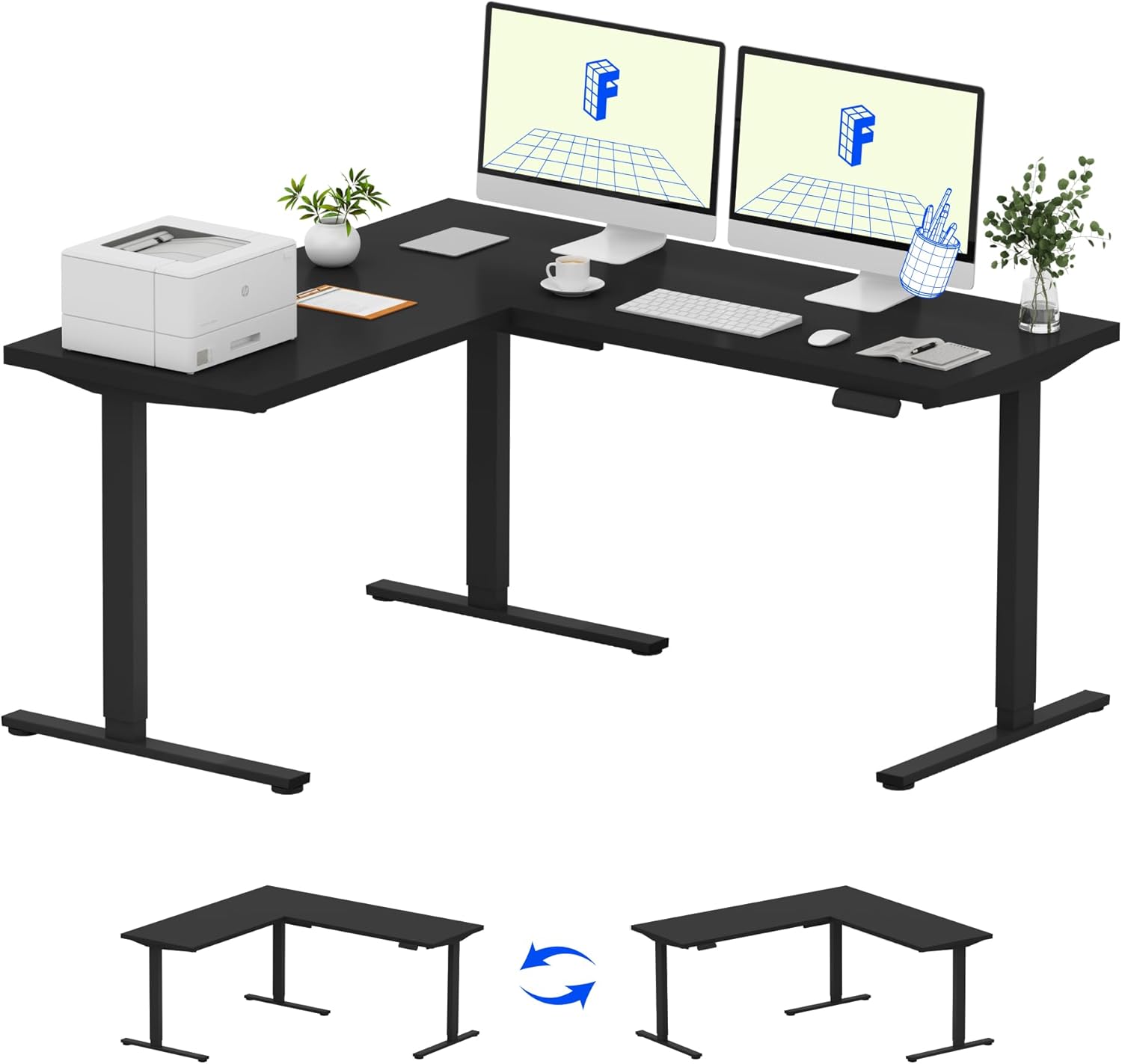
Image: Assembled FLEXISPOT L-Shaped Electric Standing Desk.
4.3 Desktop Attachment and Orientation
The expansive L-shaped desktop can be configured for either a left-hand or right-hand setup. Decide on your preferred orientation before attaching the desktop to the frame. The desktop is crafted from environmentally sourced splice board, measuring 63.0" x 55.1".

Image: Flexible right/left orientation options for the L-shaped desk.
4.4 د کیبل مدیریت
Utilize the included cable management tools to keep your workspace tidy and prevent cables from interfering with the desk's movement.

Image: The desk ships in two packages and has a 220 lbs weight capacity.
5. عملیاتي لارښوونې
Your FLEXISPOT L-Shaped Electric Standing Desk is equipped with an intuitive LED control panel for easy height adjustments and memory presets.
۵.۲ د میز لوړوالی تنظیم کول
- د کارولو پورته (▲) او ښکته (▼) د کنټرول پینل کې تڼۍ د میز د خپل مطلوب لوړوالي سره په لاسي ډول تنظیمولو لپاره.
- The desk offers a large adjustable range, from a minimum height of 28.3 inches to a maximum height of 45.9 inches.

Image: Large adjustable height range of the desk.
۵.۲ د حافظې پریسیټونو کارول
The LED control panel allows you to save up to four preferred height settings for quick transitions.
- د پورته/ښکته تڼیو په کارولو سره میز د خپلې خوښې لوړوالي سره سم تنظیم کړئ.
- فشار ورکړئ M button (Memory) followed by one of the numbered preset buttons (۳، ۴، ۵، یا ۶) د اوسني لوړوالي د خوندي کولو لپاره.
- د خوندي شوي لوړوالي د یادولو لپاره، په ساده ډول د اړونده شمیرې سره سم تڼۍ فشار ورکړئ.

Image: Smart LED control panel with memory presets.
۴.۳ د ټکر ضد ځانګړتیا
The desk is equipped with an anti-collision system. If the desk encounters an obstacle during height adjustment, it will automatically stop and rebound slightly to prevent damage or injury.

Image: Anti-collision feature in action.
6. ساتنه
منظم ساتنه ستاسو د ولاړ میز اوږد عمر او غوره فعالیت تضمینوي.
- پاکول: ډیسټاپ او چوکاټ د نرم، d سره پاک کړئamp ټوکر. د سختو کیمیاوي موادو یا خړوبونکو پاکوونکو څخه ډډه وکړئ چې کولی شي پای ته زیان ورسوي.
- معاینات: په دوره یي ډول ټول پیچونه او بولټونه وګورئ ترڅو ډاډ ترلاسه کړئ چې دوی کلک دي. که اړتیا وي نو بیا یې ټینګ کړئ.
- د کیبل مدیریت: Ensure power cords and other cables are not pinched or tangled, especially during height adjustments.
- د وزن ظرفیت: Do not exceed the maximum weight capacity of 220 lbs to prevent strain on the motor and frame.
7. ستونزه حل کول
If you encounter issues with your FLEXISPOT L-Shaped Electric Standing Desk, refer to the following common troubleshooting steps:
- میز نه حرکت کوي:
- وګورئ چې آیا د بریښنا تار په خوندي ډول د میز او کاري بریښنا سایټ دواړو سره نښلول شوی دی.
- ډاډ ترلاسه کړئ چې هیڅ شی د میز د حرکت مخه نه نیسي.
- د میز د بیا تنظیمولو هڅه وکړئ د 30 ثانیو لپاره یې خلاص کړئ او بیا یې بیرته ولګوئ.
- نا مساوي حرکت/ لړزېدل:
- ډاډ ترلاسه کړئ چې د اسمبلۍ ټول پیچونه کلک شوي دي.
- ډاډ ترلاسه کړئ چې میز په یوه هواره سطحه دی. که اړتیا وي، د سطحې پښې تنظیم کړئ.
- Confirm that the weight distribution on the desktop is balanced and within the maximum capacity.
- د کنټرول پینل ځواب نه ورکوي:
- د بریښنا دوره ترسره کړئ (پلګ او بیا پلګ کړئ).
- Check for any visible damage to the control panel or its cable.
If these steps do not resolve the issue, please contact FLEXISPOT customer support.
8. مشخصات
| برانډ | FLEXISPOT |
| ماډل | B0DV54QLX4 |
| د محصول ابعاد | ۱۶"د x ۲۶"وچ x ۴۷"ح |
| رنګ | تور چوکاټ + تور سر |
| سټایل | عصري |
| اساسی مواد | د الماس فولاد |
| د پورته موادو ډول | لرګي |
| د ټابلیټ ضخامت | ۸۵ انچه |
| لږ تر لږه لوړوالی | ۷۸۷ انچه |
| اعظمي لوړوالی | ۷۸۷ انچه |
| د اعظمي وزن سپارښتنه | 220 پونډه |
| ځانګړی ځانګړنه | Corded, Preset Controller, Anti-collision |
| اړین مجلس | هو |
| UPC | 840460438384 |
9. تضمین او ملاتړ
9.1 د تضمین معلومات
FLEXISPOT provides the following warranty coverage for your L-Shaped Electric Standing Desk:
- دوه کلن پوښښ: د میز چوکاټ او موټرو باندې تطبیق کیږي.
- دوه کلن خوندیتوب: د کنټرول پینل او برقیاتو لپاره تطبیق کیږي.
Please retain your proof of purchase for warranty claims. The warranty covers manufacturing defects under normal use.
9.2 د پیرودونکي ملاتړ
For any questions, assistance with assembly, troubleshooting, or warranty inquiries, please contact FLEXISPOT customer support. You can find contact information on the official FLEXISPOT webسایټ یا ستاسو د پیرود پلیټ فارم له لارې.