
AOBOCAM Q18
د AOBOCAM مینی کور امنیت کیمره Q18 کارن لارښود
ماډل: Q18
1. پیژندنه
This user manual provides comprehensive instructions for the AOBOCAM Mini Home Security Camera Q18. It covers setup, operation, maintenance, and troubleshooting to ensure optimal performance and longevity of your device. The Q18 is a compact, high-resolution camera designed for indoor monitoring, featuring 4K video capability, night vision, and intelligent motion detection.
2. محصول ختم شوview
۲.۲ شاملې برخې
- AOBOCAM Mini Camera Q18
- د USB چارج کیبل
- د پورته کولو موقف
- د لارښود لارښود (دا سند)
2.2 Camera Features and Parts
The AOBOCAM Q18 is designed for discreet and effective monitoring. Below are key features and a visual representation of its components.

شکل 2.2.1: AOBOCAM Mini Home Security Camera Q18. This image displays the compact camera alongside a smartphone illustrating its 4K video capabilities and wireless connectivity icons.
شکل 2.2.2: تفصيلي view of the AOBOCAM Q18 camera. This image highlights the camera's lens, indicator lights, USB port, and reset button for user reference.
- لینز: High-resolution 4K lens with a 120-degree viewزاویه.
- د رڼا شاخص: Displays camera status (e.g., charging, recording, Wi-Fi connection).
- USB پورټ: د چارج کولو او دوامداره بریښنا لپاره.
- د بیا تنظیم تڼۍ: د فابریکې ترتیباتو ته د کیمرې بیا تنظیمولو لپاره کارول کیږي.
- د مایکرو SD کارت سلاټ: د ځایی ذخیره کولو لپاره تر 256GB پورې ملاتړ کوي (کارت پکې شامل نه دی).
3. د تنظیم کولو لارښود
3.1 د کیمرې چارج کول
Before initial use, fully charge the camera using the provided USB cable and a 5V 1A power adapter. A full charge provides approximately 6-8 hours of continuous use. For 24/7 monitoring, keep the camera plugged in.
3.2 اپلیکیشن ډاونلوډ او نصب کول
Download the official AOBOCAM application from your smartphone's app store (iOS or Android). لټون "AOBOCAM" or refer to the QR code provided in the quick start guide included with your camera.
۳.۴ د وای فای او بلوتوث سره وصل کیدل
The Q18 camera supports 2.4GHz Wi-Fi for remote viewing and Bluetooth for quick initial setup.
- لومړی ګام: Sign into the AOBOCAM app. If you don't have an account, register a new one.
- لومړی ګام: Turn on the Q18 camera by pressing and holding the power button until the indicator light illuminates.
- لومړی ګام: In the app, select "Add Device" and follow the on-screen instructions to connect the camera to your 2.4GHz Wi-Fi network. The app will guide you through the Bluetooth pairing process for a simpler connection.
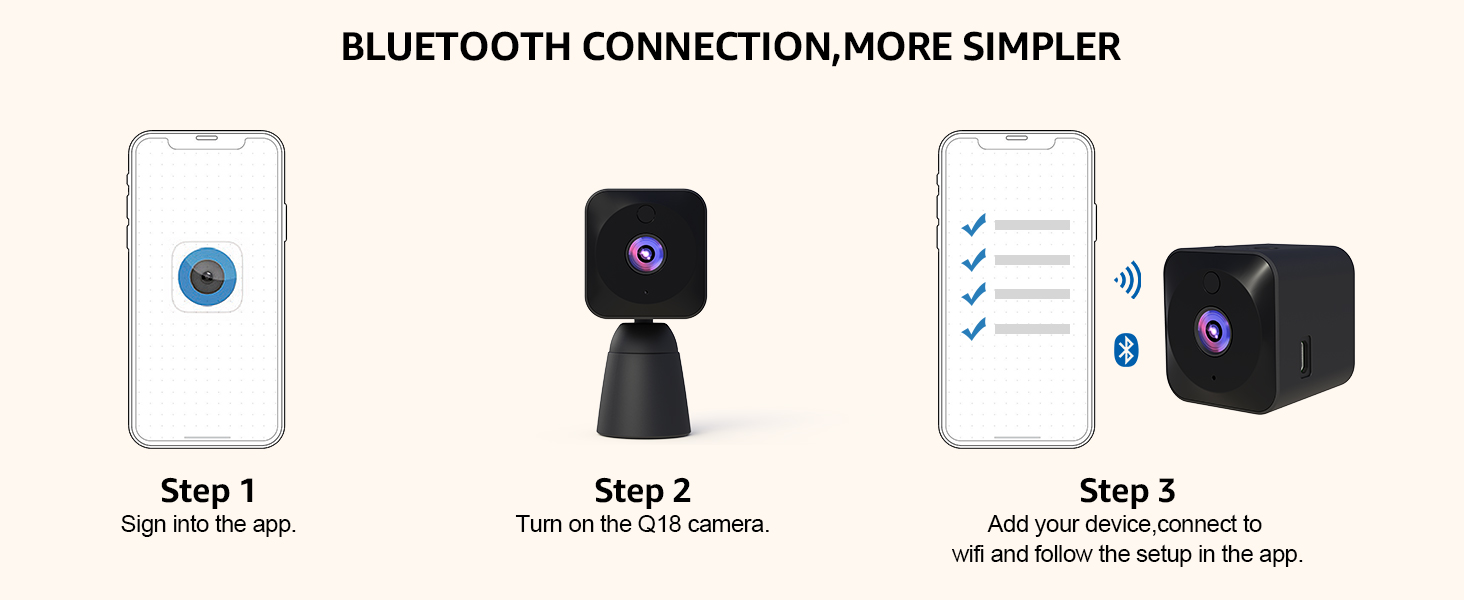
شکل 3.3.1: Bluetooth Connection Steps. This diagram illustrates the three-step process for connecting the AOBOCAM Q18 camera via Bluetooth and Wi-Fi using the mobile application.
۳.۲ ځای پر ځای کول او نصب کول
The compact design of the Q18 allows for versatile placement. Use the included stand for freestanding placement or mount it discreetly on shelves, walls, or desks. Ensure the camera has a clear line of sight to the area you wish to monitor.

شکل 3.4.1: Multi-Scene Installation. This image demonstrates various discreet placement options for the AOBOCAM Q18 camera, including on a shelf, wall, sofa, desk, and curtain.
4. عملیاتي لارښوونې
4.1 ژوندی View او ثبتول
Once connected, open the AOBOCAM app to access the live video feed from your camera. You can initiate manual recordings or capture screenshots directly from the app interface.

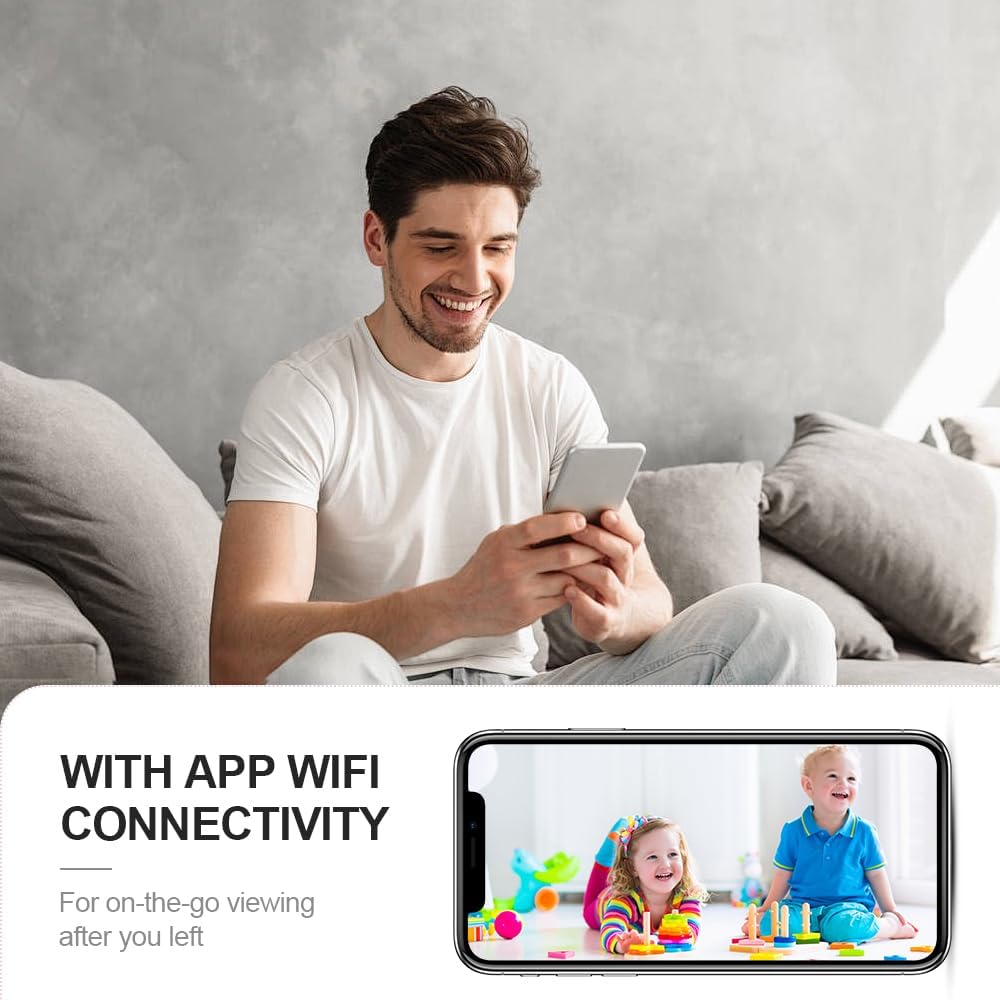
شکل 4.1.1: App Wi-Fi Connectivity. This image shows a user viewing a live feed of children on their smartphone, demonstrating the camera's app and Wi-Fi connectivity for on-the-go viewing.

شکل 4.1.2: View Video Recordings Anytime, Anywhere. This image illustrates the app interface for viewing live and recorded video, with options for micro SD card and cloud storage.
4.2 4K Ultra HD Image Resolution
The Q18 camera captures video at a maximum resolution of 4K, providing clear and detailed images. Its True Wide Dynamic (TURE-WDR) technology enhances image quality in varying light conditions.

شکل 4.2.1: 4K Ultra HD Image. This comparison shows the superior clarity, vivid colors, and lack of color cast in 4K resolution compared to 2K, emphasizing the camera's high-resolution capabilities.
۶.۳ هوښیار حرکت کشف
The camera features AI smart motion detection. When motion is detected, the camera automatically records and sends instant alerts to your phone. This system is designed to minimize false alarms by distinguishing significant movements.

شکل 4.3.1: Perfect Motion Detection Alarms. This image depicts a scenario where motion detection alerts a user to an intruder, emphasizing the camera's real-time security monitoring capabilities.

شکل 4.3.2: AI Smart Motion Detection. This image shows the camera and a smartphone displaying instant alerts triggered by motion, with dogs in the background, illustrating the smart detection feature.
4.4 Excellent Night Vision
Equipped with a starlight sensor and efficient LED infrared light, the Q18 provides clear and rich visual experiences even in low-light or complete darkness, with a night vision range of up to 6 meters.

شکل 4.4.1: Amazing 4K HD Video Image Resolution with Night Vision. This image compares day and night vision footage of a sleeping child, demonstrating the camera's ability to capture clear images in both conditions.

شکل 4.4.2: HD Night Vision. This image shows a woman viewing a clear night vision feed of a sleeping child on her phone, highlighting the camera's capability to see clearly even in darkness.
4.5 Video Sharing and Privacy
The AOBOCAM app allows you to share camera access with friends and family. You can manage user permissions, set/change passwords, and delete access to protect your home privacy.

شکل 4.5.1: Multi-User Access. This image illustrates multiple users simultaneously accessing camera feeds from their smartphones, demonstrating the sharing feature of the AOBOCAM Q18.
5. ساتنه
Proper maintenance ensures the longevity and optimal performance of your AOBOCAM Q18 camera.
- پاکول: د کیمرې لینز او بدن پاکولو لپاره نرم، وچ ټوکر وکاروئ. د کثافاتو پاکوونکو یا محلولونو څخه ډډه وکړئ.
- د بیټرۍ پاملرنه: To protect the battery, it is recommended to use a 5V 1A plug for charging. Avoid extreme temperatures that can affect battery life.
- د سافټویر تازه معلومات: Regularly check the AOBOCAM app for firmware updates to ensure your camera has the latest features and security enhancements.
6. ستونزه حل کول
If you encounter issues with your AOBOCAM Q18, refer to the following common problems and solutions.
| ستونزه | احتمالي لامل | د حل لاره |
|---|---|---|
| کیمره د وای فای سره نه نښلول کیږي | Incorrect Wi-Fi password, 5GHz network, camera too far from router. | Ensure correct 2.4GHz Wi-Fi network and password. Move camera closer to router. Reset camera and try again. |
| د عکس ضعیف کیفیت | خراب لینزونه، ناکافي رڼا، د شبکې بینډ ویت ستونزې. | Clean the lens. Ensure adequate lighting or enable night vision. Check your internet connection speed. |
| Motion detection alerts are too frequent/infrequent | Sensitivity settings, environmental factors. | Adjust motion detection sensitivity in the app. Ensure camera is not facing areas with constant, irrelevant movement (e.g., tree branches swaying). |
| بیټرۍ په چټکۍ سره وچیږي | Continuous recording, frequent motion detection, night vision always on. | For extended use, keep the camera plugged in. Optimize settings for motion detection and night vision to conserve battery. |
If problems persist, please contact AOBOCAM customer support for further assistance.
7. مشخصات
| فیچر | تفصیل |
|---|---|
| د ماډل نوم | Q18 |
| د ویډیو نیول حل | 4K (3840 effective video resolution) |
| Viewزاویه | 120 درجې |
| د شپې لید لړۍ | 6 متره |
| د چوکاټ نرخ | 30 Fps |
| د ارتباط ټیکنالوژي | 2.4GHz router Wi-Fi, Bluetooth, Cellular (hotspot) |
| د بریښنا سرچینه | د بیټرۍ چلول (۱۰۰۰mAh لیتیم پولیمر، شامل دی) |
| د بیټرۍ ژوند | 6-8 hours (continuous use); 4-5 hours (with night vision & motion detection) |
| ذخیره کول | Supports micro SD card up to 256GB (not included), Cloud storage support |
| ځانګړي ځانګړتیاوې | HD Resolution, Motion Sensor, Night Vision, Portable |
| د کور دننه / بهر کارول | دننه |
| ابعاد (L x W x H) | ۵۰ x ۵۰ x ۱۵۰ ملي متره (۵ x ۵ x ۱۵ سانتي متره) |
| د توکي وزن | 150 ګرامه |
| مواد | پلاستیک |
| رنګ | تور |
8. تضمین او ملاتړ
8.1 د تضمین معلومات
The AOBOCAM Mini Home Security Camera Q18 comes with a 1 کلن تضمین د پیرود نیټې څخه. دا تضمین د عادي استعمال لاندې د تولید نیمګړتیاوې او نیمګړتیاوې پوښي. مهرباني وکړئ د تضمین ادعاوو لپاره د پیرود ثبوت وساتئ.
8.2 د پیرودونکي ملاتړ
For technical support, warranty claims, or any questions regarding your AOBOCAM Q18 camera, please refer to the contact information provided in the packaging or visit the official AOBOCAM website. Our support team is available to assist you.