
پیژندنه
Thank you for choosing the XINDADA F7 Ultra Smart Watch. This manual provides essential information to help you set up, operate, and maintain your device. Please read these instructions carefully before use to ensure optimal performance and longevity of your smartwatch.
1. ترتیب کول
1.1 د بسته محتويات
- 1 x F7 Ultra Smart Watch
- 1 x USB Wireless Magnetic Charging Cable
- 1 x د کارونکي لارښود
۲.۲ د سمارټ واچ چارج کول
Before first use, fully charge your F7 Ultra Smart Watch. Connect the USB wireless magnetic charging cable to a power source and attach the magnetic end to the charging points on the back of the watch. The watch will indicate charging status on its screen.
۳.۳ د اپلیکیشن نصب او جوړه کول
- ډاونلوډ کړئ RDFit application from your smartphone's app store (compatible with Android 4.4 and above, and iOS 9.0 and above).
- ډاډ ترلاسه کړئ چې ستاسو په سمارټ فون کې بلوتوټ فعال دی.
- Open the RDFit app and follow the on-screen instructions to search for and connect to your F7 Ultra Smart Watch via Bluetooth 5.0.
- په خپل سمارټ فون او ساعت دواړو کې د جوړه کولو غوښتنه تایید کړئ.
2. عملیاتي لارښوونې
2.1 بنسټیز نیویګیشن
- د بیدارۍ لپاره پورته کول: د سکرین د اتوماتیک فعالولو لپاره خپل لاس پورته کړئ.
- Cover to Turn Off Screen: Place your palm over the screen to turn it off.
- تل-آن ښودنه (AOD): Configure this mode in the watch settings for continuous time display.
- اړخ Lamp: Utilize the side lamp feature for illumination in low-light conditions.
2.2 کلیدي ځانګړتیاوې
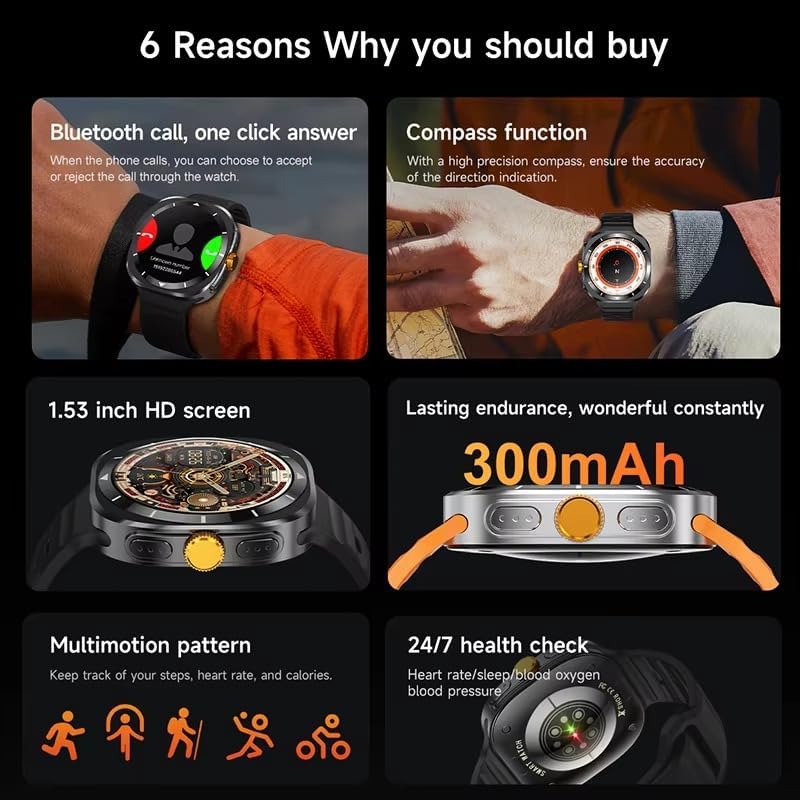
This image illustrates several key features of the F7 Ultra Smart Watch, including its Bluetooth call capability, compass function, 1.53-inch HD screen, 300mAh battery, various sports modes, and continuous health monitoring.
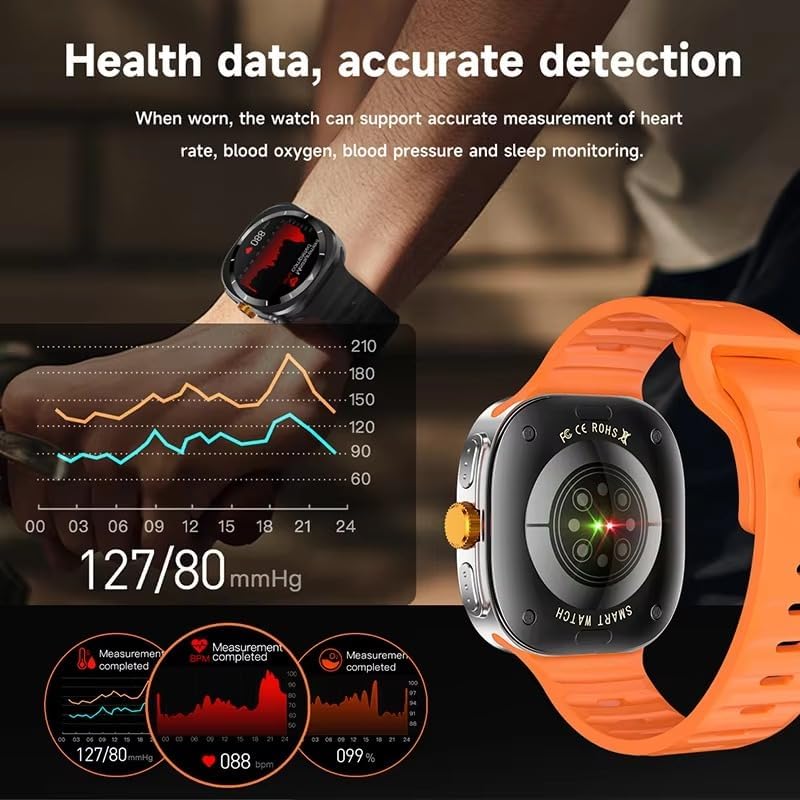
The watch provides accurate health data detection, including real-time heart rate, blood oxygen, and blood pressure monitoring, as shown with graphical representations.

Expand your exercise routine with multiple sports modes such as mountaineering, basketball, and running, each with precise record-keeping to help achieve fitness goals.

The GPS motion track feature accurately records your position during outdoor activities, enhancing safety and providing meaningful data for your adventures.
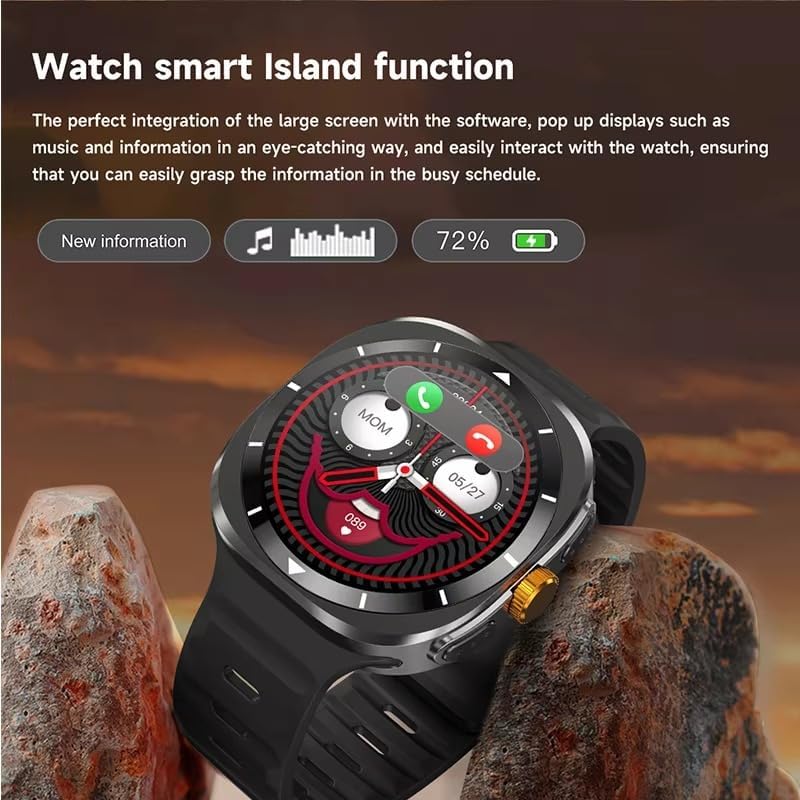
The Smart Island function integrates seamlessly with the large screen, providing eye-catching pop-up displays for new information, music controls, and battery status, allowing easy interaction even during a busy schedule.
- بلوتوث زنګونه: Answer or reject calls directly from your watch when connected to your phone.
- د کمپاس دنده: Utilize the high-precision compass for accurate direction indication.
- روغتیا څارنه: Track heart rate, blood pressure, blood oxygen, and sleep patterns 24/7.
- د سپورت طریقې: Access 156 sports algorithms, including mountaineering, basketball, and running, with GPS motion tracking.
- Smart Island Function: Experience dynamic pop-up notifications for calls, music, and other information.
- NFC Door Access: Use your watch for convenient NFC-enabled door access.
- خبرتیاوې: د اپلیکیشن خبرتیاوې مستقیم په خپل لاس کې ترلاسه کړئ.
- د موسیقۍ او کیمرې کنټرول: Remotely control music playback and your smartphone camera.
- اسانتیاوې: Features include weather updates, 'Find My Phone', password protection, calculator, split screen, quick widgets, Alipay, QR code, Qibla finder, and AI voice assistant.
۱۱ د ژبې ملاتړ
The F7 Ultra Smart Watch supports multiple languages, including Chinese, English (default), Russian, Spanish, German, Italian, French, Portuguese, Polish, Dutch, Greek, Turkish, Romanian, Japanese, Traditional Chinese, Hebrew, Czech, Slovak, Hungarian, Arabic, Indonesian, Korean, Vietnamese, Thai, Persian, Ukrainian, Malay, and Burmese.
3. ساتنه
۲.۷ د اوبو مقاومت
The watch has an IP67 waterproof rating, meaning it is resistant to splashes and brief immersion in water. It is not suitable for swimming, diving, or high-pressure water activities. Avoid exposing the watch to hot water or steam.
3.2 پاکول
ساعت او تسمه په منظم ډول د نرم، وچ ټوکر سره پاک کړئ. که اړتیا وي، لږ څه وکاروئamp ټوکر واچوئ او بیا په ښه توګه وچ کړئ. د سختو کیمیاوي موادو یا خړوبولو موادو کارولو څخه ډډه وکړئ.
3.3 د بیټرۍ پاملرنه
To prolong battery life, avoid extreme temperatures. Charge the watch using only the provided magnetic charging cable. Do not attempt to replace the battery yourself.
4. ستونزه حل کول
- ساعت نه چالانېږي: ډاډ ترلاسه کړئ چې ساعت په بشپړه توګه چارج شوی دی. لږترلږه د 30 دقیقو لپاره یې چارجر سره وصل کړئ.
- د تلیفون سره جوړه نشي کولی: Make sure Bluetooth is enabled on both devices. Restart both the watch and your phone. Ensure the RDFit app is open and running.
- د روغتیا ناسم معلومات: ډاډ ترلاسه کړئ چې ساعت ستاسو په لاس کې په کلکه اغوستل شوی دی، نه ډیر تنګ او نه ډیر خلاص. د ساعت په شا سینسر پاک کړئ.
- خبرتیاوې نه دي ترلاسه شوي: Check app notification settings on your phone and within the RDFit app to ensure they are enabled for the watch.
- د بیټرۍ لنډ ژوند: د سکرین روښانتیا کمه کړئ، غیر ضروري ځانګړتیاوې غیر فعال کړئ، او د شالید اپلیکیشن تازه کول محدود کړئ.
5. مشخصات
| د سکرین اندازه | ۱.۸۳ انچه HD لویه سکرین |
| د سکرین ریزولوشن | 360 x 360 پکسله |
| د کتلو ابعاد | 47 x 45 x 12.5 mm |
| بلوتوث نسخه | بلوتوث 5.0 |
| مدغم چپ | Jerry 7012F6 |
| د پنروک کچه | IP67 |
| د چارج کولو ډول | بېسیم مقناطیسي چارج کول |
| د بیټرۍ ظرفیت | 300 mAh |
| د مینو سټایلونه | ۴ ډوله |
| مطابقت | Android 4.4 او پورته، iOS 9.0 او پورته |
| د ملګری ایپ | RDFit |
6. تضمین او ملاتړ
For warranty information and technical support, please refer to the documentation provided with your purchase or contact XINDADA customer service. Keep your purchase receipt for any warranty claims. This user manual is included in the product package for your convenience.