
PRORECK StagePro 12
PRORECK Stage Pro 12 PA Speaker System Instruction Manual
ماډل: ایسtagePro 12 | Brand: PRORECK
پیژندنه
Thank you for choosing the PRORECK Stage Pro 12 PA Speaker System. This powerful audio system is designed to deliver exceptional sound quality for various events, including DJ performances, weddings, meetings, and live events. With its 8000W peak power, dual 12" subwoofers, four line array speakers, and versatile DSP presets, the Stage Pro 12 offers a comprehensive solution for your audio needs. This manual provides essential information for the proper setup, operation, maintenance, and troubleshooting of your system.
کلیدي ځانګړتیاوې عبارت دي له:
- 8000W Powerful Sound System: Experience unmatched audio performance with 8000W peak power and 1200W RMS for crystal-clear, high-quality sound.
- 4x Line Array Speakers + 2x 12" Subwoofer: Provides a perfect balance of crisp highs, rich mids, and deep bass.
- 3 DSP Presets: Optimize audio output with STANDARD, DJ, and LIVE presets for different occasions.
- TWS Bluetooth for Wireless Connectivity: Stream music wirelessly and connect two Stage Pro 12 speakers for enhanced stereo sound.
- Versatile and Professional-Grade: Ideal for DJs, musicians, and event organizers.
د خوندیتوب معلومات
مهرباني وکړئ د دې محصول له چلولو دمخه د خوندیتوب ټولې لارښوونې ولولئ او پوه شئ. د دې لارښوونو په تعقیب کې پاتې راتلل ممکن د بریښنا شاک، اور، یا جدي ټپي کیدو لامل شي.
- د بریښنا سرچینه: Connect the system only to a power supply of the type described in this manual or marked on the unit. Ensure the voltage switch is set correctly for your region (AC 120V or AC 240V).
- وینټیلیشن: د هوا د بهېدو لارې مه بندوئ. د جوړونکي د لارښوونو سره سم نصب کړئ.
- اوبه او رطوبت: دا وسیله باران یا رطوبت ته مه ښکاره کوئ. د اوبو سره نږدې مه کاروئ.
- تودوخه: د تودوخې کومې سرچینې ته نږدې مه نصب کړئ لکه ریډیټرونه، د تودوخې راجسترونه، بخارۍ، یا نور وسایل (په شمول ampلایفیر) چې تودوخه تولیدوي.
- ځمکني کول: دا محصول باید په ځمکه کې وي. د قطبي شوي یا ځمکني ډول پلګ د خوندیتوب هدف مه ماتوئ.
- خدمت کول: د دې محصول پخپله خدمت کولو هڅه مه کوئ. ټول خدمتونه وړ خدماتي پرسونل ته راجع کړئ.
- سمبالول: Use caution when moving the system to prevent injury or damage.
په بکس کې څه دي
Upon unpacking, please verify that all components listed below are present and in good condition. If any items are missing or damaged, contact PRORECK customer support immediately.

Image: All components of the PRORECK Stage Pro 12 system, including the two 12-inch subwoofers, four line array speakers, power cable, and speaker cables.
- 2 x 12" Subwoofer Units
- 4 x Line Array Speaker Units
- 1 x د بریښنا کیبل
- Speaker Cables (for connecting line array speakers to subwoofers and subwoofers to each other)
Note: The system is typically shipped in three separate packages.
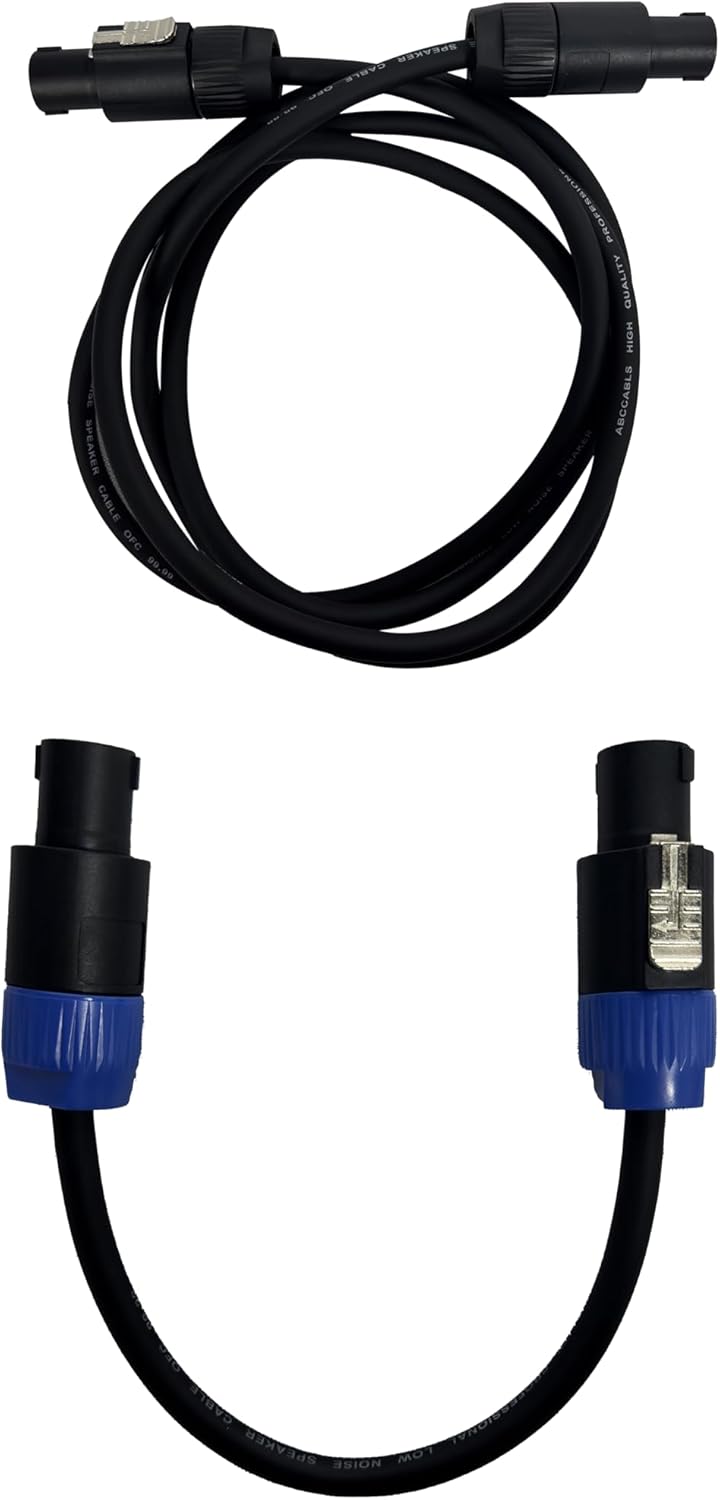
Image: The three distinct packages (Stage Pro 12Y, 12W, 12X) in which the PRORECK Stage Pro 12 system is shipped.
محصول پای ته ورسیدview: د تضمین اداره
Familiarize yourself with the control panel located on the rear of the subwoofer unit. Understanding these controls is crucial for proper operation.
انځور: نږدې انځور view of the main control panel on the PRORECK Stage Pro 12 subwoofer, showing all inputs, outputs, and control knobs with corresponding labels.
- فرعي کچه: Adjusts the output volume of the subwoofer.
- SATELLITE LEVEL: Adjusts the output volume of the line array speakers.
- XLR/TRS COMBO INPUT: Input for audio sources using XLR or 1/4" TRS cables (Left and Right channels).
- XLR LINK OUTPUT: Output for linking to another speaker system or mixer.
- DSP PRESETS: Selects between STANDARD, DJ, and LIVE sound modes.
- BLUETOOTH/TWS SWITCH: Activates Bluetooth pairing mode or True Wireless Stereo (TWS) linking.
- SATELLITE POWER OUTPUT: Connects to the line array speakers.
- د سبوفر تولید: Connects to the second subwoofer unit.
- VOLTAGE SWITCH: Selects between AC 120V and AC 240V power input. Ensure this matches your local power supply.
- د بریښنا سویچ: Turns the system ON or OFF.
- MAIN POWER INPUT: Connects the system to the main power supply using the provided power cable.
چمتو کول
1. د سیسټم مجلس
The PRORECK Stage Pro 12 system is designed for easy assembly. Follow these steps to set up your speakers:
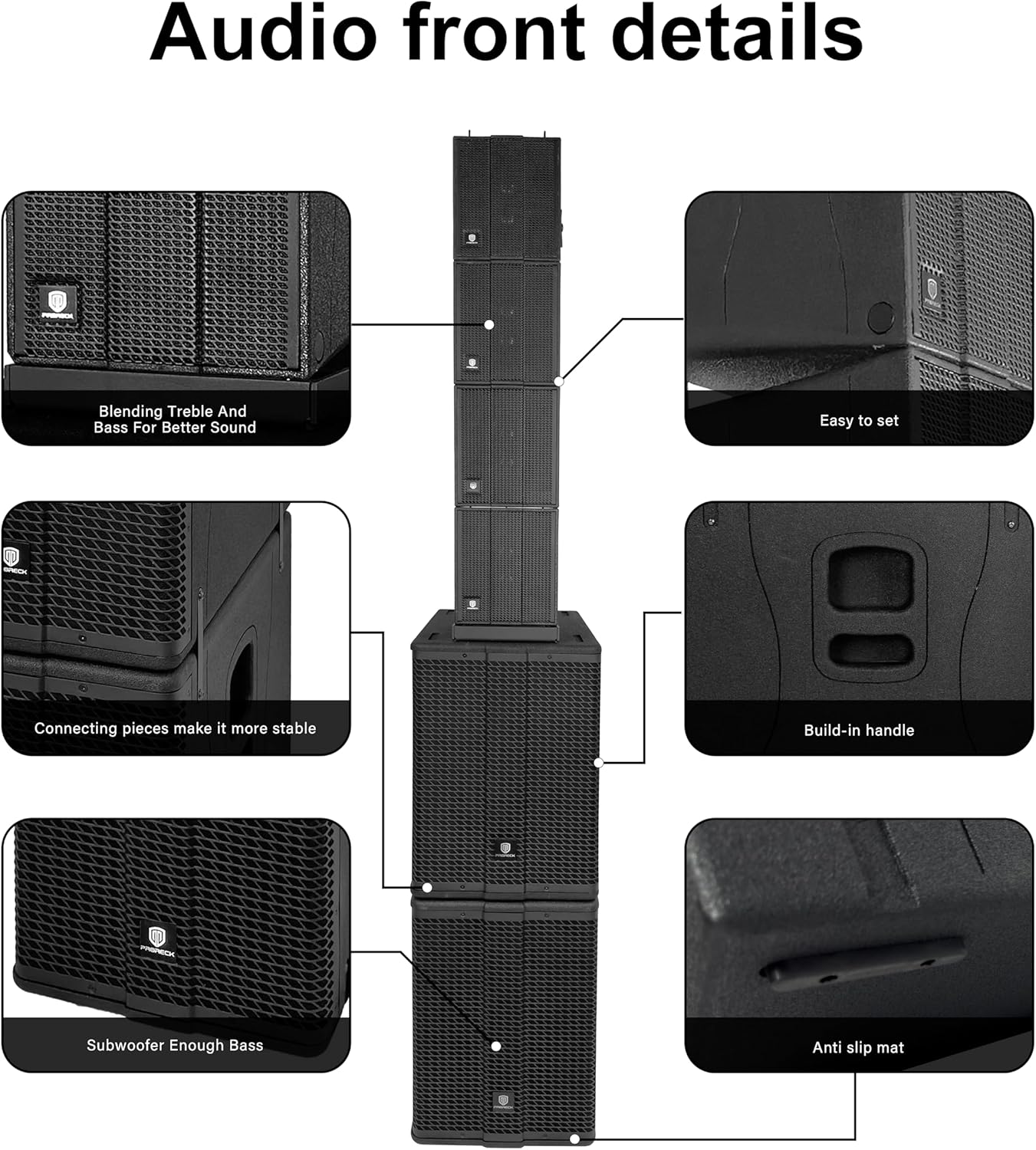
- Place the two 12" subwoofer units on a stable, flat surface. The bottom subwoofer should be placed first, followed by the second subwoofer stacked directly on top.
- Carefully place the four line array speaker units on top of the upper subwoofer. Ensure they are securely connected using the integrated connecting pieces for stability.

Image: The complete PRORECK Stage Pro 12 system fully assembled, showing the two subwoofers at the base and the four line array speakers stacked vertically above them.
2. بریښنایی ارتباطات
- د بریښنا پیوستون: Before connecting to power, ensure the VOLTAGای سویچ (9) on the control panel is set to match your local power supply (AC 120V or AC 240V). Connect the provided power cable to the د بریښنا اصلي داخلول (11) on the subwoofer and then to a grounded electrical outlet.
- د Subwoofer پیوستون: Use a speaker cable to connect the د SUBWOOFER تولید (8) of the primary subwoofer to the input of the second subwoofer unit.
- Line Array Speaker Connection: Connect the line array speakers to the SATELLITE POWER OUTPUT (7) on the primary subwoofer using the appropriate speaker cables. Ensure all four line array speakers are daisy-chained or connected as per the system's design.

Image: The rear panel of the PRORECK Stage Pro 12 system, illustrating the correct cable connections for power, linking subwoofers, and connecting the line array speakers.
3. د آډیو سرچینې پیوستون
- Connect your audio source (mixer, microphone, instrument, etc.) to the XLR/TRS COMBO INPUT (3) on the control panel. Use either XLR or 1/4" TRS cables.
- For linking to another speaker system or recording device, use the XLR LINK OUTPUT (۵۶) .
عملیاتي لارښوونې
1. بریښنا کول/بندول
- ډاډ ترلاسه کړئ چې ټولې اړیکې د بریښنا کولو دمخه خوندي دي.
- وګرځوئ SUB Level (۷) او د سپوږمکۍ کچه (2) knobs to their minimum positions.
- فلپ کړئ د بریښنا سویچ (10) to the "ON" position. The power indicator light will illuminate.
- To power off, turn the level knobs to minimum, then flip the د بریښنا سویچ (10) to "OFF".
۲. د حجم کچه تنظیمول
- د کارولو SUB Level (1) knob to control the volume of the subwoofer.
- د کارولو د سپوږمکۍ کچه (2) knob to control the volume of the line array speakers.
- Adjust both levels to achieve a balanced sound for your environment.
3. DSP Presets
دtage Pro 12 features three Digital Signal Processing (DSP) presets to optimize sound for different applications:
- معیاري: General purpose setting for balanced audio reproduction.
- DJ: Enhanced bass and treble for music playback, ideal for parties and events.
- ژوندی: Optimized for live vocals and instruments, providing clarity and presence.
د کارولو DSP presets (5) switch to cycle through these modes and select the one best suited for your current use.
4. Bluetooth and TWS Connectivity
- بلوتوث فلپ کړئ BLUETOOTH/TWS SWITCH (6) to the Bluetooth position. The Bluetooth indicator light will flash, indicating it's ready for pairing. On your smartphone, tablet, or laptop, search for "PRORECK Stage Pro 12" in your Bluetooth settings and connect. Once paired, the light will become solid.
- ریښتینی بې سیم سټیریو (TWS): To connect two Stage Pro 12 systems for stereo sound, ensure both units are powered on and in Bluetooth mode. On one unit, press and hold the BLUETOOTH/TWS SWITCH (6) until the TWS indicator light flashes. The two units will automatically pair, and audio will be split into left and right channels for a wider soundstage.
ساتنه
Proper maintenance ensures the longevity and optimal performance of your PRORECK Stage Pro 12 system.
- پاکول: Use a soft, dry cloth to clean the exterior surfaces of the speakers. Do not use abrasive cleaners, waxes, or solvents. For stubborn dirt, a slightly damp ټوکر کارول کیدی شي، او بیا وچ ټوکر وکارول شي.
- وینټیلیشن: په منظم ډول وګورئ چې د هوا د تودوخی دروازې د دوړو او کثافاتو څخه پاکې دي ترڅو د ډیر تودوخې مخه ونیول شي.
- ذخیره کول: When not in use for extended periods, store the system in a cool, dry place, away from direct sunlight and extreme temperatures. It is recommended to use the original packaging for storage and transport.
- د کیبل پاملرنه: Inspect all cables regularly for signs of wear or damage. Replace any damaged cables immediately to prevent electrical hazards or signal loss.
د ستونزو حل کول
If you encounter issues with your PRORECK Stage Pro 12 system, refer to the following common problems and solutions:
| ستونزه | احتمالي لامل | د حل لاره |
|---|---|---|
| د سپیکرو څخه هیڅ غږ نشته. |
|
|
| تحریف شوی یا خراب غږ کیفیت. |
|
|
| د بلوتوث جوړه کولو ستونزې. |
|
|
| د TWS اړیکه ناکامه شوه. |
|
|
If the problem persists after trying these solutions, please contact PRORECK customer support for further assistance.
مشخصات
Detailed technical specifications for the PRORECK Stage Pro 12 PA Speaker System:
| د ماډل شمیره | StagePro 12 |
| برانډ | پروریک |
| د سپیکر اعظمي تولید ځواک | 8000 واټ (چټک) |
| د RMS ځواک | 1200 واټ |
| شاملې برخې | Line Array Speakers (4x), Subwoofers (2x 12") |
| د ارتباط ټیکنالوژي | Bluetooth (TWS supported) |
| د آډیو وتلې حالت | سټیریو |
| د نصب کولو ډول | د پوړ ودریدل |
| د کنټرول طریقه | Voice (via connected device for Bluetooth), Manual Knobs/Switches |
| د توکو شمیر | ۱ (بشپړ سیسټم) |
| ابعاد (تقریبا) | Total Height: 192cm (75.5 inches) |

Image: Detailed dimensional drawing of the PRORECK Stage Pro 12 system, providing measurements for the overall height, and individual dimensions for the subwoofers and line array speakers.
تضمین
The PRORECK Stage Pro 12 PA Speaker System comes with a Limited Warranty. Please refer to the warranty card included with your product for specific terms, conditions, and duration of coverage. Retain your proof of purchase for warranty claims.
ملاتړ
For technical assistance, troubleshooting beyond this manual, or warranty inquiries, please contact PRORECK customer support. You can find more information and contact details on the official PRORECK website or through the PRORECK Store on Amazon.
لیدنه وکړئ PRORECK Store د اضافي محصول معلوماتو او ملاتړ سرچینو لپاره.
Ask a question about this manual
Ask about setup, troubleshooting, compatibility, parts, safety, or missing instructions. Manuals+ will review the question and use this page’s manual context to help answer it.