
1. پیژندنه
The MEETION DirectorD-KB is a wireless ergonomic keyboard designed for comfortable and natural typing. It features a scientific wave key design and a built-in firm wrist rest to support your hands during extended use. This keyboard offers broad compatibility with Windows and macOS devices through a 2.4GHz wireless connection.

Image: The MEETION DirectorD-KB Wireless Ergonomic Keyboard positioned on a wooden desk, showcasing its wave-curved design and integrated wrist rest.
2. د بسته محتويات
ډاډ ترلاسه کړئ چې ټول توکي په کڅوړه کې شتون لري:
- 1 x MEETION DirectorD-KB Wireless Ergonomic Keyboard
- 1 x د کارونکي لارښود
- 1 x USB-A 2.4GHz Wireless Receiver
- 1 x USB-C اډاپټر
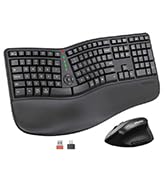
Image: Contents of the MEETION DirectorD-KB package, including the keyboard, user manual, USB-A receiver, and USB-C adapter.
۴. د تنظیم لارښوونې
3.1. د بیټرۍ نصب کول
- د کیبورډ په لاندې برخه کې د بیټرۍ کڅوړه ومومئ.
- د بیټرۍ کمپارټ پوښ خلاص کړئ.
- Insert two AAA batteries (not included) into the compartment, ensuring correct polarity.
- د بیټرۍ کمپارټ پوښ په خوندي ډول وتړئ.

Image: The underside of the keyboard showing the battery compartment for two AAA batteries and details on power saving features.
3.2. د رسیدونکي سره نښلول
- Locate the USB-A 2.4GHz wireless receiver, typically found in the slot inside the keyboard's battery compartment or in the accessory pouch.
- For devices with a USB-A port: Plug the USB-A receiver directly into an available USB-A port on your computer.
- For devices with a USB-C port: Attach the provided USB-C adapter to the USB-A receiver, then plug the combined unit into an available USB-C port on your computer.
- The keyboard is plug-and-play and should connect automatically.
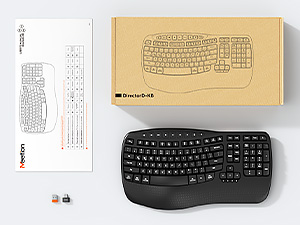
Image: Step-by-step guide on connecting the USB-A receiver with the USB-C adapter to a computer's USB-C port.
3.3. په بریښنا چالانول
After installing batteries and connecting the receiver, slide the power switch on the keyboard to the 'ON' position. The keyboard is now ready for use.
4. عملیاتي لارښوونې
4.1. Ergonomic Design and Wrist Rest
The keyboard features a wave-shaped key layout and a firm, integrated wrist rest. This design guides your hands and wrists into a natural, relaxed typing position, reducing strain during long typing sessions.

Image: A user's hands resting comfortably on the integrated wrist rest while typing on the ergonomic keyboard.
4.2. Adjustable Tilt
Utilize the adjustable tilt legs on the underside of the keyboard to find your preferred typing angle. Different angles can further enhance comfort and reduce wrist fatigue.

انځور: سایډ پروfiles of the keyboard demonstrating three different adjustable tilt angles for personalized comfort.
4.3. Dual System Layout (Windows/macOS)
The keyboard supports both Windows and macOS layouts. To switch between operating systems:
- مطبوعاتي FN + Q د وینډوز ترتیب لپاره.
- مطبوعاتي FN + W for macOS layout.
۴.۲. ملټي میډیا کیلي
The keyboard includes dedicated and combined multimedia keys for quick access to functions like volume control, media playback, and more.
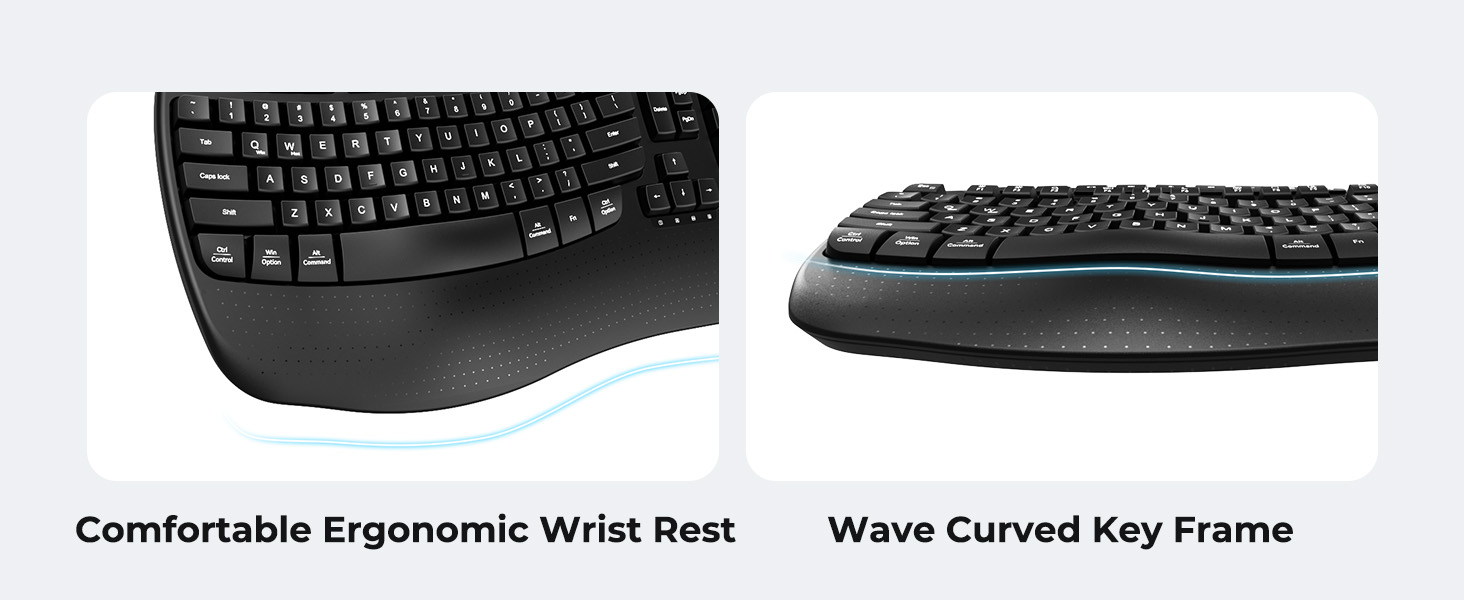
Image: A visual representation of the independent and combined multimedia keys available on the keyboard.
4.5. Intelligent Power Saving
The keyboard features an auto-sleep mode to conserve battery life. After 20 minutes of inactivity, it will enter hibernation. To wake it up, simply press any key.

Image: Close-up of the keyboard's indicator lights, showing status for Num Lock, Caps Lock, FN Lock, and low battery warning.
5. ساتنه
د خپل کیبورډ د اوږد عمر او غوره فعالیت ډاډمن کولو لپاره، د ساتنې دا لارښوونې تعقیب کړئ:
- پاکول: Use a soft, dry cloth to wipe the surface of the keyboard. For deeper cleaning, a slightly damp cloth with mild soap can be used, ensuring no liquid enters the keycaps or internal components.
- د مایعاتو څخه ډډه وکړئ: Do not expose the keyboard to excessive moisture or spill liquids on it.
- ذخیره کول: کیبورډ په یخ او وچ ځای کې د مستقیم لمر وړانګو او سختې تودوخې څخه لرې وساتئ.
- د بیټرۍ بدلول: Replace batteries promptly when the low battery indicator appears to maintain consistent performance.
6. ستونزه حل کول
If you encounter issues with your MEETION DirectorD-KB keyboard, refer to the following common solutions:
- کیبورډ ځواب نه ورکوي:
- وګورئ چې کیبورډ فعال دی که نه.
- Ensure the batteries are correctly installed and not depleted. Replace if necessary.
- Verify that the USB receiver is securely plugged into your computer's USB port (or via the USB-C adapter).
- هڅه وکړئ چې ریسیور په بل USB پورټ کې ولګوئ.
- خپل کمپیوټر بیا پیل کړئ.
- ځنډ یا وقفه ای اړیکه:
- Ensure the keyboard is within the effective range of the receiver (typically up to 10 meters).
- Minimize interference from other wireless devices by moving them further away.
- د لویو فلزي شیانو ته نږدې د ریسیور له ایښودلو څخه ډډه وکړئ.
- کیلي په سمه توګه کار نه کوي:
- د کی کیپس لاندې د هر ډول فزیکي خنډونو لپاره وګورئ.
- Ensure the correct operating system layout (Windows/macOS) is selected using FN+Q or FN+W.
7. مشخصات
| فیچر | تفصیل |
|---|---|
| برانډ | غونډه |
| د ماډل شمیره | DirectorD-KB |
| د ارتباط ټیکنالوژي | 2.4G Wireless (USB-A, USB-C Adapter) |
| مطابقت لرونکې وسیلې | Laptop, PC (Windows XP/7/8/10/11 & macOS X 10.6 or later) |
| د کیبورډ ترتیب | QWERTY |
| د کلیدونو شمیر | 113 |
| ځانګړي ځانګړتیاوې | Ergonomic, Hotkeys and Media Keys, Integrated Stand, Wave Keys, Wrist Rest |
| د محصول ابعاد (L x W x H) | ۸۳.۸" x ۵۵.۷" x ۴۴.۱" |
| مواد | پلاستیک |
| د بریښنا سرچینه | د بیټرۍ چلول شوی (2 x AAA، شامل نه دی) |
۳.۳. د محصول رسمي ویډیو
ویډیو: د محصول رسمي ویډیو نندارهasing the features and ergonomic design of the MEETION DirectorD-KB Wave Ergonomic Wireless Keyboard. (Duration: 0:39)
9. تضمین او ملاتړ
This MEETION DirectorD-KB Wireless Ergonomic Keyboard comes with a 1-year manufacturer's warranty.
For further assistance, troubleshooting, or warranty claims, please visit the official MEETION store or contact customer support.
Official MEETION Store: MEETION Store on Amazon