
1. پیژندنه
This manual provides essential information for the setup, operation, maintenance, and troubleshooting of your ViewSonic IFP55G1 55-inch 4K UHD ViewBoard Interactive Display. Please read this manual thoroughly before using the product to ensure proper and safe operation.
د ViewSonic IFP55G1 is a 55-inch 4K Ultra HD (3840x2160p) interactive display designed for educational and business environments. It features multi-point touch recognition, an OPS slot for external PCs, 10W dual speakers, and versatile connectivity options including HDMI, VGA, USB Hub, and USB-C inputs. Its OS-free design allows flexibility with various computing solutions.
کلیدي ځانګړتیاوې:
- Ultra HD Resolution: 55 Inch 4K Ultra HD (3840x2160p) interactive display for crisp visuals.
- Advanced Multi-Touch: Allows multiple users to write and interact simultaneously with fingers and passive pens.
- انعطاف وړ ارتباط: Equipped with a powerful quad-core processor and versatile ports including HDMI, VGA, RJ45, and USB.
- OS-Free Design: Provides enhanced security and flexibility to integrate with your preferred operating system via external PC or OPS device.
- Write-Away Technology: Enables instant writing with the stylus without extended setup.
۲. په بکس کې څه دي؟
Verify that all items listed below are included in your package. If any items are missing or damaged, please contact your dealer immediately.
- ViewSonic IFP55G1 Interactive Display
- 3m USB 2.0 touch cable x 1
- Touch pen (Passive pen) x 2 (VB-PEN-002)
- د بریښنا کیبل 3m
- HDMI 2.0 cable 3m x 1
- د چټک پیل لارښود + د اطاعت بیان
- RS232 اډاپټر
- Screw (wall mount 4)
- د کیمرې پلیټ
- Remote control with AAA battery (Optional)
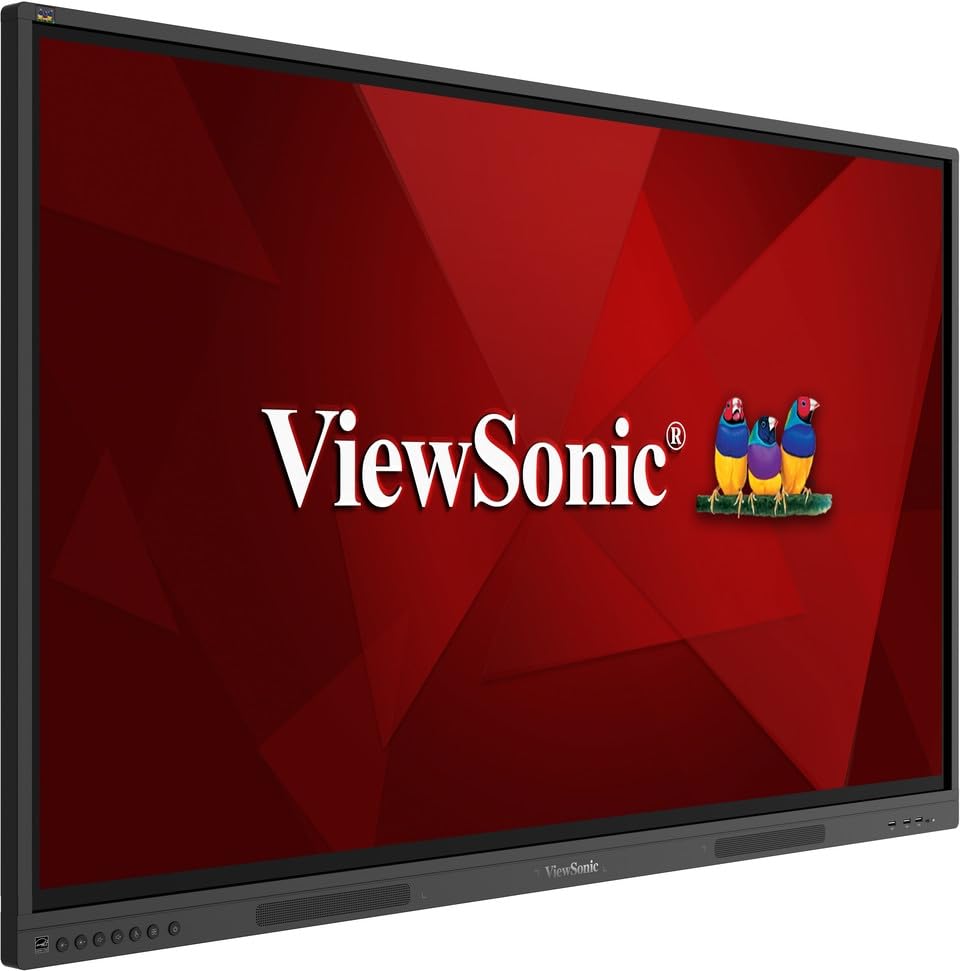
انځور: ViewSonic IFP55G1 55-inch ViewBoard Interactive Display, front view.
۴. د تنظیم لارښوونې
۴.۱ د ښودنې نصبول
The IFP55G1 can be wall-mounted or installed on a compatible mobile cart (sold separately). Ensure the mounting solution supports the display's weight (approximately 59.3 lbs / 26.9 kg) and dimensions (3.37 x 49.7 x 30.3 inches).
- For wall mounting, use the provided wall mount screws and ensure the wall structure is robust enough.
- Follow the instructions provided with your specific wall mount or mobile cart.
3.2 د پردیو سره نښلول
The display offers various ports for connecting external devices. Refer to the image below for port locations.

انځور: اړخ view د ViewSonic IFP55G1 interactive display showing various input ports including HDMI, VGA, and USB.
- د بریښنا پیوستون: Connect the 3m power cable to the display and a grounded power outlet.
- د ویډیو انټرنېټ Connect your external PC or media player to the display using an HDMI 2.0 cable (provided), VGA cable, or USB-C cable. The display has 3 HDMI ports, 1 VGA port, and USB-C connectivity.
- د ټچ فعالیت: For interactive touch features with an external PC, connect the 3m USB 2.0 touch cable from the display's USB-B (Touch) port to a USB-A port on your PC.
- OPS Slot: If using an optional ViewSonic Slot-in PC (OPS device), insert it into the dedicated OPS slot on the rear of the display. This provides an integrated computing solution.
- شبکه: د تار لرونکي شبکې لاسرسي لپاره د ایترنیټ کیبل د RJ45 پورټ سره وصل کړئ.
- د USB وسایل: Use the available USB-A ports to connect USB drives, keyboards, mice, or other peripherals.

انځور: د ViewSonic IFP55G1 display demonstrating connectivity with various external devices, including laptops and mini PCs, highlighting its 'Bring Your Own Devices' capability.
4. عملیاتي لارښوونې
4.1 بریښنا کول / بندول
- پاور آن: Press the power button located on the display's front or side panel, or use the remote control. The display will power on and show the input source.
- بندول: Press the power button again. A confirmation message may appear; select 'Power Off'. For complete power disconnection, unplug the power cable.
۵.۲ د ننوتلو سرچینې غوره کول
Use the 'Source' button on the display or remote control to cycle through available input sources (HDMI 1, HDMI 2, HDMI 3, VGA, USB-C, OPS).
4.3 Using Touch Functionality
Once the USB touch cable is connected to your external PC, the display will function as a multi-touch input device. You can use your fingers or the provided passive pens for interaction.
- Finger Touch: Use gestures similar to a tablet or smartphone for navigation, zooming, and drawing.
- Passive Pens: The two included passive pens (VB-PEN-002) allow for precise writing and drawing on the screen. The display's Write-Away technology enables instant use of the pens.

Image: A group of individuals collaborating around a ViewSonic IFP55G1 interactive display in a modern meeting room, demonstrating its multi-touch capabilities for instantaneous collaboration.
4.4 آډیو کنټرول
The display features integrated 10W dual speakers. Adjust volume using the remote control or the buttons on the display panel.
5. ساتنه
5.1 د نندارې پاکول
- سکرین: په نرمۍ سره سکرین د نرم، لینټ نه پاک ټوکر سره پاک کړئ. د سختو نښو لپاره، په نرمۍ سرهampen the cloth with water or a non-abrasive, ammonia-free screen cleaner. Do not spray cleaner directly onto the screen.
- Casing: ج پاک کړئasing with a soft, dry cloth. Avoid using harsh chemicals or abrasive materials.
5.2 عمومي پاملرنه
- په ښودنه کې د درنو شیانو له ایښودلو څخه ډډه وکړئ.
- Do not block ventilation openings on the rear of the display.
- Keep the display away from direct sunlight, heat sources, and excessive moisture.
6. ستونزه حل کول
که تاسو د خپلو ستونزو سره مخ شئ ViewSonic IFP55G1, refer to the following common problems and solutions.
۷.۱ هیڅ ښودنه / تور سکرین نشته
- ډاډ ترلاسه کړئ چې د بریښنا کیبل په خوندي ډول د نندارې او کاري بریښنا سایټ دواړو سره وصل دی.
- Verify that the display is powered on (power indicator light should be active).
- Check that the video cable (HDMI, VGA, USB-C) is securely connected to both the display and the source device (PC, OPS).
- Select the correct input source using the 'Source' button on the display or remote control.
- Ensure the source device (PC, OPS) is powered on and outputting a video signal.
6.2 Touch Functionality Not Working
- Confirm the USB touch cable is securely connected from the display's USB-B (Touch) port to a USB-A port on your external PC.
- Ensure your external PC's operating system has the necessary drivers installed for touch input.
- Restart both the display and the connected PC.
6.3 غږ نشته
- Check the volume level on the display and the connected source device.
- Ensure the audio output from your source device is routed correctly to the display (e.g., via HDMI).
- If using an external audio system, ensure it is properly connected and powered on.
7. مشخصات
لاندې د دې لپاره تخنیکي مشخصات دي ViewSonic IFP55G1 interactive display.
| فیچر | مشخصات |
|---|---|
| برانډ | Viewسونیک |
| د ماډل نوم | IFP55G1 |
| د سکرین اندازه | ۷۸۷ انچه |
| د ښودلو ریزولوشن اعظمي | ۳۸۴۰x۲۱۶۰ پکسلز (۴K UHD) |
| اصلي حل | 3840 x 2160 |
| د ښودلو ډول | LCD |
| د اړخ نسبت | 16:9 |
| د انسان-انټرفیس داخلول | ټچ سکرین |
| د ارتباط ټیکنالوژي | Ethernet, HDMI, USB Type C, VGA |
| د HDMI پورټونو ټولټال شمېر | 3 |
| ټول USB پورټونه | 9 |
| د ویډیو تولید انٹرفیس | DisplayPort |
| د آډیو تولید | Integrated 10W Dual Speakers |
| د توکي ابعاد (LxWxH) | 3.37 x 49.7 x 30.3 انچه |
| د توکي وزن | 59.3 پونډه |
| رنګ | تور |
| ځانګړي ځانګړتیاوې | All-in-one USB port, Anti Glare Display, Light Sensor, Speakers, Touchscreen |
| مطابقت لرونکې وسیلې | ډیسټاپ، لپ ټاپ |
| UPC | 766907024654 |
8. تضمین او ملاتړ
8.1 د تضمین معلومات
د ViewSonic IFP55G1 interactive display comes with an industry-leading د 3 کلن محدود تضمین on parts, labor, and backlight. Onsite warranty service may also be available. Please refer to the warranty card included in your package or visit the official Viewسونیک website for detailed terms and conditions, and information on optional warranty extensions.
8.2 د پیرودونکي ملاتړ
د تخنیکي مرستې، د محصول پوښتنو، یا د تضمین ادعاوو لپاره، مهرباني وکړئ اړیکه ونیسئ ViewSonic's award-winning customer service team. Contact information can be found on the official Viewسونیک webسایټ یا ستاسو د محصول سره چمتو شوي د چټک پیل لارښود کې.