
پیژندنه
Thank you for choosing the JUNJIEUNVO BT1638 Over-Ear Wireless Headphones. This manual provides detailed instructions for the proper use, setup, and maintenance of your headphones. Please read this manual thoroughly before using the product to ensure optimal performance and longevity.

Image: The JUNJIEUNVO BT1638 Over-Ear Wireless Headphones in blue, showcasing their design and padded headband.
د بسته محتويات
مهرباني وکړئ د لاندې توکو لپاره په بسته کې وګورئ:
- JUNJIEUNVO BT1638 Over-Ear Wireless Headphones
- د USB-C چارج کیبل
- د 3.5mm AUX آډیو کیبل
- د کارونکي لارښود (دا لاسوند)
چمتو کول
1. د هیډفون چارج کول
د لومړي ځل کارولو دمخه، خپل هیډفونونه په بشپړه توګه چارج کړئ. بشپړ چارج نږدې 2 ساعته وخت نیسي.
- د USB-C چارج کولو کیبل د هیډفونونو د چارج کولو پورټ سره وصل کړئ.
- د USB-C کیبل بل پای د یو مناسب USB بریښنا سرچینې سره وصل کړئ (د مثال په توګه، د کمپیوټر USB پورټ، دیوال اډاپټر).
- The indicator light will show charging status (e.g., red for charging, blue/off for fully charged). Refer to the LED indicator section for details.
2. بریښنا کول/بندول
- پاور آن: د بریښنا تڼۍ د شاوخوا 3 ثانیو لپاره فشار ورکړئ او ونیسئ تر هغه چې د شاخص رڼا روښانه شي.
- بندول: د بریښنا تڼۍ د شاوخوا 3 ثانیو لپاره فشار ورکړئ او ونیسئ تر هغه چې د شاخص څراغ بند نشي.
3. د بلوتوث جوړه کول
The headphones use Bluetooth 5.0 for wireless connectivity, offering a range of up to 33 feet (10 meters).
- ډاډ ترلاسه کړئ چې هیډفونونه بند دي.
- د بریښنا تڼۍ د شاوخوا 5-7 ثانیو لپاره فشار ورکړئ او ونیسئ تر هغه چې د شاخص څراغ په بدیل سره سور او نیلي روښانه شي، چې د جوړه کولو حالت په ګوته کوي.
- په خپل وسیله (سمارټ فون، ټابلیټ، لیپ ټاپ) کې، بلوتوث فعال کړئ او د شته وسایلو لټون وکړئ.
- Select "BT1638" or "JUNJIEUNVO BT1638" from the list of found devices.
- یوځل چې وصل شي، د شاخص رڼا به معمولا ورو ورو نیلي روښانه شي یا به جامد نیلي پاتې شي.
- که چیرې د پټنوم غوښتنه وشي، "0000" ولیکئ.

Image: The BT1638 headphones shown with a variety of compatible devices including laptops, smartphones, and tablets, illustrating broad connectivity.
عملیاتي لارښوونې
۶.۱. اساسي کنټرولونه
The headphones feature button and touch controls for various functions.
- د بریښنا تڼۍ: بریښنا فعاله/بنده کړئ، د جوړه کولو حالت ته ننوځئ.
- حجم پورته/بل ټریک: د حجم لوړولو لپاره لنډ فشار، د راتلونکي ټریک لپاره اوږد فشار.
- حجم ښکته/مخکینی لار: د حجم کمولو لپاره لنډ فشار، د پخوانۍ ټریک لپاره اوږد فشار.
- Multi-function Button (MFB) / Touch Control:
- پلی کول / ودرول: واحد پریس.
- ځواب / پای کال: Single press during an incoming call.
- زنګ رد کړئ: د راتلوونکي زنګ په جریان کې د 2 ثانیو لپاره فشار ورکړئ او ونیسئ.
- د غږ همکار فعاله کړئ: دوه ځله فشار ورکړئ.
.2 آډیو غږول
Enjoy high-fidelity (HIFI) sound quality and immersive surround sound with your BT1638 headphones.

Image: The BT1638 headphones, emphasizing their HIFI sound quality and extended battery life of up to 40 hours.
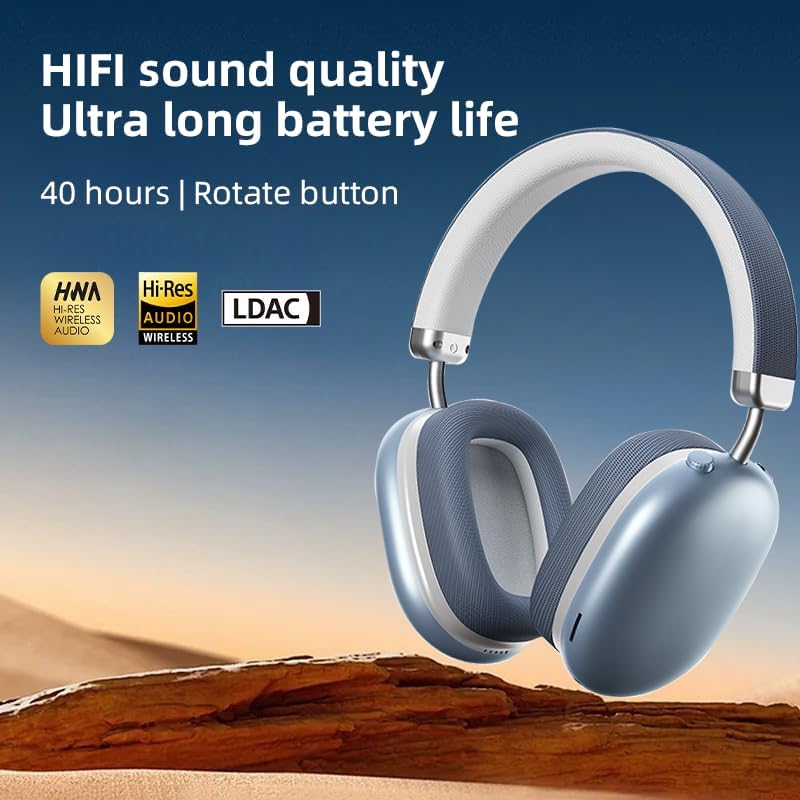
Image: The BT1638 headphones displaying Hi-Res Wireless Audio and LDAC compatibility, indicating advanced audio capabilities.
۴.۳. غیر فعال شور لغوه کول
The over-ear design and cushioned ear cups provide passive noise cancellation, reducing ambient sounds for a more focused listening experience.

Image: A visual representation comparing sound waveforms before and after noise reduction, demonstrating the effectiveness of the headphones' passive noise cancellation.
۷. د تار سره نښلول (AUX)
For situations where Bluetooth is not available or preferred, you can connect the headphones using an AUX cable.
- د ۳.۵ ملي میتر AUX کیبل یوه پای د هیډفون AUX پورټ سره وصل کړئ.
- Plug the other end into your audio source's 3.5mm audio jack.
- هیډفونونه به په اتوماتيک ډول تار لرونکي حالت ته لاړ شي.
۳.۳. آرام او مناسب
The BT1638 headphones feature an adjustable headband and rotatable earcups for a comfortable and secure fit.

انځور: نږدې انځور view illustrating the adjustable telescopic headband and earcups that can rotate 90 degrees, allowing for a customized and comfortable fit.

Image: The soft earmuffs of the BT1638 headphones, designed for comfortable and smooth listening experiences.
ساتنه
سمه پاملرنه به ستاسو د هیډفونونو ژوند او فعالیت وغځوي.
- پاکول: Use a soft, dry, lint-free cloth to clean the surfaces of the headphones. Do not use harsh chemicals, cleaning solvents, or strong detergents.
- د غوږ تکیه: The memory foam and fabric ear cushions can be gently wiped with a slightly damp که اړتیا وي، ټوکر واچوئ، بیا یې په بشپړه توګه په هوا کې وچیدو ته پریږدئ.
- ذخیره کول: کله چې په کارولو کې نه وي، هیډفونونه په یخ او وچ ځای کې وساتئ، د مستقیم لمر وړانګو او سختې تودوخې څخه لرې.
- د رطوبت څخه ډډه وکړئ: These headphones are not water-resistant. Avoid exposure to water, rain, or excessive humidity.
- په احتیاط سره سمبالول: د هیډفونونو له غورځولو یا د قوي ټکانونو سره د مخ کیدو څخه ډډه وکړئ.
د ستونزو حل کول
| ستونزه | احتمالي لامل | د حل لاره |
|---|---|---|
| هیډفونونه نه چالانیږي. | ټیټ بیټرۍ. | لږ تر لږه د لسو دقیقو لپاره هیډفونونه چارج کړئ. |
| د وسیلې سره جوړه نشي کیدی. | هیډفونونه د جوړې کولو په حالت کې ندي؛ په وسیله کې بلوتوټ بند دی؛ وسیله ډیره لرې ده. | Ensure headphones are in pairing mode (flashing red/blue). Turn on Bluetooth on your device. Move device closer to headphones (within 33 feet). |
| غږ نشته یا ټیټ غږ. | غږ ډېر ټیټ دی؛ د غږ ناسم سرچینه؛ هیډفونونه نه دي وصل شوي. | Increase volume on both headphones and connected device. Ensure headphones are properly paired or AUX cable is fully inserted. |
| وقفې وقفې اړیکه. | مداخله؛ وسیله ډیره لرې ده؛ ټیټه بیټرۍ. | Move closer to the connected device. Avoid strong electromagnetic interference. Ensure headphones are sufficiently charged. |
مشخصات
| فیچر | تفصیل |
|---|---|
| د ماډل نوم | SY-BT1638 |
| د ارتباط ټیکنالوژي | بلوتوث، AUX |
| د بې سیمه مخابراتو ټیکنالوژي | بلوتوث، بېسیم |
| بلوتوث نسخه | 5.0 |
| د بلوتوټ رینج | 33 فټ (10 متره) |
| د آډیو ډرایور ډول | متحرک چلوونکی |
| د آډیو ډرایور اندازه | 40 ملی متره |
| د تعدد ځواب | 20 Hz (lower bound) |
| حساسیت | 102 dB |
| خنډ | 32 اوم |
| د شور کنټرول | غیر فعاله شور لغوه کول |
| د کنټرول ډول | بېسیم |
| د کنټرول طریقه | لمس، تڼۍ |
| د چارج کولو وخت | 2 ساعته |
| د بیټرۍ ژوند | Up to 40 Hours (playback) |
| مواد | Fabric, Memory Foam, Metal |
| د توکي وزن | ۱۱.۶ اونس (تقریبا ۳۳۰ ګرامه) |
| د اوبو د مقاومت کچه | د اوبو مقاومت نلري |
| مطابقت لرونکې وسیلې | لپټاپونه، سمارټ فونونه، ټابلیټونه |
د تضمین معلومات
Specific warranty details for the JUNJIEUNVO BT1638 headphones are typically provided with your purchase documentation or on the manufacturer's official webسایټ. مهرباني وکړئ د هر ډول تضمین ادعا لپاره د پیرود ثبوت وساتئ.
Generally, products are covered against defects in materials and workmanship for a specified period from the date of purchase. This warranty usually does not cover damage caused by misuse, accidents, unauthorized modifications, or normal wear and tear.
د پیرودونکي ملاتړ
If you encounter any issues or have questions not covered in this manual, please contact JUNJIEUNVO customer support. You can typically find contact information on the product packaging, the official JUNJIEUNVO webسایټ، یا ستاسو د پرچون پلورونکي له لارې.
When contacting support, please have your product model (SY-BT1638) and proof of purchase readily available.