
1. پیژندنه
This manual provides essential instructions for setting up, operating, maintaining, and troubleshooting your iBUYPOWER Slate White Gaming PC Desktop Computer, model SWI9N56T01. Please read this guide thoroughly before using your new computer to ensure optimal performance and longevity.
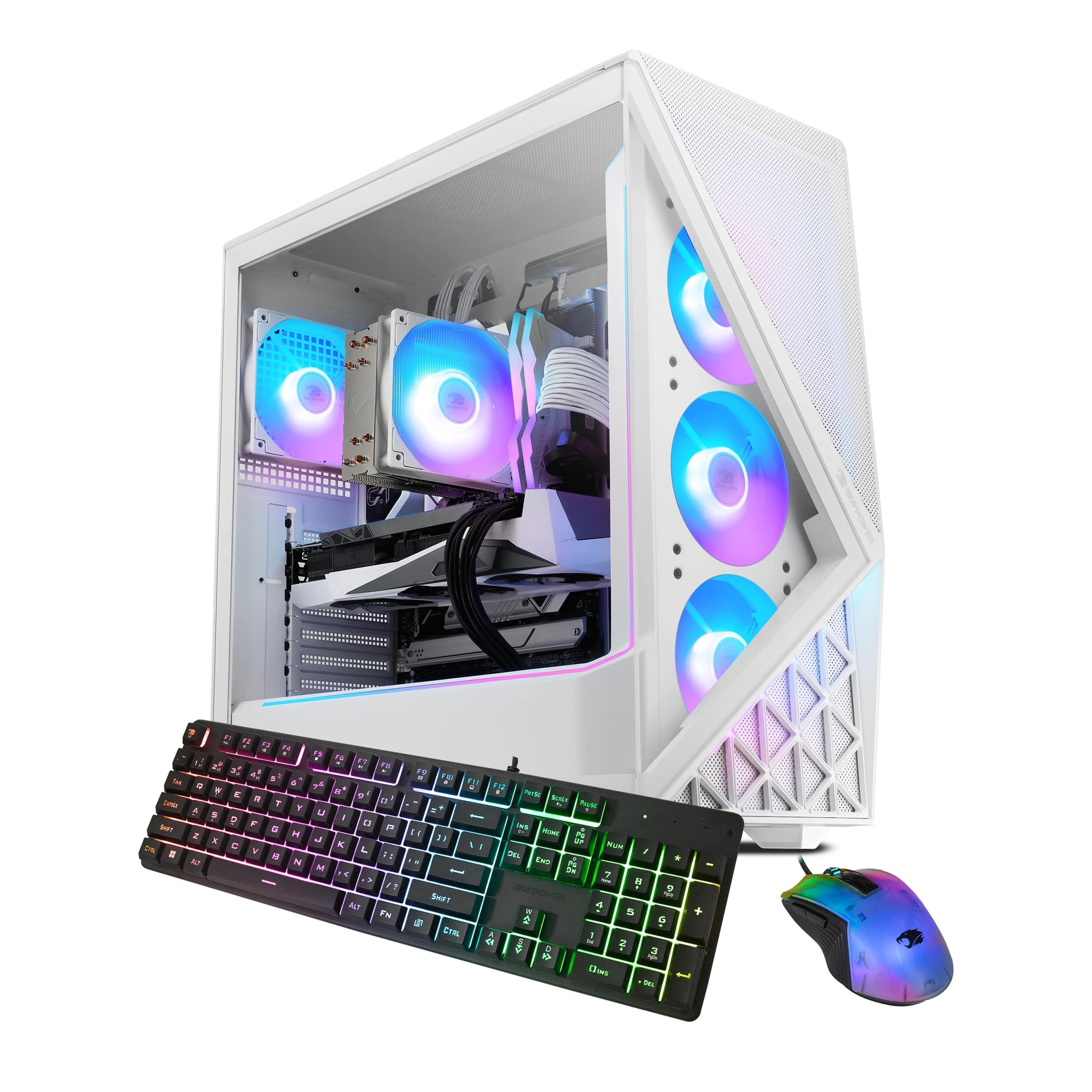
Figure 1: iBUYPOWER Slate White Gaming PC Desktop Computer (Model SWI9N56T01)
2. ترتیب کول
۵.۲ د بکس خلاصول او تفتیش
په احتیاط سره د بسته بندۍ څخه ټولې برخې لرې کړئ. ډاډ ترلاسه کړئ چې ټول توکي شتون لري:
- iBUYPOWER Slate White Gaming PC Desktop Computer (SWI9N56T01)
- د بریښنا کیبل
- iBUYPOWER Gaming Keyboard
- iBUYPOWER RGB Gaming Mouse
- اسناد (دا لارښود، د تضمین معلومات)
Inspect the computer for any visible damage. If any components are missing or damaged, contact iBUYPOWER support immediately.
2.2 د پردیو سره نښلول
د بریښنا له فعالولو دمخه، خپل اړین وسایل وصل کړئ:
- څارنه: Connect your monitor to the graphics card's display output ports (HDMI, DisplayPort) located at the rear of the PC. Ensure it is connected to the dedicated graphics card (NVIDIA GeForce RTX 5060Ti), not the motherboard's integrated graphics ports.
- کیبورډ او موږک: Connect the included iBUYPOWER keyboard and mouse to any available USB ports on the rear of the PC.
- ځواک: Connect the power cable to the power supply unit (PSU) at the rear of the PC, then plug the other end into a grounded electrical outlet.
- شبکه (اختیاري): For a wired internet connection, connect an Ethernet cable from your router/modem to the RJ-45 network port on the PC. For wireless, ensure the Wi-Fi antennas (if provided) are attached.
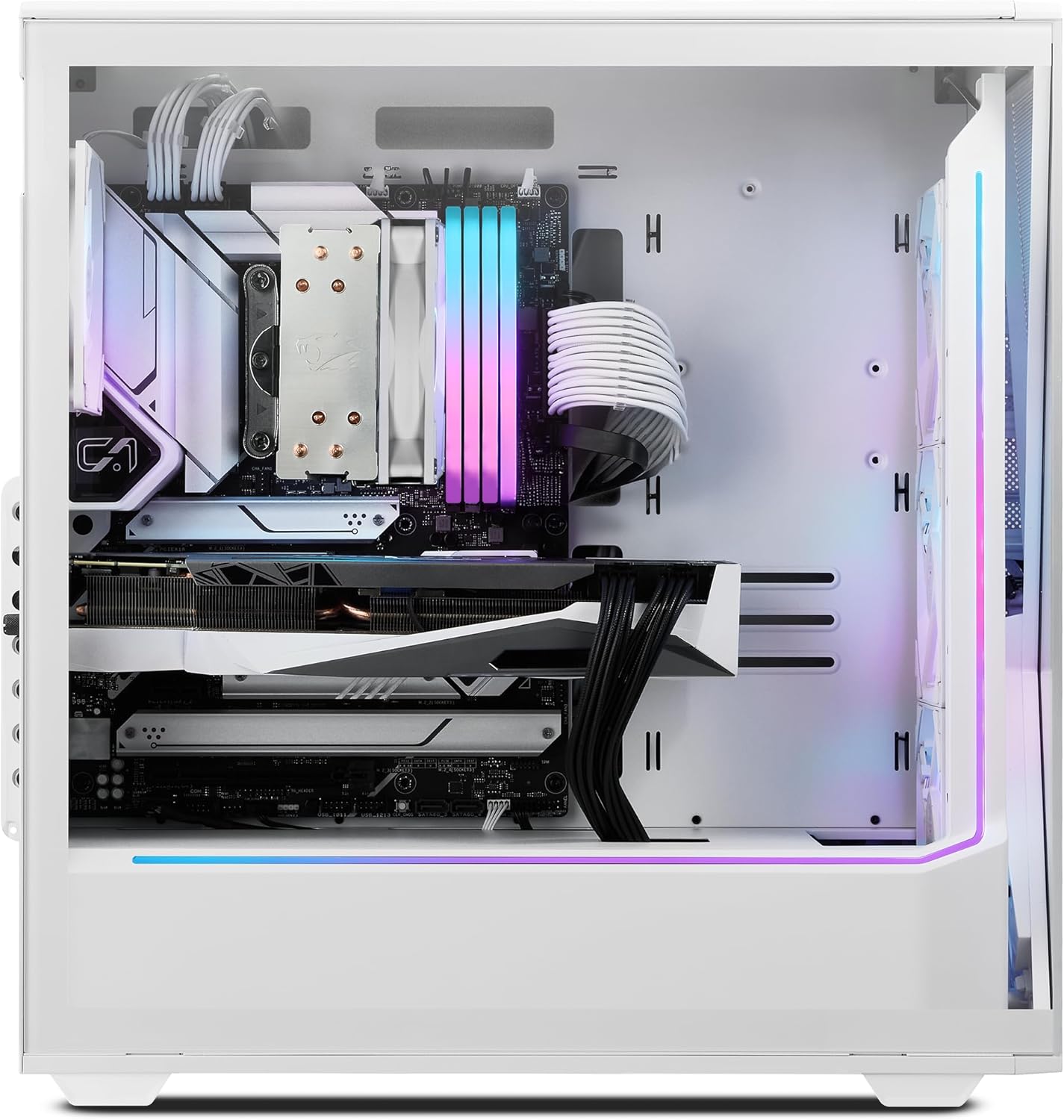
شکل 2: داخلي view showing component layout and cable management.
2.3 ابتدايي پاور آن
کله چې ټول پردیي وسایل وصل شي:
- Press the power button located on the top or front of the PC case.
- The system will boot into Windows 11 Home. Follow the on-screen instructions to complete the initial setup, including language, region, network connection, and user account creation.
- Allow Windows to install any necessary updates after initial setup.
۵. ستاسو د کمپیوټر چلول
۵.۲ وینډوز ۱۱ کور
Your PC comes pre-installed with Windows 11 Home. Familiarize yourself with the operating system's interface and features. Regular updates are crucial for security and performance.
3.2 نښلول
The system offers various connectivity options:
- USB پورټونه: Multiple USB 3.1 ports are available for connecting external devices such as external hard drives, webcams, and other peripherals.
- ایترنیټ: A 10/100/1000 Mbps RJ-45 port provides a stable wired network connection.
- وای فای: Integrated 802.11AC Wi-Fi allows for wireless internet access. Ensure antennas are properly connected for optimal signal strength.
- آډیو: On-board audio ports are available for headphones, microphones, and speakers.
۵.۴ د RGB رڼا کنټرول
Your iBUYPOWER PC features customizable RGB lighting for the case fans and internal components. Specific software or motherboard utilities may be pre-installed or available for download from the iBUYPOWER webد دې رڼا اغیزو کنټرولولو لپاره سایټ. د تفصيلي لارښوونو لپاره د سافټویر اسنادو ته مراجعه وکړئ.

Figure 3: The PC case showcasing the illuminated aRGB fans.
3.4 Gaming and Performance
This system is designed for high-performance gaming and content creation. Ensure your graphics drivers are always up to date for the best gaming experience. You can download the latest drivers from the NVIDIA official webسایټ
4. ساتنه
4.1 پاکول
منظم پاکول د غوره فعالیت ساتلو کې مرسته کوي او ستاسو د کمپیوټر عمر اوږدوي.
- بهر: یو نرم استعمال کړئ، دamp cloth to wipe down the exterior of the case. Avoid harsh chemicals.
- د دوړو فلټرونه: The case features a perforated mesh panel for improved airflow. Regularly clean dust filters (if removable) and use compressed air to clear dust from vents and fans.
- داخلي: Periodically, with the PC powered off and unplugged, use compressed air to gently remove dust from internal components, especially CPU cooler fins and GPU heatsinks.

Figure 4: Perforated mesh panel design for enhanced airflow and cooling.
4.2 د سافټویر تازه معلومات
Keep your operating system, drivers, and applications updated to ensure security, stability, and performance. Windows Update will handle OS updates, and graphics drivers should be updated directly from NVIDIA's webسایټ
۴.۳ د سیسټم بیک اپونه
د معلوماتو د ضایع کیدو مخنیوي لپاره په منظم ډول خپل مهم معلومات په بهرني ډرایو یا کلاوډ ذخیره کې بیک اپ کړئ.
5. ستونزه حل کول
This section addresses common issues. For more complex problems, contact iBUYPOWER support.
۱ برېښنا نشته
- ډاډ ترلاسه کړئ چې د بریښنا کیبل په خوندي ډول د کمپیوټر او دیوال آوټ لیټ دواړو سره وصل دی.
- ډاډ ترلاسه کړئ چې د PSU بریښنا سویچ (د کمپیوټر شاته) په 'آن' حالت کې دی.
- ساکټ د بل وسیلې سره ازموینه وکړئ ترڅو تایید کړئ چې دا بریښنا لري.
۷.۱ په مانیټر کې هیڅ ښودنه نشته
- Confirm the monitor is powered on and correctly connected to the graphics card's output ports.
- ډاډ ترلاسه کړئ چې ستاسو په مانیټر کې د ننوتلو سمه سرچینه غوره شوې ده.
- که شتون ولري، نو د ښودنې بل کیبل یا مانیټر هڅه وکړئ.
۵.۳ ورو فعالیت
- Check for background applications consuming resources using Task Manager (Ctrl+Shift+Esc).
- ډاډ ترلاسه کړئ چې وینډوز او ټول ډرایورونه تازه دي.
- د ویروس او مالویر سکین چل کړئ.
- Verify adequate airflow and clean any dust buildup to prevent thermal throttling.
6. مشخصات
Key technical specifications for the iBUYPOWER Slate White Gaming PC Desktop Computer SWI9N56T01:
| فیچر | تفصیل |
|---|---|
| د ماډل شمیره | SWI9N56T01 |
| پروسیسر | Intel Core Ultra 9 285 (2.5 GHz) |
| ګرافیک کارت | NVIDIA GeForce RTX 5060Ti 8GB |
| RAM | 64GB DDR5 RGB 5200MHz |
| ذخیره کول | 2TB NVMe SSD |
| عملیاتي سیسټم | د وینډوز 11 کور |
| ارتباط | 6 x USB 3.1, 1x RJ-45 Ethernet, 802.11AC Wi-Fi, On-board Audio |
| ابعاد (LxWxH) | 19.5 x 8.7 x 19.3 انچه |
| وزن | ۲.۴۵ پونډه |
| شامل شوي وسایل | iBUYPOWER Gaming Keyboard, RGB Gaming Mouse |
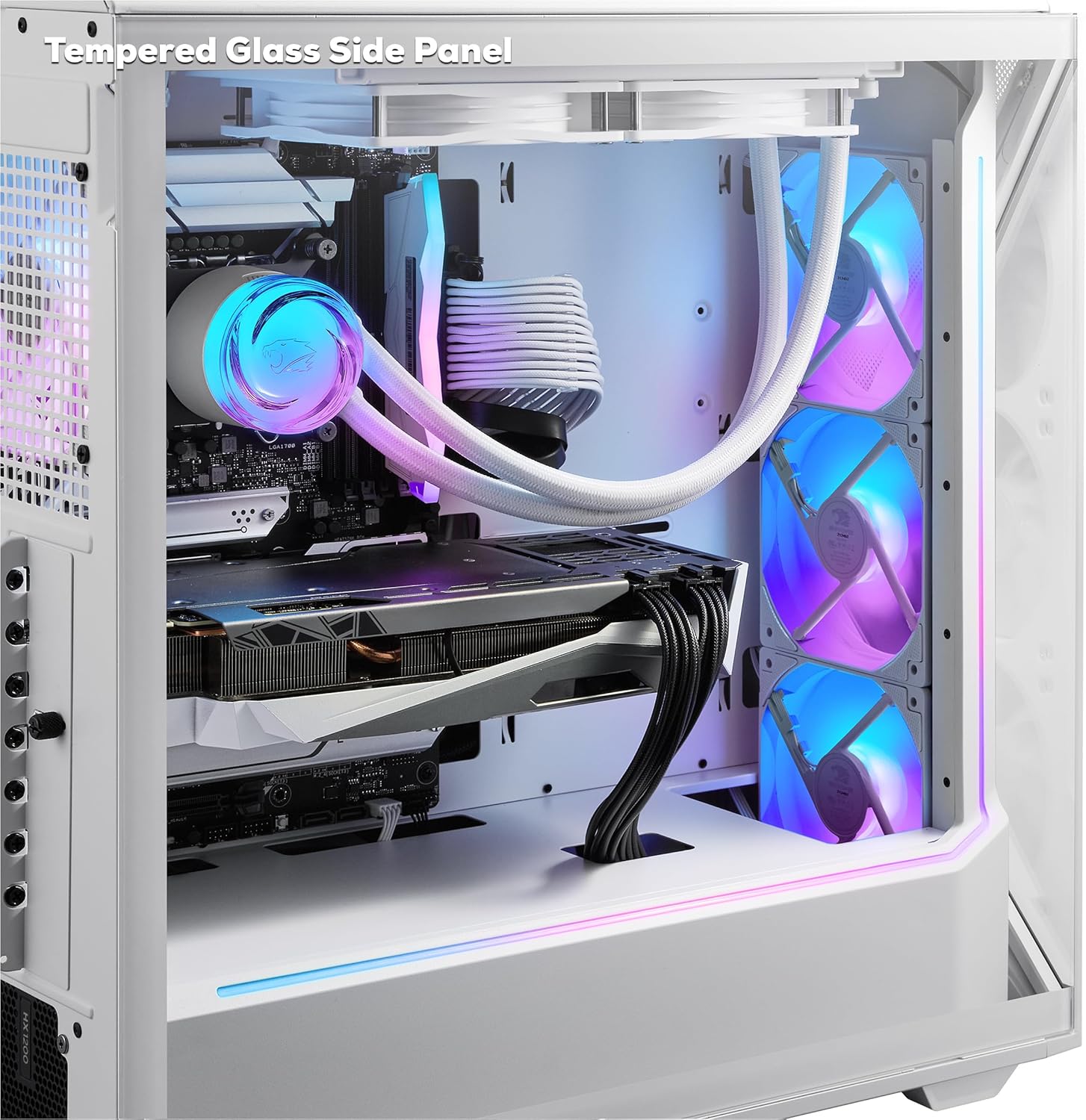
Figure 5: Tempered glass side panel showcasinد داخلي اجزاو.
7. تضمین او ملاتړ
7.1 د تضمین معلومات
Your iBUYPOWER PC comes with a standard manufacturer's warranty. Please refer to the warranty card included in your product packaging or visit the official iBUYPOWER website for detailed terms and conditions regarding warranty coverage, duration, and limitations. Keep your proof of purchase for warranty claims.
7.2 تخنیکي ملاتړ
For technical assistance, troubleshooting beyond this manual, or warranty claims, please contact iBUYPOWER customer support. Have your model number (SWI9N56T01) and serial number ready when contacting support.
iBUYPOWER Support Webسایټ: www.ibuypower.com/support
iBUYPOWER Contact Information: چارواکي ته مراجعه وکړئ website for the most current phone numbers and contact methods.