
1. پیژندنه
This manual provides comprehensive instructions for the assembly, operation, and maintenance of your FLEXISPOT One-Piece Electric Standing Desk. Please read this manual thoroughly before use to ensure proper functionality and safety.
2. د خوندیتوب معلومات
- This desk requires careful assembly using an electric drill (not included).
- د وزن اعظمي حد ۲۶۴ پونډه (۱۲۰ کیلوګرامه) څخه زیات مه کوئ.
- Be cautious when handling the desk as it ships in two separate packages.
- ډاډ ترلاسه کړئ چې ټول کیبلونه په سمه توګه اداره شوي ترڅو د لوړوالي تنظیم کولو پرمهال د ګډوډۍ مخه ونیول شي.
- د کار پرمهال ماشومان او څاروي له میز څخه لرې وساتئ.
3. د بسته محتويات
Your FLEXISPOT Electric Standing Desk is shipped in two packages. Please verify all components are present before beginning assembly.
- One-Piece Desktop (48x30 inches)
- Electric Lifting Frame (Legs and Crossbar)
- د کنټرول پینل د LED ښودنې او حافظې پریسیټونو سره
- د بریښنا اډاپټر او کیبلونه
- د هیډفون هک
- Assembly Hardware and Tools (excluding electric drill)
4. تنظیم او مجلس
Assembly typically takes approximately 30-60 minutes. An electric drill is recommended for faster and more secure assembly.
- اجزا خلاص کړئ: Carefully remove all parts from both packages and lay them out on a soft, clean surface to prevent scratches.
- چوکاټ راټول کړئ: Attach the lifting columns to the crossbar according to the provided diagrams. Ensure all screws are tightened securely.
- ډیسکټاپ ضمیمه کړئ: Position the one-piece desktop onto the assembled frame. Align the pre-drilled holes and secure the desktop using the provided screws. An electric drill will expedite this step.
- د کنټرول پینل نصب کړئ: Mount the control panel to the underside of the desktop in the designated location.
- الکترونیکي توکي وصل کړئ: Connect the motor cables, control panel cable, and power adapter to the control box. Ensure all connections are firm.
- د کیبل مدیریت: Utilize the integrated cable management basket and included cable ties to organize all wires neatly. This prevents cables from snagging during height adjustments and maintains a clean aesthetic.
- د هیډفون هک وصل کړئ: Secure the headphone hook to the desired location on the desk edge.
Once assembled, plug the desk into a power outlet. The desk is now ready for initial calibration and use.
5. عملیاتي لارښوونې
The FLEXISPOT Electric Standing Desk features an intuitive control panel for easy height adjustment and memory functions.

Figure 1: Smart Control Panel with LED Display and Memory Presets.
5.1. د لوړوالی سمون
- د میز پورته کول: فشار ورکړئ او ونیسئ پورته تیر button (▲) to raise the desktop.
- ښکته میز: فشار ورکړئ او ونیسئ ښکته تیر button (▼) to lower the desktop.
- د LED ښودنه به اوسنی لوړوالی په انچو کې وښيي.
۵.۲. د حافظې پریزیسټونه
The desk features four programmable memory buttons to save your preferred sitting and standing heights.
- د پورته/ښکته تڼیو په کارولو سره میز د خپلې خوښې لوړوالي سره سم تنظیم کړئ.
- فشار ورکړئ M button (or 'i' button on some models) to activate memory setting mode.
- Immediately press one of the numbered buttons (۳، ۴، ۵، یا ۶) ترڅو اوسنی لوړوالی په هغه مخکینۍ ترتیب کې خوندي شي.
- د خوندي شوي لوړوالي د یادولو لپاره، په ساده ډول اړونده شمیره تڼۍ فشار ورکړئ. میز به په اتوماتيک ډول خوندي شوي موقعیت ته لاړ شي.
۵. د USB چارج کولو بندرونه
The control panel includes integrated USB-A and USB-C charging ports for convenient device charging.
- Locate the USB-A and USB-C ports on the side of the control panel.
- Connect your compatible devices to charge them directly from the desk.
6. د محصول ب Featuresې
6.1. One-Piece Solid Desktop
The desk features a seamless, one-piece desktop design, providing a smooth and continuous work surface without unsightly seams or cracks. This design enhances both aesthetics and durability.
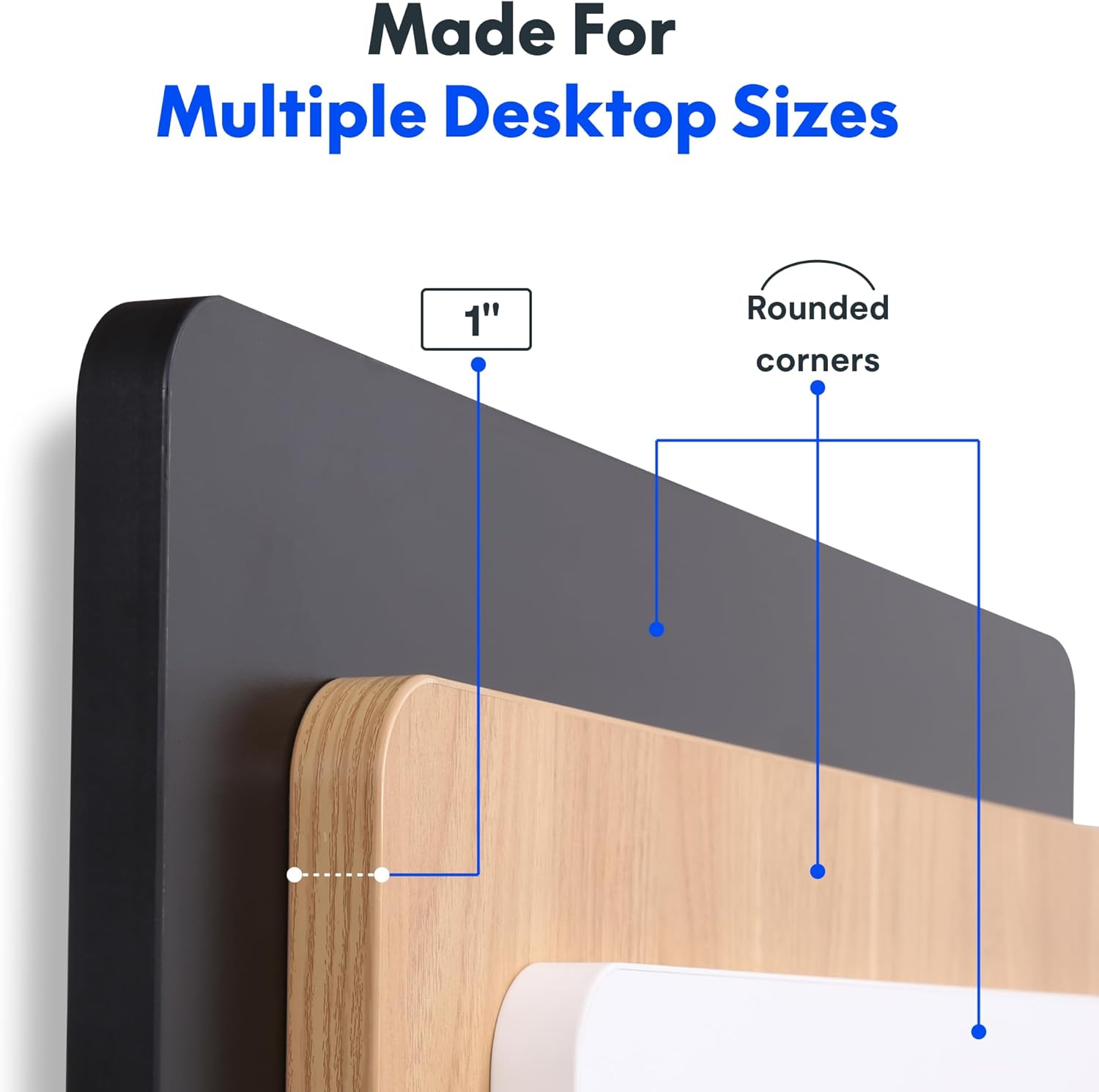
Figure 2: Detail of the 1-inch thick, one-piece desktop with rounded corners.
6.2. 1-Inch Thick Board for Stability
Constructed with a robust 1-inch thick desktop, this desk minimizes wobble and enhances overall firmness, providing a stable platform for all your work activities.

Figure 3: Desktop dimensions and thickness.
6.3. Smooth & Quiet Height Adjustment
The electric lifting system allows for effortless transitions between sitting and standing positions. The motor operates quietly, ensuring your work environment remains undisturbed.

Figure 4: Illustration of the desk's quiet operation, typically below 50 dB.
6.4. Strong Support for Everyday Use
Engineered for durability, the desk supports up to 176 lbs (80 kg), accommodating dual monitors, laptops, and various accessories with ease.
6.5. Integrated Headphone Hook
A convenient headphone hook is included, allowing you to keep your headphones or other items organized and within reach, contributing to a clutter-free workspace.

Figure 5: Headphone hook for convenient storage.
7. ساتنه
- پاکول: ډیسټاپ او چوکاټ د نرم، d سره پاک کړئamp ټوکر. د سختو کیمیاوي موادو یا خړوبونکو پاکوونکو څخه ډډه وکړئ چې ممکن پای ته زیان ورسوي.
- د کیبل چک: Periodically inspect all cables for wear or damage. Ensure they are securely connected and properly managed.
- د سکرو کلکوالی: Occasionally check and tighten any loose screws on the frame or desktop connections.
8. ستونزه حل کول
- میز نه حرکت کوي: Check if the power cord is securely plugged into both the desk and the wall outlet. Ensure no objects are obstructing the lifting mechanism.
- غیر معمولي غږونه (د مثال په توګه، کلیک کول): Verify that the desk's weight limit is not exceeded. Inspect all frame connections for tightness. If the issue persists, contact customer support.
- Height Display Error: Unplug the desk from the power outlet for 10 seconds, then plug it back in. This may reset the control panel.
9. مشخصات
| فیچر | تفصیل |
|---|---|
| برانډ | FLEXISPOT |
| ماډل | 48x30 |
| د محصول ابعاد | ۱۶"د x ۲۶"وچ x ۴۷"ح |
| رنګ | تور سر + تور چوکاټ |
| سټایل | عصري |
| اساسی مواد | د الماس فولاد |
| د پورته موادو ډول | انجنیري لرګي |
| د پای ډول | پوډر لیپت شوی |
| ځانګړی ځانګړنه | 1-inch Thick Standing Desk, 48x30" One-Piece Desktop, Headphone Hook |
| د اعظمي وزن سپارښتنه | 176 پونډه (80 kg) |
| لږ تر لږه لوړوالی | ۷۸۷ انچه |
| اعظمي لوړوالی | ۷۸۷ انچه |
| د ټابلیټ ضخامت | ۷۸۷ انچه |
| اړین مجلس | هو |
| UPC | 840460459167 |
10. تضمین او ملاتړ
FLEXISPOT offers a limited warranty for this product:
- Frame and Motors: د 5 کلن محدود تضمین.
- Electronics and Control Panel: د 2 کلن محدود تضمین.
د تخنیکي ملاتړ، تضمین ادعاوو، یا کومې پوښتنې لپاره، مهرباني وکړئ رسمي FLEXISPOT ته مراجعه وکړئ. webسایټ ته مراجعه وکړئ یا مستقیم د دوی د پیرودونکو خدماتو سره اړیکه ونیسئ.
۸. د محصول رسمي ویډیوګانې
FLEXISPOT Brand Store
This video from the official FlexiSpot brand store showcases various products, including the electric standing desk, highlighting its features such as smooth height adjustment, integrated storage, and design versatility. It provides a visual overview of the desk's functionality and aesthetic appeal within different work environments.
Flexispot's Factory | INSIDE LOOK!
This video offers an inside look into FlexiSpot's manufacturing facility, demonstrating the precision and automated processes involved in producing their products. It highlights the quality control and technological innovation behind the electric standing desk components, from raw materials to final assembly.