
پیژندنه
This manual provides detailed instructions for the assembly, operation, and maintenance of your FLEXISPOT Standing Desk with a 40x24 inch one-piece desktop. Please read this manual thoroughly before assembly and use to ensure proper function and safety.
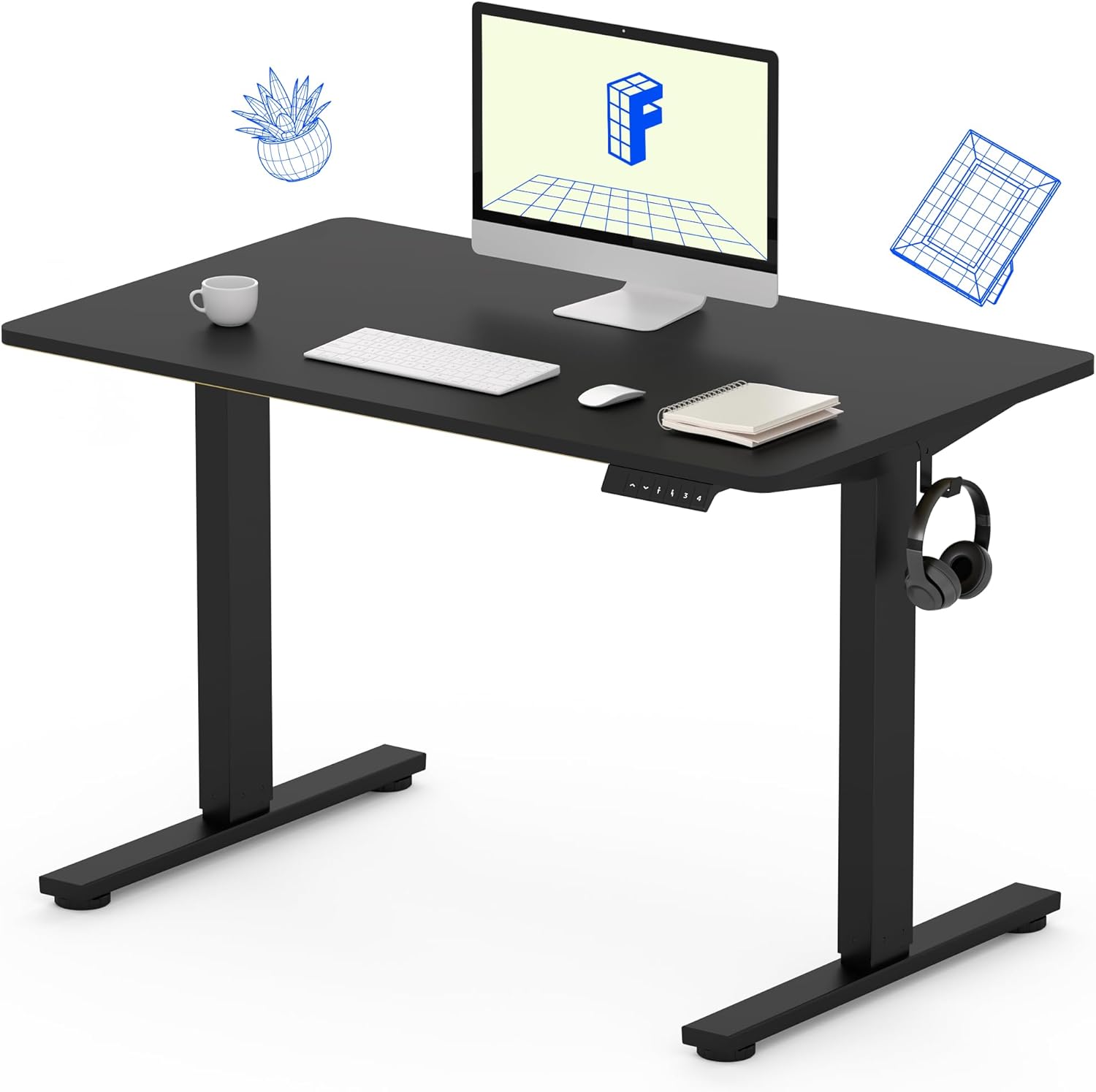
Image 1: The FLEXISPOT Standing Desk, showcasing its black desktop, black frame, and integrated control panel with a headphone hook.
د خوندیتوب معلومات
خبرداری:
- د میز د راټولولو پر مهال تل احتیاط وکړئ، په ځانګړې توګه کله چې د ډرل څخه کار اخلئ.
- د وزن له اعظمي حد څخه زیات مه کوئ ۱۱.۵۷ پونډه (۵.۲۵ کیلو ګرامه).
- Keep hands and body parts away from moving parts during height adjustment to prevent injury.
- Ensure all cables are properly managed to avoid entanglement during desk movement.
د بسته محتويات
د اسمبلۍ پیل کولو دمخه، ډاډ ترلاسه کړئ چې ټولې برخې شتون لري او زیانمنې شوې نه دي. که کومه برخه ورکه یا زیانمنه شوې وي، مهرباني وکړئ د پیرودونکي ملاتړ سره اړیکه ونیسئ.
- One-Piece Desktop (40" x 24", Black)
- Desk Legs (Black Frame, Dual-Stage)
- د موټرو او کنټرول بکس
- د حافظې پریسیټونو سره د کنټرول پینل
- د هیډفون هک
- د اسمبلۍ هارډویر (پیچونه، د ایلن رنچ)
- د بریښنا کیبل

Image 2: Illustration highlighting the seamless design of the FLEXISPOT one-piece desktop, contrasting it with multi-piece alternatives.
تنظیم او مجلس
Assembly typically requires 30 minutes to an hour. It is recommended to have two people for assembly due to the weight of the package. A power drill (not included) may be needed for some steps.
- اجزا خلاص کړئ: Carefully remove all parts from the packaging. Inspect for any damage. Note that the packaging can be heavy.
- د میز چوکاټ راټولول: Attach the crossbar to the lifting columns (legs) using the provided hardware. Ensure all screws are tightened securely.
- پښې وصل کړئ: د میز پښې د پورته کولو ستنو لاندې ته خوندي کړئ.
- د ډیسکټاپ نصبول: Carefully place the one-piece desktop upside down on a soft, clean surface. Position the assembled frame onto the desktop. Align the pre-drilled holes (if present) or mark positions for screws. Secure the frame to the desktop using the provided screws. A power drill may be helpful for this step.
- Install Control Box and Panel: Mount the control box and control panel to the underside of the desktop in the designated locations. Connect the motor cables and control panel cable to the control box.
- لوازم ضمیمه کړئ: Install the headphone hook to the side of the desktop as desired.
- د کیبل مدیریت: Route all cables neatly using cable ties or management clips (not included) to prevent interference with desk movement.
- وروستۍ ځای پر ځای کول: With assistance, carefully flip the desk upright and place it in its desired location. Ensure it is stable and level.

Image 3: The FLEXISPOT Standing Desk integrated into a home office setup, demonstrating its spacious desktop and functionality.
عملیاتي لارښوونې
Your FLEXISPOT Standing Desk features an electric motor for smooth height adjustments and a control panel with memory presets.
د لوړوالی سمون
- فشار ورکړئ پورته (▲) د میز د پورته کولو تڼۍ.
- فشار ورکړئ ښکته (▼) د میز د ښکته کولو تڼۍ.
- The desk moves smoothly and quietly (under 50 dB) between 28.7 انچه (73 سانتي متره) او 46.5 انچه (118 سانتي متره).
د حافظې پریزیټ
د کنټرول پینل تاسو ته اجازه درکوي چې تر څلورو غوره لوړوالي ترتیبات خوندي کړئ.
- لوړوالی وټاکئ: د پورته/ښکته تڼیو په کارولو سره میز د خپلې خوښې ناستې یا ولاړې لوړوالي سره سم تنظیم کړئ.
- دمخه خوندي کول: فشار ورکړئ "م" تڼۍ، بیا سمدلاسه د شمیرې شوي مخکینۍ تڼۍ څخه یو فشار ورکړئ (۳، ۴، ۵، یا ۶). The display will show "S-" followed by the number, indicating the height is saved.
- مخکینۍ یادونه: Press the corresponding numbered preset button (۳، ۴، ۵، یا ۶) ترڅو میز په اتوماتيک ډول خوندي شوي لوړوالي ته واړوي.

Image 4: Visual representation of the desk's adjustable height range, showing it at its lowest (29") and highest (46.6") positions.
ساتنه
- پاکول: ډیسټاپ او چوکاټ د نرم، d سره پاک کړئamp ټوکر. د سختو کیمیاوي موادو یا د کثافاتو پاکوونکو څخه ډډه وکړئ.
- د کیبل چک: په دوره یي ډول ټول کیبلونه د خرابیدو یا زیان لپاره معاینه کړئ. ډاډ ترلاسه کړئ چې دوی په خوندي ډول وصل دي او نه تړل شوي.
- د سکرو کلکوالی: Occasionally check and tighten any loose screws on the frame or desktop connections.
د ستونزو حل کول
| ستونزه | احتمالي لامل | د حل لاره |
|---|---|---|
| مېز نه حرکت کوي. | Power cable disconnected, control box cable loose, overload. | Check power connection. Ensure all cables to the control box and motor are secure. Reduce weight on the desk if exceeding 154 lbs. |
| میز په نا مساوي ډول حرکت کوي یا غیر معمولي غږ کوي. | Loose connections, obstruction, uneven weight distribution. | Check all assembly screws. Ensure no objects are obstructing the legs. Distribute weight evenly on the desktop. |
| د کنټرول پینل ښودنه د خطا کوډ ښیې. | د ځانګړې تېروتنې حالت. | Refer to the specific error code in the full product manual (if available) or contact customer support. Often, a power cycle (unplug for 10 seconds, then plug back in) can resolve temporary errors. |
مشخصات
| فیچر | تفصیل |
|---|---|
| برانډ | FLEXISPOT |
| ماډل | B0F747SWWB |
| د ډیسکټاپ ابعاد (D x W) | 24" x 40" (One-Piece) |
| د لوړوالی سلسله | ۳.۲" - ۱۹.۱۷" (۸.۱ سانتي متره - ۴۸.۷ سانتي متره) |
| د اعظمي وزن ظرفیت | ۱۱.۵۷ پونډه (۵.۲۵ کیلو ګرامه) |
| د شور کچه | له 50 dB څخه کم |
| د چوکاټ مواد | د الماس فولاد |
| لوړ مواد | انجنیري لرګي |
| رنګ | تور چوکاټ / تور سر |
| مجلس ته اړتیا ده | هو |

Image 5: Details of the desk's construction, including the dual-stage lifting columns and the convenient backpack/headphone hook.
تضمین او ملاتړ
Your FLEXISPOT Standing Desk is backed by a comprehensive warranty:
- Frame and Motor: د 5 کلن محدود تضمین.
- الکترونیکی: د 2 کلن محدود تضمین.
د تضمین ادعاوو، تخنیکي مرستې، یا ستاسو د محصول په اړه کومې پوښتنې لپاره، مهرباني وکړئ د FLEXISPOT پیرودونکي ملاتړ سره د دوی د رسمي له لارې اړیکه ونیسئ. webسایټ یا پرچون پلورونکی چیرې چې محصول اخیستل شوی و.