
پیژندنه
The SYNCO XTALK XPro9 Wireless Intercom Headset System is designed for professional team communication, offering full-duplex audio over a 2.4 GHz frequency band. This system provides a reliable communication range of up to 500 meters (1640 feet) and features advanced noise cancellation for clear conversations in various environments. It supports communication for up to 9 persons, making it suitable for live shows, stage performances, movie shoots, and other events requiring coordinated team interaction.
په بکس کې څه دي
- هیډسیټ
- د چارج وړ بیټرۍ
- د چارج کیبل
- د چارج کولو سټیشن
- One-ear foam cushions
- Micro windshield

Image: Contents of the SYNCO XTALK XPro9 package, including headsets, batteries, charging accessories, and foam cushions.
د محصول ځانګړتیاوې
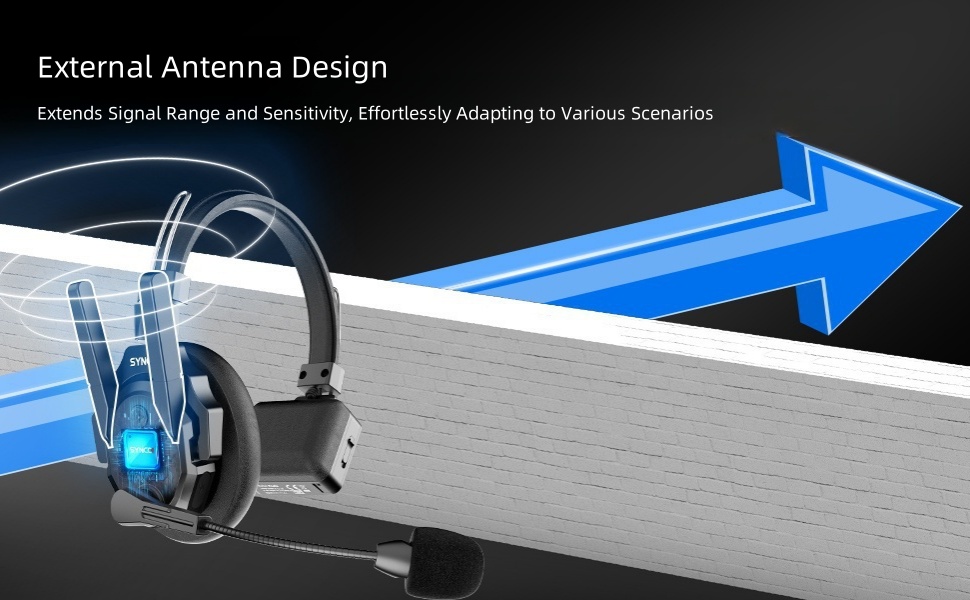
- Expanded Team Communication to 500M Distance: Two high-gain external antennas enhance transmission signals, providing a 500m reliable connection range. Instant response backlink prevents delays in reconnection. Strong anti-interference capability is ideal for complex and large events.
- Experience Enhancing 2.0 AEC: Advanced Acoustic Echo Cancellation (AEC) technology eliminates echoes, reverberation, and ambient noise, ensuring clear voice recognition even in noisy environments. Activate noise reduction with one click.
- Supercharge the Signal with Boost Mode: Intelligent spectrum switching at the click of a button instantly multiplies signals, enhancing communication quality. This feature addresses weak signals, through-wall communication issues, and complex signal interferences.
- Selectable Master for Communication Flexibility: SYNCO's MasterFree Algorithm allows any headset to be designated as the master device, ensuring uninterrupted sessions. Supports groups of 2 to 13 people.
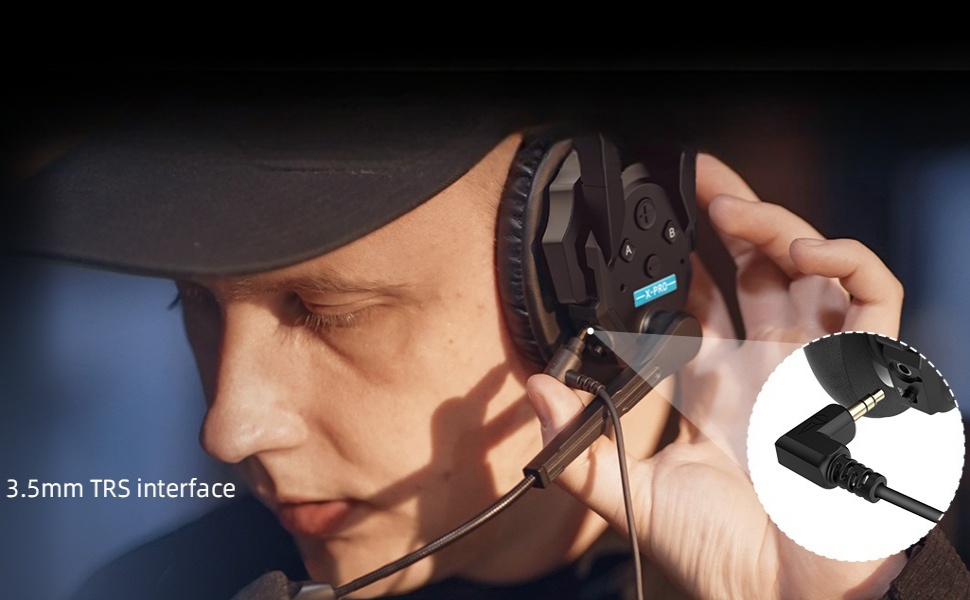
- SmartFlow Sync with Unique 3.5mm Real-time Monitoring: Seamlessly communicate with your team while monitoring audio from devices like cameras and recorders using a single headset. Ideal for field control personnel, directors, and supervisors.
- Unique One-Button Remote Muting Function: The master headset can instantly mute all remote headsets during disruptive conversations, ensuring focus on the master's dialogue.
- Connect All Day with Rechargeable and Replaceable Batteries: Low-power design and rechargeable, replaceable batteries provide over 24 hours of operation. A 2-slot charging station improves charging efficiency.
- Optimized Portability and Durability: Crafted from lightweight ABS materials and smooth leather, each Xtalk XPro headset weighs just 188g (6oz) with the battery. Upgraded over-ear leather cushions provide enhanced stability and comfort for extended use in challenging work environments.


د تنظیم او جوړې لارښود
This section details the initial setup and pairing process for your SYNCO XTALK XPro9 headsets.
د تڼۍ پیژندنه
Familiarize yourself with the headset buttons and their functions before proceeding with pairing.
Video: Introduction to the buttons on the SYNCO XTALK XPro9 headset, explaining their functions for pairing, volume, and boost mode.
- تڼۍ الف (پورته کیڼ اړخ):
- Pairing-Unpairing: Long-press for 3 seconds to hear the first 'Beep' sound, then release.
- Set as Master: Long-press for 5 seconds to hear the second 'Beep' sound, then release.
- Connection Level One: Long-press for 8 seconds to hear the third 'Beep' sound, then release.
- Connection Level Two: Long-press for 11 seconds to hear the fourth 'Beep' sound, then release.
- Volume + (Top Right):
- Increase Volume: Short press.
- Play Voice Prompts: Long-press for 3 seconds to hear a 'Beep' sound, then release. Voice prompts include Master Mode, Level One Pairing, and Level Two Pairing.
- Volume - (Bottom Right):
- Decrease Volume: Short press.
- Switch Boost Mode (1/2/3): Long-press for 3 seconds to hear a 'Beep' sound, then release.
- Power Switch (Side): د هیډسیټ د چالانولو یا بندولو لپاره سلایډ وکړئ.
د جوړه کولو پروسه
Follow these steps to pair your headsets for multi-person communication.
Video: Step-by-step guide on how to pair multiple SYNCO XTALK XPro9 headsets, including setting master and connection levels.
- Ensure all headsets are initially set as Master, Connection Level One, or Connection Level Two as desired for your setup.
- Power on the Master headset and any headsets designated as Connection Level One.
- On the Master headset, long-press Button A for 3 seconds until you hear the first 'Beep' sound, then release to enter pairing mode.
- On each Connection Level One headset, long-press Button A for 3 seconds until you hear the first 'Beep' sound, then release to enter pairing mode.
- Once the green light on the Master headset's microphone is steady, the connection to Connection Level One headsets is complete.
- Next, take the remaining headsets designated as Connection Level Two. Long-press their Button A for 3 seconds until you hear the first 'Beep' sound, then release to enter pairing mode.
- Once the green light on the Connection Level One headset's microphone is flashing (or steady, depending on the specific model's indicator), the connection to Connection Level Two headsets is complete.
- To finalize the pairing operation, restart all headsets. Power on the Master first, then Connection Level One headsets, and finally Connection Level Two headsets. This sequence is crucial for proper transmission.
- Once the green light on all headsets is steady, the connection is complete, and all headsets are ready for use.
عملیاتي لارښوونې
اساسي اړیکه
- Ensure all headsets are powered on and successfully paired as per the "Setup and Pairing Guide."
- Speak clearly into the microphone. The full-duplex system allows all connected users to speak and listen simultaneously.
د حجم سمون
- To increase listening volume, short press the "Volume +" button.
- To decrease listening volume, short press the "Volume -" button.
Boost Mode Activation
- To switch between Boost Modes (1, 2, or 3) for enhanced signal quality, long-press the "Volume -" button for 3 seconds until you hear a 'Beep' sound, then release.
Remote Muting (Master Headset Only)
- The Master headset has a dedicated one-button function to mute all remote headsets. Refer to the specific button on your Master headset for this function (often indicated by a distinct color or symbol).
د ریښتیني وخت څارنه
- Connect a 3.5mm TRS cable from your camera or recorder to the headset's 3.5mm monitoring port to listen to audio from external devices while communicating.
ساتنه
- پاکول: Use a soft, dry cloth to clean the headset. For stubborn dirt, a slightly damp ټوکر کارول کیدی شي. د سختو کیمیاوي موادو یا خړوبونکو موادو څخه ډډه وکړئ.
- د بیټرۍ پاملرنه: Charge batteries regularly, even if not in frequent use, to maintain battery health. Store batteries in a cool, dry place.
- ذخیره کول: When not in use, store the headsets in their protective case to prevent damage from dust, moisture, and impacts.
- Microphone Windshield: Replace the micro windshield periodically to ensure optimal audio clarity and hygiene.
- د اوبو مقاومت: While the headset is water-resistant, avoid submerging it in water or exposing it to heavy rain for prolonged periods. Dry thoroughly if it gets wet.
د ستونزو حل کول
- No Audio / Intermittent Connection:
- Ensure all headsets are powered on and fully charged.
- Verify that all headsets are correctly paired according to the "Setup and Pairing Guide."
- Check the distance between headsets; ensure they are within the 500m operating range. Obstacles like thick walls can reduce range.
- Restart all headsets in the correct sequence (Master, then Level One, then Level Two).
- Try activating "Boost Mode" on the Master headset to enhance signal strength.
- Poor Audio Quality / Noise:
- Ensure the microphone windshield is properly installed and clean.
- Verify that the Acoustic Echo Cancellation (AEC) feature is active.
- Check for strong electromagnetic interference in the environment.
- Adjust microphone position for optimal voice pickup.
- هیډسیټ نه فعالیږي:
- ډاډ ترلاسه کړئ چې بیټرۍ په سمه توګه دننه شوې او په بشپړ ډول چارج شوې.
- Check the power switch position.
- د جوړې کولو مشکل:
- Ensure you are following the long-press durations for Button A precisely as described in the "Setup and Pairing Guide."
- Confirm that only the necessary headsets are in pairing mode at each step.
مشخصات
| فیچر | تفصیل |
|---|---|
| د ماډل نوم | XTALK PRO |
| د ارتباط ټیکنالوژي | بېسیم (RF) |
| هیډفون جیک | 3.5 ملی جیک |
| مواد | اکریلونیټریل بوټاډین سټیرین (ABS)، چرم |
| د محصول لپاره ځانګړي کارول | Professional Communication |
| د چارج کولو وخت | 2.5 ساعته |
| د بیټرۍ ژوند | 24 ساعته |
| د کنټرول طریقه | د فشار تڼۍ، ریموټ |
| د اوبو د مقاومت کچه | د اوبو مقاومت |
| د شور کنټرول | د فعال شور لغوه کول |
| ځانګړي ځانګړتیاوې | Noise Cancellation, Boost Mode, Selectable Master, SmartFlow Sync, One-Button Remotes Muting Function |
| د توکي وزن | 15 pounds (Note: This likely refers to the package weight, individual headset is 188g/6oz) |
| جوړونکی | SYNCO |
تضمین او ملاتړ
For warranty information and technical support, please refer to the official SYNCO webسایټ ته لاړ شئ یا مستقیم د دوی د پیرودونکو خدماتو سره اړیکه ونیسئ. د تضمین ادعاوو لپاره خپل د پیرود رسید وساتئ.
For additional resources and product updates, visit: SYNCO Official Store on Amazon