
1. پیژندنه
This manual provides essential instructions for the setup, operation, and maintenance of your Saiyin Sound Bar DS6401PB. Please read this manual thoroughly before using the product to ensure proper functionality and to prevent damage.

Image 1.1: The Saiyin Sound Bar DS6401PB positioned below a television.
2. د بسته محتويات
ډاډ ترلاسه کړئ چې لاندې ټول توکي ستاسو په کڅوړه کې شتون لري. که کوم توکي ورک یا زیانمن شوي وي، مهرباني وکړئ د پیرودونکو ملاتړ سره اړیکه ونیسئ.
- Two Tower Speakers (forming the sound bar)
- ریموټ کنټرول
- Tower Speaker Base (for vertical setup)
- د بریښنا اډاپټر
- آپټیکل کیبل
- 3.5mm آډیو کیبل
- د دیوال نصبولو کټ
- د کارونکي لارښود (دا لاسوند)
- د چټک پیل لارښود
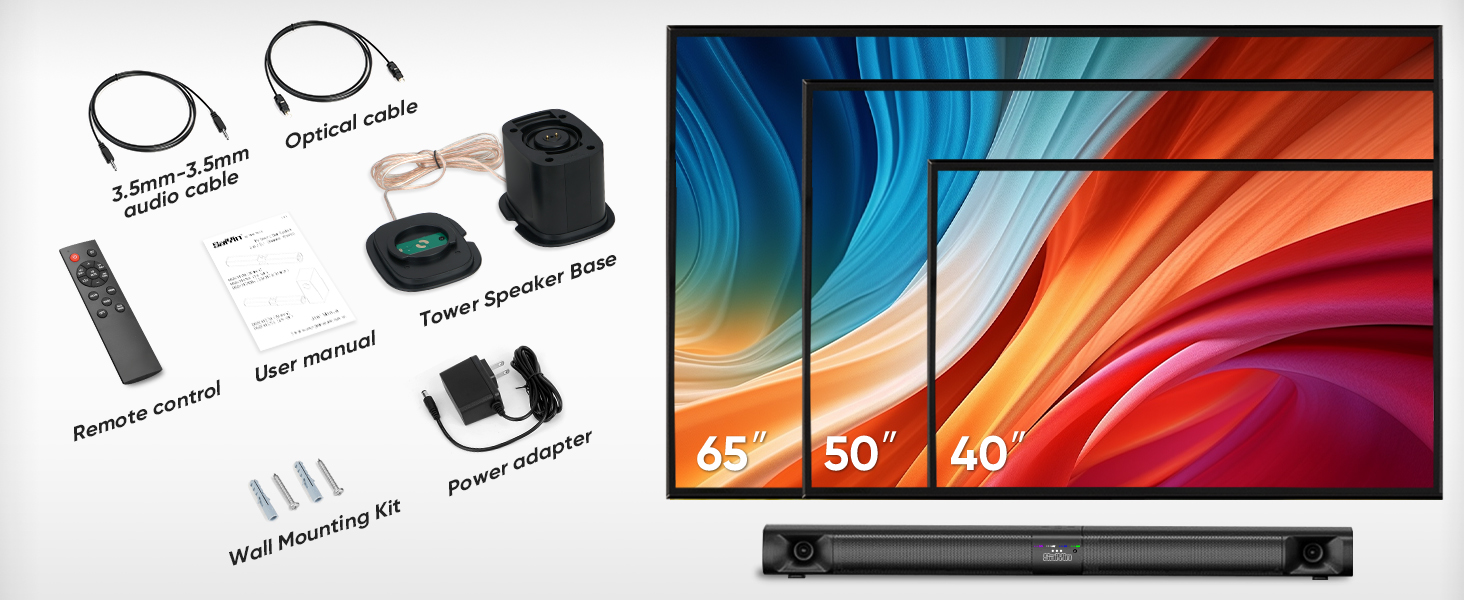
Image 2.1: All components included in the Saiyin Sound Bar DS6401PB package.
3. محصول ختم شوview
3.1. ځانګړتیاوې
- د جلا کولو وړ ډیزاین: The 31-inch sound bar can be used as a single horizontal unit or split into two vertical tower speakers.
- د غږ اجزا: Features dual silk horn tweeters for clear high frequencies and four low-frequency drivers for extended bass response down to 65Hz.
- ارتباط: Supports Bluetooth 5.3 for wireless audio, and wired connections via TV ARC, Optical, and AUX. Includes an extra subwoofer interface.
- د غږ طریقې: Three optimized sound modes (News, Movie, Music) for various audio content.
- د ځای پرځای کولو اختیارونه: Suitable for desktop placement or wall mounting.
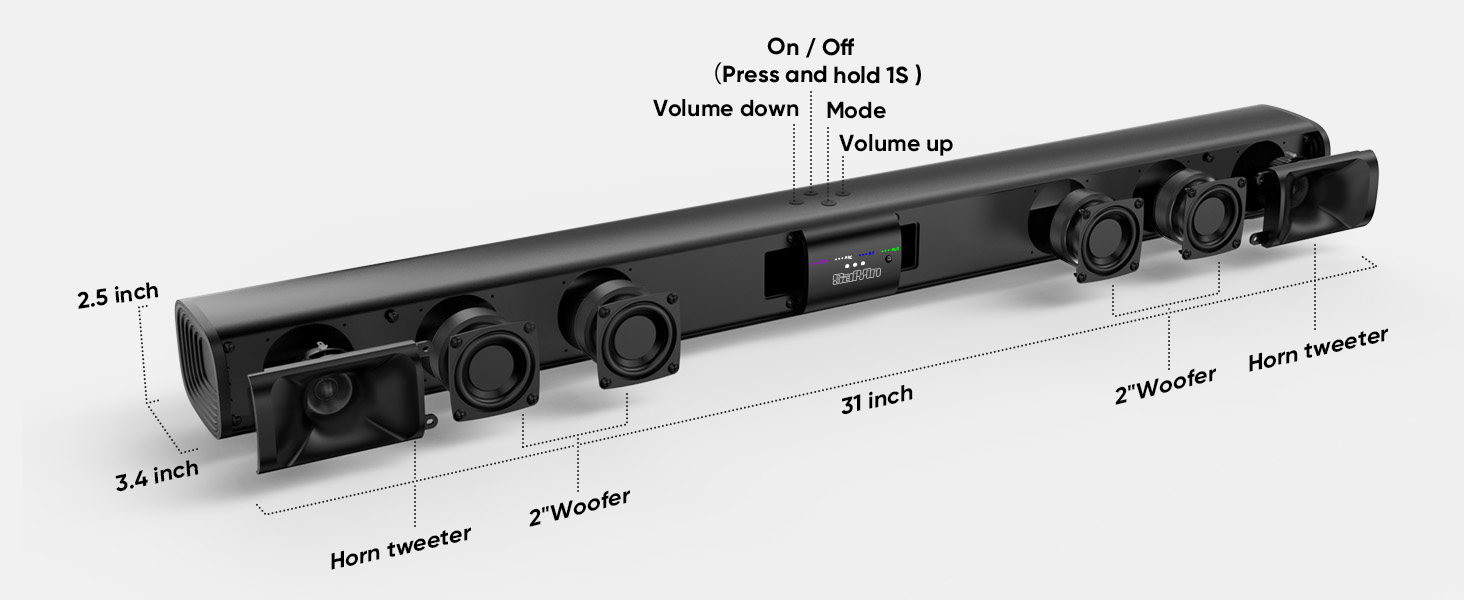
انځور ۳.۱: چاودنه وشوه view illustrating the internal components and control buttons of the sound bar.
3.2. کنټرولونه او شاخصونه
The sound bar features intuitive controls and LED indicators for easy operation.
- د بریښنا تڼۍ: Press and hold for 1 second to turn on/off.
- د حجم تڼۍ: حجم پورته یا ښکته تنظیم کړئ.
- د حالت تڼۍ: Cycle through input modes (Optical, ARC, Bluetooth, AUX).
- د LED شاخصونه: Display the active input mode (OPT, ARC, BT, AUX).
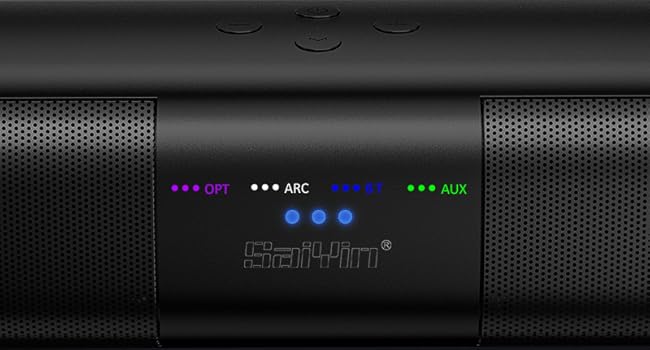
انځور ۲: تفصیلي view of the LED indicators showing active input modes (OPT, ARC, BT, AUX).
3.3. د شا پینل نښلول
The rear panel provides various ports for connecting to your audio sources.
- ARC: HDMI ARC input for TV connection.
- اختیاري: آپټیکل آډیو ان پټ.
- سبا بهر: Port for connecting an external powered subwoofer.
- په DC کې: د بریښنا آخذه.
- AUX: 3.5mm معاون داخل
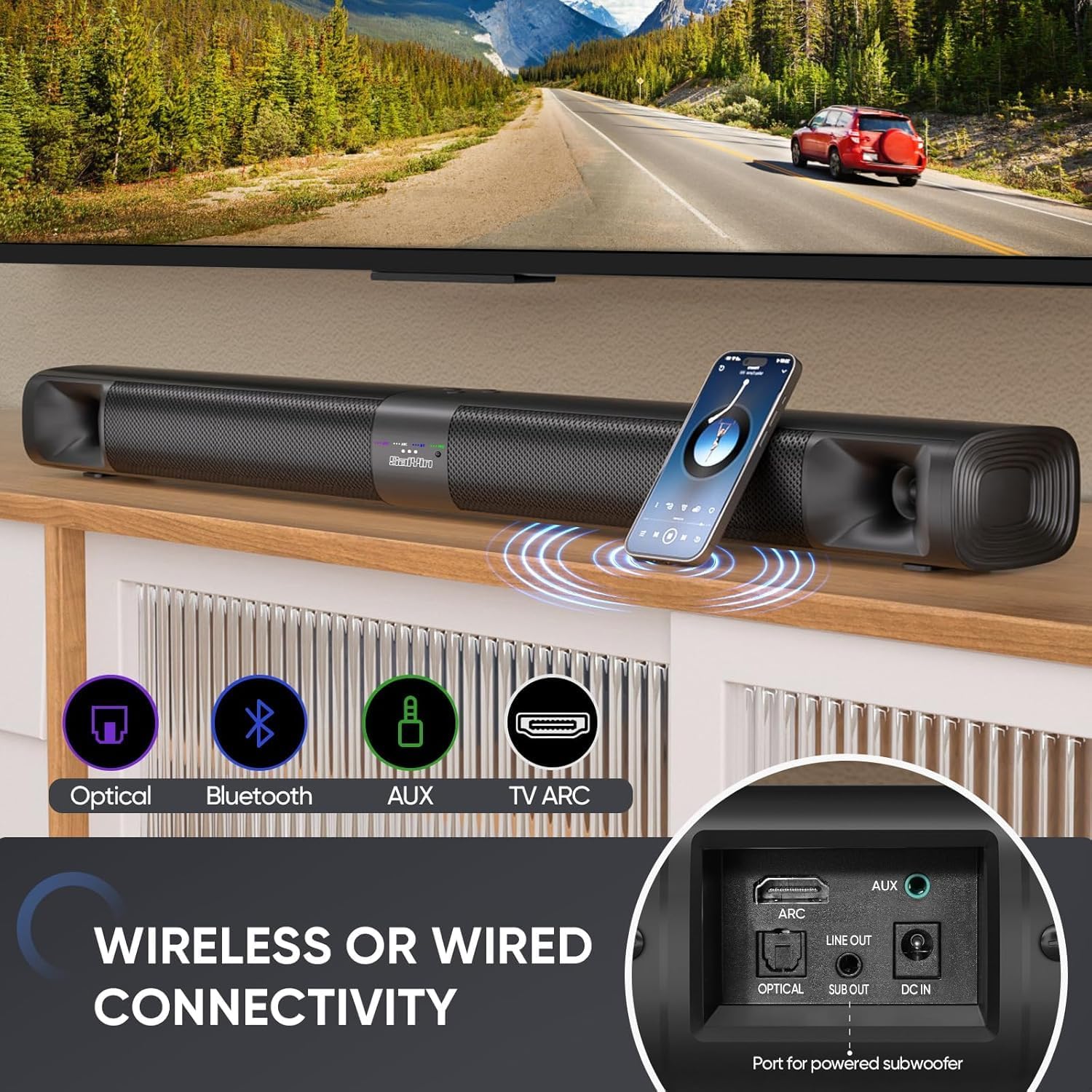
انځور 3.3: اوورview of the sound bar's connectivity ports, including Optical, Bluetooth, AUX, and TV ARC.
4. ترتیب کول
4.1. Assembly and Placement
The Saiyin Sound Bar DS6401PB offers flexible placement options: as a single horizontal sound bar or as two vertical tower speakers.
4.1.1. Detachable Assembly
To convert between the single sound bar and tower speaker configurations:
- تفتیش: Gently twist and pull the two halves of the sound bar apart.
- Assembling Tower Speakers: Attach each half to its respective tower speaker base. Ensure the 'A' and 'B' markings align. Rotate until securely locked.
- Assembling Sound Bar: Align the two halves of the sound bar, ensuring the 'A' and 'B' markings align. Twist and merge them into one unit.
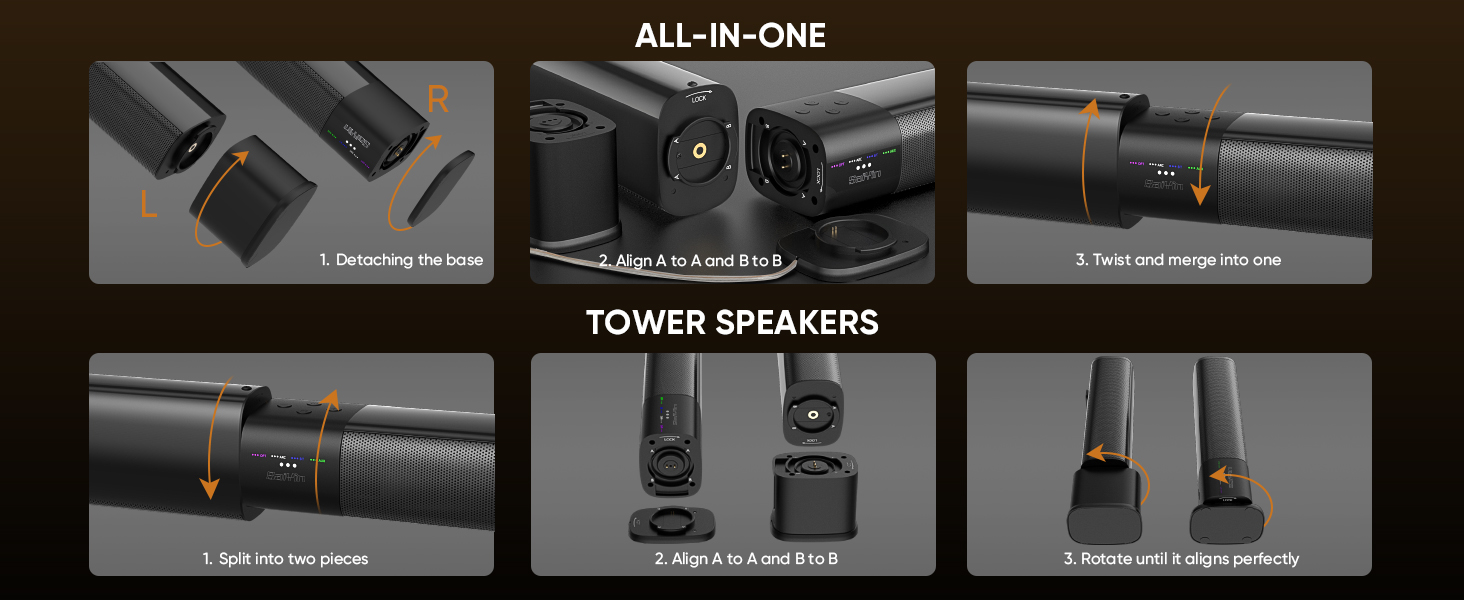
Image 4.1: Visual guide for converting the sound bar between its single unit and tower speaker configurations.
۶. د ځای پر ځای کولو اختیارونه
Choose the placement that best suits your environment and audio preference.
- Desktop Placement (Sound Bar): Place the assembled sound bar horizontally on a stable surface below your TV.
- Wall Mount (Sound Bar): Use the provided wall mounting kit to secure the sound bar horizontally to a wall.
- Desktop Placement (Tower Speakers): Place the two assembled tower speakers vertically on either side of your TV or monitor. The widened base provides stability.
- Wall Mount (Tower Speakers): Use the provided wall mounting kit to secure the two tower speakers vertically to a wall on either side of your TV.
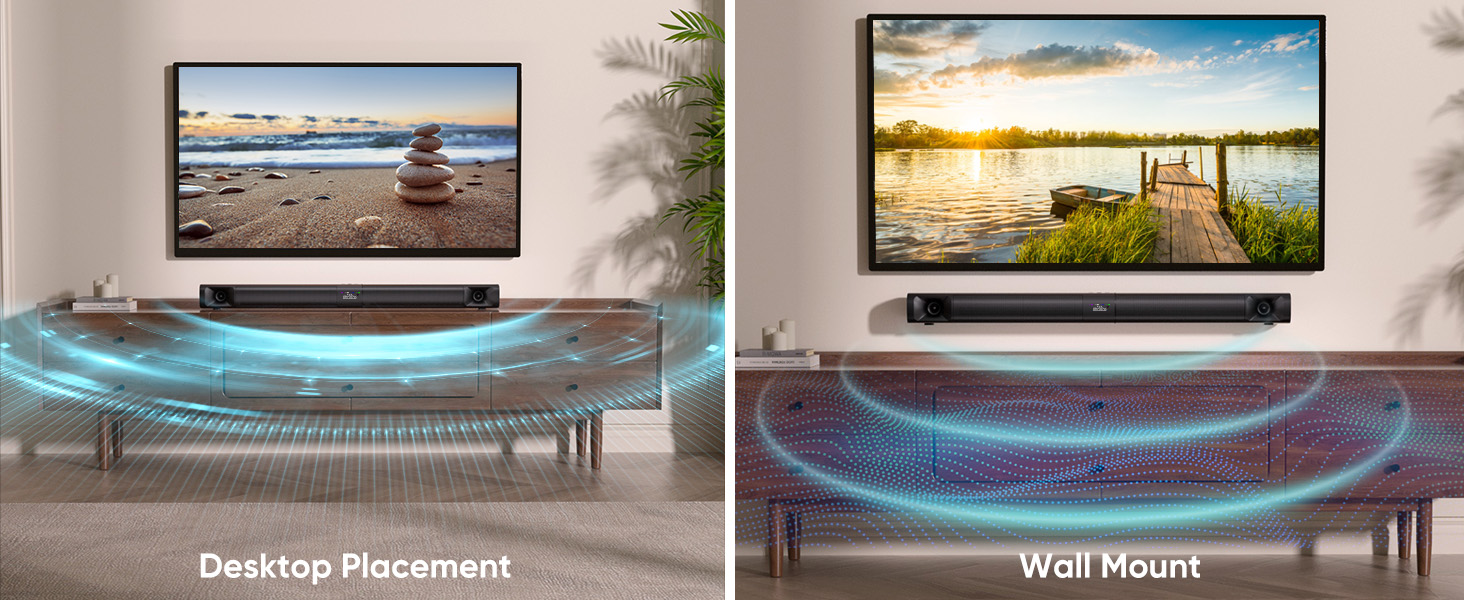
Image 4.2: Illustrates the sound bar in both desktop and wall-mounted horizontal positions.
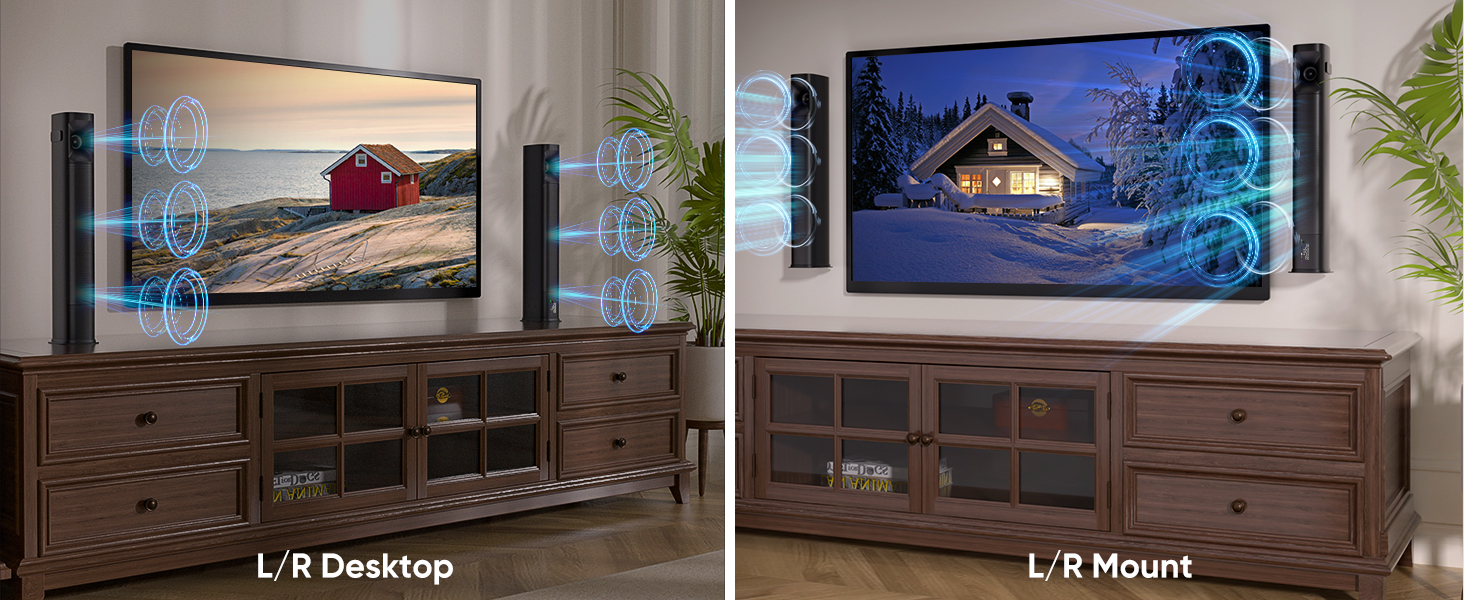
Image 4.3: Illustrates the tower speakers in both desktop and wall-mounted vertical positions.
۳. د آډیو سرچینو سره نښلول
Connect the sound bar to your TV or other devices using one of the available methods.
4.2.1. Optical Cable Connection
For high-quality digital audio, use the optical cable.
- د آپټیکل کیبل یوه پای د غږ بار کې د آپټیکل پورټ سره وصل کړئ.
- بل پای په خپل تلویزیون کې د آپټیکل ډیجیټل آډیو آوټ پورټ سره وصل کړئ.
- په خپل تلویزیون کې، دې ته لاړ شئ Settings > Sound Output > Optical.
- Adjust TV audio settings: Go to Settings > Sound > Expert Settings > Digital Output Audio Format او انتخاب کړئ PCM/Stereo Sound.
- To avoid silent or noisy output, disable Dolby/DTS on your TV and streaming apps (e.g., Netflix, Amazon Prime Video, Hulu).
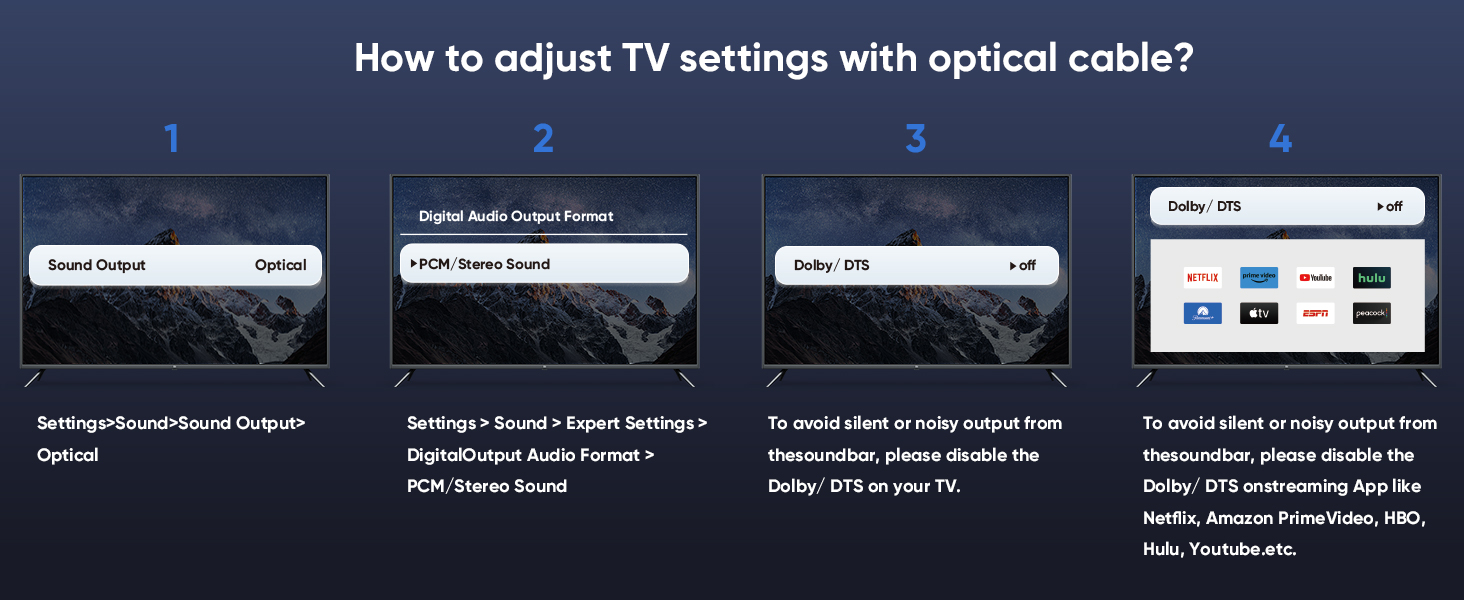
Image 4.4: Step-by-step guide for configuring TV audio settings when using an optical cable.
4.2.2. TV ARC Connection
Use an HDMI cable (not included) for TV ARC connection.
- Connect one end of an HDMI cable to the ARC port on the sound bar.
- بل پای په خپل تلویزیون کې د HDMI ARC پورټ سره وصل کړئ.
- Select the ARC input on the sound bar using the remote or control panel.
4.2.3. د AUX پیوستون
For analog audio devices, use the 3.5mm audio cable.
- Connect one end of the 3.5mm audio cable to the AUX port on the sound bar.
- بل پای په خپل وسیله کې د 3.5 ملي میتر آډیو آوټ پټ پورټ سره وصل کړئ.
- Select the AUX input on the sound bar.
4.2.4. د بلوتوث پیوستون
د مطابقت لرونکو وسیلو څخه د بېسیم آډیو سټریمینګ لپاره.
- Turn on the sound bar and select Bluetooth mode (BT). The BT indicator will flash.
- په خپل ګرځنده وسیله (سمارټ فون، ټابلیټ، او نور) کې بلوتوث فعال کړئ.
- لټون "Saiyin DS6401PB" in the list of available devices and select it to pair.
- Once paired, the BT indicator will stop flashing and remain solid.
4.2.5. د Subwoofer پیوستون
To enhance bass, connect an external powered subwoofer (not included) to the SUB OUT port on the sound bar.
4.3. بریښنا فعاله کړئ
After connecting your audio source and power adapter:
- Connect the power adapter to the DC IN port on the sound bar.
- د بریښنا اډاپټر په دیوال کې ولګوئ.
- Press and hold the power button on the sound bar or remote control for 1 second to turn it on.
5. عملیاتي لارښوونې
5.1. د ریموټ کنټرول کارول
The included remote control allows full functionality of the sound bar.
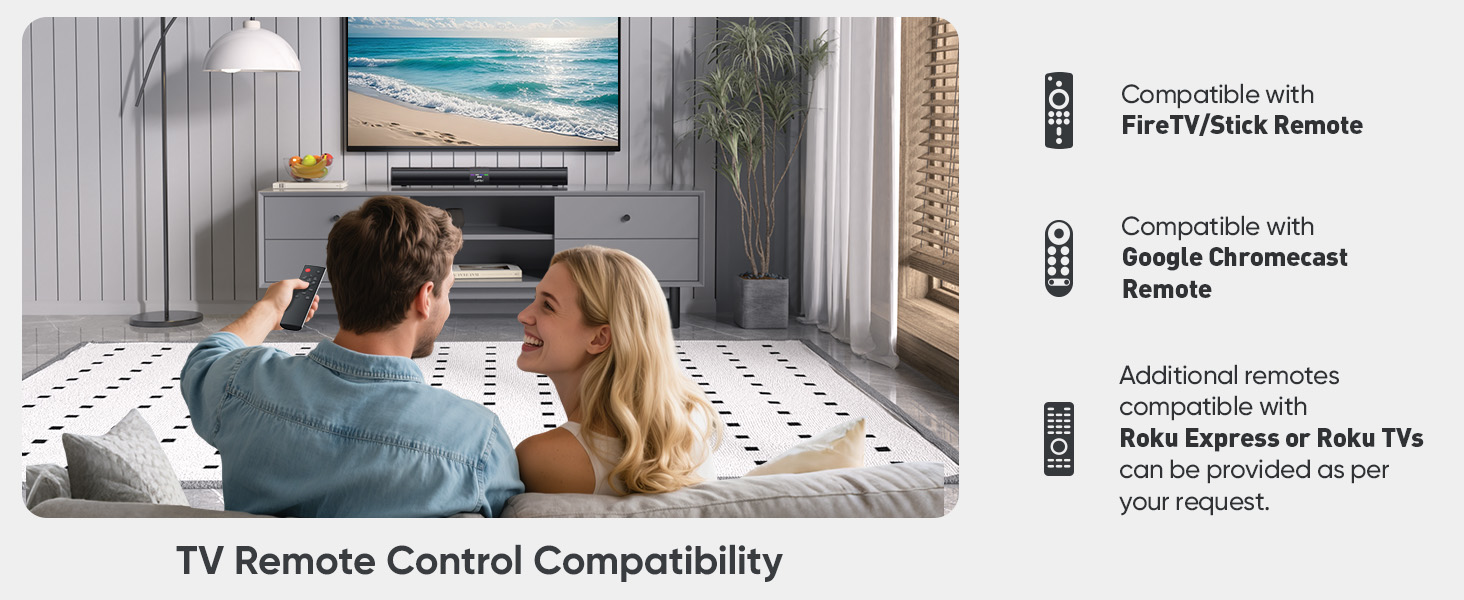
Image 5.1: The sound bar's remote control and its compatibility with FireTV/Stick, Google Chromecast, and Roku remotes.
5.2. Selecting Sound Modes
Optimize your audio experience by choosing one of the three preset sound modes.
- د خبر حالت: Enhances vocal clarity for dialogue-heavy content.
- د فلم حالت: متحرک او ډوبونکي غږونه وړاندې کويtagد فلمونو لپاره.
- د موسیقۍ حالت: Delivers balanced audio reproduction for music listening.
Press the corresponding button on the remote control to switch between modes.
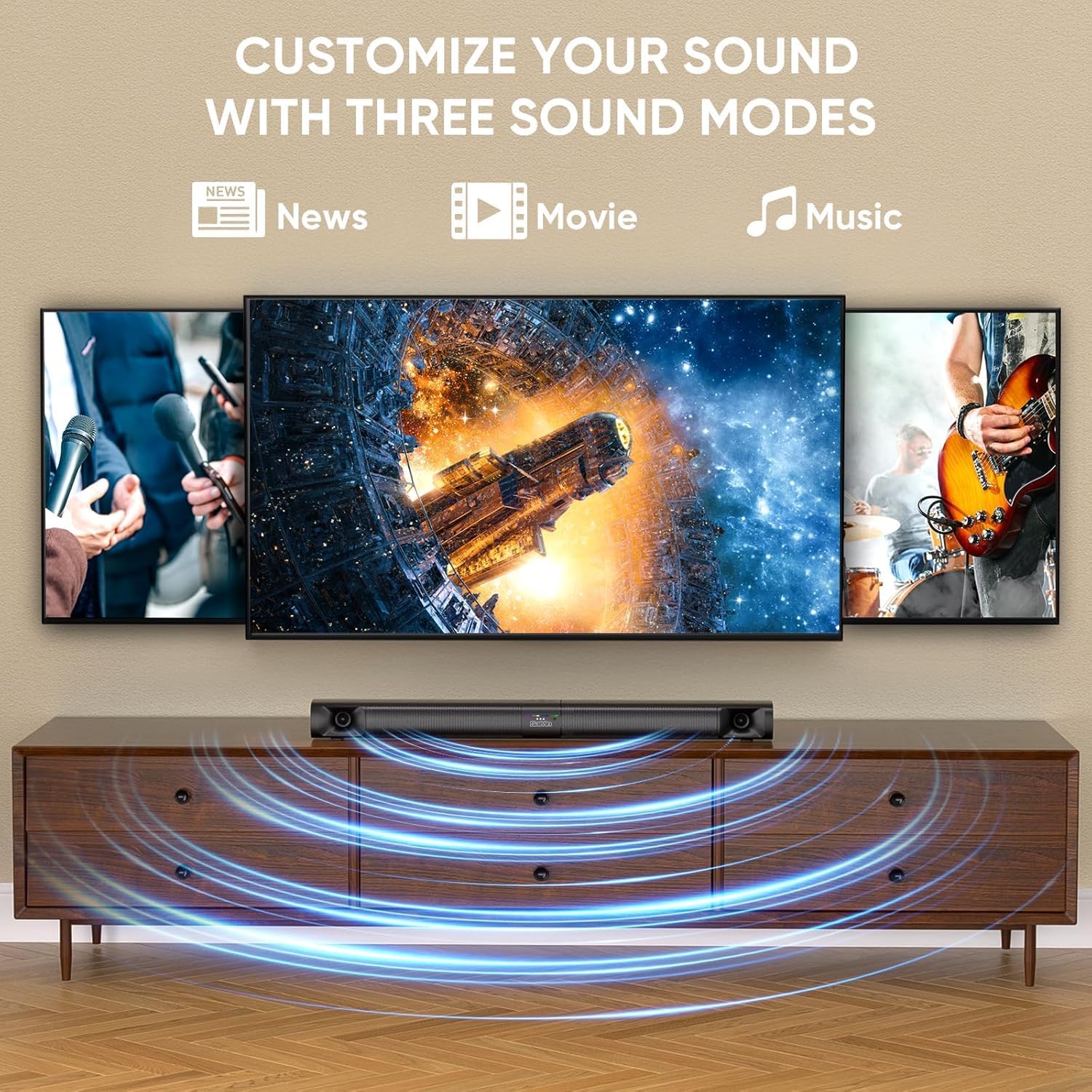
Image 5.2: Visual representation of the three customizable sound modes: News, Movie, and Music.
6. ساتنه
To ensure the longevity and optimal performance of your sound bar, follow these maintenance guidelines:
- پاکول: د غږ بار سطحه پاکولو لپاره نرم، وچ ټوکر وکاروئ. مایع پاکوونکي یا خړوبونکي مواد مه کاروئ.
- وینټیلیشن: ډاډ ترلاسه کړئ چې د غږ بار د هوا لارې بندې نه دي ترڅو د ډیر تودوخې مخه ونیول شي.
- ذخیره کول: که چیرې د غږ بار د اوږدې مودې لپاره ذخیره کوئ، نو له بریښنا څخه یې جلا کړئ او په یخ او وچ ځای کې یې وساتئ.
- د رطوبت څخه ډډه وکړئ: Keep the sound bar away from water and high humidity.
7. ستونزه حل کول
که تاسو د خپل غږ بار سره ستونزې سره مخ شئ، لاندې عامې ستونزې او حل لارې وګورئ.
| ستونزه | احتمالي لامل | د حل لاره |
|---|---|---|
| نه غږ |
|
|
| بلوتوث ناتار |
|
|
| ریموټ کنټرول کار نه کوي |
|
|
| تحریف شوی غږ |
|
|
8. مشخصات
| فیچر | مشخصات |
|---|---|
| د ماډل نوم | Saiyin Soundbar DS6401PB |
| د سپیکر ډول | Soundbar (Detachable) |
| د ارتباط ټیکنالوژي | Bluetooth 5.3, TV ARC, Optical, AUX |
| د آډیو وتلې حالت | سټیریو (۲.۰ چینل) |
| د سپیکر اعظمي تولید ځواک | 90 واټ |
| د تعدد ځواب | Down to 65Hz (low-frequency drivers) |
| د کنټرول طریقه | ریموټ کنټرول، د واحد تڼۍ |
| د نصب کولو ډول | دیوال ماونټ، ډیسټاپ |
| د محصول ابعاد (د غږ بار) | 31 inches (Length) x 3.4 inches (Depth) x 2.5 inches (Height) |
| د توکي وزن | ۲.۴۵ پونډه |
| جوړونکی | د شینزین سایین الکترونیک شرکت، ل. |
9. تضمین او ملاتړ
9.1. د تضمین معلومات
The Saiyin Sound Bar DS6401PB comes with a د 12 میاشتو تضمین from the date of purchase. This warranty covers manufacturing defects and workmanship under normal use. It does not cover damage caused by misuse, accidents, unauthorized modifications, or improper installation.
9.2. د پیرودونکي ملاتړ
For technical assistance, warranty claims, or any questions regarding your Saiyin Sound Bar DS6401PB, please contact our customer support team. Refer to the contact information provided in your quick start guide or on the official Saiyin webسایټ