
eKids 115
eKids Dora Karaoke Microphone with Boombox Instruction Manual
Model: 115 | Brand: eKids
1. پیژندنه
Welcome to the eKids Dora Karaoke Microphone with Boombox. This device is designed to provide an interactive and engaging musical experience. It features a wired microphone, built-in music, and Bluetooth connectivity for streaming audio from compatible devices. This manual provides essential information for setup, operation, maintenance, and troubleshooting to ensure optimal performance and enjoyment.
2. محصول ختم شوview
The eKids Dora Karaoke Microphone with Boombox is a portable audio device shaped like Dora's backpack, designed for children aged 3 and up. It combines a speaker with a wired microphone, allowing users to sing along to pre-loaded songs or music streamed via Bluetooth.
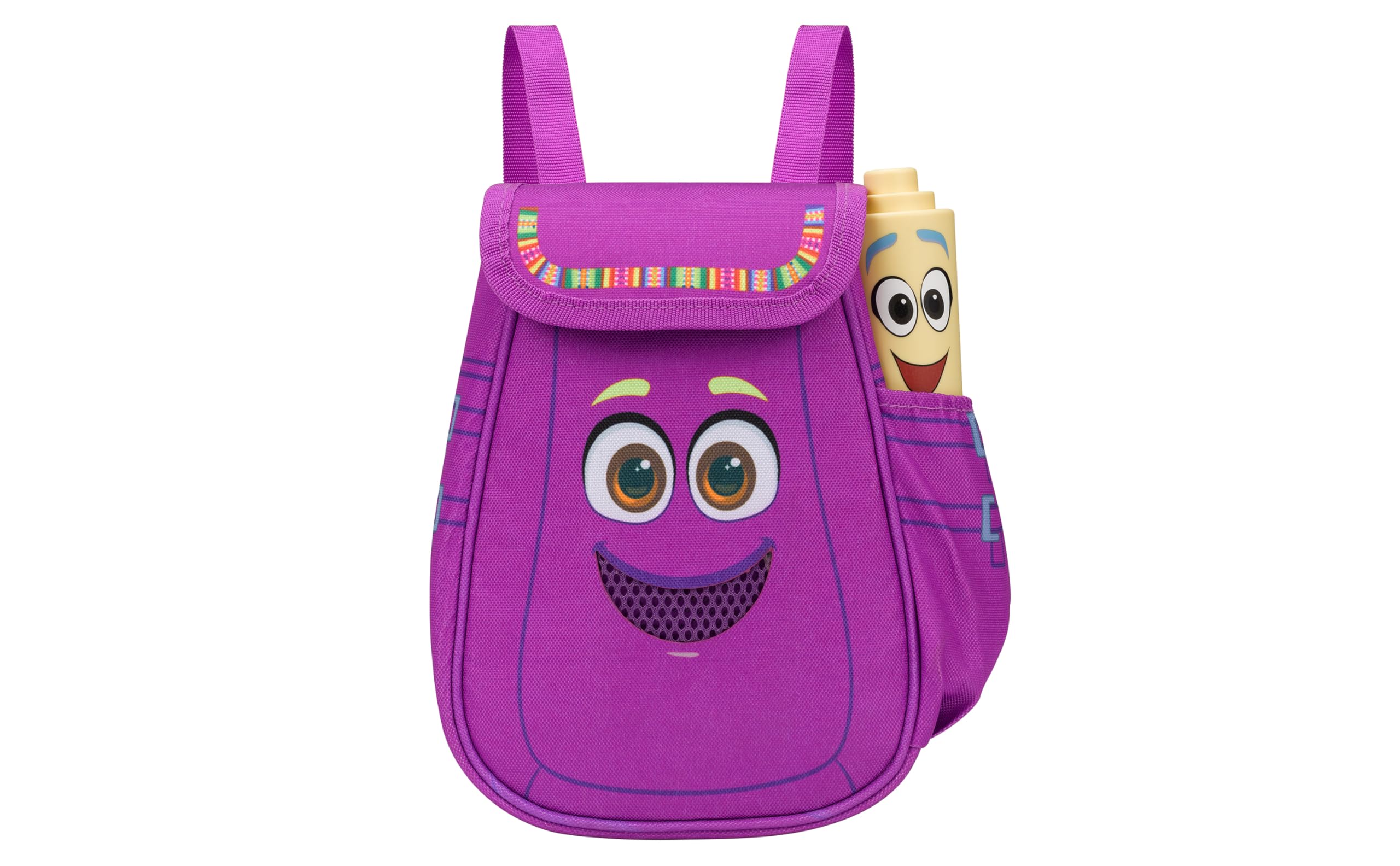
Figure 1: eKids Dora Karaoke Microphone with Boombox.
کلیدي ځانګړتیاوې:
- بلوتوث Connects to any music device via Bluetooth to stream popular karaoke playlists and more. Lightweight and portable, this karaoke boombox is designed for kids aged 3 and up.
- کاراوکی مایکروفون: Includes a wired microphone to amplify your voice for singing.
- Dora Backpack Design: Features cute and colorful graphics inspired by the popular Nickelodeon series.
- جوړ شوی میوزیک: Contains extended clips of the songs ‘Rainforest Ritmo’, ‘Cake’, and ‘Empanada’.
- د لېږد وړتیا: Lightweight design with a built-in handle for easy transport.
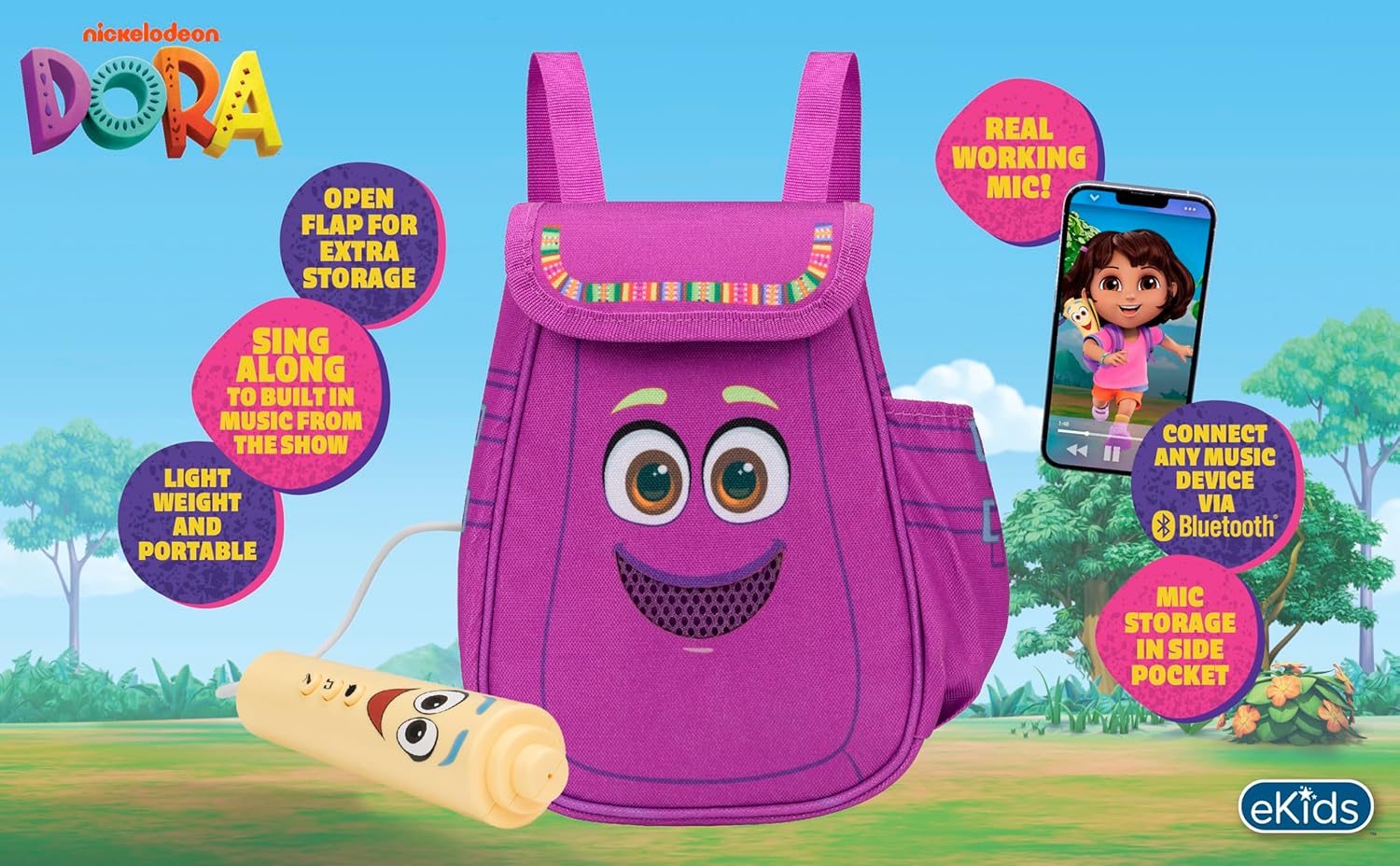
شکل ۳: بصري اوورview of the product's key features.
3. د بسته محتويات
ډاډ ترلاسه کړئ چې ټول توکي د بکس خلاصولو پر مهال شتون لري:
- Dora Karaoke Microphone with Boombox (main unit)
- واړه مایکروفون
- د لارښود لارښود (دا سند)
- 3 x 'AA' Batteries (included)

Figure 3: Product as packaged, showing the boombox and microphone.
4. ترتیب کول
4.1 د بیټرۍ نصب کول
- Locate the battery compartment on the back or bottom of the boombox unit.
- Using a Phillips head screwdriver (not included), open the battery compartment cover.
- څلور 'AA' بیټرۍ دننه کړئ، د سم قطبیت ډاډ ترلاسه کړئ (+/-).
- د بیټرۍ کمپارټ پوښ بدل کړئ او د سکرو سره یې خوندي کړئ.
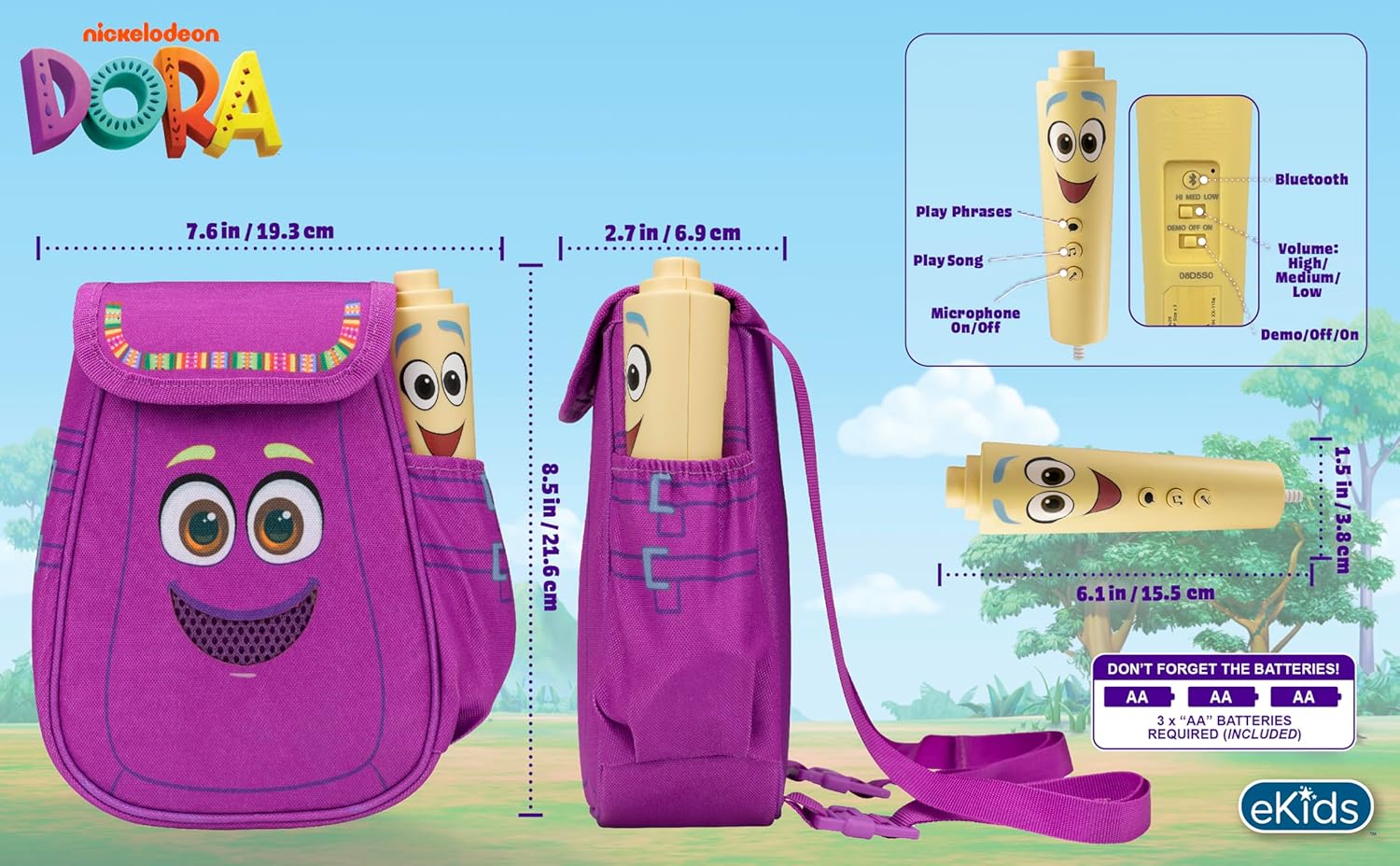
شکل 4: شاته view of the boombox, indicating battery compartment and control buttons.
4.2 د مایکروفون اتصال
The wired microphone is typically pre-connected or plugs into a dedicated port on the boombox. Ensure the microphone cable is securely plugged in.
5. عملیاتي لارښوونې
۸ پاور آن/بند
Locate the Power switch (often labeled ON/OFF or with a power symbol) on the unit. Slide it to the 'ON' position to power on the device. Slide it to 'OFF' to power off.
5.2 Playing Built-in Music
Press the designated 'Play Song' button (refer to Figure 4 for button layout) to cycle through the pre-loaded songs. The unit includes extended clips of 'Rainforest Ritmo', 'Cake', and 'Empanada'.
۳.۳ د مایکروفون کارول
To use the microphone, ensure the 'Microphone On/Off' switch (refer to Figure 4) is in the 'On' position. Speak or sing into the microphone to amplify your voice through the boombox speaker.
5.4 د بلوتوت ارتباط
To stream music from an external device:
- Ensure the boombox is powered on.
- Activate Bluetooth on your external music device (e.g., smartphone, tablet, computer).
- لټون available Bluetooth devices and select "eKids Dora" or a similar name.
- یوځل چې جوړه شي، تاسو کولی شئ آډیو له خپل وسیله څخه بوم باکس ته واستوئ.

Figure 5: Bluetooth connectivity allows streaming from various compatible devices.
5.5 د حجم کنټرول
Adjust the volume using the 'Volume: High/Medium/Low' switch on the unit (refer to Figure 4).
5.6 ډیمو حالت
The unit may include a 'Demo/Off/On' switch (refer to Figure 4). Set it to 'Demo' for a brief demonstration of features, or 'On' for full functionality.
6. ساتنه
- پاکول: واحد د نرم او وچ ټوکر سره پاک کړئ. د کثافاتو پاکوونکو څخه کار مه اخلئ یا واحد په اوبو کې مه ډوب کړئ.
- د بیټرۍ پاملرنه: که چیرې واحد د اوږدې مودې لپاره د لیکیدو مخنیوي لپاره ونه کارول شي نو بیټرۍ لرې کړئ.
- ذخیره کول: دا واحد په یخ او وچ ځای کې د مستقیم لمر وړانګو او سختې تودوخې څخه لرې وساتئ.
7. ستونزه حل کول
| ستونزه | د حل لاره |
|---|---|
| هیڅ ځواک نشته | Check battery installation and ensure batteries are fresh. Confirm the power switch is in the 'ON' position. |
| د سپیکر څخه هیڅ غږ نشته | Increase the volume. Ensure the microphone is switched 'ON' if using it. If using Bluetooth, check device volume and connection. |
| مایکروفون کار نه کوي | Ensure the microphone is securely plugged in and its 'On/Off' switch is in the 'On' position. |
| بلوتوث نه نښلي | Ensure the boombox is in Bluetooth pairing mode (if applicable, check manual for specific instructions). Turn off and on Bluetooth on your external device. Move devices closer together. |
8. مشخصات
- نښه: eKids
- د موډل نوم: 115
- رنګ: ډورا
- د بریښنا سرچینه: Battery Powered (3 x 'AA' batteries)
- د ويناوالو شمېر: 1
- د ارتباط ټیکنالوژي: Bluetooth, 3.5mm audio jack (for wired microphone)
- د توکي وزن: 0.52 کیلوګرامه
- د توکو ابعاد (D x W x H): ۱۶"د x ۲۶"وچ x ۴۷"ح
- UPC: 092298961934
- جوړونکی: د ماشوم ډیزاینونه
9. تضمین او ملاتړ
دا محصول د الف سره راځي د 1 کلن محدود تضمین from the manufacturer, KIDdesigns. For warranty claims or technical support, please refer to the contact information provided with your purchase documentation or visit the eKids official webسایټ
For additional product information or to explore other eKids products, visit the eKids Brand Store.
Ask a question about this manual
Ask about setup, troubleshooting, compatibility, parts, safety, or missing instructions. Manuals+ will review the question and use this page’s manual context to help answer it.