
۱. معرفي او محصول پایview
This manual provides detailed instructions for the installation, operation, and maintenance of your WALI Vertical Dual Monitor Wall Mount, Model 012ARMV-49. This mount is designed to support two monitors in a stacked configuration, optimizing desk space and providing ergonomic viewزاویې
The mount supports displays from 17 to 49 inches, with a maximum weight capacity of 44 lbs (20 kg) per arm. It is compatible with VESA 75x75mm and 100x100mm mounting patterns. Key features include flexible tilt, swivel, and height adjustments, along with 360-degree rotation for versatile screen positioning.
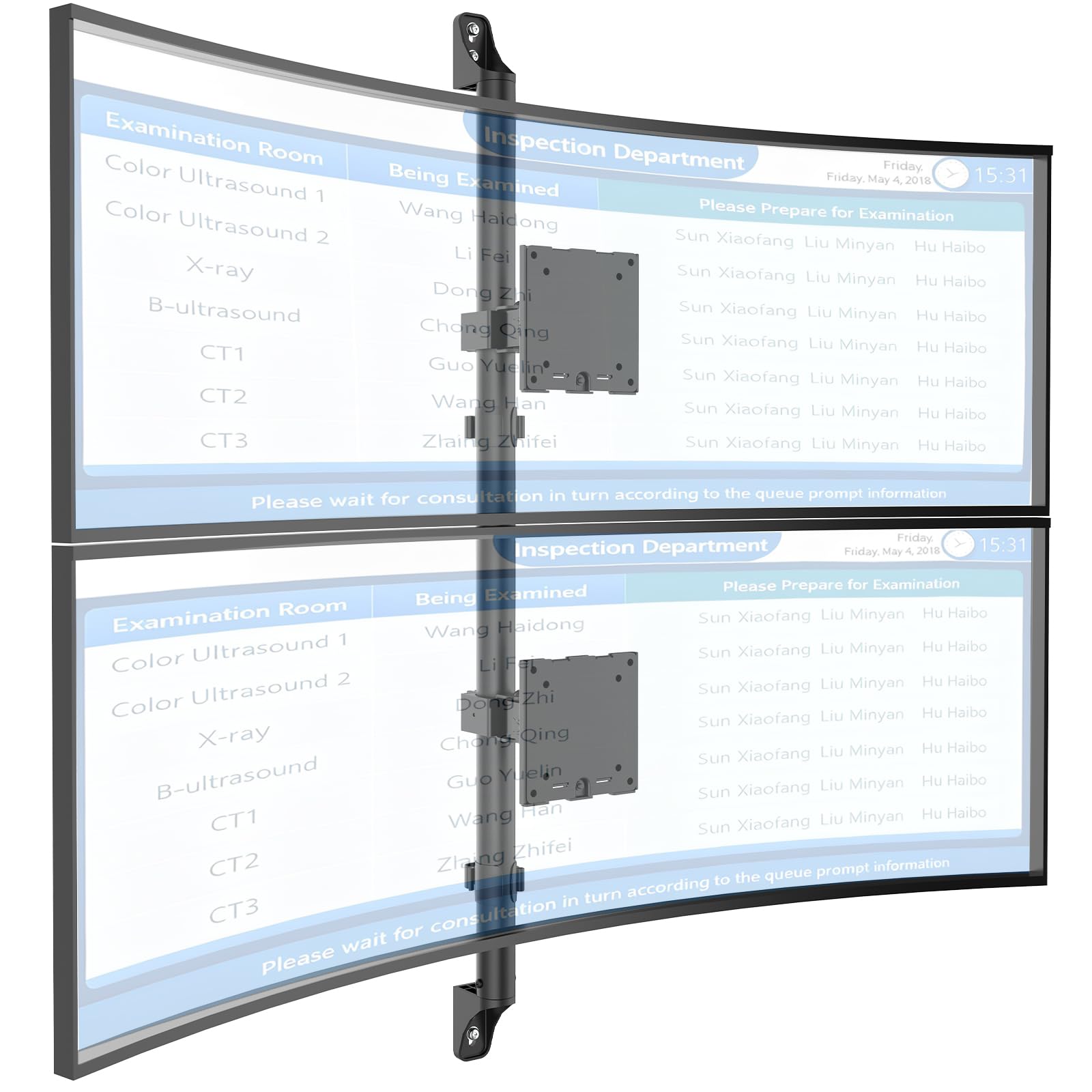
Figure 1: WALI Vertical Dual Monitor Wall Mount with two curved monitors.
2. د خوندیتوب معلومات
مهرباني وکړئ د نصبولو او کارولو دمخه ټولې لارښوونې ولولئ او پوه شئ. د دې کولو کې پاتې راتلل ممکن د شخصي ټپي کیدو یا ملکیت زیان لامل شي. دا لارښود د راتلونکي حوالې لپاره وساتئ.
- د وزن ظرفیت: Do not exceed the maximum weight capacity of 44 lbs (20 kg) per monitor. Exceeding this limit can result in serious injury or product failure.
- د څارنې اندازه: Ensure your monitors are within the supported size range of 17-49 inches.
- د VESA مطابقت: Verify your monitor's VESA mounting pattern (75x75mm or 100x100mm) before installation.
- د دیوال ډول: This mount is designed for installation on concrete/brick walls or wooden studs. Do not install on drywall alone.
- مسلکي نصب کول: که تاسو د نصب کولو پروسې یا دیوال ډول په اړه ډاډه نه یاست، نو د وړ مسلکي سره مشوره وکړئ.
- خوځنده برخې: Keep hands and fingers clear of moving parts during adjustment to prevent pinching.
- ماشومان: کوچنۍ برخې او د بسته بندۍ مواد له ماشومانو لرې وساتئ، ځکه چې دوی ممکن د ساه بندۍ خطر رامینځته کړي.
3. د بسته محتويات
Verify that all components are present and undamaged. If any parts are missing or damaged, contact WALI customer support.
- 1 x WALI Vertical Dual Monitor Wall Mount (Black)
- Mounting Hardware Kit (includes screws, washers, wall anchors for masonry, and self-tapping screws for wood)
- د کارن لارښود
4. مشخصات
| فیچر | مشخصات |
|---|---|
| د نصب کولو ډول | دیوال غر |
| د حرکت ډول | بیانول |
| برانډ | ویلی |
| مواد | Dual aerospace-grade aluminum mounting brackets, High-strength steel pole |
| رنګ | تور |
| مطابقت لرونکې وسیلې | مانیټر، تلویزیون |
| اعظمي ټيټ زاویه | 20 درجې |
| Minimum Supported Screen Size | ۷۸۷ انچه |
| Maximum Supported Screen Size | ۷۸۷ انچه |
| د ماډل شمیره | 012ARMV-49 |
| د VESA مطابقت | 75x75mm، 100x100mm |
| د وزن ظرفیت | په هر لاس کې 44 پونډه (20 کیلوګرامه). |
5. ترتیب او نصب کول
Follow these steps carefully to install your WALI Vertical Dual Monitor Wall Mount.
۵.۲ د دیوال چمتووالی
- د دیوال ډول پیژندل: This mount is suitable for wooden studs, solid concrete walls, and brick walls.
- Locate Studs (for wood walls): Use a stud finder to locate the center of a wooden stud. Mark the drilling locations.
- د نښه کولو ځایونه: Hold the wall plate against the wall at your desired height and mark the screw holes. Ensure it is level.

Figure 2: Wall compatibility for installation.
5.2 Attaching the Wall Plate
- د پیلوټ سوراخ ډرل: Drill pilot holes at the marked locations. The size of the drill bit will depend on your wall type and the provided hardware.
- د دیوال خوندي پلیټ: Attach the wall plate to the wall using the appropriate screws and anchors for your wall type. Ensure it is firmly secured.

Figure 3: Securing the wall mount plate.
5.3 Attaching VESA Plates to Monitors
- Remove Original Stand: Carefully remove the original stand from your monitors.
- د VESA پلیټ ضمیمه کړئ: Align the VESA plate with the mounting holes on the back of your monitor. Use the provided screws to secure the plate. Ensure the plate is oriented correctly for vertical stacking.
5.4 Mounting Monitors to the Arm
- Slide Arm onto Wall Base: Carefully slide the monitor arm assembly onto the secured wall base.
- Attach Monitors: With assistance, carefully lift each monitor and slide its VESA plate onto the corresponding arm bracket. Ensure it clicks securely into place.
- Secure Monitors: Use the safety screws or clips to prevent accidental dislodgement of the monitors from the arms.

Figure 4: Monitor arm assembly and attachment points.
5.5 د کیبل مدیریت
- د لارې کیبلونه: Utilize the integrated cable management system to route monitor cables neatly along the arm and down the wall pole.
- خوندي کیبلونه: Use the provided clips or ties to secure the cables, preventing clutter and ensuring a clean setup.

شکل ۶.۴.۱: د کیبل مدغم مدیریت سیسټم.
۶. د عملیاتي لارښوونې (تعدیلات)
The WALI Vertical Dual Monitor Wall Mount offers various adjustments for optimal viewراحت.
- د لوړوالی سمون: The monitors can be adjusted vertically along the main pole. Loosen the adjustment screws on the arm brackets, slide the monitors to the desired height, and then re-tighten the screws. The maximum height adjustment is 28.74 inches.
- د خښتو سمون: Tilt the monitors up to +50 degrees or down to -20 degrees to reduce glare and find your preferred viewزاویه.
- سویول تعدیل: Swivel the monitors up to +/-90 degrees horizontally for collaborative work or to adjust the viewلارښوونه
- گردش: Rotate the monitors 360 degrees to switch between landscape and portrait orientations.

Figure 6: Tilt, Swivel, and Rotation adjustments.

Figure 7: Full motion adjustment range and dimensions.
7. ساتنه
منظم ساتنه ستاسو د مانیټر ماونټ اوږد عمر او خوندي عملیات تضمینوي.
- پاکول: غره د نرم، d سره پاک کړئamp ټوکر. د کثافاتو پاکوونکو یا محلولونو څخه ډډه وکړئ.
- کلکوالی چیک کړئ: په دوره یي ډول ټول پیچونه او اړیکې وګورئ ترڅو ډاډ ترلاسه شي چې دوی کلک او خوندي دي. که اړتیا وي نو بیا کلک کړئ.
- د زیانونو لپاره معاینه کول: Regularly inspect the mount for any signs of wear, damage, or corrosion. Discontinue use and contact support if any issues are found.
8. ستونزه حل کول
If you encounter issues with your WALI Vertical Dual Monitor Wall Mount, refer to the following common problems and solutions:
- د ساګونو څارنه یا په موقف کې نه پاتې کیږي:
- Ensure the monitor weight is within the 44 lbs (20 kg) per arm limit.
- Tighten the tension adjustment screws on the arm joints using the included tool.
- غر بې ثباته احساس کوي:
- Verify that the wall plate is securely fastened to the wall with appropriate anchors for your wall type.
- Check that all connections between the arm and the VESA plates are tight.
- Difficulty Adjusting Monitor Position:
- Loosen the tension adjustment screws slightly if the movement is too stiff.
- Ensure no cables are obstructing the movement of the arms.
9. تضمین او ملاتړ
Your WALI Vertical Dual Monitor Wall Mount comes with a ۱-کلن تضمین، په موادو کې نیمګړتیاوې پوښل او د عادي کارونې لاندې کاریګر.
For technical assistance, missing parts, or warranty claims, please contact WALI customer support. Our experienced and friendly US-based customer support team is available to assist you 7 days a week.
د اړیکو معلومات: Refer to the WALI webد اړیکو د تازه جزیاتو لپاره سایټ یا د محصول بسته بندي.