
1. پیژندنه
This manual provides essential information for the safe and efficient installation, operation, and maintenance of your OSRAM ENDURA PRO Outdoor Wall Projector with Sensor. This high-efficiency outdoor wall luminaire features an extensive angle and innovative optical design, providing reliable and secure lighting for various outdoor applications.

Image 1.1: Highly Efficient Lighting. The OSRAM ENDURA PRO LED projector provides uniform and efficient lighting, enhancing security around your property with optimal brightness.
2. د خوندیتوب لارښوونې
مهرباني وکړئ د محصول نصبولو یا چلولو دمخه د خوندیتوب ټولې لارښوونې ولولئ او پوه شئ. د دې لارښوونو په تعقیب کې پاتې راتلل ممکن د بریښنا شاک، اور، یا نورو خطرونو پایله ولري.
- وړ پرسونل: ټول بریښنایی اتصالونه باید د وړ بریښنایی متخصص لخوا ترسره شي.
- د بریښنا شاک خطر: Always disconnect power before installation, maintenance, or repair. Caution, risk of electric shock.
- د زنګ وهلو خطر: To reduce the risk of strangulation, ensure that any flexible wiring connected to this luminaire is effectively secured to the wall if the wiring is within reach.
- د محصول بشپړتیا: Do not modify or alter the product in any way. Use only original OSRAM accessories and spare parts.
- عملیاتي چاپیریال: This product is designed for outdoor use with an IP55 rating. Do not submerge in water.
3. د محصول ب Featuresې
The OSRAM ENDURA PRO projector is engineered for optimal outdoor lighting performance and durability.
- لوړ فعالیت: Provides bright and uniform illumination, enhancing safety in all outdoor areas.
- د تنظیم وړ سر: The luminaire head is adjustable, allowing for precise light orientation to illuminate specific areas and dark corners.
- قوي ساختمان: Features IP55 protection against dust and water jets, and IK05 impact resistance, ensuring reliable operation in various weather conditions.
- مربوط سینسر: Equipped with a motion and brightness detection sensor for automated operation.
- عملیاتي طریقې: Offers 4 selectable operating modes, including 6-hour continuous illumination or activation by motion and ambient light.
- د انرژي موثریت: د انرژۍ سپمولو عملیاتو لپاره ډیزاین شوی.

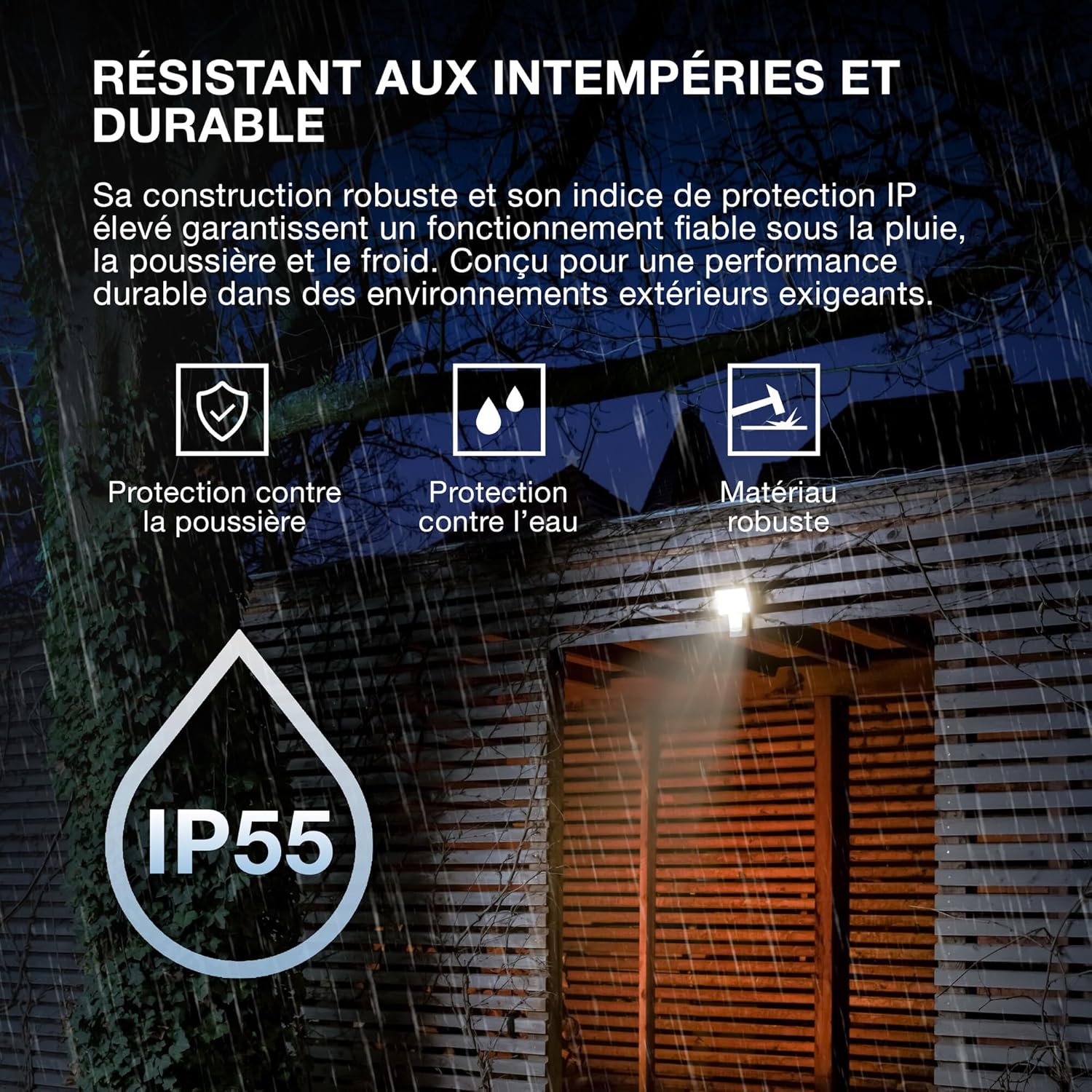
Image 3.1: Weather Resistant and Durable. The robust construction with IP55 and IK05 ratings ensures reliable performance in demanding outdoor environments, protecting against dust, water, and impacts.

Image 3.2: Precisely Adjustable. The pivoting lamp head allows for precise light orientation, directing illumination exactly where needed for efficient and glare-free lighting.
4. ترتیب او نصب کول
The OSRAM ENDURA PRO projector is designed for easy and quick installation on walls or ceilings.
4.1. د نصبولو دمخه
- Ensure the power supply is disconnected at the main circuit breaker before starting any electrical work.
- Verify that the mounting surface is suitable and can support the weight of the luminaire.
- Consult a qualified electrician for all electrical connections.
4.2. د پورته کولو مرحلې
- د نصبولو ځای چمتو کول: Choose a suitable location for wall or ceiling mounting.
- د نښه کولو د برمه کولو ځایونه: Use the mounting bracket as a template to mark the drilling points on the surface.
- سوراخونه: Drill holes at the marked points and insert appropriate wall plugs (if necessary).
- د خوندي نصب کولو بریکٹ: Attach the mounting bracket securely to the wall or ceiling using screws.
- بریښنایی پیوستون: Connect the electrical wiring to the luminaire terminals according to local electrical codes. Ensure proper grounding.
- Luminaire ضمیمه کړئ: Mount the luminaire onto the secured bracket.
- خوندي تارونه: If the flexible wiring is within reach, secure it effectively to the wall to prevent strangulation hazards.
- د بریښنا بیرته راګرځول: کله چې نصب بشپړ شي او ټولې اړیکې خوندي شي، سرکټ ته بریښنا بیرته ورکړئ.

Image 4.1: Quick Assembly and Easy Installation. The diagram illustrates both wall and ceiling installation methods, highlighting the 180° detection angle and coverage area for enhanced security.
انځور ۱: د محصول ابعاد. Detailed dimensions of the luminaire for accurate installation planning.
5. عملیاتي لارښوونې
The OSRAM ENDURA PRO projector offers flexible operating modes and an adjustable head for customized lighting.
5.1. Selecting Operating Modes
The luminaire features 4 selectable operating modes, typically controlled via a push button or internal switch (refer to the detailed wiring diagram in the packaging for exact control method):
- Motion and Brightness Detection: The light turns on automatically when motion is detected in low ambient light conditions.
- Continuous Illumination (e.g., 6 hours): The light remains on for a set duration, regardless of motion or ambient light.
- Other modes may include variations of detection sensitivity, time-on duration, or ambient light threshold.
5.2. Adjusting the Luminaire Head
The luminaire head can be manually adjusted to direct the light beam as required. Gently pivot the head to the desired angle (up to 60 degrees as indicated in product images) to optimize illumination for your specific area.
6. ساتنه
Regular maintenance ensures the longevity and optimal performance of your OSRAM ENDURA PRO projector.
- پاکول: رڼا په منظم ډول د نرم، ډ سره پاکه کړئamp ټوکر. د کثافاتو پاکوونکي یا محلولونه مه کاروئ، ځکه چې دا کولی شي سطح ته زیان ورسوي.
- معاینه: Periodically inspect the luminaire for any signs of damage, such as cracks in the housing or frayed wiring. If damage is found, disconnect power immediately and contact a qualified electrician for repair or replacement.
- بریښنایی پیوستون: Ensure all electrical connections remain secure. If any looseness is detected, have it checked by a qualified electrician.
7. ستونزه حل کول
If you encounter issues with your OSRAM ENDURA PRO projector, refer to the following common troubleshooting steps:
| ستونزه | احتمالي لامل | د حل لاره |
|---|---|---|
| رڼا نه راځی | بریښنا نشته Sensor not triggered غلط عملیاتي حالت | د سرکټ بریکر او بریښنایی اتصالونه وګورئ. Ensure motion is within sensor range and ambient light is low enough. Verify selected operating mode. |
| رڼا په دوامداره توګه پاتې کیږي | Continuous illumination mode selected Constant motion in sensor range د سینسر خرابوالی | Switch to motion detection mode. Adjust sensor position or sensitivity. د پیرودونکي ملاتړ سره اړیکه ونیسئ. |
| رڼا څراغونه | بې ثباته بریښنا رسول تړلی اړیکه | Consult a qualified electrician to check power supply. ډاډ ترلاسه کړئ چې ټول بریښنایی اړیکې خوندي دي. |
If the problem persists after attempting these solutions, please contact OSRAM customer support or a qualified electrician.
8. مشخصات
Key technical specifications for the OSRAM ENDURA PRO Flood Sensor 27W 4000K IP55.
| فیچر | مشخصات |
|---|---|
| د ماډل شمیره | 4099854451744 |
| برانډ | OSRAM |
| د بریښنا مصرف | 27 واټ |
| روښانه فلکس | 3000 lm (Lumen) |
| د رنګ د حرارت درجه | 4000K (سخت سپین) |
| والیtage | 220 وولټ (AC) |
| د ساتنې درجه بندي | IP55 (Dust protected, protected against water jets) |
| د اغیزې مقاومت | IK05 |
| مواد | پولی کاربونیټ (PC) |
| ابعاد (L x W x H) | 20.1 x 5.6 x 22.5 سانتي متره |
| وزن | 480 ګرامه |
| د سویچ ډول | د حرکت کشف کونکی |
| د نصب کولو ډول | دیوال غر |
| د غوښتنلیک ساحې | Outdoor, Parking lots, Squares, Parks, Arcades |
Image 8.1: Performance Options. The OSRAM ENDURA PRO is available in various wattages and luminous fluxes. This model is the 27W version, providing 3000 lumens.

Image 8.2: Product Packaging. The packaging provides an overview of the product, including key specifications and features.
9. تضمین او ملاتړ
For warranty information and customer support, please refer to the documentation included with your product or visit the official OSRAM webسایټ. د پیرود ثبوت په توګه د پیرود رسید وساتئ.
OSRAM Webسایټ: www.osram.com