
DIERYA M1
DIERYA M1 Wireless Gaming Mouse User Manual
ماډل: M1
پیژندنه
Thank you for choosing the DIERYA M1 Wireless Gaming Mouse. This manual provides detailed instructions on setting up, operating, maintaining, and troubleshooting your new mouse. The M1 offers flexible tri-mode connectivity, a high-precision optical sensor, customizable RGB lighting, and an ergonomic design for optimal performance in both gaming and professional environments.
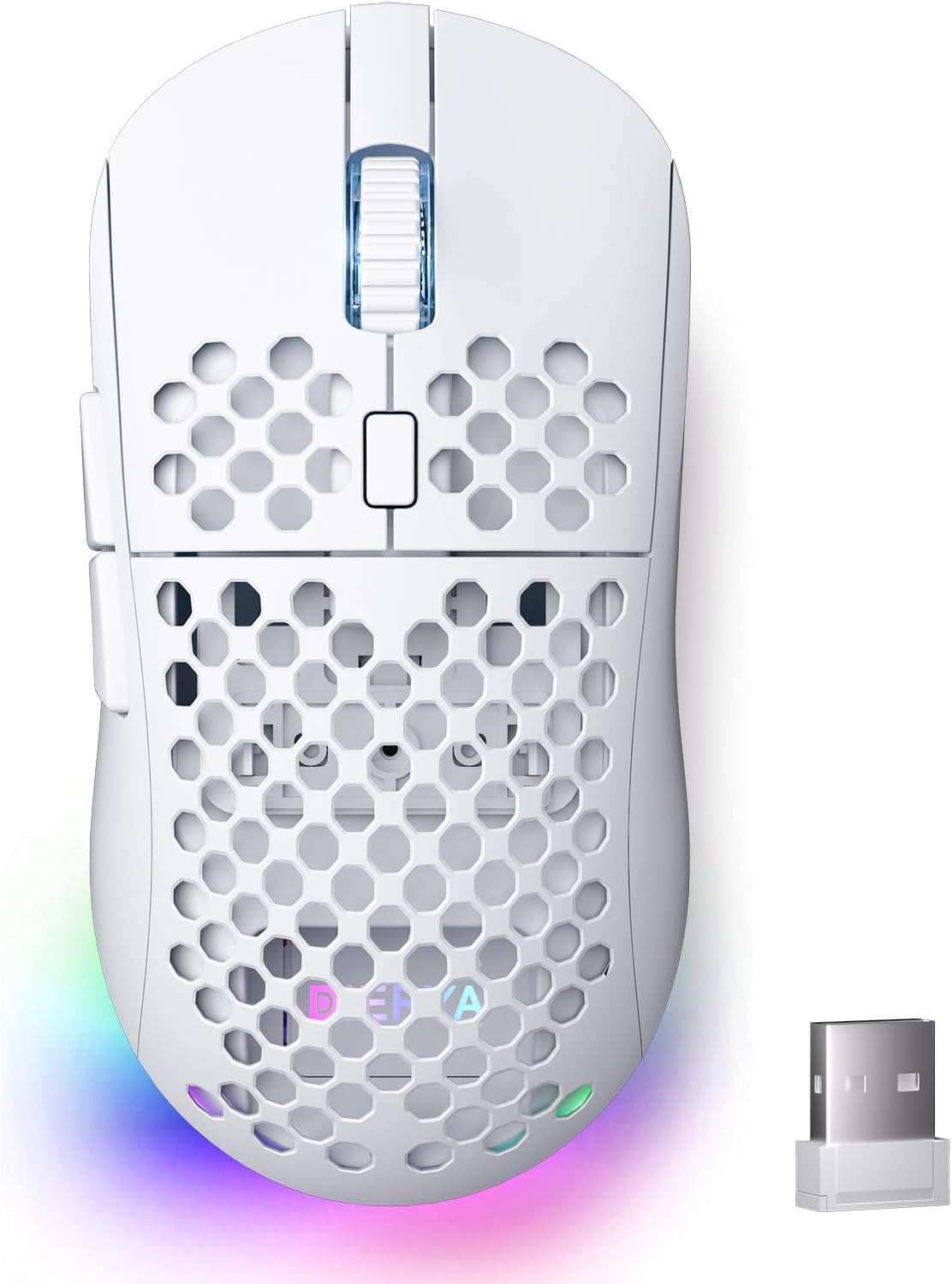
Figure 1: DIERYA M1 Wireless Gaming Mouse
د بسته محتويات
- M1 Wireless Mouse x1
- Nylon USB-A to C Cable x1
- د کارن لارښود x1
محصول پای ته ورسیدview
Familiarize yourself with the various components of your DIERYA M1 mouse:
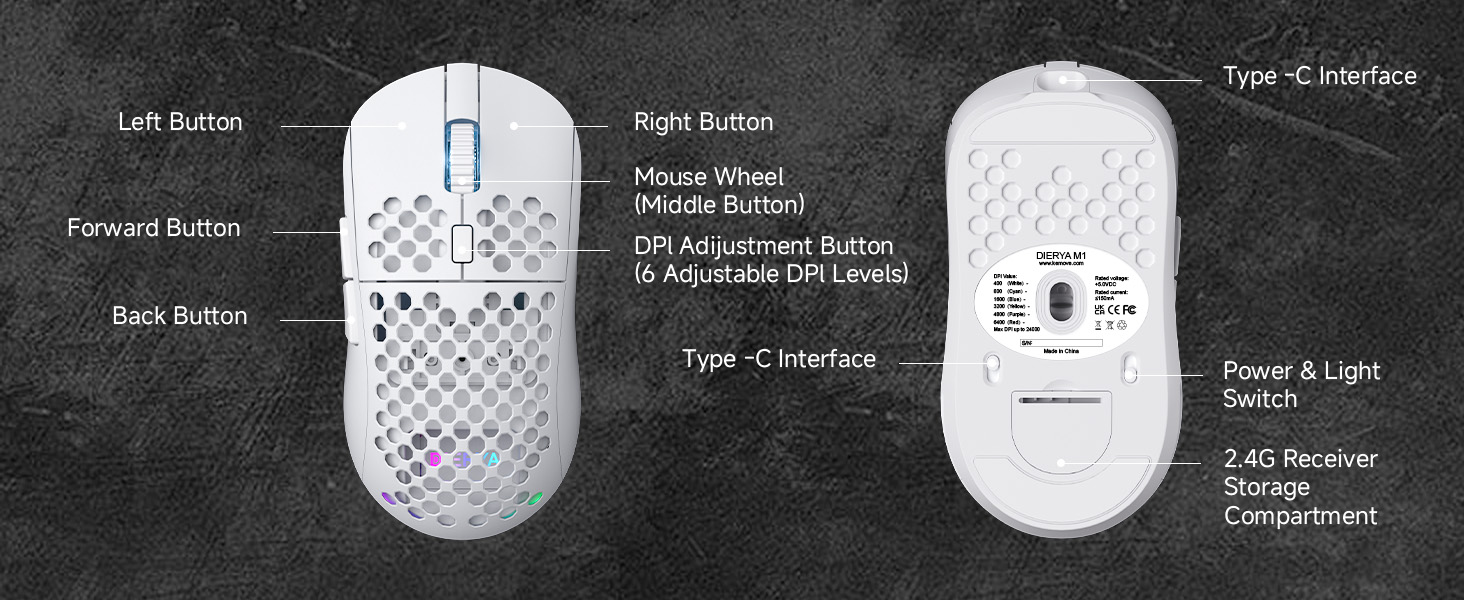
Figure 2: DIERYA M1 Mouse Components
- کیڼ تڼۍ: معیاري کیڼ کلیک فعالیت.
- ښي تڼۍ: د ښي کلیک کولو معیاري فعالیت.
- Mouse Wheel (Middle Button): Scroll up/down, click for middle-button function.
- د DPI تنظیم کولو تڼۍ: د مخکې ټاکل شوي DPI کچو له لارې تیریږي.
- د وړاندې کولو تڼۍ: مخ په وړاندې ځي web براوزرونه یا غوښتنلیکونه.
- د شا تڼۍ: شاته نیویګیټ کوي web براوزرونه یا غوښتنلیکونه.
- د ډول C ج. د تار لرونکي اتصال او چارج کولو لپاره.
- Power & Light Switch: Turns the mouse on/off and controls RGB lighting.
- 2.4G Receiver Storage Compartment: Stores the USB receiver when not in use.
چمتو کول
د موږک چارج کول
Connect the provided USB-A to C cable to the mouse's Type-C interface and a USB power source (e.g., computer USB port, wall adapter). The mouse features a 1000mAh rechargeable battery. A full charge takes approximately 1 hour.
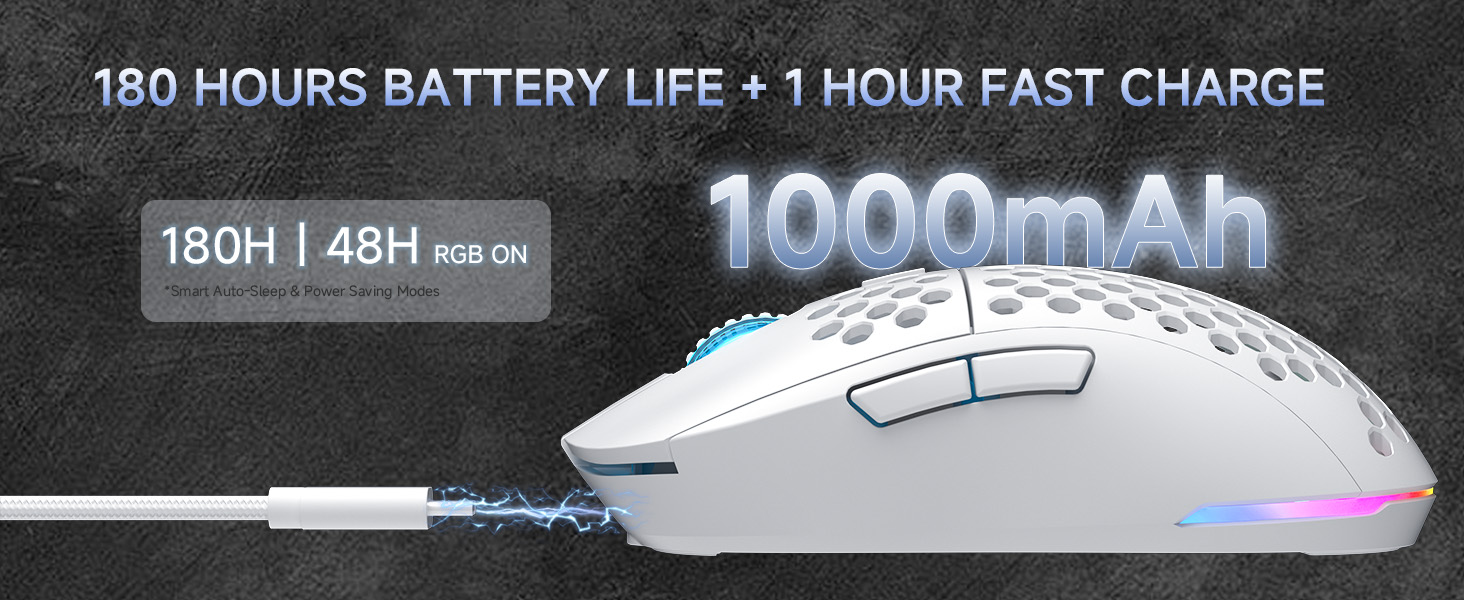
شکل ۲: چارج کول او د بیټرۍ ژوند
Connecting the Mouse (Tri-Mode Connectivity)
The DIERYA M1 mouse supports three connection modes: 2.4GHz wireless, Bluetooth 5.2, and USB-C wired. Use the switch on the bottom of the mouse to select your desired mode.
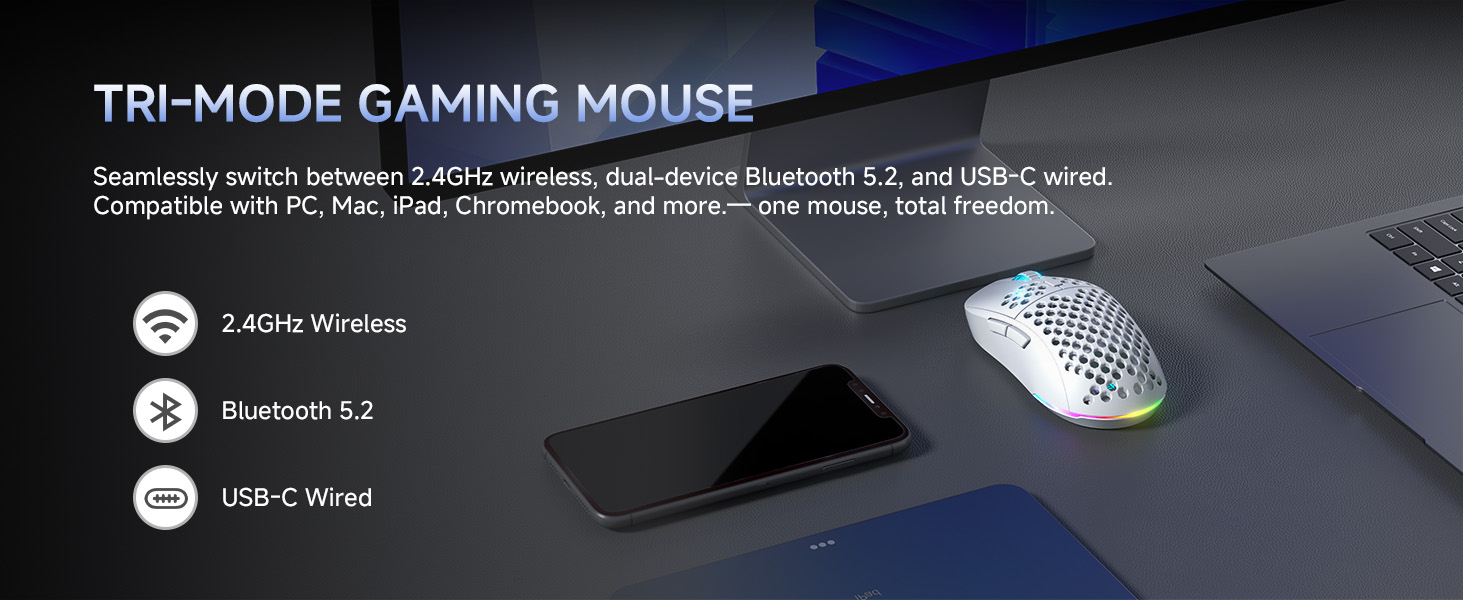
شکل ۲: د درې اړخیزه ارتباط اختیارونه
2.4GHz بې سیم حالت
- Take out the 2.4G USB receiver from the storage compartment on the bottom of the mouse.
- د USB ریسیور په خپل کمپیوټر کې موجود USB پورټ کې ولګوئ.
- د موږک په ښکته برخه کې سویچ '2.4G' موقعیت ته تنظیم کړئ.
- The mouse will automatically connect to your computer.
بلوتوث ۵.۰ حالت
- د موږک په ښکته برخه کې سویچ د 'BT' موقعیت ته تنظیم کړئ.
- په خپل کمپیوټر یا وسیله کې، د بلوتوټ ترتیبات خلاص کړئ او د نویو وسایلو لټون وکړئ.
- Select 'DIERYA M1' from the list of available devices to pair. The mouse supports dual-device pairing in Bluetooth mode.
USB-C Wired Mode
- Connect the provided USB-A to C cable to the mouse's Type-C interface and to a USB port on your computer.
- موږک به په اتوماتيک ډول د تار حالت ته لاړ شي او چارج به پیل کړي.
عملیاتي لارښوونې
د DPI تعدیل
The mouse features a 24,000 DPI sensor with six preset levels. Press the DPI adjustment button (located behind the scroll wheel) to cycle through the following DPI settings:
- 400 DPI
- 800 DPI
- 1600 DPI
- 3200 DPI
- 4800 DPI
- 6400 DPI
The scroll wheel LED and RGB lighting strip provide instant color-coded feedback to indicate the current DPI level.
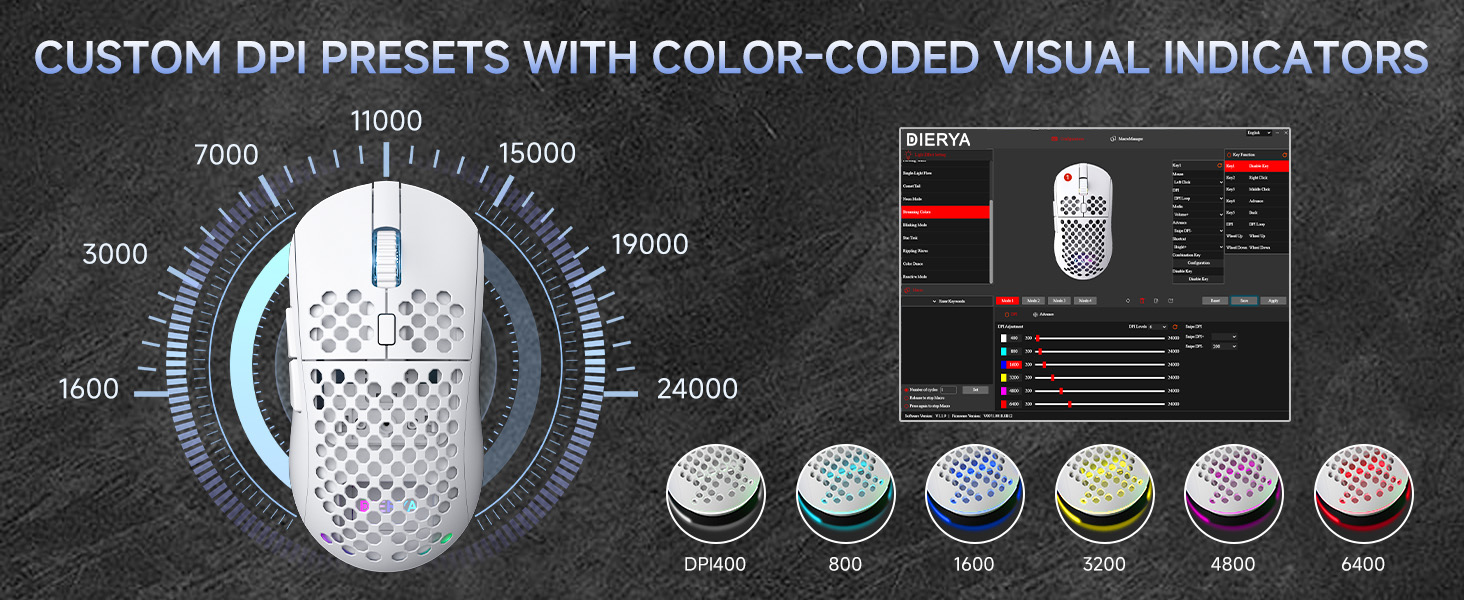
Figure 5: Custom DPI Presets and Color Indicators
د پروګرام وړ تڼۍ
The DIERYA M1 mouse features 6 programmable buttons. To customize button functions, create macros, or remap controls, download and install the dedicated driver software from the official DIERYA webسایټ
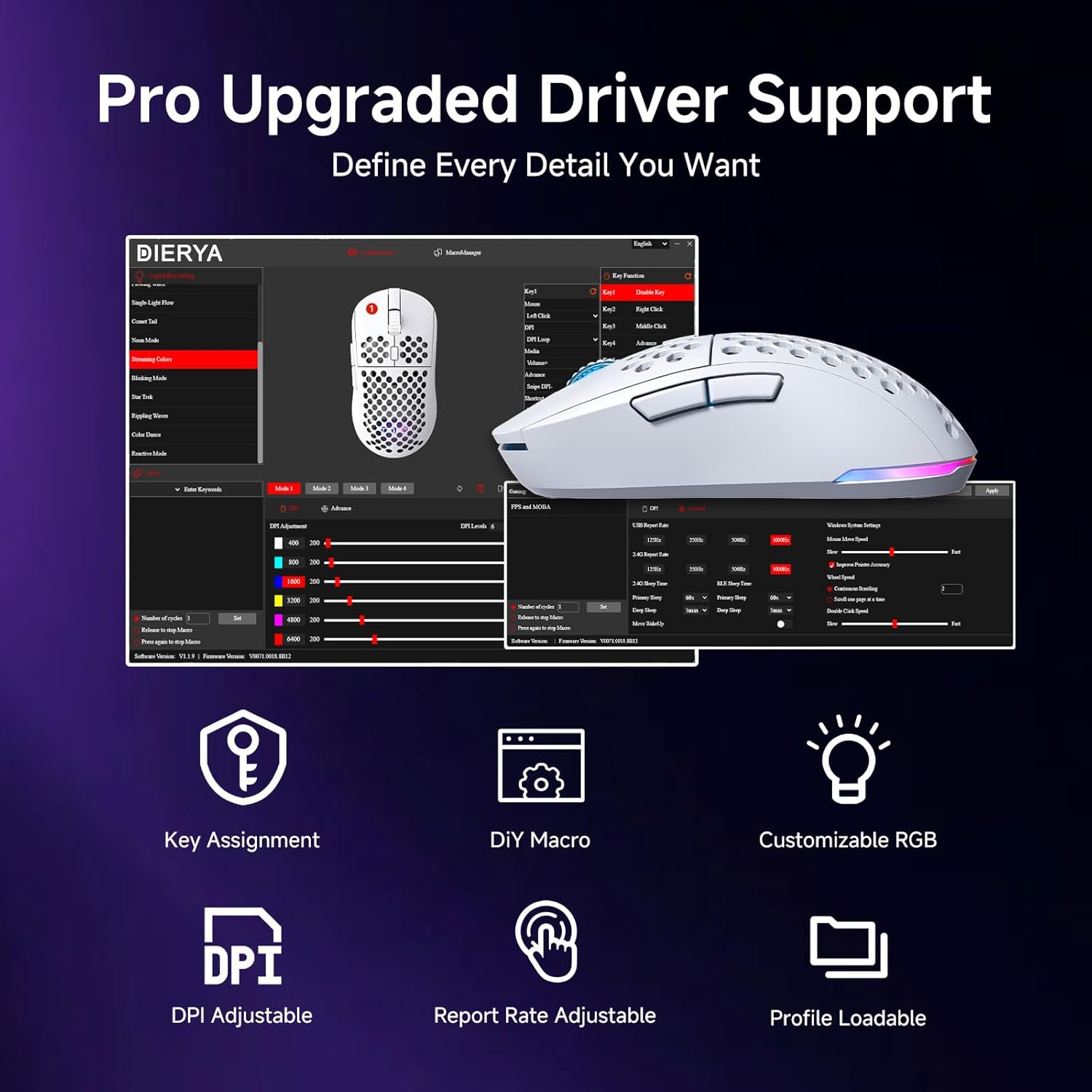
Figure 6: Driver Software Interface for Customization
د RGB رingا کنټرول
The mouse features vibrant 16.8 million color RGB lighting with 13 different effects (e.g., Breath, Static, Flow, Starlight). Lighting effects can be customized and controlled via the dedicated driver software.
د بریښنا مدیریت
The M1 mouse is designed for efficient power consumption. It features intelligent sleep modes that activate after 1 and 5 minutes of inactivity to conserve battery life. You can quickly resume use by moving or clicking the mouse. Sleep timers can be customized through the driver software.
ساتنه
- پاکول: د موږک د پاکولو لپاره نرم، وچ ټوکر وکاروئ. د سختې خاورې لپاره، لږ څهampټوکر د اوبو یا نرم پاکولو محلول سره ومینځئ. د سختو کیمیاوي موادو یا خړوبونکو موادو څخه ډډه وکړئ.
- ذخیره کول: موږک په یخ او وچ ځای کې د مستقیم لمر وړانګو او سختې تودوخې څخه لرې وساتئ.
- د بیټرۍ پاملرنه: د بیټرۍ د ژوند اوږدولو لپاره، د موږک په مکرر ډول په بشپړه توګه چارج کولو څخه ډډه وکړئ. کله چې د بیټرۍ شاخص ټیټ وي نو چارج یې کړئ.
د ستونزو حل کول
- موږک ځواب نه ورکوي: Ensure the mouse is charged. Check the power switch on the bottom of the mouse. Re-plug the USB receiver (for 2.4GHz) or re-pair Bluetooth. Try wired mode to confirm functionality.
- DPI نه بدلیږي: Ensure the mouse is powered on. Press the DPI button firmly. If using custom profiles, check settings in the driver software.
- د RGB رڼا کار نه کوي: Check the power & light switch on the bottom of the mouse. Ensure the mouse is not in ECO mode (which may disable RGB). Adjust settings in the driver software.
- په بېسیم حالت کې ځنډ یا قطع کیدل: Ensure the USB receiver is not obstructed and is close to the mouse. Avoid interference from other wireless devices. Try a different USB port.
- تڼۍ لکه څنګه چې تمه کیده کار نه کوي: Check the button assignments in the driver software. Reset to default settings if necessary.
مشخصات
| فیچر | تفصیل |
|---|---|
| د محصول ابعاد | 4.39 x 2.48 x 0.1 انچه (125 x 63 x 41mm) |
| د توکي وزن | 5.6 اونس (90 ګرامه) |
| د ارتباط ټیکنالوژي | ۲.۴GHz بېسیم، بلوتوث ۵.۰، USB-C وایرډ |
| د DPI حد | 200 - 24,000 DPI (6 preset levels: 400/800/1600/3200/4800/6400) |
| د رای ورکولو کچه | 125-1000Hz (2.4G/USB-C), 125Hz (Bluetooth) |
| د تعقیب سرعت | 300IPS |
| سرعت | 35G |
| د بیټرۍ ظرفیت | 1000mAh |
| د بیټرۍ ژوند | Up to 180 hours (ECO mode), 48 hours (RGB on) |
| سویچونه | Huano Micro Switches (20 million clicks) |
| د پروګرام وړ تڼۍ | 6 |
| د RGB رڼا | 16.8 Million Colors, 13 Effects |
| مطابقت لرونکي سیسټمونه | PC, Mac, Laptop (Windows, macOS, Chrome OS, iPadOS) |
تضمین او ملاتړ
For warranty information and technical support, please refer to the warranty card included in your product packaging or visit the official DIERYA website. You can also contact DIERYA customer service for assistance with any product-related inquiries or issues.
Ask a question about this manual
Ask about setup, troubleshooting, compatibility, parts, safety, or missing instructions. Manuals+ will review the question and use this page’s manual context to help answer it.