
1. پیژندنه
This manual provides essential information for setting up, operating, and maintaining your OnePlus Nord 5 smartphone. Please read this guide thoroughly to ensure optimal performance and longevity of your device.

شکل ۱: مخ او شا view of the OnePlus Nord 5 smartphone.
د بکس مینځپانګه
Upon unboxing your OnePlus Nord 5, verify that all the following items are included:
- OnePlus Nord 5 Smartphone
- د بریښنا اډاپټر (80W)
- USB کیبل (Type-C)
- د سیم ټری Ejector
- د سکرین محافظ (مخکې له مخکې کارول شوی یا په بکس کې)
- د تلیفون قضیه
- د چټک پیل لارښود
- د تضمین کارت
Video 1: Unboxing the OnePlus Nord 5 and reviewing its contents.

شکل 2: مخکی view of the OnePlus Nord 5.

شکل 3: شاته view of the OnePlus Nord 5.
3. ترتیب کول
3.1 د سیم کارت نصب کول
- د وسیلې په اړخ کې د سیم ټرې ومومئ.
- د سیم ایجیکټر وسیله د ټرې تر څنګ په کوچني سوري کې دننه کړئ او په کلکه فشار ورکړئ تر هغه چې ټرې بهر راشي.
- خپل نانو سیم کارتونه په ټرې کې ټاکل شویو سلاټونو کې ځای په ځای کړئ. ډاډ ترلاسه کړئ چې د سرو زرو اړیکې ښکته خوا ته دي.
- د سیم ټرې په احتیاط سره تلیفون ته بیا دننه کړئ تر هغه چې دا په خپل ځای کې راشي.
3.2 ابتدايي پاور آن
Press and hold the Power button on the side of the device until the OnePlus logo appears. Follow the on-screen instructions to complete the initial setup, including language selection, Wi-Fi connection, and Google account setup.
4. ستاسو وسیله چلول
4.1 فعالیت
The OnePlus Nord 5 is equipped with the Snapdragon 8s Gen 3 processor and LPDDR5X RAM, designed for demanding applications and gaming. The device features a 7300mm² VC cooling system to maintain optimal temperatures during extended use.
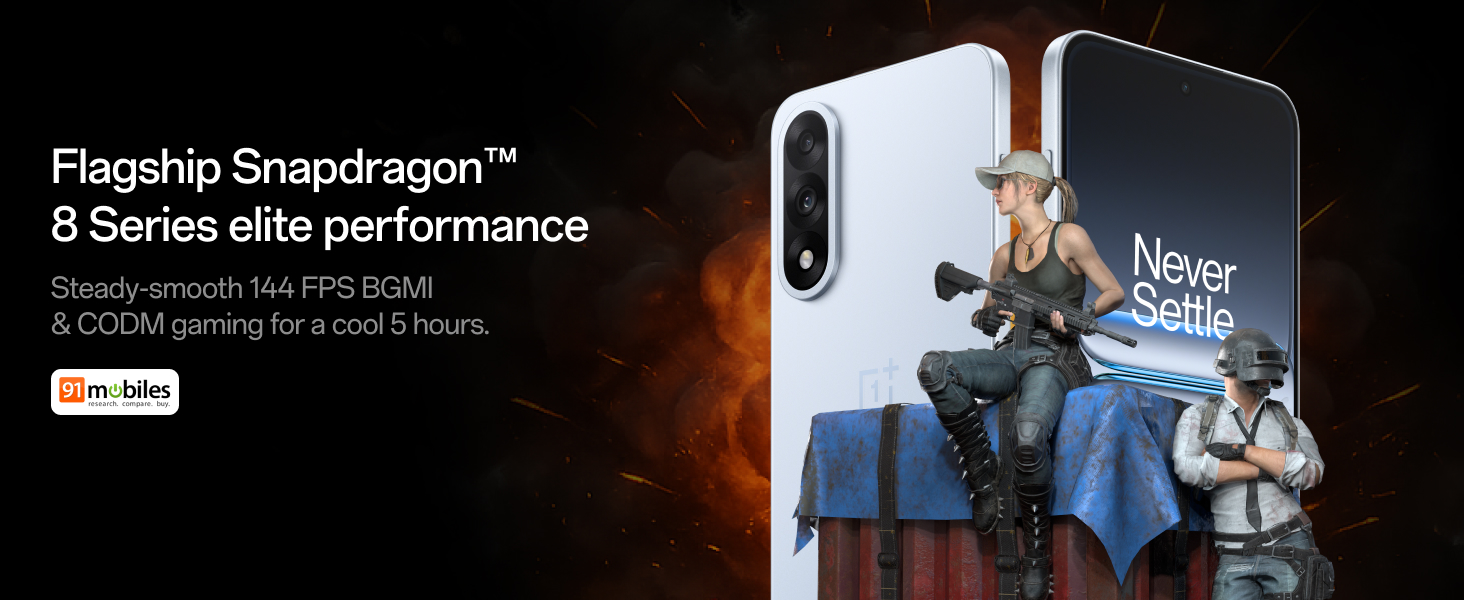
Figure 4: Snapdragon 8s Gen 3 processor for elite performance.
Video 2: Demonstration of gaming performance on the OnePlus Nord 5.
4.2 د کیمرې ځانګړتیاوې
The device features a dual 50MP camera system, including a 50MP front camera (ISOCELL JN5 with hardware autofocus) and a 50MP Sony LYT-700 back camera with Optical Image Stabilization (OIS). It supports 4K 60 FPS video capture.
AI Camera Enhancements:
- د مصنوعي ذهانت پاکونکی: Removes unwanted objects or people from photos.
- د مصنوعي ذهانت تفصیلي وده: د انځور وضاحت او جزئیات زیاتوي.
- AI Unblur: Corrects blurry images.
- AI Reframe: Suggests improved compositions for photos.
- AI Perfect Shot: Adjusts facial expressions and corrects blinked eyes in group photos.

Figure 5: Dual 50MP camera system overview.

Figure 6: AI features for photo enhancement.
4.3 بیټرۍ او چارج کول
The OnePlus Nord 5 features a 6800 mAh battery and supports 80W ultra-fast charging. It also includes an all-new Bypass Charging feature, which powers the phone directly from the charger during gaming to reduce heat and maintain performance.

Figure 7: Illustration of Bypass Charging technology.
4.4 ښکاره کول
Experience visuals on a 144Hz 1.5K AMOLED display with Aqua Touch 2.0 technology, offering a resolution of 2800 x 1272 pixels and up to 1400 nits brightness. Aqua Touch 2.0 improves touch responsiveness, even with wet or oily fingers.

Figure 8: Details of the 144Hz AMOLED display.
۴.۳ د مصنوعي ذهانت ځانګړتیاوې
The OnePlus Nord 5 integrates various AI functionalities to enhance user experience:
- د مصنوعي ذهانت غږ لیکونکی: Transcribe, translate, and summarize meetings or content.
- د لټون حلقه: په خپل سکرین کې د منځپانګې شاوخوا ګرځولو سره په چټکۍ سره د معلوماتو لټون وکړئ.
- د جیمني ژوند: An AI assistant for queries and information.
- د AI لټون: Intuitively understands natural language prompts for searching device content.

Figure 9: AI VoiceScribe interface.
4.6 Multitasking with Open Canvas
The Open Canvas feature allows for enhanced split-screen multitasking, enabling flexible resizing of applications and drag-and-drop functionality between apps. This improves productivity by extending split-screen capabilities beyond physical display limits.
Video 3: Demonstration of multitasking features on the OnePlus Nord 5.

Figure 10: Open Canvas for advanced multitasking.
4.7 نښلول
The Nord 5 supports 5G-Advanced networking, offering faster internet speeds and improved signal stability, particularly in congested areas.

Figure 11: 5G-Advanced network features.
د ایکس این ایم ایکس سافټویر
The device runs on OxygenOS 15, based on Android 15. It is guaranteed to receive 4 Android version upgrades and 6 years of security updates, ensuring long-term software support and system smoothness.
5. ساتنه
- د سافټویر تازه معلومات: Regularly install system updates to ensure optimal performance, security, and access to new features.
- د بیټرۍ پاملرنه: To prolong battery life, avoid extreme temperatures and frequent full discharges. The device includes a 4-year healthy battery promise.
- پاکول: د سکرین او بدن پاکولو لپاره له نرم، لینټ څخه پاک ټوکر څخه کار واخلئ. د کثافاتو موادو یا سخت کیمیاوي موادو څخه ډډه وکړئ.
- د ذخیرې مدیریت: په دوره یي ډول غیر ضروري پاک کړئ fileد وسیلې سرعت ساتلو او د ذخیره کولو ځای خالي کولو لپاره.
6. ستونزه حل کول
If you encounter issues with your OnePlus Nord 5, consider the following general troubleshooting steps:
- وسیله بیا پیل کړئ: یو ساده بیا پیل کولی شي د سافټویر ډیری کوچني ستونزې حل کړي.
- د تازه معلوماتو لپاره وګورئ: ډاډ ترلاسه کړئ چې ستاسو د وسیلې سافټویر تازه دی.
- کیچ پاک کړئ: For app-specific issues, try clearing the app's cache in Settings.
- د فابریکې رییس: As a last resort, a factory reset can resolve persistent software problems. خبرداری: دا به ستاسو په وسیله کې ټول معلومات له منځه یوسي. د پرمخ تللو دمخه مهم معلومات بیک اپ کړئ.
- د ملاتړ سره اړیکه: If the issue persists, refer to the support section for contact information.
7. مشخصات
| فیچر | تفصیل |
|---|---|
| عملیاتي سیسټم | انډرایډ ۱۵، اکسیجن او ایس ۱۵ |
| پروسیسر | Snapdragon 8s Gen 3 (CPU Speed: 2, 2.8, 3 GHz) |
| RAM | ۲۵۶ جي بي (د اوسني ماډل سره سم) |
| ښودل | 144Hz 1.5K AMOLED, 2800 x 1272 Resolution |
| شاته کیمره | 50MP Sony LYT-700 with OIS |
| مخکینۍ کیمره | 50MP ISOCELL JN5 with Autofocus |
| بیټرۍ | ۵۰۰۰ mAh، ۳۳ واټ چټک چارج کول |
| ارتباط | 5G-Advanced, Bluetooth, NFC, USB, Wi-Fi |
| ابعاد | 16.41 x 7.7 x 0.81 سانتي متره |
| وزن | 211 ګرامه |
| د ماډل شمیره | CPH2707 |
| جوړونکی | Oppo Mobiles India Private Limited |
8. تضمین او ملاتړ
The OnePlus Nord 5 comes with a Lifetime Display Warranty, covering green line issues. For detailed terms and conditions, please refer to the official OnePlus website or the warranty card included in the box.

Figure 12: Lifetime Display Warranty information.
For customer service and technical support, you can contact OnePlus using the following information:
- Customer Service Contact Number: 1800 102 8411
- د WhatsApp ملاتړ: +91-9289606888
- د جوړونکي پته: PLOT-NO.1, SECTOR ECOTECH-VII, GREATER, NOIDA, UTTAR PRADESH, India-201306