
1. پیژندنه
The Gens ace iMars D300 Plus is an advanced dual-channel smart charger, building upon the core features of the G-Tech system. This enhanced version integrates Bluetooth remote control, allowing RC enthusiasts to manage and monitor real-time data and historical records directly from the Gens Ace mobile application. This integration simplifies the charging experience, improves efficiency, and enhances safety during operation.
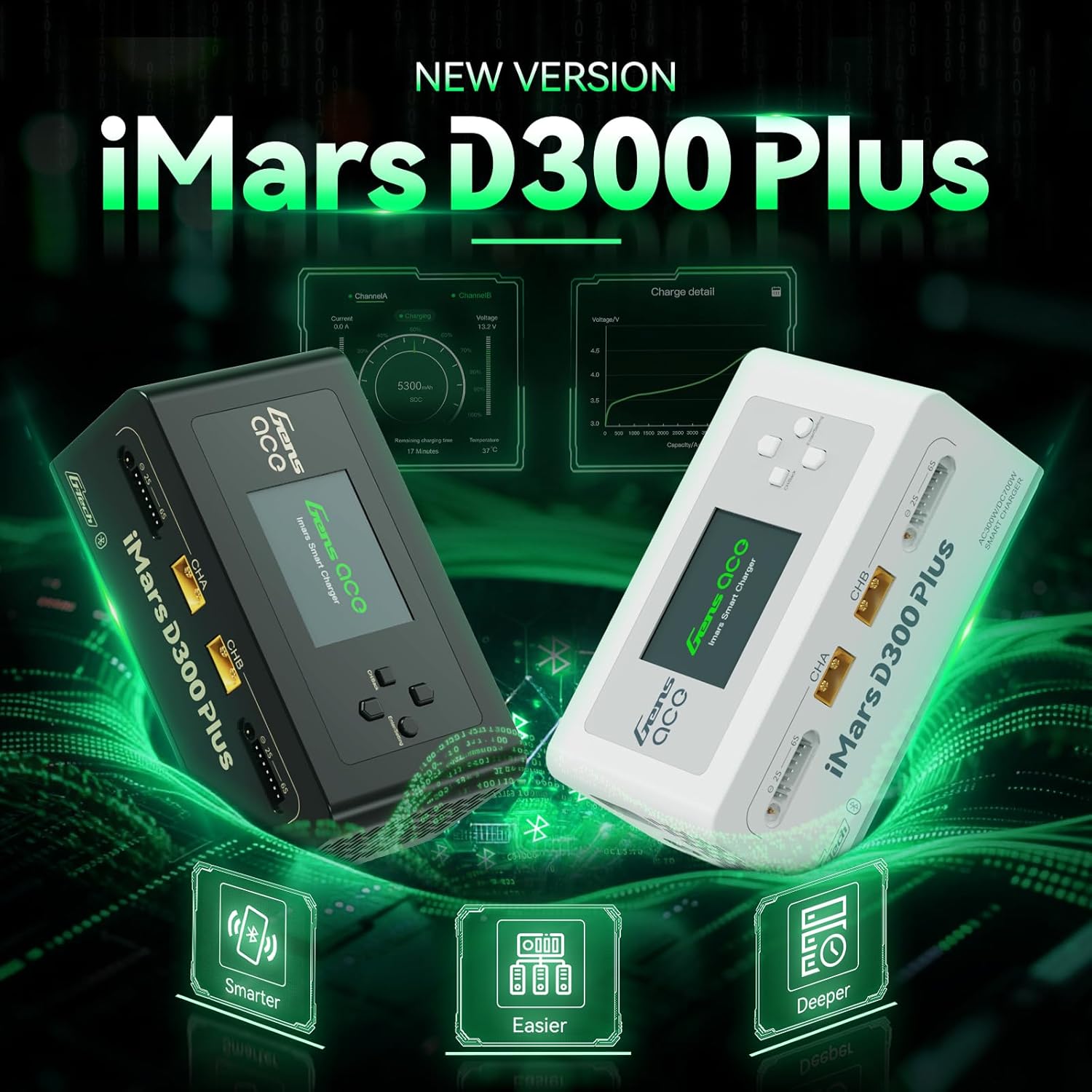
Figure 1.1: Gens ace iMars D300 Plus Lipo Charger, showcasing both black and white models.
2. د خوندیتوب معلومات
Always prioritize safety when operating the Gens ace iMars D300 Plus charger. Improper use can lead to property damage or personal injury. Adhere to the following safety guidelines:
- لارښود ولولئ: Thoroughly read and understand this entire instruction manual before using the charger.
- وینټیلیشن: چارجر په ښه هوا لرونکي ځای کې چل کړئ، د اور اخیستونکو موادو څخه لرې.
- د بریښنا سرچینه: یوازې ټاکل شوی ان پټ والیوم وکاروئtage (AC100-240V or DC7-30V).
- د بیټرۍ مطابقت: Ensure the battery type and cell count match the charger settings. Incorrect settings can cause severe damage.
- څارنه: هیڅکله چارجر د کار کولو پرمهال بې پامه مه پریږدئ.
- پیوستون: Always connect the balance lead and main power lead correctly. Incorrect polarity can cause damage.
- تاوان: Do not use the charger if it or any connected components appear damaged.
2.1. 8-Level Protection System
The iMars D300 Plus is equipped with an 8-level protection system to ensure safe charging:
- د ډیر تودوخې محافظت: د زیاتې تودوخې له امله د زیان مخه نیسي.
- Current Limiting Protection: Regulates current to prevent overcurrent conditions.
- د Voltage ساتنه: د حجم په وړاندې محافظتونهtagای لوړیږي.
- Wire Break Protection: Detects and alerts for broken charging wires.
- د قطع کیدو محافظت: Prevents damage from incorrect battery connection.
- د لنډ سرکټ ساتنه: د شارټ سرکټ په صورت کې په اتوماتيک ډول بندیږي.
- Cell Count Mismatch Alert: Warns if the detected cell count does not match the setting.
- غیر معمولي والیtage خبرتیا: Notifies of unusual voltage لوستل.
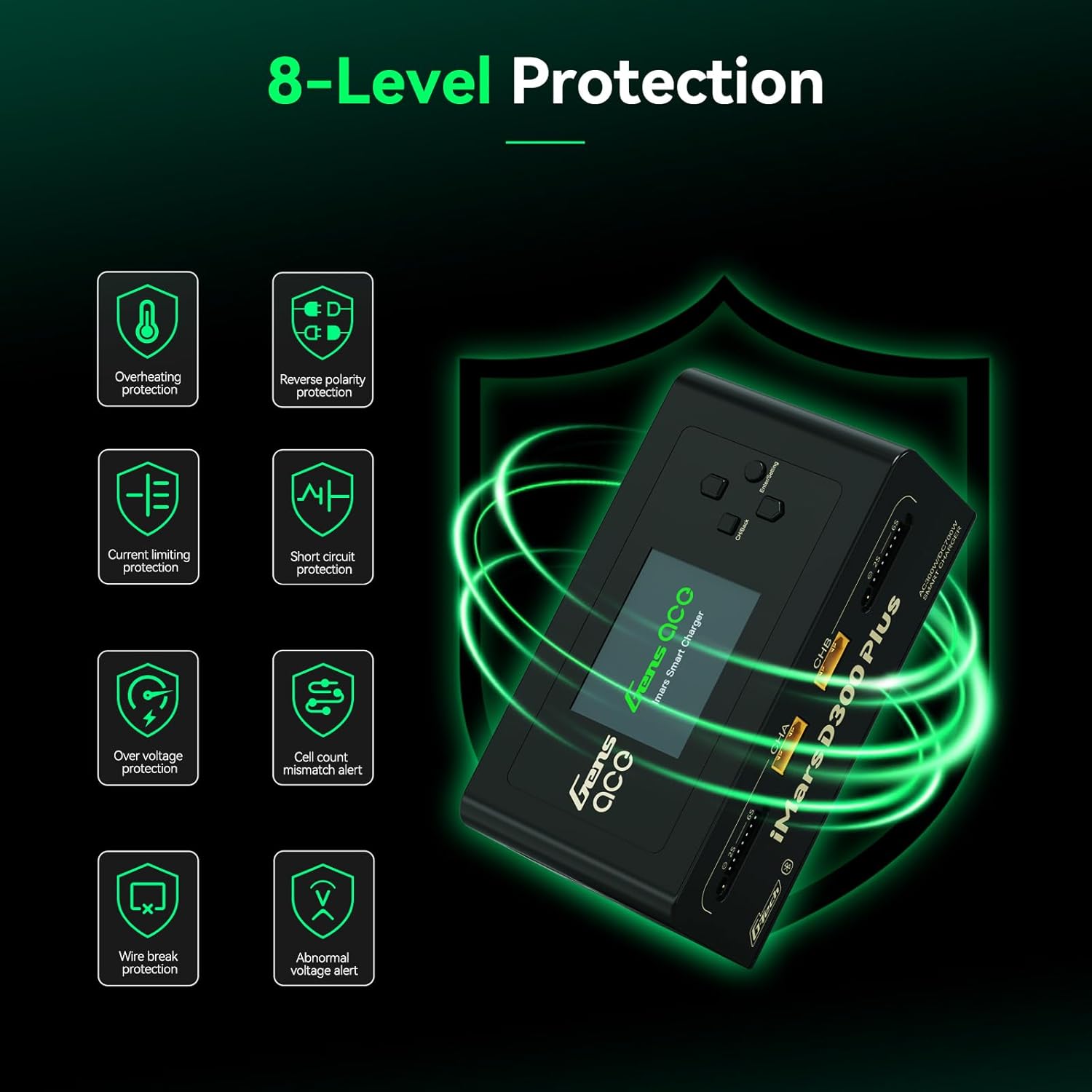
Figure 2.1: Visual representation of the 8-level protection system integrated into the iMars D300 Plus charger.
3. د بسته محتويات
ډاډ ترلاسه کړئ چې لاندې ټول توکي ستاسو په بسته کې شامل دي:
- Gens ace iMars D300 Plus Lipo Charger
- د AC ان پټ کیبل
- XT60-T Adapter (x2)
- XT60-EC5 Adapter (x2)
- XT60-EC3 Adapter (x2)
- د کارن لارښود

Figure 3.1: All components included in the Gens ace iMars D300 Plus product package.
3.1. Unboxing Video
Video 3.1: An official unboxing video demonstrating the contents and initial presentation of the iMars D300 Plus charger.
4. د محصول ب Featuresې
The Gens ace iMars D300 Plus charger offers a range of features designed for convenience, efficiency, and safety:
- Dual-Channel Charging: Simultaneously charge two batteries independently.
- د بلوتوټ ارتباط: Remote control and monitoring via the Gens Ace mobile app.
- G-Tech System: Automatic parameter detection for G-Tech batteries, simplifying setup.
- ریښتیني وخت څارنه: View charging status, cell data, and battery information in real-time.
- تاریخي ریکارډ: Access past charging and discharging data for analysis.
- تړون ډیزاین: Built-in power supply for portability and ease of travel.
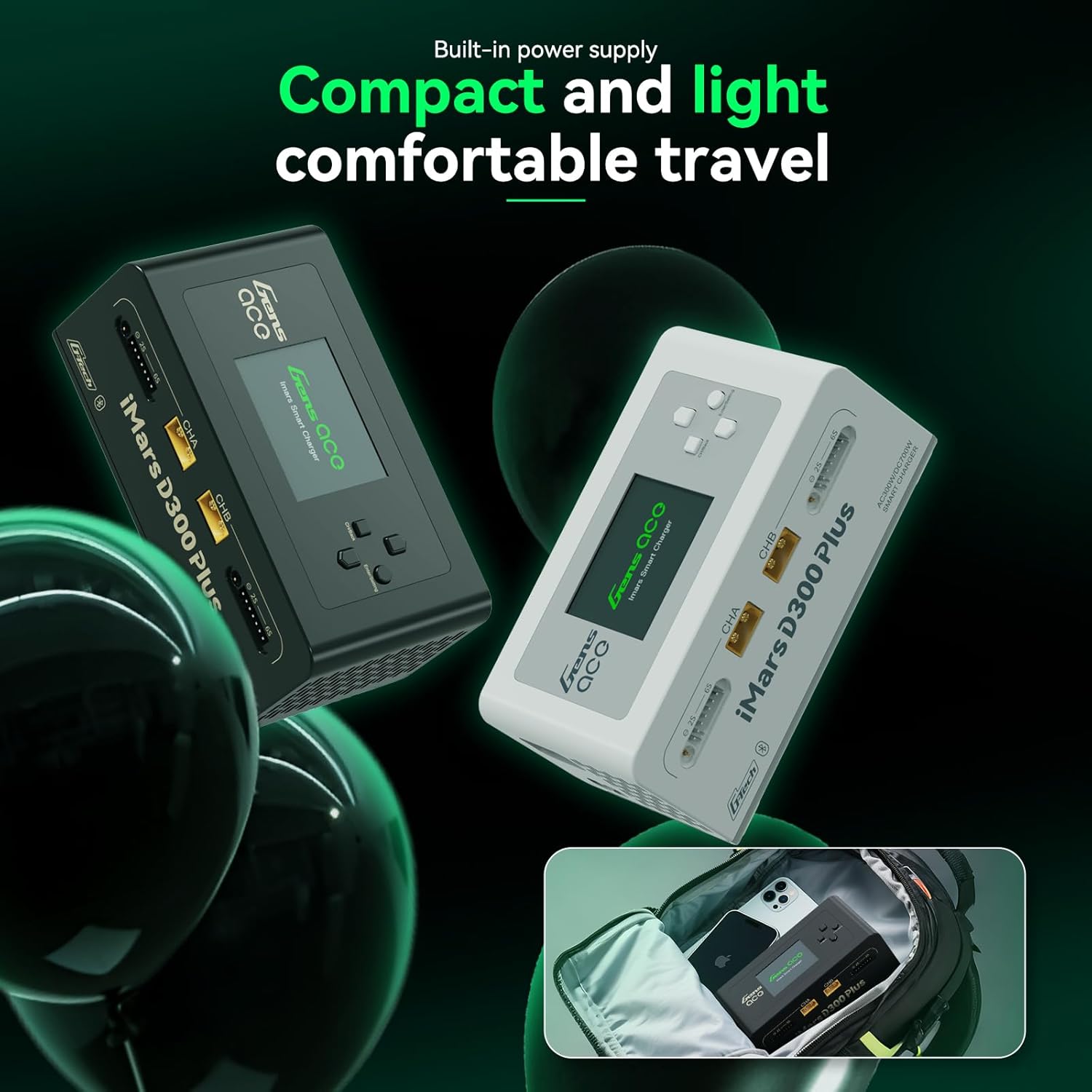
Figure 4.1: The compact and lightweight design of the iMars D300 Plus, ideal for portability.
۳.۶. د محصول د پېژندنې ویډیو
Video 4.1: An official introduction video showcasing the key features and functionalities of the iMars D300 Plus charger.
5. ترتیب کول
Follow these steps for initial setup of your Gens ace iMars D300 Plus charger:
- بریښنا وصل کړئ: Plug the AC input cable into the charger and then into a suitable power outlet (AC100-240V). Alternatively, connect a DC power source (DC7-30V) to the DC input port.
- پاور آن: The charger will power on automatically.
- بیټرۍ وصل کړئ: Connect your battery's main power lead to the appropriate XT60 port (CHA or CHB) and the balance lead to the corresponding balance port (2S-6S). Use the provided adapters if necessary.
- Automatic Detection (G-Tech): For Gens Ace G-Tech batteries, the charger will automatically detect battery parameters.
- Manual Setup (Non-G-Tech): For non-G-Tech batteries, you will need to manually set the battery type, target voltage, cell count, and target current.

Figure 5.1: The 'Plug and Play' functionality of the iMars D300 Plus, showing battery connections.
6. عملیاتي لارښوونې
The iMars D300 Plus offers intuitive operation through its onboard interface and the Gens Ace mobile app.
6.1. Onboard Operation
- چینل غوره کړئ: Use the navigation buttons to select Channel A (CHA) or Channel B (CHB).
- Task Setting: Press the 'Enter/Setting' button to access the task settings.
- پیرامیټونه تنظیم کړئ: Navigate through options like 'Select Task' (Charge, Discharge, Storage), 'Battery Type' (LiPo, Li-ion, LiHV, LiFe, NiMH/Cd), 'Target Voltage', 'Cell Count', and 'Target Current'. Adjust values using the up/down buttons.
- د کار پیل کول: Once all parameters are set, select 'Start Task' and confirm to begin the operation.
- د پرمختګ څارنه: The display will show real-time charging/discharging status, current, voltage، او ظرفیت.
۶.۱. د اپلیکیشن کنټرول (بلوتوث)
The Gens Ace app provides enhanced control and monitoring capabilities:
- اپلیکیشن ډاونلوډ کړئ: Download the official Gens Ace app from your device's app store.
- د بلوتوث له لارې وصل شئ: Enable Bluetooth on your mobile device and pair with the iMars D300 Plus charger.
- ریموټ کنټرول: From the app, you can remotely start, stop, and adjust charging/discharging tasks for both channels.
- د حقیقي وخت ډاټا: View detailed real-time data, including individual cell voltages, temperature, charging percentage, and remaining time.
- تاریخي ریکارډونه: Access a comprehensive history log of all charging and discharging cycles, including detailed graphs and parameters.

Figure 6.1: The Gens Ace mobile application interface for controlling and monitoring the charger.
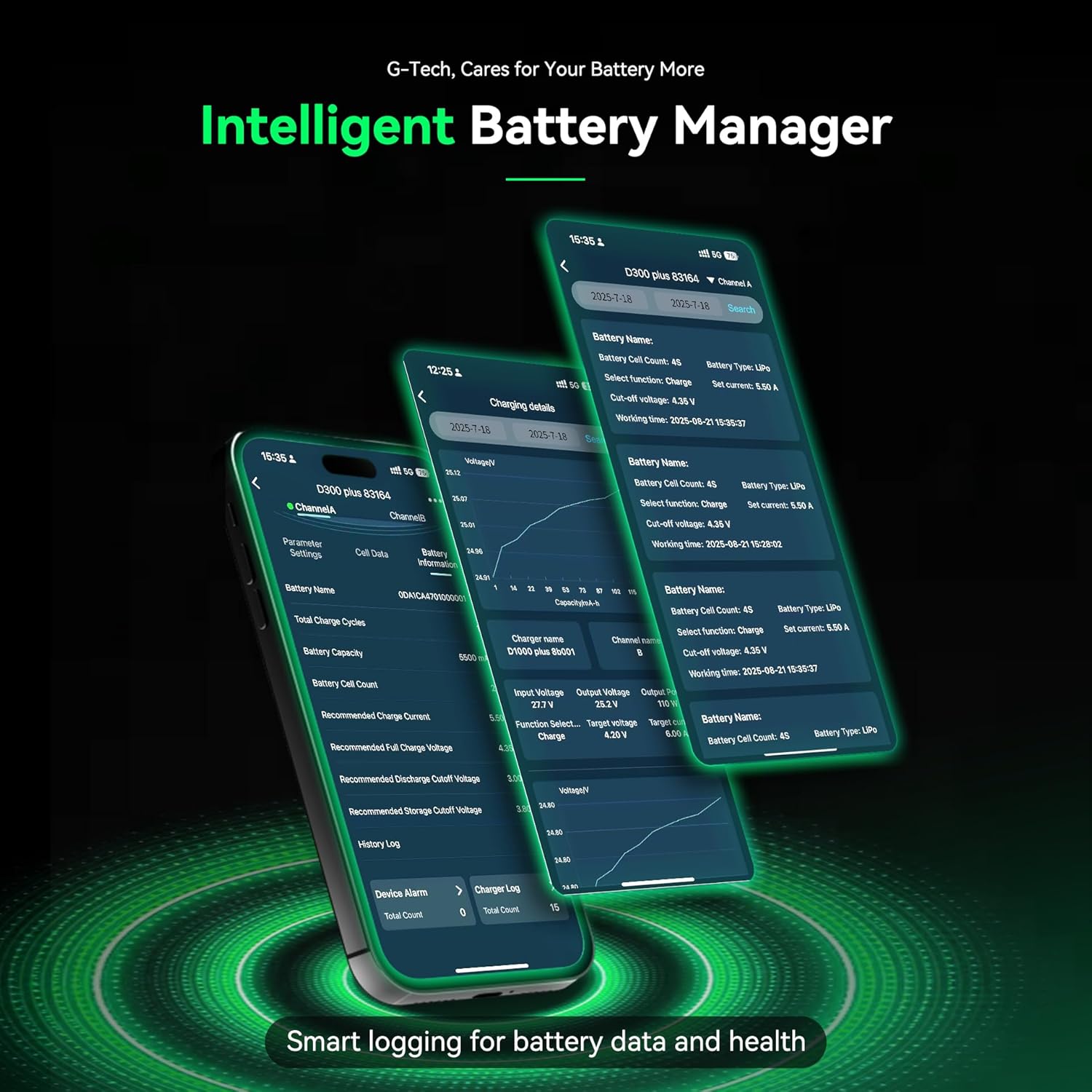
Figure 6.2: Detailed battery management and history logs available through the Gens Ace app.
7. ساتنه
Proper maintenance ensures the longevity and optimal performance of your iMars D300 Plus charger:
- پاکول: Regularly clean the charger's exterior with a soft, dry cloth. Avoid using solvents or abrasive cleaners.
- وینټیلیشن: ډاډ ترلاسه کړئ چې د هوا د تویېدو د مخنیوي لپاره د هوا د تویېدو دروازې له دوړو او کثافاتو څخه پاکې دي.
- ذخیره کول: چارجر په یخ او وچ ځای کې وساتئ، د مستقیم لمر وړانګو او سختې تودوخې څخه لرې وساتئ کله چې کارول نه وي.
- د کیبل معاینه: Periodically inspect all cables and connectors for signs of wear or damage. Replace any damaged components immediately.
8. ستونزه حل کول
If you encounter issues with your iMars D300 Plus charger, refer to the following common troubleshooting steps:
- چارجر نه چالانېږي:
- Check if the AC input cable or DC power source is securely connected.
- ډاډ ترلاسه کړئ چې د بریښنا سایټ فعال دی.
- د بیټرۍ چارج نه کول:
- Ensure the battery's main power lead and balance lead are correctly connected.
- Check if the battery type, cell count, and charging parameters are correctly set on the charger or app.
- Inspect battery and charger connectors for damage.
- Verify the battery is not over-discharged or severely damaged.
- د تېروتنې پیغامونه:
- Refer to the 8-level protection system in Section 2.1. The error message on the screen will often indicate the specific protection triggered (e.g., 'Over Voltage', 'Cell Count Mismatch').
- Address the underlying cause of the alert before resuming operation.
- د بلوتوټ ارتباط مسلې:
- Ensure Bluetooth is enabled on your mobile device and the charger.
- Make sure the device is within the effective Bluetooth range.
- Try restarting both the charger and your mobile device.
9. مشخصات
Detailed technical specifications for the Gens ace iMars D300 Plus Lipo Charger:
| توکي | مشخصات |
|---|---|
| ننوتۍ جلدtage | AC 100-240V; DC 7-30V |
| د محصول Voltage | ډي 1-30V |
| Max. ننوتنه اوسنۍ | DC 34A |
| Max. د خارجولو ځواک | 15W x 2 |
| د اعظمي چارج کولو ځواک | AC 300W x 2; DC 350W x 2 |
| چارج اوسنی | 0.1-16A x 2 |
| د جریان خارج کول | 0.1-3A x 2 |
| د حجرو توازن | 1-6S |
| د USB محصول | 5V / 2.4A |
| د ښودلو ډول | 2.4 inch IPS LCD Display |
| د بیټرۍ کیمیاوي ملاتړ شوی | LiPo / Li-ion / LIHV / LiFe 1-6S; NiMH 1-16S |
| ابعاد (L x W x H) | 145 x 76 x 62 mm (5.7"W x 3"D x 2.4"H) |
| د محصول خالص وزن | 530 ګرامه |

Figure 9.1: Visual representation of the product specifications and dimensions.
10. تضمین
The Gens ace iMars D300 Plus Lipo Charger comes with a د 180 ورځو تضمین from the date of purchase. This warranty covers manufacturing defects and malfunctions under normal use. Please retain your proof of purchase for warranty claims. The warranty does not cover damage caused by misuse, accident, modification, or unauthorized repair.
11. ملاتړ
For technical assistance, troubleshooting beyond this manual, or warranty inquiries, please contact Gens ace customer support through their official website or the contact information provided with your product packaging. Ensure you have your product model number and proof of purchase ready when contacting support.