
پیژندنه
This manual provides essential information for the safe and effective operation of your 4DRC V32 Foam RC Airplane. Please read it thoroughly before first use to ensure proper handling and to maximize your flying experience.
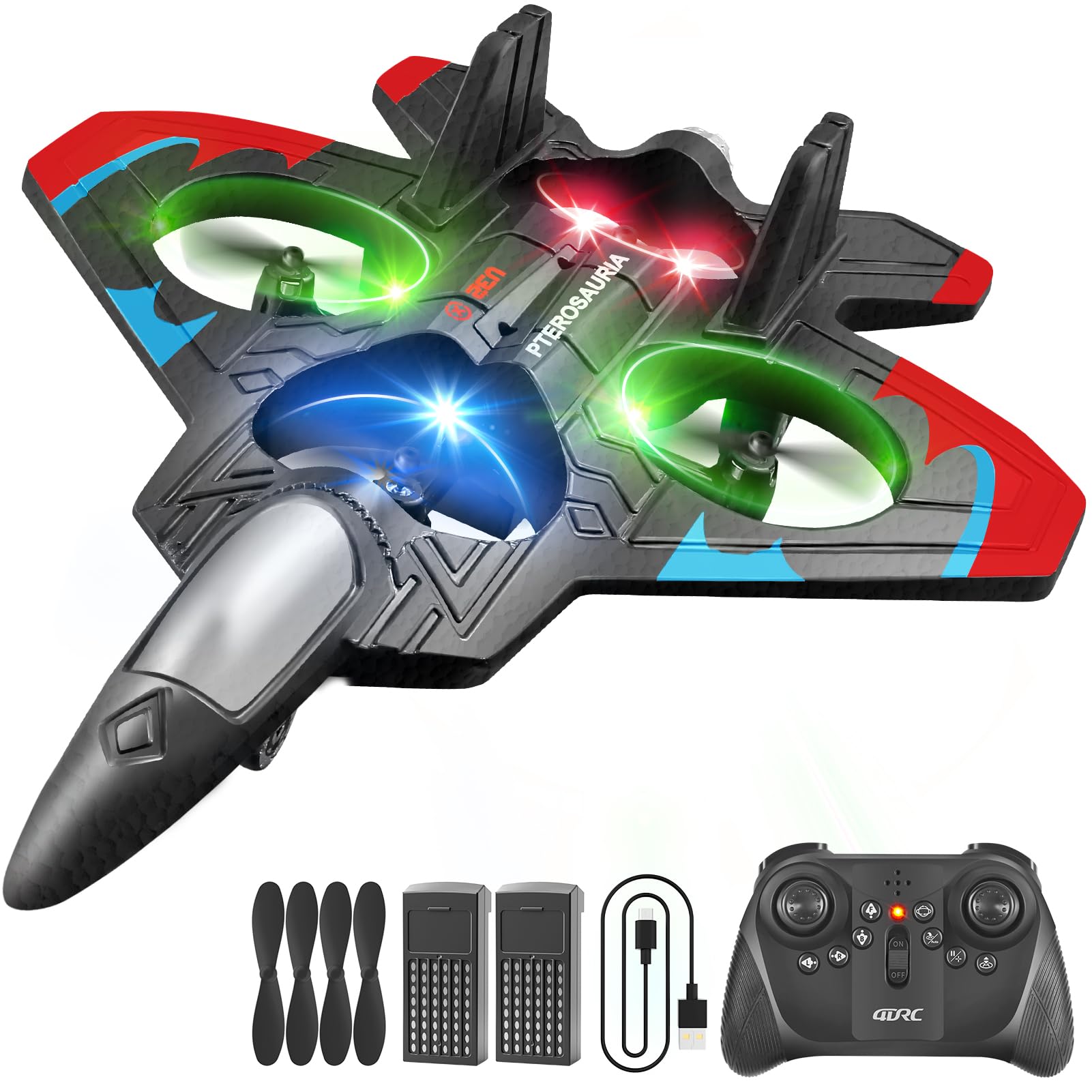
The 4DRC V32 Foam RC Airplane, featuring vibrant LED lights.
کلیدي ځانګړتیاوې
- 360° Flip & Aerial Stunts: Capable of aerobatic rolls, 360-degree circling, and fast take-offs. Includes headless mode, one-key takeoff/landing, altitude hold, and three speed options.
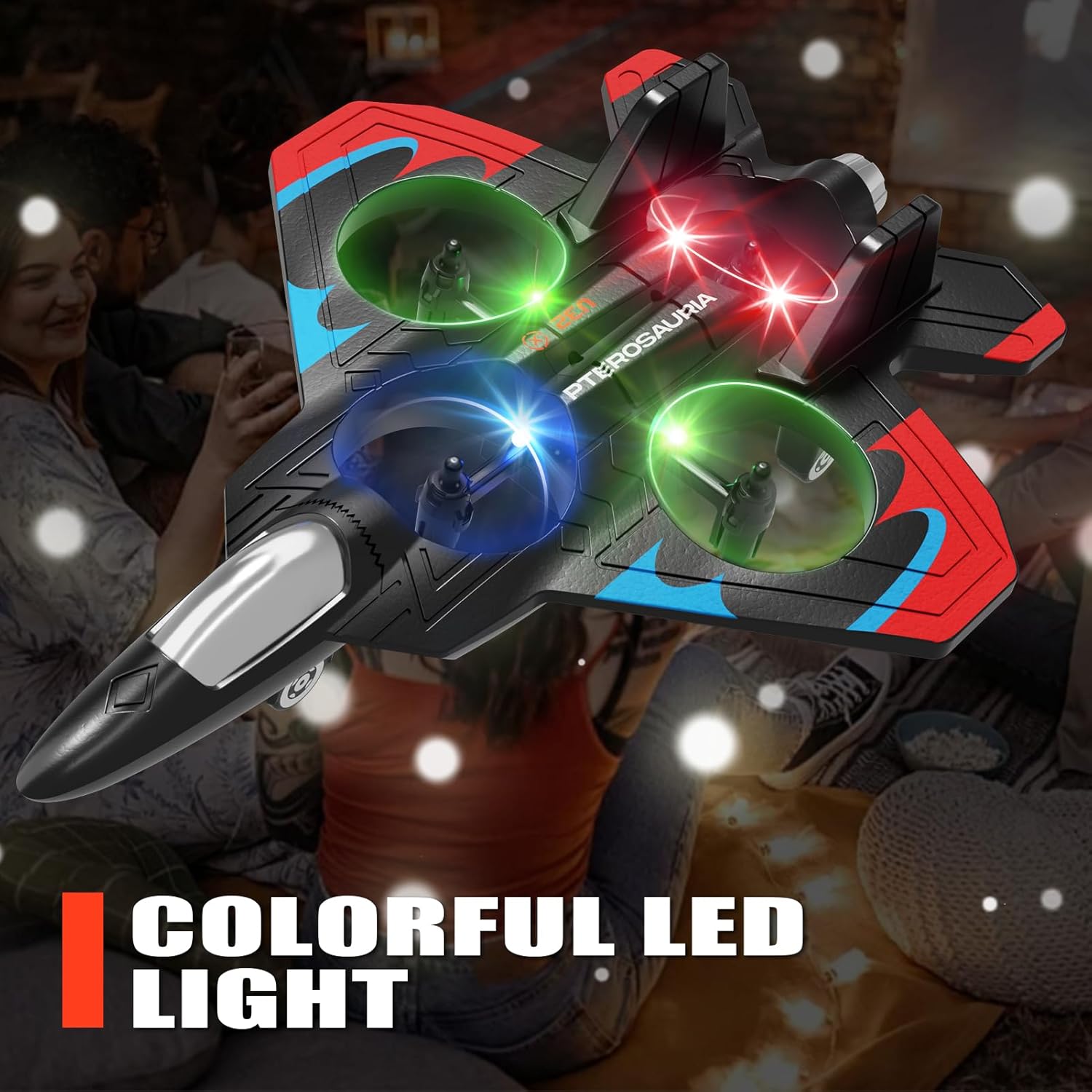
- د LED رڼا: Equipped with bright LED lights for enhanced visibility and an engaging visual experience, especially during low-light conditions.
- اسانه عملیات: No assembly required. Features intuitive controls for one-key takeoff and landing, making it suitable for beginners.
- دوامدار ساختمان: Made from soft yet sturdy EPP material with four built-in propellers and a protective structure for enhanced safety and resilience against impacts.
1. ترتیب کول
۱.۱ د بکس خلاصول او د اجزاو چک کول
Carefully remove all components from the packaging. Verify that all parts listed in the product packaging are present. The package typically includes the aircraft, remote control, modular batteries, spare propellers, and a USB charger.
The 4DRC V32 RC Airplane and its accessories.
1.2 د بیټرۍ نصب کول
The 4DRC V32 remote control requires 2 C batteries (included). The aircraft uses a modular battery (included).
- د بیټرۍ کڅوړه په ریموټ کنټرول خلاص کړئ.
- Insert the 2 C batteries, ensuring correct polarity.
- د بیټرۍ کڅوړه وتړئ.
- Insert the modular battery into the aircraft's designated slot until it clicks into place.
۵.۱ د الوتکې د بیټرۍ چارج کول
Use the provided USB charger to charge the aircraft's modular battery. A full charge typically takes approximately 30 minutes and provides about 7 minutes of flight time. Do not overcharge the battery.
1.4 Pairing the Remote Control with the Aircraft
- الوتکه په یوه فلیټ او هواره سطحه کېږدئ.
- الوتکه چالان کړئ. د LED څراغونه به ځلیږي.
- ریموټ کنټرول چالان کړئ.
- Push the left joystick up and then pull it down. The remote control will beep, and the aircraft's LED lights will become solid, indicating successful pairing.
2. عملیاتي لارښوونې
۶.۵ د الوتنې اساسي کنټرولونه
Familiarize yourself with the remote control layout and functions before attempting flight.

The 2.4GHz remote control for the 4DRC V32 RC Airplane.
۶.۲ الوتنه او ناسته
The aircraft features one-key take-off and one-touch landing for ease of use.
- په یوه کلیک سره الوتنه: Press the designated take-off button on the remote control. The aircraft will automatically ascend to a stable hovering height.
- یو ټچ لینډینګ: Press the designated landing button. The aircraft will slowly descend and land automatically.
This video demonstrates one-click take-off, barometric height setting, powerful four-rotor motor, jettisoning mode, one-click rotation, 360° stunt roll, keyboard spin, and one-touch landing.
2.3 Flight Modes and Stunts
The 4DRC V32 offers various flight modes and stunt capabilities:
- لوړوالی ساتل: Maintains a stable altitude, making it easier to control.
- بې سرې حالت: The aircraft's orientation is relative to the pilot, simplifying control regardless of the aircraft's front direction.
- ۳۶۰ درجې سټنټ رول: Execute impressive aerial flips by pressing the stunt button and moving the right joystick in the desired direction.
- Keyboard Spin: Perform rapid rotations using the designated button.
- Multi-Gear Speed Switch: Adjust flight speed between low, medium, and high settings to match your skill level and environment.

This image illustrates the aircraft's capabilities including headless mode, stable hovering, and altitude hold.
۵.۴ د بیټرۍ ټیټ خبرتیا
The remote control will emit a beeping sound when the aircraft's battery is low or if it goes out of range, indicating it's time to land and recharge.

This image shows the low battery alert system in action, with the remote control indicating a low battery.
3. ساتنه
3.1 پاکول
Use a soft, dry cloth to clean the aircraft and remote control. Avoid using water or chemical cleaners, as these can damage electronic components.
3.2 ذخیره کول
Store the aircraft and remote control in a cool, dry place away from direct sunlight and extreme temperatures. Remove batteries from the remote control if storing for extended periods to prevent leakage.
3.3 Propeller Care
Regularly check propellers for any signs of damage, such as bends or cracks. Replace any damaged propellers immediately to ensure optimal flight performance and safety.
4. ستونزه حل کول
| ستونزه | د حل لاره |
|---|---|
| Aircraft does not respond to remote control | Ensure both aircraft and remote control are powered on and successfully paired. Check remote control batteries. |
| د الوتنې لنډ وخت | Ensure the aircraft battery is fully charged. Battery performance may decrease over time; consider replacing if significantly degraded. |
| Unstable flight / Drifting | Perform a calibration of the aircraft on a flat surface as per the pairing instructions. Check for any damaged propellers or obstructions. |
| د LED څراغونه کار نه کوي | Check battery connections. If the problem persists, contact customer support. |
| Remote control beeps continuously | This indicates a low aircraft battery or an out-of-range signal. Land the aircraft and recharge the battery or bring it closer to the remote control. |
5. مشخصات
- د محصول ابعاد: 10 x 2 x 8 انچه
- د توکي وزن: 9.6 اونس
- د جوړونکي وړاندیز شوی عمر: 8 کاله او پورته
- د ریموټ کنټرول بیټرۍ: د 2 C بیټرۍ (شامل دي)
- جوړونکی: 4DRC
6. تضمین او ملاتړ
For warranty information or technical support, please refer to the contact details provided in your product packaging or visit the official 4DRC website. Keep your purchase receipt for any warranty claims. Do not attempt to repair the product yourself, as this may void the warranty.