
1. پیژندنه
This manual provides detailed instructions for the proper use and maintenance of your OnePlus Buds 4 Wireless Earbuds. Please read this manual thoroughly before using the product to ensure optimal performance and longevity.
د بسته محتويات
ډاډ ترلاسه کړئ چې ټول توکي په کڅوړه کې شتون لري:
- د ون پلس بډز ۴ ایربډونه (کیڼ او ښي)
- د چارج کولو قضیه
- د USB-C چارج کیبل
- Multiple Ear Tip Sizes (S, M, L)
- د کارونکي لارښود (دا لاسوند)

Image: Contents of the OnePlus Buds 4 retail package, showing the earbuds, charging case, USB-C cable, and various ear tip sizes.
2. ترتیب کول
2.1 ابتدايي چارج کول
Before first use, fully charge the OnePlus Buds 4 and their charging case. Connect the provided USB-C charging cable to the charging port on the case and a power source. The indicator light on the case will show charging status.
- A full charge provides extended playback time.
- د چارج کولو قضیه د 530mAh بیټرۍ ظرفیت لري.

Image: OnePlus Buds 4 earbuds in their open charging case, highlighting the extended battery life capability.
2.2 د وسیلې سره جوړه کول
- ډاډ ترلاسه کړئ چې د غوږ بډونه د چارج کولو په قضیه کې دي او پوښ یې خلاص دی.
- د چارج کولو په قضیه کې د فعالیت تڼۍ فشار ورکړئ او ونیسئ تر هغه چې د شاخص څراغ سپین شي، د جوړه کولو حالت په ګوته کوي.
- On your device (smartphone, tablet, etc.), go to Bluetooth settings and select "OnePlus Buds 4" from the list of available devices.
- Once connected, the indicator light will turn solid white or off.
The OnePlus Buds 4 utilize Bluetooth 5.4 for stable connectivity and support Fast Pair for quick setup with compatible Android devices.

Image: OnePlus Buds 4 earbuds and charging case with a Bluetooth signal icon, illustrating stable connectivity via Bluetooth 5.4.
۵.۱ د غوږۍ غوږوالۍ اغوستل
Choose the ear tips that provide the best seal and comfort for your ears. A proper fit is crucial for optimal sound quality and effective Active Noise Cancellation.
- په نرمۍ سره د غوږ کانال ته د غوږ غوږوالۍ دننه کړئ.
- لږ څه یې وګرځوئ تر هغه چې دوی خوندي او آرام احساس کړي.
3. عملیاتي لارښوونې
3.1 ټچ کنټرولونه
The OnePlus Buds 4 feature intuitive touch controls on the stem of each earbud.
| عمل | فعالیت |
|---|---|
| یو نل | میوزیک غږول/ځنډول ، ځواب/پای زنګ |
| دوه ځله نل | Next track, Reject call |
| درې ځله ټپ | پخوانۍ لار |
| کېکاږئ او ونیسئ (کیڼ/ښي) | Switch Noise Control Mode (ANC/Transparency) |
| Swipe Up/Down (Stem) | حجم تنظیم کړئ |

Image: Close-up of OnePlus Buds 4 earbuds showing the area for volume swipe control on the stem.
۴.۲ د فعال شور لغوه کول (ANC) او د شفافیت حالت
The earbuds feature advanced Active Noise Cancellation to reduce ambient noise and a Transparency Mode to allow you to hear your surroundings.
- د فعال شور لغوه کول: Reduces external sounds for an immersive listening experience.
- د روڼتیا حالت: Amplifies ambient sounds, allowing you to stay aware of your environment without removing the earbuds.
- د تطبیق حالت: Intelligently switches between ANC and Transparency modes based on your environment.
Switch between these modes by pressing and holding the touch area on either earbud.

Image: A person wearing OnePlus Buds 4 earbuds outdoors, illustrating the effect of Active Noise Cancellation.
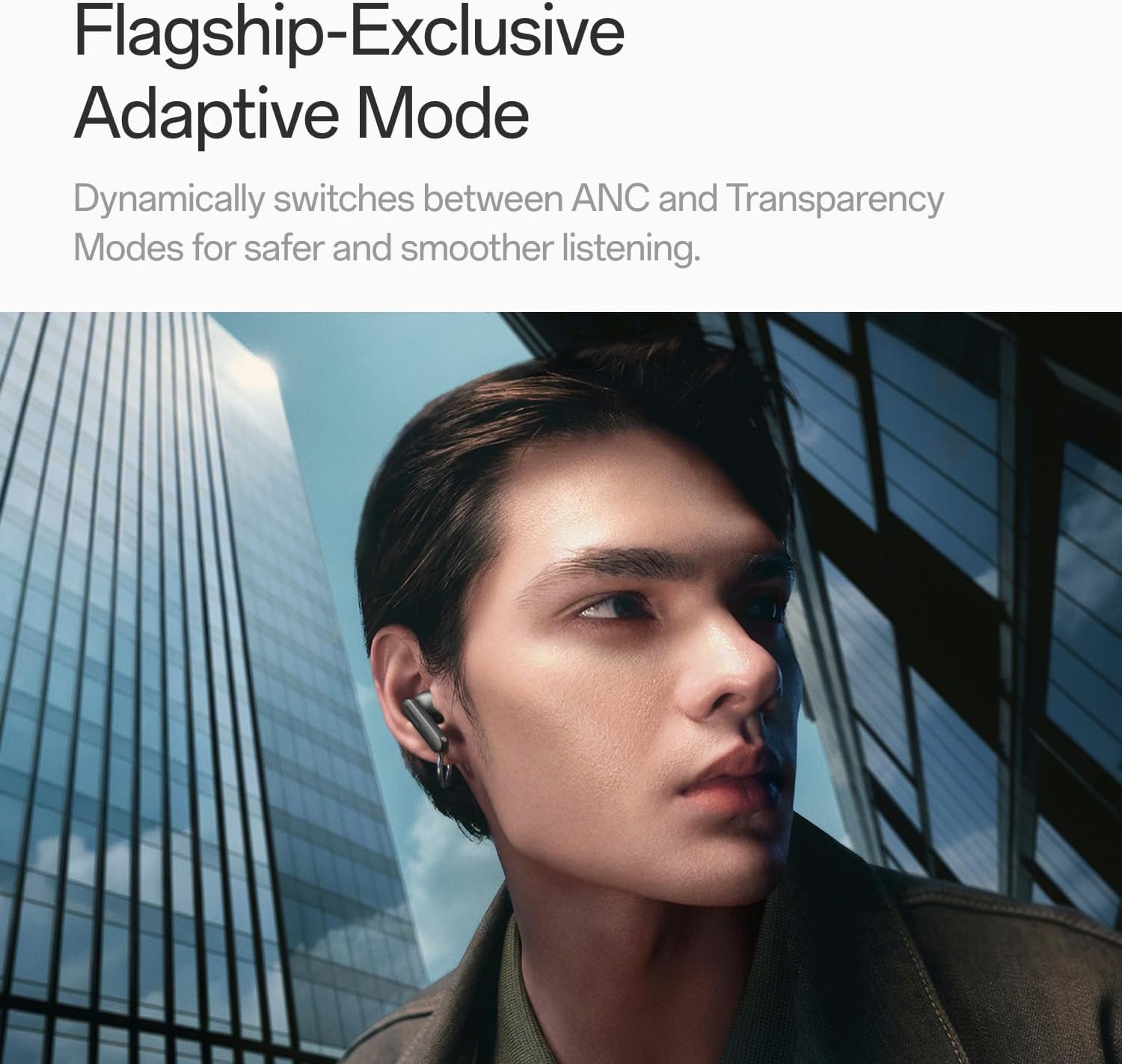
Image: A person wearing OnePlus Buds 4 earbuds in a city setting, highlighting the Adaptive Mode feature.
3.3 آډیو ځانګړتیاوې
The OnePlus Buds 4 deliver high-quality audio with advanced technologies.
- د ۵۰ ملي میتر آډیو ډرایورونه: Provide balanced, true-to-life acoustics.
- Hi-Res Audio & LHDC 5.0: For detailed, studio-grade sound reproduction.
- Immersive 3D Spatial Audio: Creates a richer, surrounding sound experience.

Image: OnePlus Buds 4 earbuds with Hi-Res Audio and LHDC 5.0 branding, emphasizing advanced audio capabilities.

Image: OnePlus Buds 4 earbuds depicted with a visual effect suggesting immersive 3D Spatial Audio.

انځور: یوه چاودنه شوې view diagram of a OnePlus Buds 4 earbud, highlighting its internal sound components and drivers.
۴.۳ د زنګ وهلو ځانګړتیاوې
The earbuds are equipped with features to enhance call clarity.
- 3-mic AI Call Noise Cancellation: Filters out noise and wind for clear calls in various environments.
- 3x Voice Cancellation: Reduces vocal distractions in noisy settings like cafes or trains.

Image: A person lying down with OnePlus Buds 4 earbuds, representing the effect of voice cancellation for undisturbed listening.
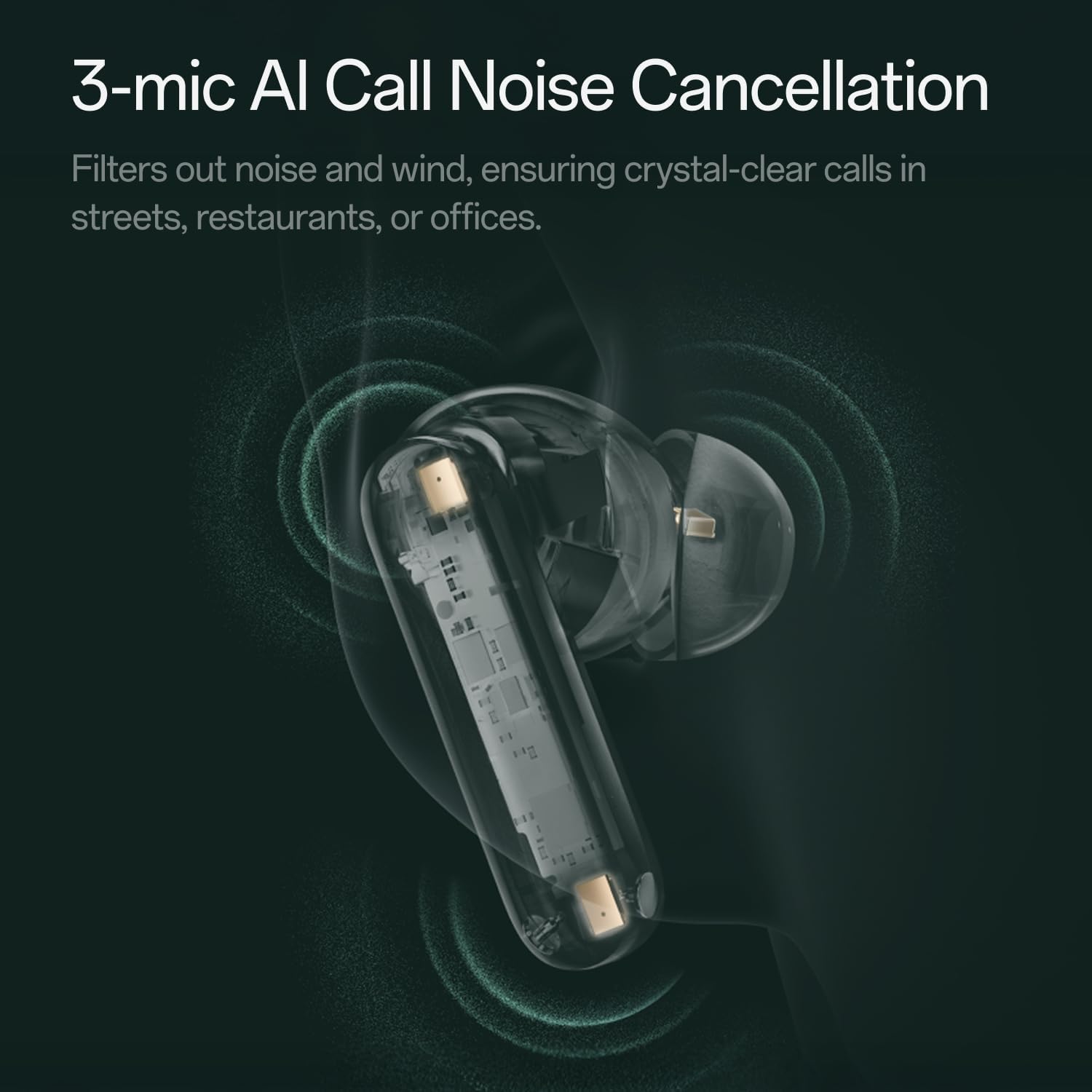
انځور: یو شفاف view of a OnePlus Buds 4 earbud, highlighting the 3-mic system for AI Call Noise Cancellation.
۲.۴ د مصنوعي ذهانت ژباړه
With a compatible OnePlus phone, the earbuds can facilitate real-time conversations in multiple languages.

Image: OnePlus Buds 4 earbuds alongside a smartphone screen demonstrating AI translation functionality.
4. ساتنه
4.1 پاکول
- په منظم ډول د غوږ بډونه او د چارج کولو کیس د نرم، وچ، لینټ نه پاک ټوکر سره پاک کړئ.
- د غوږونو څوکې لرې کړئ او که اړتیا وي نو په اوبو او نرم صابون سره یې پاک کړئ، ډاډ ترلاسه کړئ چې د بیا نښلولو دمخه یې په بشپړه توګه وچ دي.
- Do not use abrasive materials or harsh chemicals.
۲.۷ د اوبو مقاومت
The OnePlus Buds 4 are water resistant. This means they can withstand splashes and sweat, making them suitable for workouts. However, they are not waterproof and should not be submerged in water.
4.3 ذخیره کول
کله چې په کارولو کې نه وي، د غوږ بډونه د چارج کولو په قضیه کې وساتئ ترڅو دوی خوندي شي او ډاډ ترلاسه شي چې دوی چارج پاتې کیږي.
5. ستونزه حل کول
که تاسو د خپل OnePlus Buds 4 سره ستونزې سره مخ شئ، لاندې عام حلونو ته مراجعه وکړئ:
۷.۱ د جوړې کولو مسلې
- Ensure the earbuds are charged and in pairing mode (flashing white light).
- په خپل وسیله کې بلوتوث بند او فعال کړئ.
- وسیله په خپلو بلوتوث ترتیباتو کې هیر کړئ او بیا د جوړه کولو هڅه وکړئ.
- Try resetting the earbuds (refer to the full user manual for specific reset instructions).
۶.۲ د غږ ستونزې
- Check the earbud fit and try different ear tip sizes.
- Clean the ear tips and speaker meshes to remove any debris.
- Ensure the volume on both your device and earbuds is adjusted correctly.
5.3 د چارج کولو مسلې
- ډاډ ترلاسه کړئ چې د چارج کولو کیبل په خوندي ډول د قضیې او بریښنا سرچینې دواړو سره وصل دی.
- ډاډ ترلاسه کړئ چې د غوږونو او د قضیې دننه د چارج کولو تماسونه پاک او له خنډ څخه پاک دي.
- یو بل USB-C کیبل یا د بریښنا اډاپټر هڅه وکړئ.
6. مشخصات
| فیچر | تفصیل |
|---|---|
| د ماډل نوم | د ون پلس بډز ۴ |
| د ماډل شمیره | E513A |
| برانډ | OnePlus |
| رنګ | Zen Green |
| د غوږ ځای پرځای کول | په غوږ کې |
| د فارم فکتور | په غوږ کې |
| د شور کنټرول | د فعال شور لغوه کول |
| د آډیو ډرایور اندازه | 11 ملی متره |
| د آډیو ډرایور ډول | متحرک چلوونکی |
| د تعدد ځواب | 40 Hz |
| حساسیت | 100 dB |
| خنډ | 18 اوم |
| د ارتباط ټیکنالوژي | بلوتوث |
| د بې سیمه مخابراتو ټیکنالوژي | بلوتوث |
| بلوتوث نسخه | 5.4 |
| د بلوتوټ رینج | 33 پښه |
| د کنټرول طریقه | لمس |
| د کنټرولر ډول | ټچ کنټرولونه |
| د چارج کولو قضیه ظرفیت | 530mAh |
| د اوبو د مقاومت کچه | د اوبو مقاومت |
| د توکي وزن | 0.15 کیلوګرامه (5.3 اونس) |
| شاملې برخې | Cable, Charging Case, Eartip, User Manual |
7. تضمین او ملاتړ
۸.۱ د جوړونکي تضمین
The OnePlus Buds 4 are backed by a one-year manufacturer warranty. This warranty covers defects in materials and workmanship under normal use. For specific terms and conditions, please refer to the warranty card included in your product packaging or visit the official OnePlus support webسایټ
7.2 د پیرودونکي ملاتړ
For further assistance, technical support, or warranty claims, please contact OnePlus customer service through their official webسایټ یا ستاسو د محصول اسنادو کې چمتو شوي د اړیکو معلومات.
Official OnePlus Store: په ایمیزون کې د OnePlus پلورنځی


