
1. پیژندنه
This manual provides comprehensive instructions for the safe and effective use of your OnePlus Watch 3. Please read this manual thoroughly before operating the device and retain it for future reference. The OnePlus Watch 3 is a sophisticated smartwatch designed to integrate seamlessly into your daily life, offering advanced health monitoring, fitness tracking, and smart connectivity features.

Figure 1: The OnePlus Watch 3 in Black Steel, showcasing its round display and textured fluoroelastomer band.
2. ترتیب کول
۲.۱ د بکس خلاصول او ابتدايي چارج
Upon unboxing your OnePlus Watch 3, ensure all components are present: the smartwatch, charging cable, and quick start guide. Before first use, fully charge the device using the provided charging cable. Connect the magnetic end of the cable to the charging pins on the back of the watch and the USB end to a compatible power adapter.

شکل 2: شاته view of the OnePlus Watch 3, highlighting the charging pins and health sensors.
۵.۳ ستاسو د سمارټ فون سره جوړه کول
- Download the OHealth app from your smartphone's app store (Google Play Store).
- ډاډ ترلاسه کړئ چې ستاسو په سمارټ فون کې بلوتوټ فعال دی.
- Open the OHealth app and follow the on-screen instructions to add a new device.
- Select 'OnePlus Watch 3' from the list of available devices.
- ستاسو په ساعت او سمارټ فون دواړو کې ښودل شوی د جوړه کولو کوډ تایید کړئ.
3. د آلې چلول
3.1 بنسټیز نیویګیشن
- ټچ سکرین: د مینو او سکرینونو د نیویګیټ کولو لپاره کیڼ/ښي، پورته/ښکته سوائپ کړئ. د توکو غوره کولو لپاره ټایپ کړئ.
- تاج: Rotate the crown to scroll through lists or adjust settings. Press the crown to return to the watch face or open the app drawer.
- ښکته تڼۍ: Customizable shortcut button, typically used for quick access to fitness tracking or health checks.

Figure 3: The front of the OnePlus Watch 3, illustrating the interactive display and physical crown for navigation.
۲.۴ د څار مخونو تنظیمول
The OnePlus Watch 3 offers a variety of pre-installed watch faces and allows for further customization through the OHealth app. You can also set personal photos as watch faces for a personalized touch.

Figure 4: A personalized watch face on the OnePlus Watch 3, demonstrating customization options.
۳. د روغتیا تعقیب
The OnePlus Watch 3 is equipped with advanced sensors for comprehensive health monitoring. Data is synchronized with the OHealth app for detailed analysis and insights.
- د زړه ضربان څارنه: د ورځې په اوږدو کې د زړه د ضربان دوامداره څارنه.
- د وینې اکسیجن (SpO2) تعقیب: د وینې د اکسیجن د اشباع کچه اندازه کوي.
- د خوب تعقیب: د خوب څارنه کويtages (Deep, Light, REM) and provides a sleep score, including sleep breathing risk detection.
- د فشار څارنه: Assesses stress levels based on heart rate variability.
- Arterial Stiffness: Provides insights into vascular health.
- د سایکل تعقیب: Helps track menstrual cycles for women.

Figure 5: The OnePlus Watch 3 showing various health metrics on its display.
5. Workout Tracking
The watch supports over 100 professional-level tracking modes, providing detailed metrics for various activities. GPS is integrated for accurate outdoor activity tracking.
- د GPS نیویګیشن: Supports Beidou, GPS, Galileo, GLONASS, and QZSS for precise location tracking during outdoor workouts.
- د فعالیت تعقیب: ګامونه، واټن، سوځیدلي کالوري، او فعال دقیقې ثبتوي.
- Fat Burning Evaluation: Provides insights into your workout effectiveness for fat burning.

Figure 6: The OnePlus Watch 3 being used during a cycling activity, demonstrating its fitness tracking capabilities.
6. Design & Build Quality
The OnePlus Watch 3 features a premium design with durable materials for everyday wear.
- قضیه: 43mm polished stainless steel case.
- د ښودلو ساتنه: Sapphire Crystal for enhanced scratch resistance.
- بانډ: Comfortable fluoroelastomer band.
- د اوبو مقاومت: IP68 and 5 ATM rating, suitable for swimming and daily water exposure.
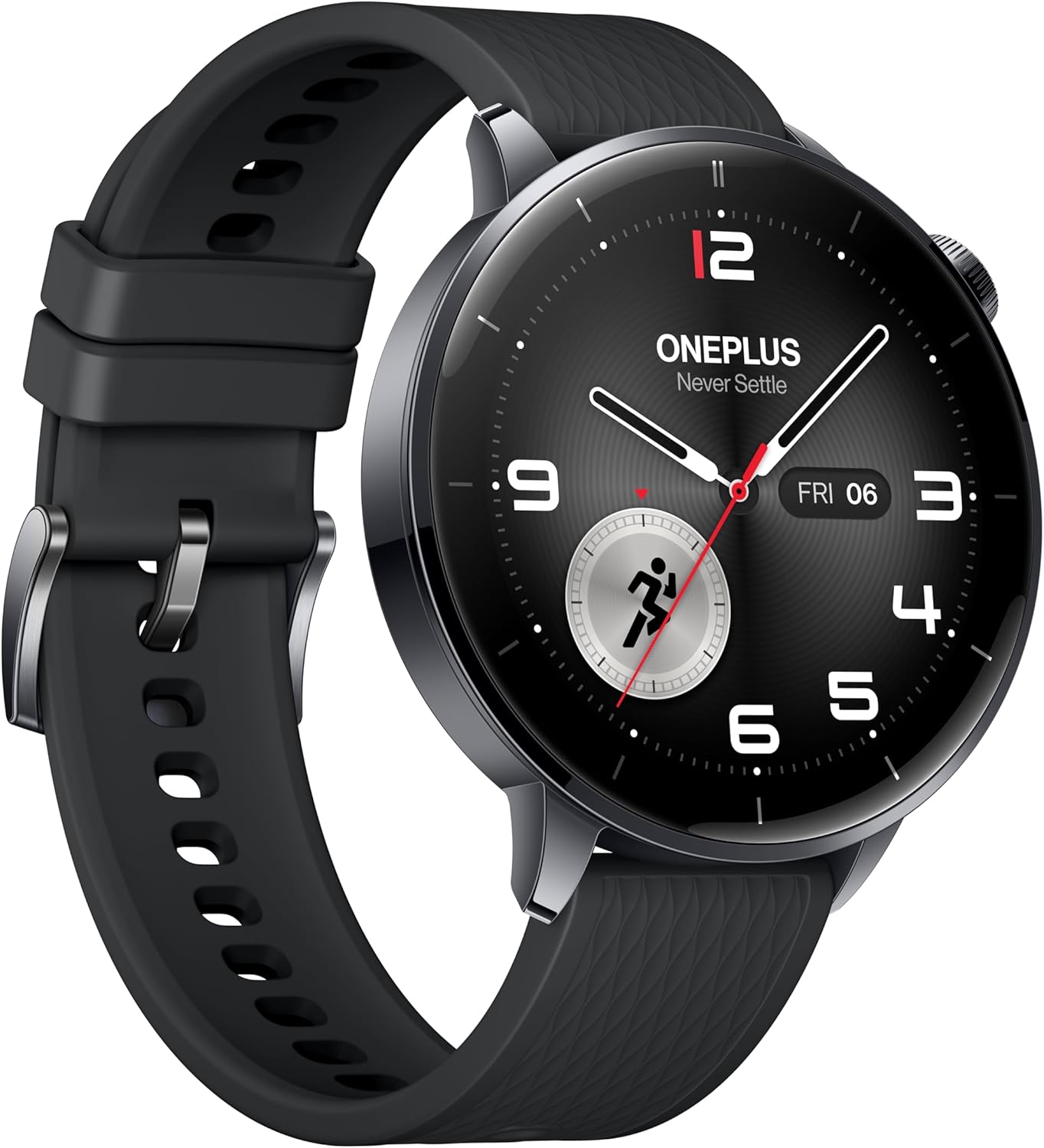
شکل ۳: د اړخ پروfile of the OnePlus Watch 3, showcasing its polished stainless steel case and integrated crown.
7. تخنیکي مشخصات
| فیچر | مشخصات |
|---|---|
| ماډل | OnePlus Watch 3 (43mm Black Steel) |
| ښودل | 1.32-inch AMOLED, Round Face |
| عملیاتي سیسټم | WearOS 5 (at launch) |
| پروسیسر | Snapdragon W5 Gen 1 |
| RAM | 2GB |
| ذخیره کول | 32GB |
| د بیټرۍ ظرفیت | 345mAh (up to 60 hours in Smart Mode) |
| چارج کول | VOOC Quick Charging |
| ارتباط | Bluetooth, Wi-Fi (5G/2.4G, 802.11 a/b/g/n), NFC |
| GPS | Beidou, GPS, Galileo, GLONASS, QZSS |
| د اوبو مقاومت | IP68، 5 ATM |
| وزن (پرته له تسمې) | 49.7 ګرامه |
| مواد | Polished Stainless Steel Case, Sapphire Crystal, Fluoroelastomer Band |
8. د بیټرۍ فعالیت
The OnePlus Watch 3 offers exceptional battery life for a WearOS smartwatch, providing up to 60 hours of use in Smart Mode. Power-saving features can extend this significantly.

Figure 8: The OnePlus Watch 3 highlighting its impressive 60-hour battery life in Smart Mode.
9. ښکاره کول
The 1.32-inch AMOLED display provides vibrant colors and excellent readability, even in bright sunlight. The display is protected by Sapphire Crystal for durability.
Figure 9: A close-up of the OnePlus Watch 3's vibrant AMOLED display.
10. ارتباط
The watch offers robust connectivity options for seamless integration with your digital ecosystem.
- بلوتوث: For connecting to your smartphone and compatible accessories like earbuds.
- وای فای: Enables faster app downloads and updates from the Play Store.
- NFC: Supports Google Wallet for contactless payments.

Figure 10: The OnePlus Watch 3's app drawer, illustrating the range of applications available.
11. Software (Wear OS 5.0)
Running on Wear OS 5.0, the OnePlus Watch 3 provides a smooth and feature-rich user experience with access to a wide range of Google apps and services.
- Google Play Apps: Download and install your favorite apps directly from the watch.
- ګوګل والټ: Convenient contactless payments.
- د ګوګل معاون: Voice-activated assistant for quick tasks and information.
- Dual OS: Combines Wear OS for smart features with an RTOS-based system for power efficiency in core functions.
12. Smartphone App (OHealth)
The OHealth app serves as the central hub for managing your OnePlus Watch 3, providing detailed health and fitness data, watch face customization, and device settings.
- Health Insights: Comprehensive summaries and tips based on your prolonged usage data.
- د تمرین ریکارډونه: Detailed logs of your fitness activities, including maps, heart rate zones, and elevation data.
- د وسایلو مدیریت: Control watch settings, notifications, and app installations.
13. ساتنه
To ensure the longevity and optimal performance of your OnePlus Watch 3, follow these maintenance guidelines:
- پاکول: ساعت او بانډ په منظم ډول د نرم، ډ سره پاک کړئamp ټوکر د سختو کیمیاوي موادو څخه ډډه وکړئ.
- د اوبو ښکاره کول: While water-resistant, avoid prolonged submersion in saltwater or exposure to high-pressure water. Rinse with fresh water after swimming.
- چارج کول: Use only the original charging cable. Keep charging contacts clean and dry.
- ذخیره کول: ساعت په یخ او وچ ځای کې وساتئ کله چې کارول نه وي.
14. ستونزه حل کول
If you encounter any issues with your OnePlus Watch 3, try the following common solutions:
- ساعت نه چالانېږي: ډاډ ترلاسه کړئ چې ساعت په بشپړ ډول چارج شوی دی.
- د جوړې ستونزې: Ensure Bluetooth is on, the watch is in pairing mode, and the OHealth app is updated. Try restarting both devices.
- د روغتیا ناسم معلومات: ډاډ ترلاسه کړئ چې ساعت ستاسو په لاس کې په ښه توګه اغوستل شوی دی. سینسرونه په منظم ډول پاک کړئ.
- د GPS ضعیف دقت: ډاډ ترلاسه کړئ چې تاسو په یوه خلاصه سیمه کې یاست چې روښانه اسمان ولري. view.
- App crashes/slowness: Restart the watch. Ensure all apps and Wear OS are updated.
For persistent issues, refer to the online support resources or contact OnePlus customer service.
15. تضمین او ملاتړ
Your OnePlus Watch 3 comes with a limited manufacturer's warranty. Please refer to the warranty card included in your product packaging for specific terms and conditions. For technical support, FAQs, and additional resources, visit the official OnePlus support webسایټ یا د دوی پیرودونکي خدمت سره اړیکه ونیسئ.