
پیژندنه
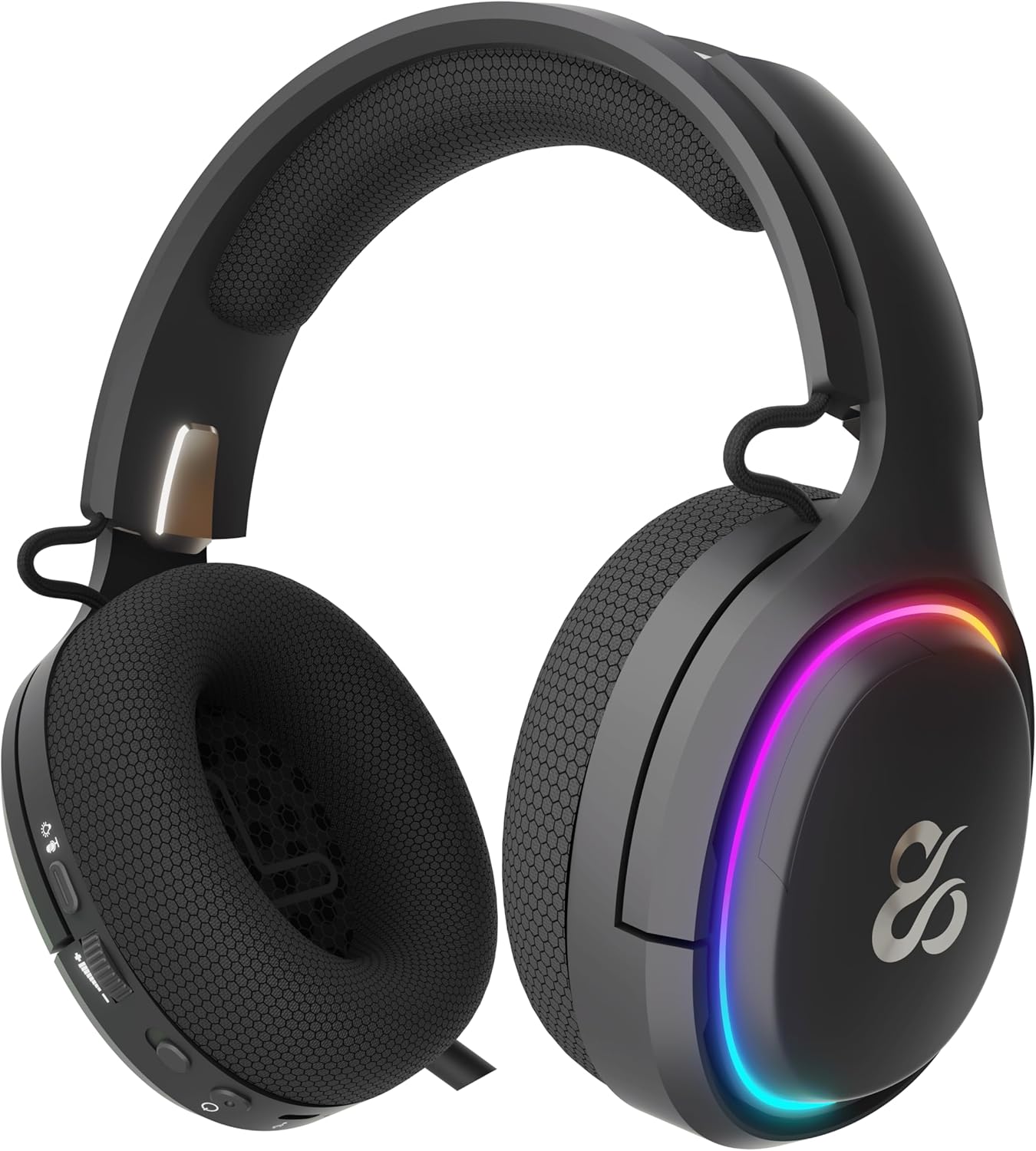
The NEWSKILL Aton V2 Gaming Headset offers versatile connectivity options including 2.4G wireless, Bluetooth 5.0, and a wired USB-C connection, ensuring compatibility across multiple platforms. Designed for an immersive audio experience, it features 50mm neodymium drivers, a flexible retractable microphone for clear communication, and customizable RGB lighting. This manual provides essential information for setting up, operating, and maintaining your headset.
1. د بسته محتويات
- NEWSKILL Aton V2 Gaming Headset
- USB-C ته USB-A چارج کول / ډیټا کیبل
- 2.4G USB بې سیم Dongle
- د کارن لارښود
2. محصول ختم شوview (کنټرولونه او بندرونه)
Familiarize yourself with the various controls and ports on your NEWSKILL Aton V2 headset for optimal use.

This image displays the control layout on the left earcup, including the volume adjustment wheel, power button, microphone mute switch, and a button for managing RGB lighting effects.

The underside of the left earcup features the USB-C port for charging and wired connection, alongside the dedicated port for the retractable microphone.
- د بریښنا تڼۍ: Located on the left earcup. Used to power the headset on/off and enter Bluetooth pairing mode.
- د حجم رولر: A scroll wheel on the left earcup for adjusting audio output volume.
- د مایکروفون خاموش تڼۍ: A dedicated button on the left earcup to quickly mute or unmute the microphone.
- د RGB کنټرول تڼۍ: Cycles through RGB lighting modes or turns the lighting off.
- د USB-C پورټ: For charging the headset and establishing a wired connection.
- د مایکروفون پورټ: Where the retractable microphone extends from.
3. تنظیم او پیوستون
3.1. 2.4G Wireless Connection (PC, PS5, Nintendo Switch Docked)
- Insert the 2.4G USB wireless dongle into an available USB port on your device (PC, PS5, or Nintendo Switch dock).
- فشار ورکړئ او ونیسئ د بریښنا تڼۍ on the headset for 3 seconds to turn it on.
- The headset will automatically attempt to connect to the dongle. A solid indicator light on the headset signifies a successful connection.
- ډاډ ترلاسه کړئ چې هیډسیټ ستاسو د سیسټم ترتیباتو کې د آډیو آوټ پټ او ان پټ وسیلې په توګه غوره شوی.
3.2. Bluetooth 5.0 Connection (Mobile Devices, Nintendo Switch Handheld)
- فشار ورکړئ او ونیسئ د بریښنا تڼۍ on the headset for 3 seconds to turn it on.
- To enter Bluetooth pairing mode, press and hold the د بریښنا تڼۍ for an additional 5 seconds until the indicator light flashes rapidly (usually blue/red).
- On your mobile device or Nintendo Switch (in handheld mode), navigate to the Bluetooth settings and search for available devices.
- Select "NEWSKILL Aton V2" from the list to pair. A solid blue indicator light confirms a successful connection.
۱. د تار سره وصل (USB-C)
- Connect one end of the provided USB-C cable to the USB-C port on the headset.
- Connect the other end of the USB-C cable to an available USB-C port on your device.
- The headset will function as a wired audio device. No battery power is required for wired operation.
4. عملیاتي لارښوونې
4.1. بریښنا فعال/بند
- پاور آن: فشار ورکړئ او ونیسئ د بریښنا تڼۍ د 3 ثانیو لپاره.
- بندول: فشار ورکړئ او ونیسئ د بریښنا تڼۍ for 5 seconds until the indicator light turns off.
4.2. د حجم سمون
- وګرځوئ د حجم رولر upwards to increase the volume.
- وګرځوئ د حجم رولر downwards to decrease the volume.
4.3. د مایکروفون کارول
- مایکروفون غځول: Gently pull the microphone out from its port on the left earcup. Adjust its position for optimal voice pickup.
- مایکروفون بیرته راګرځول: Push the microphone back into its port until it is fully stored.
- خاموش/غیر خاموشه: فشار ورکړئ د مایکروفون خاموش تڼۍ once to toggle mute on or off. An indicator light (if present) may show the mute status.
This image shows the headset with its flexible, omnidirectional microphone extended from the left earcup, positioned for clear voice communication.

The headset is shown with the microphone retracted, demonstrating its discreet storage when not in use.
۱. د RGB رڼا کنټرول
- فشار ورکړئ د RGB کنټرول تڼۍ to cycle through various lighting effects or to turn the RGB lighting off.

The earcup's outer ring illuminates with a colorful RGB light effect, customizable via the dedicated control button.
4.5. چارج کول
- Connect the provided USB-C cable to the headset's USB-C port and to a power source (e.g., computer USB port, USB wall adapter).
- The indicator light will show the charging status (e.g., red for charging, off or green for fully charged).
- A full charge provides up to 60 hours of use without RGB lighting, or 38 hours with RGB lighting enabled.
5. ساتنه
5.1. پاکول
- Use a soft, dry, lint-free cloth to clean the headset.
- د سختو کیمیاوي موادو، پاکولو محلولونو، یا قوي صابون کارولو څخه ډډه وکړئ.
- هیډسیټ په اوبو کې مه ډوبوئ او یا یې ډیر رطوبت ته مه ښکاره کوئ.
5.2. ذخیره کول
- هیډسیټ په یخ او وچ ځای کې د مستقیم لمر وړانګو او سختې تودوخې څخه لرې وساتئ.
- د زیان څخه د مخنیوي لپاره په هیډسیټ باندې د درنو شیانو له ایښودلو څخه ډډه وکړئ.
6. ستونزه حل کول
- غږ نشته:
- Check the headset's volume roller and ensure it is not at the minimum setting.
- Verify the headset is properly connected (2.4G dongle inserted, Bluetooth paired, or USB-C cable secure).
- Confirm the correct audio output device is selected in your computer or console's sound settings.
- ډاډ ترلاسه کړئ چې هیډسیټ چارج شوی.
- مایکروفون کار نه کوي:
- ډاډ ترلاسه کړئ چې مایکروفون غځول شوی او خاموش نه دی (د خاموشۍ تڼۍ وګورئ).
- Verify the correct audio input device is selected in your computer or console's sound settings.
- مایکروفون د بل اپلیکیشن یا وسیلې سره ازموینه وکړئ.
- د پیوستون مسلې:
- For 2.4G wireless, try re-inserting the USB dongle and restarting the headset.
- For Bluetooth, unpair the headset from your device and then re-pair it. Ensure no other Bluetooth devices are interfering.
- For wired connection, ensure the USB-C cable is fully inserted at both ends.
- د چارج کولو مسلې:
- Ensure the USB-C cable is not damaged and is securely connected.
- یو بل USB پورټ یا د بریښنا اډاپټر هڅه وکړئ.
7. مشخصات
- د ماډل شمیره:
- NS-HS-ATONV2
- ارتباط:
- ۲.۴ جي بېسیم، بلوتوث ۵.۰، USB-C وایرډ
- چلوونکي:
- 50mm Neodymium Magnets
- مایکروفون:
- Omnidirectional, Retractable
- د بیټرۍ ژوند:
- تر ۱۰۰ ساعتونو پورې (پرته له RGB)، ۳۴ ساعته (د RGB سره)
- د چارج کولو بندر:
- USB-C
- مطابقت لرونکي وسایل:
- PC, PlayStation 5 (PS5), Nintendo Switch, Mobile Phones
- ابعاد:
- 10 x 270 x 21 سانتي متره
- وزن:
- 860 ګرامه
8. د خوندیتوب معلومات
- د اورېدو د زیان د مخنیوي لپاره په لوړ غږ د اوږدې مودې اورېدلو څخه ډډه وکړئ.
- Do not expose the headset to water, moisture, or extreme temperatures.
- د هیډسیټ د جلا کولو یا بدلولو هڅه مه کوئ. دا ممکن تضمین باطل کړي او زیان ورسوي.
- Keep the headset and its accessories out of reach of children and pets.
- د بیټرۍ ضایع کول د ځایی مقرراتو سره سم په مسؤلیت سره ترسره کړئ.
9. تضمین او ملاتړ
This product is covered by a manufacturer's warranty. For detailed warranty information, technical support, or service inquiries, please refer to the official NEWSKILL webسایټ ته مراجعه وکړئ یا د دوی د پیرودونکو خدماتو څانګې سره اړیکه ونیسئ. مهرباني وکړئ د تضمین ادعاوو لپاره د پیرود ثبوت وساتئ.