
XINDADA HW S11
XINDADA HW S11 Smartwatch User Manual
Model: HW S11
1. پیژندنه
The XINDADA HW S11 Smartwatch is a versatile device designed for communication, navigation, and activity tracking. Featuring a 2.02-inch HD display, Android 8.1 operating system, and a powerful quad-core processor, it supports independent calls, video calls, GPS positioning, and a wide range of applications.

انځور 1.1: اوورview of the HW S11 Smartwatch highlighting key features such as 4G video calls, GPS, music control, and access to popular apps.
۲. په بکس کې څه دي؟
مهرباني وکړئ د بکس خلاصولو پر مهال د کڅوړې محتويات وګورئ:
- XINDADA HW S11 Smartwatch
- Charging Cable (Magnetic Wireless)
- د کارن لارښود
3. ابتدايي ترتیب
۴.۱ د سمارټ واچ چارج کول
Before first use, fully charge your smartwatch. Connect the magnetic wireless charging cable to the charging points on the back of the watch and to a compatible USB power source. The watch has a 700 mAh battery.
3.2 د سیم کارت نصب کول
The HW S11 Smartwatch supports an independent SIM card for cellular connectivity. Locate the separate SIM card slot on the side of the watch. Carefully insert a Nano-SIM card into the slot, ensuring correct orientation.

Image 3.1: Detail of the smartwatch showing the 180° swivel camera and the dedicated SIM card slot for independent cellular connectivity.
۸ پاور آن/بند
- د فعالولو لپاره: د بریښنا تڼۍ (معمولا په اړخ کې) فشار ورکړئ او ونیسئ تر هغه چې سکرین روښانه شي.
- د بریښنا بندولو لپاره: Press and hold the power button, then select 'Power Off' on the screen.
3.4 ابتدايي ترتیب
Upon first power-on, follow the on-screen prompts to select your language, set the time and date, and connect to a Wi-Fi network if desired.
4. عملیاتي لارښوونې
۴.۱ د انٹرفیس نیویګیټ کول
The smartwatch features a 2.02-inch HD touchscreen. Swipe left, right, up, or down to access different menus, notifications, and quick settings. Tap to select items and press the side button to return to the home screen or go back.
4.2 تلیفونونه کول او ترلاسه کول
With a SIM card installed, you can make and receive calls directly from your smartwatch. Access the 'Phone' application, dial a number, or select a contact to initiate a call. Incoming calls will display on the screen, allowing you to answer or reject.
4.3 Video Calls
The HW S11 supports HD video calls. Utilize the built-in 180° swivel telescopic camera for video communication. Ensure you have a stable internet connection (Wi-Fi or cellular data) and a compatible video calling application installed.
۳.۲ د GPS موقعیت
The smartwatch integrates GPS, Beidou, and LBS Wi-Fi for precise real-time positioning. This feature allows for tracking your location, recording historical trajectories, and indoor positioning in large public spaces like malls or airports.
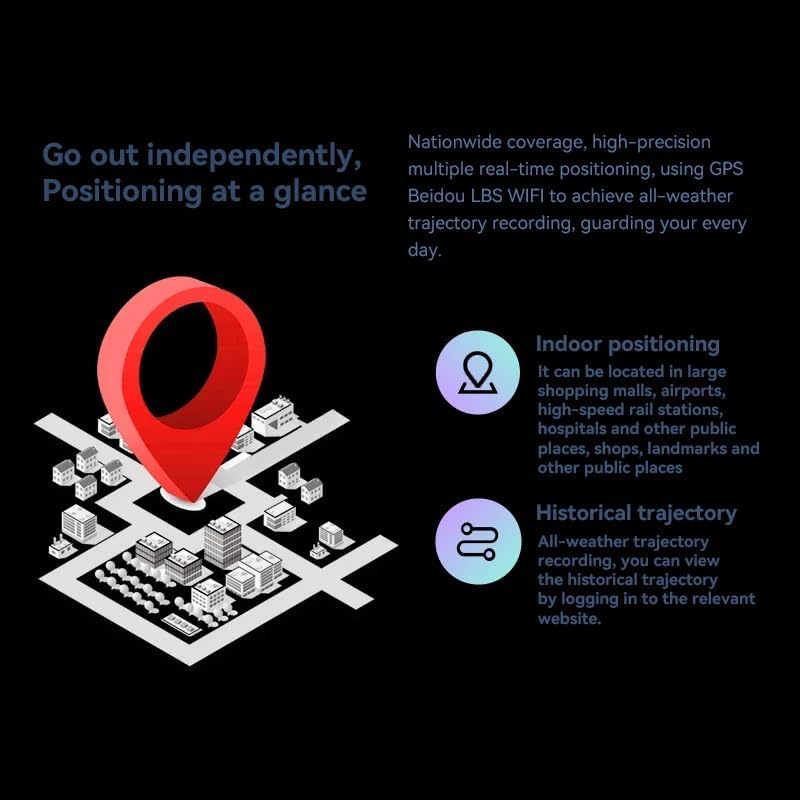
Image 4.1: Visual representation of the smartwatch's GPS and multi-location tracking features, including indoor and historical trajectory capabilities.
4.5 Application Usage
Running on Android 8.1 with 2GB RAM and 16GB internal storage, the smartwatch allows you to download and use various applications from its integrated app store. Popular apps like WeChat, TikTok, YouTube, and games are supported.

Image 4.2: The smartwatch interface showcasing a selection of popular applications available for download and use.
4.6 د میوزیک کنټرول
Control music playback on your connected smartphone or directly from the smartwatch if music files are stored on its internal memory. Access the music player app to play, pause, skip tracks, and adjust volume.
5. ساتنه
- پاکول: Wipe the watch screen and body with a soft, dry, lint-free cloth. Avoid using harsh chemicals or abrasive materials.
- د اوبو مقاومت: While the device may have some resistance, avoid submerging it in water or exposing it to high-pressure water streams.
- ذخیره کول: سمارټ واچ په یخ او وچ ځای کې وساتئ کله چې نه کارول کیږي.
- د بیټرۍ پاملرنه: To prolong battery life, avoid extreme temperatures and do not allow the battery to fully discharge for extended periods.
6. ستونزه حل کول
6.1 Watch Does Not Power On
- ډاډ ترلاسه کړئ چې ساعت په بشپړه توګه چارج شوی دی. لږترلږه د 30 دقیقو لپاره یې چارجر سره وصل کړئ.
- Try pressing and holding the power button for 10-15 seconds to force a restart.
6.2 Poor GPS Signal
- ډاډ ترلاسه کړئ چې تاسو په یوه خلاصه سیمه کې یاست چې پاکه وي view د آسمان
- Avoid areas with tall buildings or dense foliage that can obstruct the signal.
۸.۳ اپلیکیشنونه نه ډاونلوډ کیږي/کار نه کوي
- Check your Wi-Fi or cellular data connection.
- Ensure there is sufficient storage space on the device (16GB internal memory).
- سمارټ واچ بیا پیل کړئ.
۶.۳ د ټچ سکرین بې ځوابه والی
- سکرین پاک کړئ ترڅو هر ډول خاورې یا رطوبت لرې کړئ.
- وسیله بیا پیل کړئ. که ستونزه دوام وکړي، د پیرودونکو ملاتړ سره اړیکه ونیسئ.
7. مشخصات

انځور ۲: داخلي view highlighting the Android 8.1 operating system and the quad-core ASR8601 processor, ensuring smooth operation.
| فیچر | تفصیل |
|---|---|
| ماډل | HW S11 |
| برانډ | ژینډاډا |
| عملیاتي سیسټم | Android 8.1 |
| پروسیسر | Quad-core (ASR8601) |
| RAM | 2 جي بي |
| داخلي ذخیره | 16 جي بي |
| د ښودلو اندازه | ۷۸۷ انچه |
| د ښودلو ډول | LCD |
| قرارداد | 320 x 390 پکسله |
| د بیټرۍ ظرفیت | 700 mAh |
| ارتباط | Bluetooth, Wi-Fi, 4G (SIM card support) |
| GPS | Integrated GPS, Beidou, LBS |
| کیمره | 180° Swivel Telescopic Camera |
| ابعاد | 5 x 5 x 5 سانتي متره |
| وزن | 100 ګرامه |
8. تضمین او ملاتړ
د تضمین معلوماتو او تخنیکي ملاتړ لپاره، مهرباني وکړئ د خپل پیرود سره چمتو شوي اسنادو ته مراجعه وکړئ یا خپل پرچون پلورونکي سره اړیکه ونیسئ. د هر ډول تضمین ادعا لپاره د پیرود ثبوت وساتئ.
Ask a question about this manual
Ask about setup, troubleshooting, compatibility, parts, safety, or missing instructions. Manuals+ will review the question and use this page’s manual context to help answer it.