
1. پیژندنه
This manual provides detailed instructions for the setup, operation, maintenance, and troubleshooting of your DIERYA DK68 Wireless Mechanical Keyboard. Please read this manual thoroughly before using the product to ensure proper functionality and to maximize your user experience.
2. د بسته محتويات
ډاډ ترلاسه کړئ چې ټول توکي په کڅوړه کې شتون لري:
- 1 x DIERYA DK68 68-Key Wireless Mechanical Keyboard
- ۱ x ۲.۴G بېسیم رسیور
- 1 x USB-C ته USB-A کیبل
- ۱ x لارښود لارښود (دا سند)
3. محصول ختم شوview
The DIERYA DK68 is a compact 68-key mechanical keyboard featuring triple-mode connectivity (wired USB-C, 2.4GHz wireless, and Bluetooth 5.0). It is equipped with linear red mechanical switches and customizable RGB backlighting.

Image: The DIERYA DK68 Wireless Mechanical Keyboard in white, showcasinد دې کمپیکټ ۸۱ کیلي ترتیب او د RGB بیک لایټینګ.
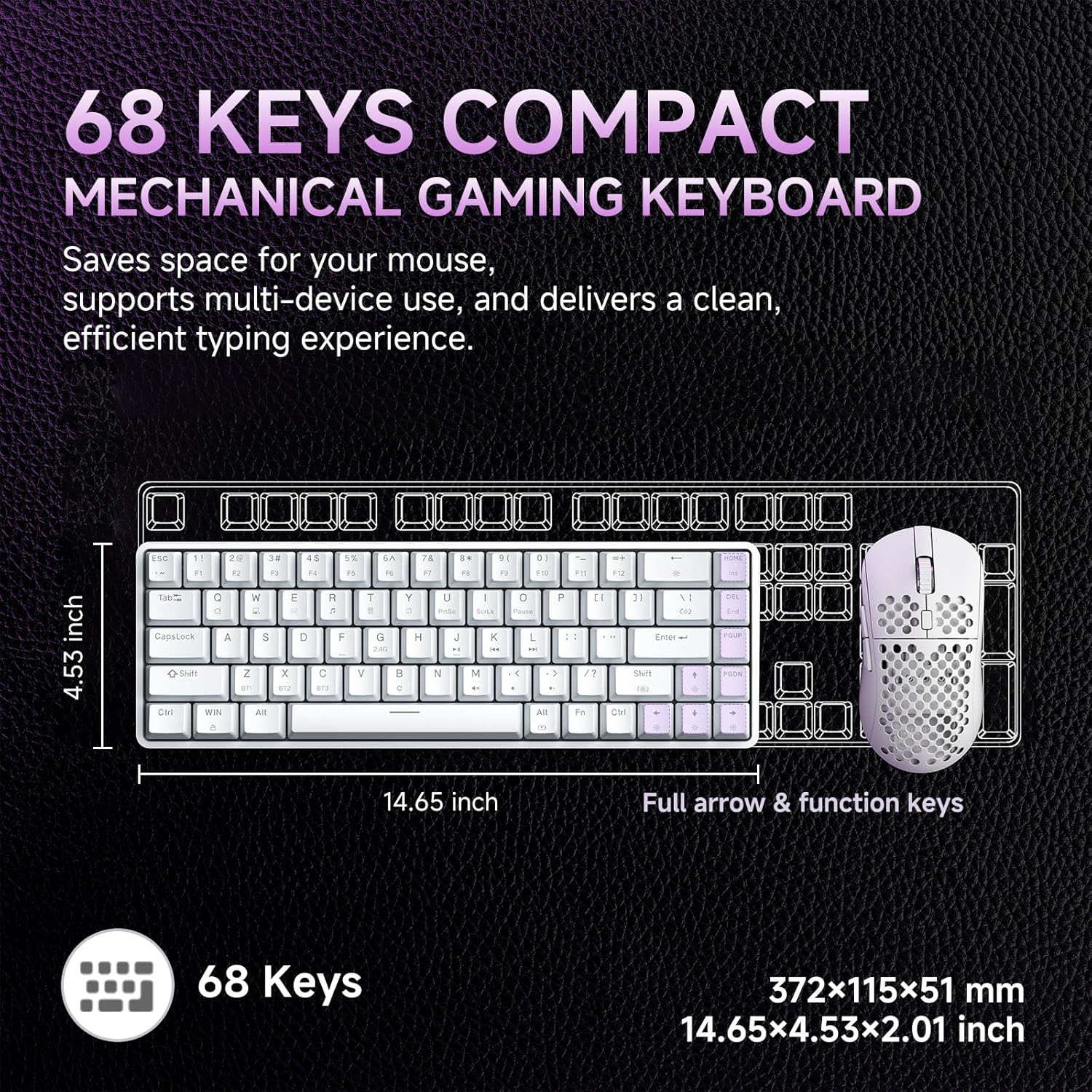
Image: A diagram illustrating the compact dimensions of the DIERYA DK68 keyboard, measuring 14.65 inches in length and 4.53 inches in width.
4. ترتیب کول
۱.۱ د تار سره وصل (USB-C)
- ورکړل شوی USB-C کیبل د کیبورډ USB-C پورټ سره وصل کړئ.
- Connect the other end of the USB-C cable to an available USB-A port on your computer.
- کیبورډ به په اتوماتيک ډول وپیژندل شي او د کارولو لپاره چمتو شي.
۳.۲.۱ ۲.۴GHz بېسیم اتصال
- Locate the 2.4G wireless receiver included in the package.
- د 2.4G ریسیور په خپل کمپیوټر کې موجود USB-A پورټ کې ولګوئ.
- Turn on the keyboard using the switch located on the back or side of the keyboard.
- کیبورډ باید په اتوماتيک ډول له ریسیور سره وصل شي. که نه، فشار ورکړئ Fn + R جوړه پیل کول.
۲.۲.۲ د بلوتوث ۵.۰ اتصال
کیبورډ تر دریو پورې بلوتوث وسیلو سره وصل کیدو ملاتړ کوي.
- ډاډ ترلاسه کړئ چې کیبورډ فعال دی.
- فشار ورکړئ او ونیسئ Fn+Z, Fn + X، یا Fn + C د بلوتوث وسیلې ۱، ۲، یا ۳ لپاره د جوړې کولو حالت ته د ننوتلو لپاره د ۳-۵ ثانیو لپاره. د شاخص څراغ به په چټکۍ سره روښانه شي.
- په خپل وسیله (کمپیوټر، لیپ ټاپ، ټابلیټ، سمارټ فون) کې، بلوتوث فعال کړئ او د نویو وسایلو لټون وکړئ.
- Select "DIERYA DK68" from the list of available devices to pair.
- یوځل چې جوړه شي، د شاخص څراغ به ځلیدل ودروي او د څو ثانیو لپاره به ټینګ پاتې شي.
- د جوړو بلوتوث وسیلو ترمنځ د بدلولو لپاره، فشار ورکړئ Fn+Z, Fn + X، یا Fn + C په لنډه توګه

Image: Visual representation of the DIERYA DK68's triple-mode connectivity options: USB-C, Bluetooth 5.0, and 2.4GHz wireless, compatible with various operating systems.
5. عملیاتي لارښوونې
۳.۱ د کیبورډ اساسي دندې
The DK68 features a 68-key layout. Many standard functions are accessed via the Fn د مهمو ترکیبونو.
- Fn + 1-12: F1-F12 function keys.
- Fn + Q/W/E/R/T/Y: Multimedia controls (specific functions may vary).
- Fn + د غشي کیلي: Page Up, Page Down, Home, End.
- Fn + Backspace: Delete.
۵.۴ د RGB رڼا کنټرول
The keyboard offers 20 built-in RGB lighting effects and 16.8 million customizable colors.
- Fn + Backspace: بیک لایټ فعال/بند کړئ.
- Fn+Shift: Switch light colors (for certain modes).
- فېن + |\: Switch light modes (cycle through 20 effects).
- Fn + پورته تیر: روښانتیا زیاته کړئ.
- Fn + ښکته تیر: روښانتیا کمه کړئ.
- Fn + کیڼ تیر: Decrease light speed.
- Fn + ښي تیر: Increase light speed.

Image: A visual guide to controlling the RGB backlighting on the DIERYA DK68 keyboard using Fn key combinations for mode, color, brightness, and speed adjustments.
5.3 د بیټرۍ مدیریت
The keyboard is equipped with a 3000mAh lithium battery.
- چارج کول: Connect the keyboard via the USB-C cable to a power source (computer USB port or USB wall adapter). The charging indicator light will show charging status.
- د بیټرۍ ژوند: Up to 12 hours with backlighting on, and up to 333 hours with backlighting off.
- اتومات خوب: The keyboard enters auto-sleep mode after 3 minutes of inactivity to conserve power. Press any key to wake it up.

Image: An infographic detailing the 3000mAh battery capacity, showing 12 hours of use with lights on, 333 hours with lights off, 3-minute auto-stop, and Type-C charging.
۴.۳ د سافټویر اصلاح کول
For advanced customization of keys, macros, and lighting effects, download the dedicated software from the official DIERYA webسایټ. دا سافټویر د دې لپاره اجازه ورکوي:
- 16.8 million customizable lighting colors.
- Music-sync lighting effects.
- Full-key macro programming.
- د میکرو ثبت او ایډیټ کول.
- Custom shortcut keys.
6. ساتنه
- پاکول: Use a soft, dry cloth to wipe the keyboard surface. For deeper cleaning, use compressed air to remove dust and debris from between keycaps. Avoid using liquid cleaners directly on the keyboard.
- ذخیره کول: کیبورډ په یخ او وچ ځای کې د مستقیم لمر وړانګو او سختې تودوخې څخه لرې وساتئ.
- د کیلي کیپ لرې کول: If removing keycaps for cleaning or switch replacement, use a keycap puller to avoid damage.
7. ستونزه حل کول
| مسله | د حل لاره |
|---|---|
| کیبورډ ځواب نه ورکوي (وایر شوی) | ډاډ ترلاسه کړئ چې د USB-C کیبل په خوندي ډول د کیبورډ او کمپیوټر دواړو سره وصل دی. یو بل USB پورټ یا کیبل هڅه وکړئ. |
| 2.4GHz wireless connection unstable or not connecting | Ensure the 2.4G receiver is plugged in and the keyboard is powered on. Re-pair by pressing Fn + R. Move the receiver closer to the keyboard. Avoid interference from other wireless devices. |
| د بلوتوث پیوستون مسلې | Ensure Bluetooth is enabled on your device. Re-enter pairing mode (Fn + Z/X/C) and re-pair. Forget the device on your computer/phone and try pairing again. Ensure the keyboard is charged. |
| RGB backlighting not working | مطبوعاتي Fn + Backspace to toggle the backlight. Check brightness settings (Fn + پورته/ښکته غشی). Ensure the keyboard battery is not critically low. |
| Keys not registering (Anti-Ghosting) | The keyboard features full N-Key Rollover (NKRO). If specific keys are not registering, try cleaning under the keycap or contact support. |
| کیبورډ نه چارج کیږي | Verify the USB-C cable and power source are functional. Try a different cable or charging port. |
8. مشخصات
| فیچر | تفصیل |
|---|---|
| ماډل | DIERYA DK68 |
| ارتباط | د USB-C تار، 2.4GHz بېسیم، بلوتوث 5.0 |
| د سویچ ډول | خطي سور میخانیکي سویچونه |
| کلیدي شمیره | ۶۱ کیلي (۶۰٪ ترتیب) |
| شاته رڼا کول | RGB (۱۶.۸ میلیونه رنګونه، ۱۸ حالتونه) |
| د بیټرۍ ظرفیت | 3000mAh |
| د بیټرۍ ژوند | Up to 12 hours (backlight on), 333 hours (backlight off) |
| د غشی ضد | بشپړ N-Key رول اوور (NKRO) |
| د کیکیپ مواد | Acrylonitrile Butadiene Styrene (ABS) Double-shot |
| مطابقت لرونکې وسیلې | لپ ټاپ، کمپیوټر، سمارټ فون |
| ابعاد | 14.65 x 4.53 x 2.01 انچه (372 x 115 x 51 mm) |
| د توکي وزن | 1.83 پونډه (820 ګرامه) |
| شاملې برخې | Keyboard, 2.4G Receiver, USB Cable, Instruction Manual |
9. تضمین او ملاتړ
DIERYA products are designed for reliability and performance. For warranty information, technical support, or service inquiries, please refer to the official DIERYA webسایټ ته لاړ شئ یا مستقیم د دوی د پیرودونکي ملاتړ سره اړیکه ونیسئ. د تضمین ادعاوو لپاره د پیرود ثبوت په توګه د پیرود رسید وساتئ.
For the latest drivers and software, please visit: www.dierya.com