
پیژندنه
The Keenetic Roamer 4G is a portable mobile hotspot designed to provide secure and fast internet access on the go. It supports 4G LTE connectivity and Wi-Fi 6, allowing up to 10 devices to connect simultaneously. This manual provides essential information for setting up, operating, and maintaining your device.
په بکس کې څه دي
Upon unboxing your Keenetic Roamer 4G, please ensure all the following components are present:
- Roamer 4G Mobile Wi-Fi hotspot
- د لرې کولو وړ لیتیم آئن بیټرۍ
- د چټک پیل لارښود
- USB-A ته د USB ډول-C کیبل
Note: A SIM card and internet subscription are not included and must be acquired separately.
محصول پای ته ورسیدview

شکل 1: مخکی view of the Keenetic Roamer 4G, highlighting the color display that shows signal strength, data volume, battery status, and network information.
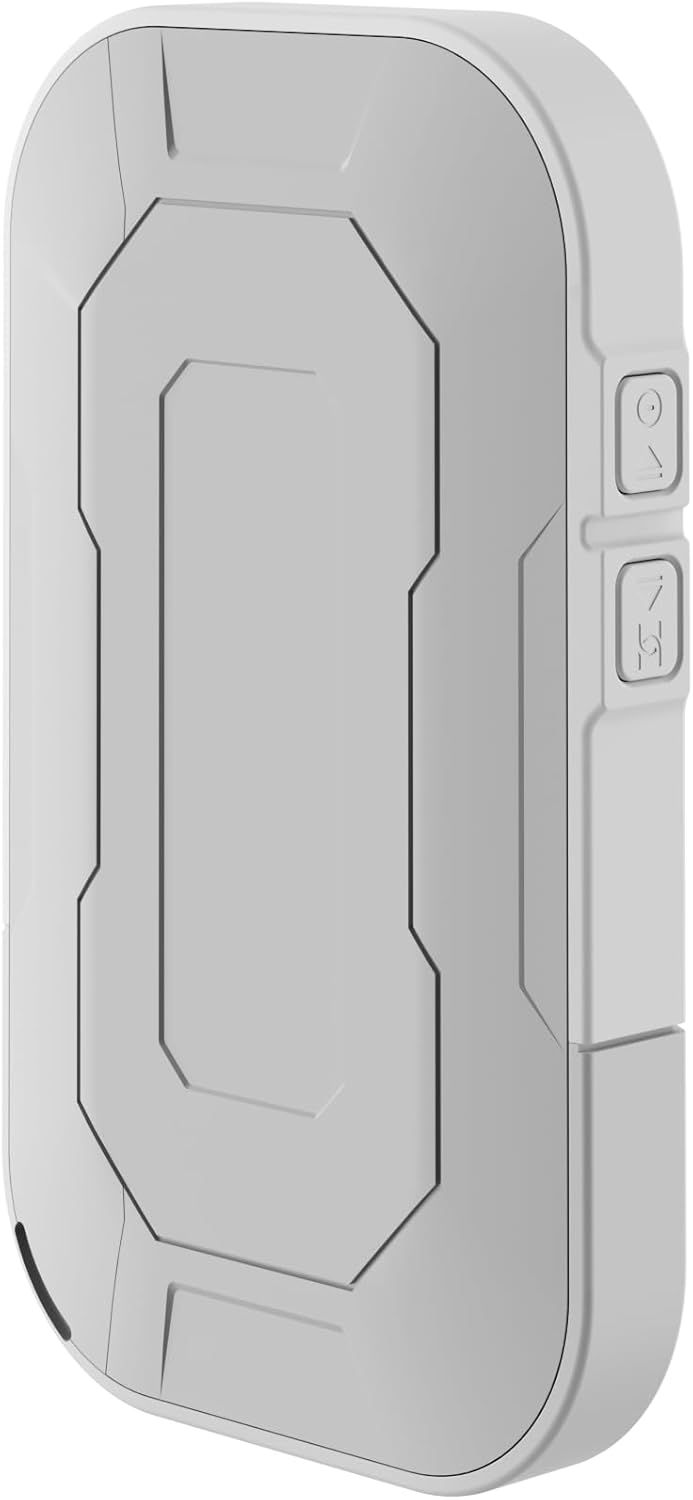
شکل 2: شاته view of the device, illustrating its compact and portable design.

شکل 3: اړخ view displaying the USB Type-C port for charging and data transfer.

شکل 4: اړخ view illustrating the physical buttons for power and navigation.
چمتو کول
1. د سیم کارت داخلول
- Locate the SIM card slot, typically found under the battery cover.
- Carefully remove the back cover and the battery.
- Insert your standard-sized SIM card into the designated slot with the gold contacts facing down, ensuring it clicks into place.
- بیټرۍ بیا دننه کړئ او د شا پوښ یې بدل کړئ.
2. د وسیلې چارج کول
- Connect the provided USB-A to USB Type-C cable to the device's charging port.
- Plug the other end into a USB power adapter (not included) or a computer's USB port.
- The battery indicator on the display will show charging status. Fully charge the device before first use.
3. بریښنا کول/بندول
- To power on, press and hold the Power button (refer to Figure 4) until the display lights up.
- To power off, press and hold the Power button until the shutdown prompt appears on the screen, then confirm.
عملیاتي لارښوونې
د وای فای له لارې د وسیلو نښلول
- Ensure the Roamer 4G is powered on and has established a 4G connection (indicated on the display).
- په خپل وای فای فعال شوي وسیله (سمارټ فون، ټابلیټ، لیپ ټاپ) کې، د شته وای فای شبکو لټون وکړئ.
- Locate the network name (SSID) displayed on the Roamer 4G's screen.
- Enter the Wi-Fi password (Key) also shown on the Roamer 4G's screen. Alternatively, you can scan the QR code displayed on the device's screen for quick connection.
- Your device should now be connected to the internet via the Roamer 4G hotspot.
د ښودلو پوهه
The color display provides real-time information about your hotspot's status:
- د سیګنال ځواک: Indicates the strength of the 4G cellular signal.
- د بیټرۍ کچه: د بیټرۍ پاتې چارج ښیې.
- د معلوماتو کارول: Displays current upload/download speeds and total data consumed.
- د شبکې معلومات: Provides details like SSID, password, and connected devices count.
ساتنه
د بیټرۍ پاملرنه
- د بیټرۍ د عمر د اعظمي کولو لپاره، وسیله د سختې تودوخې سره مخ کیدو څخه ډډه وکړئ.
- بیټرۍ په منظم ډول چارج کړئ، مګر د اوږدې مودې لپاره یې په بشپړه توګه چارج کولو څخه ډډه وکړئ.
- که چیرې وسیله د اوږدې مودې لپاره ونه کارول شي، نو د ذخیره کولو دمخه یې شاوخوا 50٪ ته چارج کړئ.
پاکول
- Use a soft, dry, lint-free cloth to clean the device's exterior.
- مایع پاکوونکي، ایروسولونه، یا محلولونه مه کاروئ.
د ستونزو حل کول
| ستونزه | احتمالي لامل | د حل لاره |
|---|---|---|
| د انټرنیټ اتصال نشته | No SIM card inserted, SIM card not activated, no signal, data plan exhausted. | Ensure SIM is correctly inserted and active. Check signal strength on display. Verify data plan with your mobile operator. Try restarting the device. |
| د وای فای سره وصل نشو | Incorrect password, device too far from hotspot, Wi-Fi disabled on hotspot. | Verify Wi-Fi password. Move closer to the hotspot. Ensure Wi-Fi is enabled on the Roamer 4G. |
| وسیله فعاله نه ده | Battery is depleted, battery not inserted correctly. | Charge the device for at least 30 minutes. Ensure the battery is properly seated. |
مشخصات
| فیچر | تفصیل |
|---|---|
| برانډ | کینیټیک |
| ماډل | KN-5110-01-EU |
| ابعاد | 12.1 x 8.2 x 4.7 سانتي متره |
| وزن | 200 ګرامه |
| د بیټرۍ ډول | Lithium-ion (1 required, included) |
| بې سیم ډول | 802.11b (Wi-Fi 6 compatible) |
| د ارتباط ټیکنالوژي | LTE |
| مطابقت لرونکې وسیلې | PC (and other Wi-Fi enabled devices) |
| ځانګړي ځانګړتیاوې | LED Indicator, Color Display |
د تضمین معلومات
For detailed warranty information, please refer to the warranty card included with your product or visit the official Keenetic webسایټ. د تضمین ادعاوو لپاره د پیرود ثبوت وساتئ.
د پیرودونکي ملاتړ
If you encounter any issues not covered in this manual or require further assistance, please contact Keenetic customer support. Visit the official Keenetic webد اړیکو توضیحاتو او ملاتړ سرچینو لپاره سایټ.
تاسو هم کولی شئ لیدنه وکړئ Keenetic Store on Amazon د نورو معلوماتو لپاره.