
1. پیژندنه
This manual provides detailed instructions for the installation, operation, and maintenance of your VIOFO A329S 3CH Dashcam. Please read this manual thoroughly before using the product to ensure proper functionality and safety.
2. د بسته محتويات
Verify that all items listed below are included in your package. If any items are missing or damaged, please contact VIOFO customer support.
- د 1 فرنټ کیمره
- 1 شاته کیمره
- 1 Interior Camera
- 1 Car Charger (3.5 m)
- 1 Rear Camera Cable (6 m)
- 1 Type-C Data Cable (0.5 m)
- 1 CPL for Front Camera
- 1 Spare Adhesive Pad (kit)
- 2 Transparent Films
- 1 د ټریم لرې کولو وسیله
- 1 د کارن لارښود

Image: Contents of the VIOFO A329S 3CH Dashcam package, showing the main unit, three cameras, various cables, CPL filter, adhesive pads, and tools.
3. د محصول ب Featuresې
- Three-Channel Recording: Simultaneous recording from front (4K), interior (2K 210° ultra-wide), and rear (2K) cameras.
- STARVIS 2 Sensor Technology: Equipped with Sony IMX678 (front) and IMX675 (interior/rear) sensors for superior image quality, reduced noise, and improved low-light performance.
- د وای فای ۶ اتصال: Enables ultra-fast video transfer and seamless connection to the VIOFO app for live view, playback, and settings management.
- د سمارټ پارکینګ حالت: Offers Energy-Saving and Hybrid Parking modes for 24/7 vehicle surveillance (requires optional HK4 or HK6 hardwire kit).
- د بهرنۍ ذخیره کولو ملاتړ: Compatible with microSD cards up to 512GB and external SSDs up to 4TB for extended recording times.
- د سمارټ غږ کنټرول: Control key functions using English voice commands.
- Accurate GPS Tracking: Built-in GPS module provides detailed location, speed, and time data for video playback.
- Circular Polarizing Lens (CPL): Front CPL filter included to reduce reflections and glare, enhancing video clarity.
- Ultra-Slim Coaxial Cables: Designed for discreet and interference-free installation.

Image: Illustration of the VIOFO A329S 3-channel recording capability, showing simultaneous views from the front (4K), interior (2K), and rear (2K) cameras.

Image: Visual comparison demonstrating reduced noise and motion blur with STARVIS 2 sensors in low light conditions compared to other sensors.
4. ترتیب کول
۶.۱۱ د مایکرو ایس ډی کارت داخلول
The A329S supports microSD cards up to 512GB. For optimal performance and durability, VIOFO industrial high-endurance microSD cards are recommended.
- ډاډ ترلاسه کړئ چې ډش کیم بند دی.
- د اصلي واحد په اړخ کې د مایکرو ایس ډی کارت سلاټ ومومئ.
- Insert the microSD card with the contacts facing the front of the dashcam until it clicks into place.
- د لرې کولو لپاره، کارت په نرمۍ سره فشار ورکړئ تر هغه چې راووځي.

Image: Diagram showing the insertion of a microSD card into the VIOFO A329S dashcam, highlighting the recommended VIOFO high-endurance cards.
۴.۲ لومړنی پاور آن او بنسټیز ترتیب
- Connect the dashcam to your vehicle's 12V power outlet using the provided car charger.
- The dashcam will power on automatically.
- Follow the on-screen prompts to select your preferred language, set the date and time, and format the microSD card.
5. نصب کول
5.1 د اصلي واحد نصب کول
Choose a mounting location that does not obstruct your view of the road. The recommended position is behind the rearview عکس
- Clean the windshield surface where the dashcam will be mounted.
- Apply the transparent film to the cleaned area to prevent adhesive residue on the windshield.
- Remove the adhesive backing from the dashcam mount.
- Firmly press the dashcam mount onto the transparent film on the windshield.
- Attach the main dashcam unit to the mount.

Image: Diagram illustrating the recommended installation location of the VIOFO A329S dashcam on the windshield, typically behind the rearview عکس
5.2 د کیبل روټینګ
Route the power cable and camera cables discreetly along the edges of the windshield and vehicle interior using the provided trim removal tool and cable clips.
- Connect the USB-C power cable to the main unit's mount.
- Guide the cable along the top edge of the windshield, down the A-pillar, and towards the vehicle's 12V power outlet.
- Use the trim removal tool to tuck the cable under the headliner and pillar trim.
- Secure any loose cables with the provided cable clips.

Image: Diagram showing the cable connections for the front, rear, and cabin cameras, and the car charger, illustrating how to route cables discreetly.
5.3 Rear and Interior Camera Installation
Connect the rear and interior cameras to the main unit using the provided coaxial cables. Ensure the cables are routed neatly and securely.
- Connect the rear camera cable to the main unit and route it along the headliner, down the side pillars, and to the rear windshield.
- Mount the rear camera on the rear windshield using its adhesive mount, ensuring a clear view.
- Connect the interior camera cable to the main unit and mount the interior camera on the windshield, typically next to the main unit, ensuring it covers the vehicle's interior.
- Verify that all cameras display correctly on the main unit's screen or via the VIOFO app.

Image: Illustration comparing regular cables with the VIOFO A329S ultra-slim coaxial cables, highlighting their smaller diameter for easier and more discreet installation.
6. عملیات
۶.۱ اساسي ثبت کول
The dashcam automatically starts recording when powered on. Videos are saved in segments to the microSD card. Loop recording ensures continuous recording by overwriting the oldest fileکله چې کارت ډک وي.
- لوپ ثبتول: Automatically records in continuous loops, overwriting the oldest files.
- جی سینسر: په اتوماتيک ډول ویډیو بندوي files in case of sudden impact or collision to prevent them from being overwritten.

Image: Illustration of loop recording and auto emergency lock features, showing how the dashcam continuously records and protects important footagد پیښو په جریان کې.
۵.۸ د وای فای اتصال او د اپلیکیشن کنټرول
The VIOFO A329S features Wi-Fi 6 for fast and stable connection to your smartphone via the VIOFO app.
- Download the VIOFO app from your smartphone's app store.
- Enable Wi-Fi on the dashcam (usually via a button or menu option).
- Connect your smartphone to the dashcam's Wi-Fi network.
- د ژوند کولو لپاره اپلیکیشن وکاروئ view, video playback, downloading files, and adjusting settings.

Image: Illustration demonstrating the fast download speeds of the VIOFO A329S using Wi-Fi 6, showing a 4K video downloading to a smartphone.
6.3 د سمارټ غږ کنټرول
Control your dashcam hands-free using simple English voice commands for functions like taking photos, turning Wi-Fi on/off, or locking videos.
6.4 د پارکینګ حالت
The A329S offers advanced parking modes to protect your vehicle 24/7. A VIOFO HK4 or HK6 hardwire kit (sold separately) is required for parking mode functionality.
- Energy-Saving Parking Mode: The camera consumes low power in standby and records immediately upon impact detection.
- Hybrid Parking Mode: Combines motion detection, time-lapse recording, or low bitrate recording based on your settings or when a minimum voltage ته رسیدلی دی.
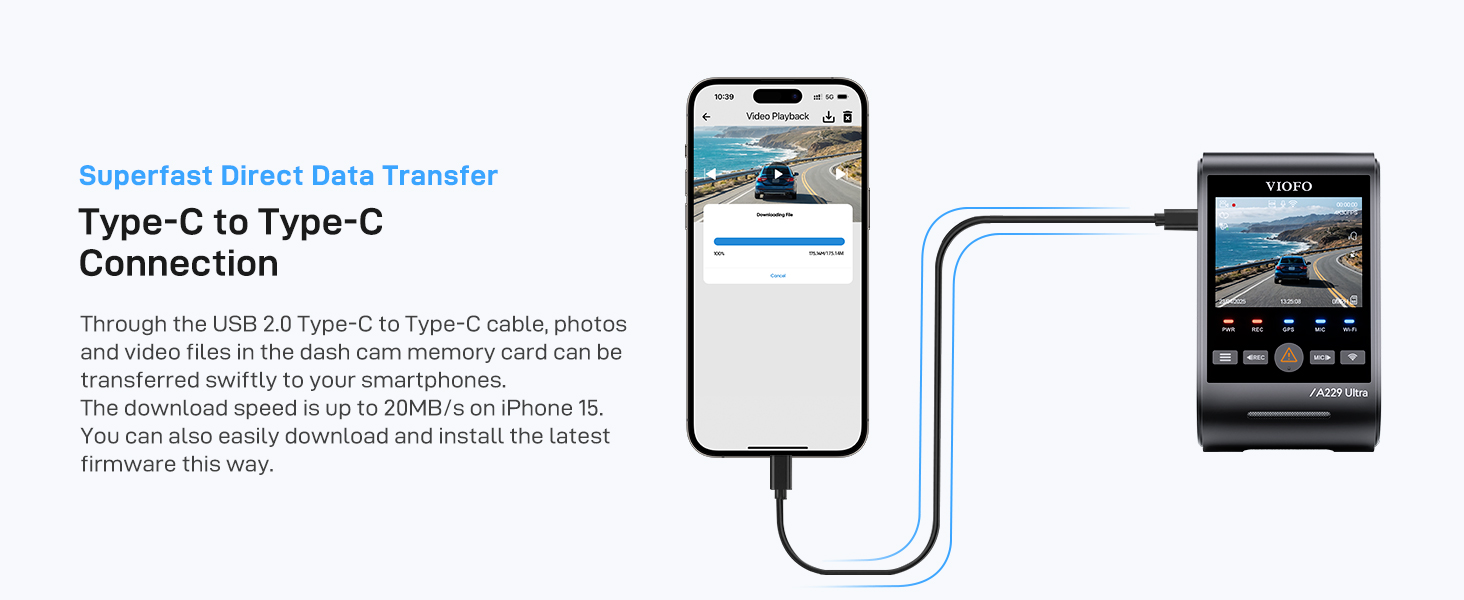
Image: Illustration of the Hybrid Parking Recording feature, showing different parking modes like normal recording, time-lapse, and impact detection recording.
7. د ذخیرې مدیریت
The A329S supports high-capacity storage options to ensure you capture all important footage.
- د مایکرو ایس ډی کارت: Supports up to 512GB. Regularly format the card to maintain optimal performance.
- بهرنۍ SSD: Supports up to 4TB SSD for extended recording. A VIOFO Type-C SSD cable is required (sold separately).

Image: Diagram illustrating the support for external SSD storage up to 4TB, showing recommended SSD models and estimated recording days for different capacities.
8. ساتنه
- منظم بڼه ورکول: Format the microSD card every 2-3 weeks to prevent data corruption and ensure smooth operation.
- د فرم ویئر تازه معلومات: Check the VIOFO website regularly for firmware updates to improve performance and add new features.
- د عینکو پاکول: Gently clean the camera lenses with a soft, lint-free cloth to ensure clear recordings.
9. مشخصات
| فیچر | تفصیل |
|---|---|
| برانډ | VIOFO |
| د ماډل شمیره | A329S 3CH |
| د ویډیو ثبتولو حل | 2160p (Front) + 1440p (Interior) + 1440p (Rear) |
| د ارتباط ټیکنالوژي | وای فای ۶ |
| ځانګړي ځانګړتیاوې | 4K Front, 2K 210° Interior, 2K Rear Recording, Up to 4TB SSD/512GB MicroSD, Privacy Mode, STARVIS 2 Sensor Technology, Enhanced Wi-Fi 6, Energy-Saving Hybrid Parking Mode |
| د سکرین اندازه | ۷۸۷ انچه |
| د ډګر View | 210 Degrees (Interior Camera) |
10. تضمین او ملاتړ
For warranty information, technical support, or any product-related inquiries, please refer to the official VIOFO webسایټ ته مراجعه وکړئ یا مستقیم د دوی د پیرودونکو خدماتو سره اړیکه ونیسئ. د تضمین ادعاوو لپاره د پیرود ثبوت په توګه د پیرود رسید وساتئ.