
پیژندنه
The RAPOO E9050L is a versatile wireless keyboard designed for seamless connectivity across multiple devices and operating systems. Its ultra-slim profile, quiet keys, and long-lasting rechargeable battery make it ideal for various environments, from office to travel. This manual provides detailed instructions for setup, operation, maintenance, and troubleshooting to ensure optimal use of your keyboard.
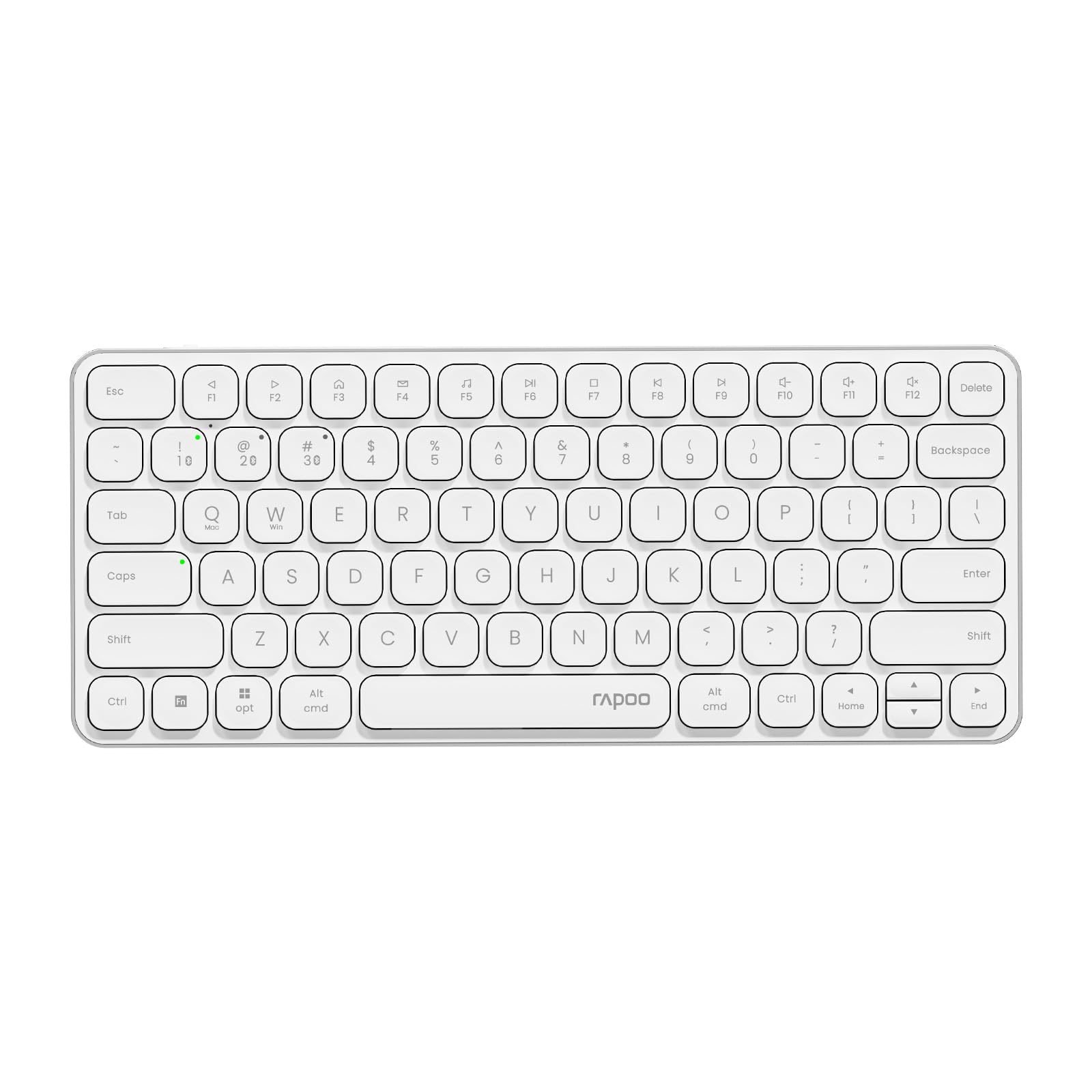
Image: The RAPOO E9050L Wireless Keyboard, showcasing د هغې ښکلی ډیزاین.
چمتو کول
د بسته محتويات
- RAPOO E9050L Wireless Keyboard
- د USB-C چارج کیبل
- د کارن لارښود
د کیبورډ چارج کول
The E9050L features a built-in rechargeable battery. Before first use, fully charge the keyboard using the provided USB-C cable. A full charge can provide up to 90 days of continuous use. A quick 10-minute charge can provide enough power for one day of use.

Image: Diagram illustrating the rechargeable battery and charging indicators.
Connecting to Devices (Multi-Device & Multi-OS)
The keyboard supports wireless connection via 2.4GHz USB receiver or Bluetooth 5.0/4.0, allowing connection to up to 4 devices simultaneously. You can seamlessly switch between a notebook PC, desktop PC, tablet, or smartphone.

Image: Visual representation of multi-device and multi-OS connectivity options.
- 2.4GHz بې سیم اتصال:
Insert the USB receiver into an available USB port on your computer. The keyboard should connect automatically. - بلوتوث پیوستون
Press and hold the Bluetooth pairing key (usually indicated by a Bluetooth icon or a specific Fn key combination) until the indicator light flashes. On your device (PC, tablet, smartphone), enable Bluetooth and search for "RAPOO E9050L". Select it to pair. - د وسیلو تر مینځ بدلول:
Use the dedicated device switching keys (e.g., Fn + 1, Fn + 2, Fn + 3, Fn + 4) to switch between your paired devices. The corresponding indicator light will show which device is currently active.

Image: Icons representing compatibility with various operating systems including Windows, Mac OS, Linux, iOS, Android, and Chrome OS.
عملیاتي لارښوونې
Key Functions and Multimedia Hotkeys
The E9050L features a compact 78-key layout with 12 multimedia hotkeys for quick access to common functions like play/pause, volume control, and email. These functions are accessed by pressing the Fn د اړونده F-کیلي (F1-F12) سره په ترکیب کې کیلي.

Image: Diagram showing the multimedia hotkeys and their functions when used with the Fn key.
د OS بدلول
The keyboard supports dual system compatibility. To switch between Windows and Mac OS layouts, use the following key combinations:
- د وینډوز لپاره: فشار ورکړئ Fn + W
- د Mac OS لپاره: فشار ورکړئ Fn + Q
د شاخص څراغونه
The keyboard includes indicator lights for device connection, Caps Lock status, and battery level. These lights provide clear visual feedback on the keyboard's current state, addressing user feedback for improved clarity.

انځور: نږدې انځور view of the device indicator lights and Caps Lock indicator.
د ټایپ کولو تجربه
The E9050L utilizes thin chiclet keycaps and a scissor-switch mechanism, providing a quiet and comfortable typing experience. The ultra-thin design (0.2 inches / 0.53 cm) reduces wrist strain, eliminating the need for a separate palm rest.

انځور: تفصیلي view of the thin chiclet keycaps and scissor-switch mechanism.
ساتنه
To ensure the longevity and optimal performance of your RAPOO E9050L keyboard, follow these maintenance guidelines:
- پاکول: د نرم، لینټ پاک ټوکر څخه لږ څه کار واخلئampened with water or a mild cleaning solution to wipe the keycaps and surface. Avoid harsh chemicals or abrasive materials.
- د دوړو لرې کول: د کیلي ګانو ترمنځ د دوړو او کثافاتو د لرې کولو لپاره د فشار شوي هوا څخه کار واخلئ.
- د مایعاتو څخه ډډه وکړئ: Do not expose the keyboard to excessive moisture or submerge it in liquids. In case of spills, immediately disconnect the keyboard and allow it to dry completely before reuse.
- ذخیره کول: کیبورډ په یخ او وچ ځای کې د مستقیم لمر وړانګو او سختې تودوخې څخه لرې وساتئ.
د ستونزو حل کول
If you encounter issues with your RAPOO E9050L keyboard, refer to the following common solutions:
- کیبورډ نه نښلي:
- ډاډ ترلاسه کړئ چې کیبورډ چارج شوی دی.
- Verify that the 2.4GHz USB receiver is properly inserted or that Bluetooth is enabled and paired on your device.
- Try re-pairing the Bluetooth connection or re-inserting the USB receiver.
- Ensure you are on the correct device channel (Fn + 1/2/3/4).
- Keys Not Responding or Delayed Response:
- د بیټرۍ کچه وګورئ؛ ټیټ بیټرۍ کولی شي فعالیت اغیزمن کړي.
- Ensure the keyboard is within range of your device (for Bluetooth/2.4GHz).
- Interference from other wireless devices can cause issues; try moving closer to your device or away from other wireless sources.
- خپل کمپیوټر یا وسیله بیا پیل کړئ.
- Incorrect Key Output (e.g., @ key types "):
- This often indicates an incorrect keyboard layout setting on your operating system. Ensure your device's keyboard settings match the US layout of the E9050L.
- Verify the correct OS mode is selected on the keyboard (Fn + W for Windows, Fn + Q for Mac).
- Caps Lock / Device Indicator Not Working:
- ډاډ ترلاسه کړئ چې کیبورډ فعال او وصل دی.
- If the issue persists, try restarting the keyboard and your device.
مشخصات
| فیچر | تفصیل |
|---|---|
| برانډ | راپو |
| د ماډل شمیره | E9050L |
| مطابقت لرونکې وسیلې | Smartphones, Tablets, Notebook PCs, Desktop PCs |
| د ارتباط ټیکنالوژي | Bluetooth, USB (2.4GHz) |
| د کیبورډ توضیحات | یوځای شوی |
| وړاندیز شوي استعمالونه | Personal, Business, Student, Everyday Use |
| ځانګړي ځانګړتیاوې | Ergonomic, Silent |
| رنګ | سپین |
| د محصول ابعاد (L x W x H) | 28.4 سانتي متره x 11.9 سانتي متره x 1.3 سانتي متره (11.18 په x 4.69 x 0.51 کې) |
| مواد | Plastic (with aluminum frame) |
| د بریښنا سرچینه | د بیټرۍ چلول (د چارج وړ) |
| د سویچ ډول | میخانیکي (کینچي سویچ) |
| د کیبورډ ترتیب | QWERTY (د امریکا ترتیب) |
| ملاتړ شوي عملیاتي سیسټمونه | Linux, Windows, Mac OS, iOS, Android, Chrome OS |
| د کلیدونو شمیر | 78 |

Image: Diagram showing the precise dimensions of the RAPOO E9050L keyboard.
تضمین او ملاتړ
د تضمین معلومات
The RAPOO E9050L Wireless Keyboard comes with a د جوړونکي دوه کلن تضمین د پیرود نیټې څخه. دا تضمین د عادي استعمال لاندې موادو او کاریګرۍ نیمګړتیاوې پوښي. مهرباني وکړئ د تضمین ادعاوو لپاره د پیرود ثبوت وساتئ.
د پیرودونکي ملاتړ
For technical assistance, troubleshooting, or warranty inquiries, please contact RAPOO customer support through the official website or your retailer. Detailed contact information can typically be found on the product packaging or the RAPOO official support page.