
1. پیژندنه
This manual provides detailed instructions for the setup, operation, maintenance, and troubleshooting of your ATTACK SHARK G3PRO Wireless Gaming Mouse. Please read this manual thoroughly to ensure proper use and to maximize your gaming experience.

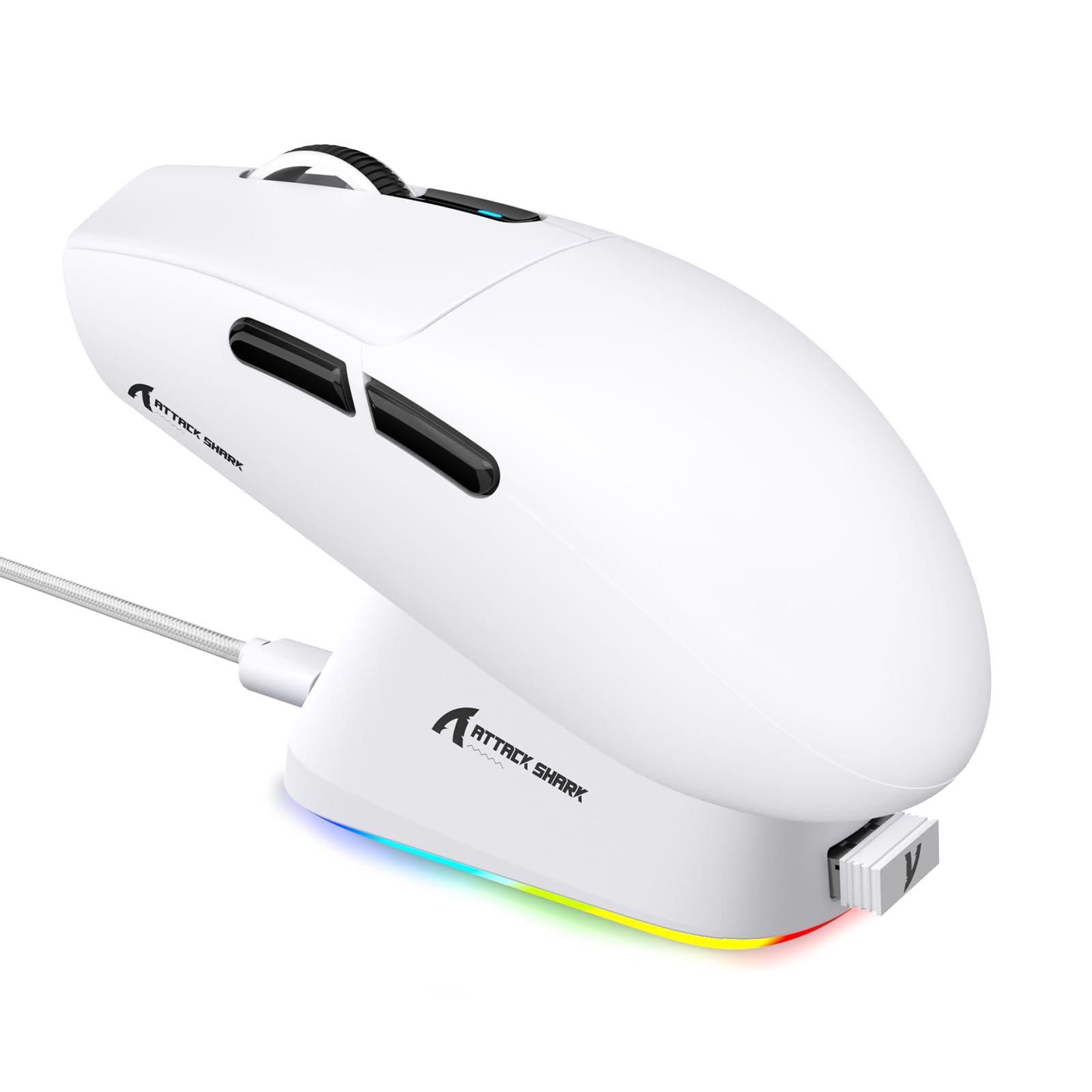
انځور: یو اوورview of the ATTACK SHARK G3PRO mouse and its features, including magnetic fast charging, PAW3311 sensor, web cloud drive, RGB rapid charging dock, and lightweight design.
2. د بسته محتويات
ډاډ ترلاسه کړئ چې ټول توکي ستاسو په کڅوړه کې شتون لري:
- ATTACK SHARK G3PRO Wireless Gaming Mouse
- RGB Magnetic Charging Dock
- 2.4G USB رسیدونکی
- USB-C ته USB-A چارج کول / ډیټا کیبل
- د کارن لارښود
3. ترتیب کول
3.1 ابتدايي چارج کول
Before first use, it is recommended to fully charge the mouse. Connect the USB-C cable to the charging dock and a power source. Place the mouse onto the magnetic charging dock. The RGB lighting on the dock will indicate charging status.
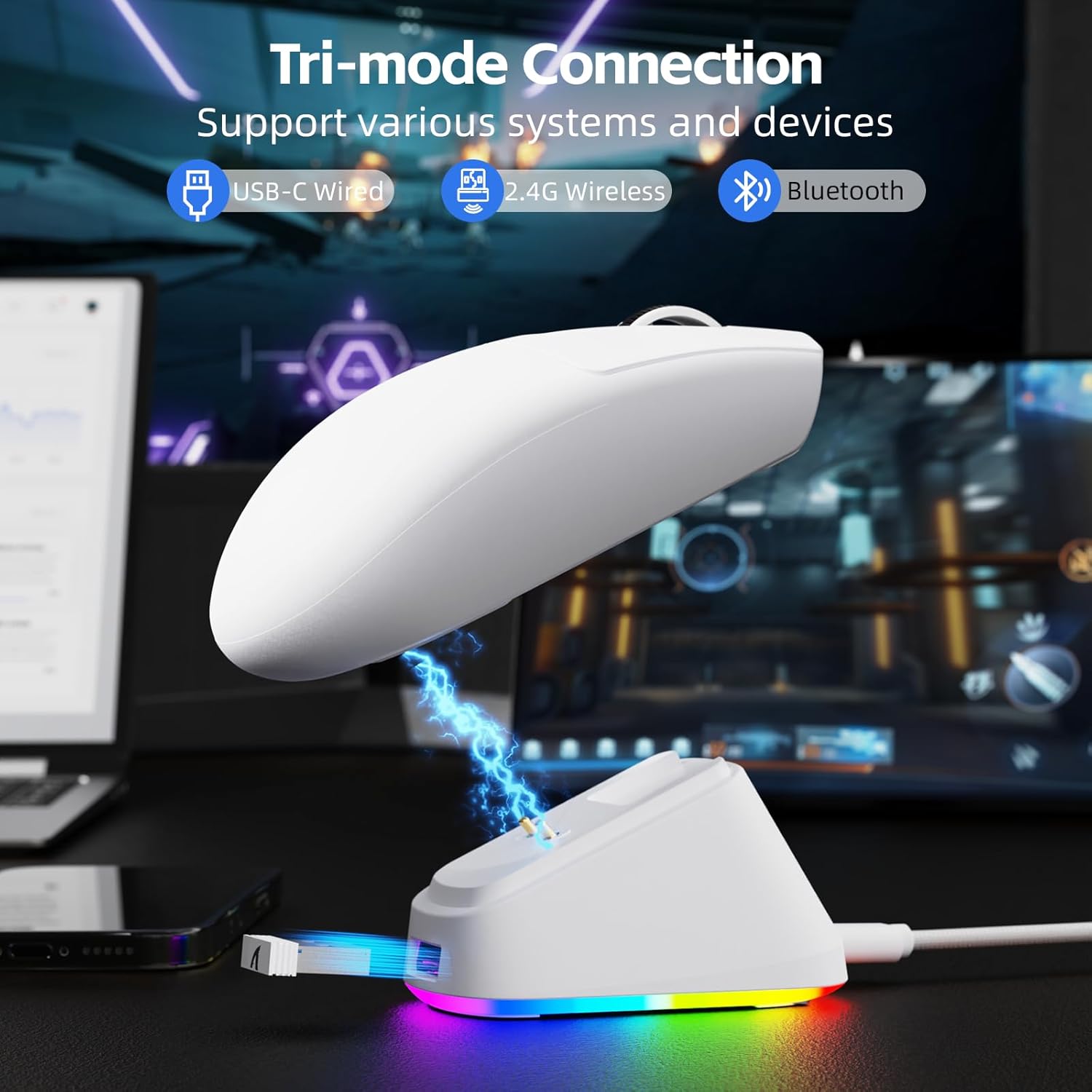
Image: The ATTACK SHARK G3PRO mouse magnetically attached to its RGB charging dock, showing the charging thimbles and USB-C port.
For a visual guide on charging, please watch the following video:
Video: This video demonstrates the magnetic charging dock and its features for the ATTACK SHARK G3PRO Wireless Gaming Mouse.
۳.۲ د موږک سره نښلول
The G3PRO supports three connection modes: 2.4GHz Wireless, Bluetooth, and USB-C Wired. A switch on the bottom of the mouse allows you to select the desired mode.

Image: The ATTACK SHARK G3PRO mouse with visual indicators for Wired, 2.4G, and Bluetooth connectivity modes.
2.4GHz بې سیم حالت:
- Locate the 2.4G USB receiver, typically stored within the charging dock or the mouse itself.
- د USB ریسیور په خپل کمپیوټر کې موجود USB پورټ کې ولګوئ.
- Set the switch on the bottom of the mouse to "2.4G".
- موږک باید په اتوماتيک ډول وصل شي.
بلوتوث موډ:
- Set the switch on the bottom of the mouse to "BT".
- په خپل کمپیوټر یا وسیله کې، د بلوتوټ ترتیباتو ته لاړ شئ او بلوتوټ فعال کړئ.
- لټون new devices and select "ATTACK SHARK G3PRO" to pair.
د USB-C وائرډ حالت:
- د USB-C کیبل مستقیم له موږک څخه خپل کمپیوټر ته وصل کړئ.
- موږک به د تار لرونکي موږک په توګه کار وکړي او په ورته وخت کې چارج شي.
For a visual guide on product features and connectivity, please watch the following video:
Video: This video demonstrates the various color options and the magnetic charging feature of the ATTACK SHARK G3PRO Wireless Gaming Mouse, showcasinد هغې ډیزاین او فعالیت.
۴. د موږک چلول
4.1 د تڼۍ دندې
The ATTACK SHARK G3PRO features 5 programmable buttons:
- کیڼ کلیک: لومړنۍ کړنه.
- ښي کلیک: د عمل/شرایطو دوهم مینو.
- منځنی کلیک / سکرول ویل: Scroll up/down, middle click for universal scroll or other functions.
- د وړاندې کولو تڼۍ: Default for navigating forward in web browsers/folders.
- شاته تڼۍ: Default for navigating backward in web browsers/folders.
- DPI سویچ: د مخکې ټاکل شوي DPI کچو له لارې تیریږي.

Image: A detailed diagram illustrating the location and default functions of the multi-functional buttons on the ATTACK SHARK G3PRO mouse.

انځور: یوه چاودنه شوې view and labeled diagram of the G3PRO mouse components, including buttons, switches, charging points, and the 2.4G/OFF/BT mode switch.
4.2 د DPI تعدیل
The mouse features a dedicated DPI switch to cycle through various sensitivity levels, ranging from 800 to 25,000 DPI. The current DPI setting is indicated by an LED light.

Image: A visual representation of the 25,000 DPI optical sensor's precision and how mouse movement trajectory sensitivity scales with DPI settings.
۵.۲ د رای ورکولو کچه
The G3PRO supports a 1000Hz polling rate in both wired and 2.4GHz wireless modes, ensuring rapid response times for competitive gaming.

Image: A diagram illustrating the 1000Hz polling rate capability in both wired and wireless modes, highlighting millisecond response times.
۶. سافټویر او اصلاح کول
Customize your G3PRO mouse settings using the intuitive web driver or downloadable software from ATTACK SHARK. This allows for personalization of DPI, polling rate, macros, and more.
- Web چلوونکی: ته لاسرسی web-based configuration tool for quick adjustments without installation.
- Downloadable Software: د پرمختللي اصلاح او مسلکي لپارهfile management, download the dedicated software.

Image: A screenshot of the ATTACK SHARK Hub software interface, showing options for mouse settings, DPI settings, parameter settings, macro editing, and personal center.

Image: The cloud-driven programming interface for the G3PRO mouse, displaying options for button settings, DPI adjustments, polling rate settings, and power management.
6. ساتنه
6.1 پاکول
د غوره فعالیت ساتلو لپاره، په منظم ډول خپل موږک پاک کړئ. د سطحې پاکولو لپاره نرم، وچ ټوکر وکاروئ. د سختې خاورې لپاره، یو څه damp ټوکر کارول کیدی شي، ډاډ ترلاسه شي چې رطوبت داخلي برخو ته ننوځي. د سختو کیمیاوي موادو یا خړوبونکو موادو څخه ډډه وکړئ.
6.2 ذخیره کول
When not in use for extended periods, store the mouse and charging dock in a cool, dry place. Ensure the USB receiver is securely stored, ideally within the charging dock's designated slot, to prevent loss.
7. ستونزه حل کول
| ستونزه | احتمالي لامل | د حل لاره |
|---|---|---|
| موږک ځواب نه ورکوي (2.4G) | Low battery; Receiver not plugged in; Incorrect mode selected; Driver issue. | Charge the mouse; Ensure receiver is firmly plugged in; Set mouse to "2.4G" mode; Reinstall mouse drivers. |
| موږک ځواب نه ورکوي (بلوتوث) | Low battery; Bluetooth not enabled on device; Not paired; Incorrect mode selected. | Charge the mouse; Enable Bluetooth on your device; Re-pair the mouse in Bluetooth settings; Set mouse to "BT" mode. |
| Charging dock RGB not lighting up | Cable not connected; Power source issue. | Ensure USB-C cable is securely connected to dock and power source; Try a different USB port or power adapter. |
| Inconsistent tracking | Dirty sensor; Uneven surface; Interference (wireless). | Clean the optical sensor; Use a clean, even mouse pad; Reduce wireless interference by moving other devices or using wired mode. |
| تڼۍ ځواب نه ورکوي | د سافټویر شخړه؛ فزیکي زیان. | Check software settings for button remapping; Test on another computer; Contact support if physical damage is suspected. |
8. مشخصات
| فیچر | تفصیل |
|---|---|
| برانډ | په شارک برید وکړئ |
| ماډل | G3PRO |
| رنګ | سپین |
| د ارتباط ټیکنالوژي | ۲.۴ ګیګاهرتز بېسیم، بلوتوث، USB-C وایرډ |
| د حرکت کشف ټیکنالوژي | آپټیکل (PAW3311 سینسر) |
| Max DPI | 25,000 DPI |
| د رای ورکولو کچه | 1000Hz |
| سرعت | 40G |
| د تعقیب سرعت | 400IPS |
| سویچونه | Mechanical (100 Million Clicks) |
| د بیټرۍ ظرفیت | 500mAh |
| د بیټرۍ ژوند | تر 200 ساعتونو پورې |
| وزن | 59g ± 3g |
| تڼۍ | 5 |
| د لاس لارښوونه | متضاد |
| مطابقت لرونکې وسیلې | لیپ ټاپ، شخصي کمپیوټر، سمارټ فون، ټابلیټ |
| عملیاتي سیسټم | وینډوز، macOS |
For a comparison of G3 and G3PRO models, refer to the image below:

Image: A table comparing the specifications of the ATTACK SHARK G3 and G3PRO models, highlighting differences in components and features.
9. د خوندیتوب معلومات
- وسیله د خورا تودوخې یا رطوبت سره مه ښکاره کوئ.
- د قوي تاثیراتو سره د وسیله له مینځه وړلو یا تابع کولو څخه ډډه وکړئ.
- د ماشومانو د لاسرسي څخه لرې وساتئ.
- د وسیلې د جلا کولو یا بدلولو هڅه مه کوئ، ځکه چې دا به تضمین باطل کړي او ممکن زیان ورسوي.
- Use only the provided charging cable and dock.
10. تضمین او ملاتړ
The ATTACK SHARK G3PRO Wireless Gaming Mouse comes with a standard manufacturer's warranty. For detailed warranty information, please refer to the warranty card included in your package or visit the official ATTACK SHARK webسایټ
For technical support, troubleshooting assistance, or to inquire about replacement parts, please contact ATTACK SHARK customer service through their official webسایټ یا ستاسو د محصول په بسته بندۍ کې چمتو شوي د اړیکو معلومات.
رسمي Webسایټ: ATTACK SHARK Store on Amazon