
پیژندنه
This manual provides detailed instructions for the proper setup, operation, and maintenance of your ARAFUNA 10.5" Dual Portable DVD Player for Car. Please read this manual thoroughly before using the product to ensure optimal performance and safety. Keep this manual for future reference.
څه پکې شامل دي
ډاډ ترلاسه کړئ چې ټول توکي په کڅوړه کې شتون لري:
- 2 x Car DVD Player
- 2 ایکس هیډفون
- 2 x ریموټ کنټرول
- 2 x د قوس قوسونه
- 1 x Car Charger Splitter
- د ایکس این ایم ایکس ایکس AC اډاپټر
- د 1 x AV کیبل
- 1 x RCA کیبل
- 1 x د کارونکي لارښود
- 1 x د چټک پیل لارښود

Image: All components included in the Arafuna dual portable DVD player package.
چمتو کول
۱. د سر د پټۍ نصبول
- Attach the mounting bracket to the headrest posts in your vehicle.
- Secure the bracket firmly.
- Slide the DVD player onto the mounting bracket until it clicks into place.
- د سکرین زاویه د غوره لپاره تنظیم کړئ viewing.

Image: Step-by-step guide showing how to install the DVD player onto a car headrest using the provided mounting bracket.
2. د بریښنا پیوستون
The DVD players can be powered using the included car charger or AC adapter.
- د موټر کارول: Connect the car charger splitter to your vehicle's 12V power outlet. Connect the DVD players to the splitter.
- د کور کارول: Connect the AC adapter to a standard wall outlet and then to the DVD player.

Image: Illustration showing the DVD player being powered by an AC adapter for home use and a car charger for in-vehicle use.
3. Connecting Dual Screens
To play the same movie on both screens, connect the main DVD player to the secondary monitor using the provided AV cable.

Image: Two DVD players demonstrating the ability to play the same movie (connected via AV cable) or different movies independently.
عملیاتي لارښوونې
۲. بنسټیز پلې بیک
Open the clamshell design to insert a DVD or CD. The player supports various formats including CD, DVD, CD-R/RW, DVD-R/+R, DVD+RW/-RW, VCD, and SVCD (Blu-ray discs are not supported).

Image: The clamshell design of the DVD player, illustrating how to easily insert a disc without removing the unit.
۵. د USB/SD کارت پلے بیک
Insert a USB drive or SD card (up to 128GB, FAT32 format) into the designated slot. The player supports video formats such as MPEG/MPG/TS/TRP/VOB/FLV/RMVB/MP4/AVI/MOV/MKV/ASF/WMV.
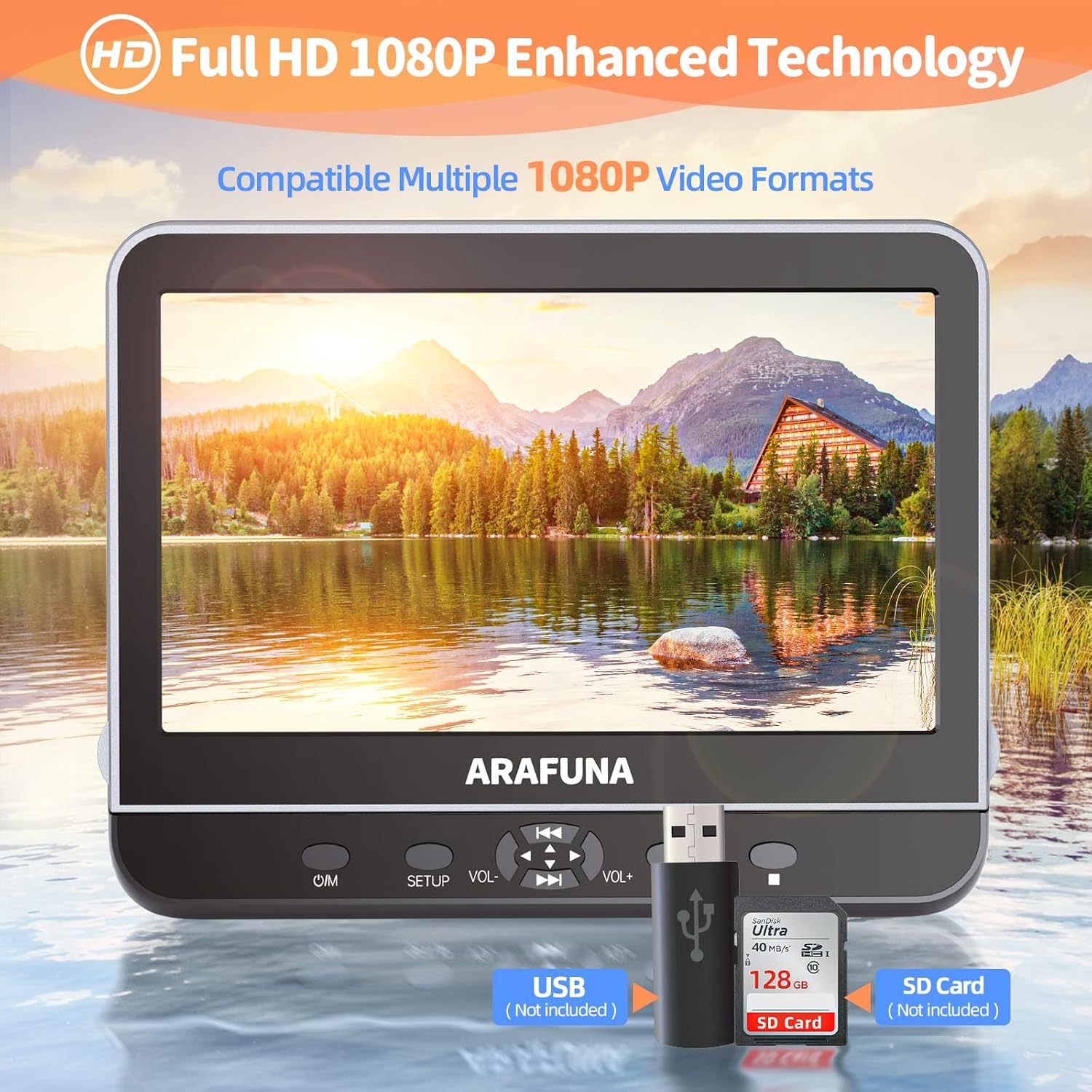
Image: Close-up of the DVD player highlighting the USB and SD card input slots for playing digital media files.
3. HDMI Input (Screen Mirroring)
Connect external devices such as mobile phones, computers, Raspberry Pi, Xbox, or Kindle Fire via an HDMI cable (not included) to mirror their screen content onto the DVD player. Ensure your device supports HDMI output.

Image: A mobile phone connected to the DVD player via an HDMI cable, demonstrating the screen mirroring capability.
4. AV In/Out Function
Use the AV Out function to connect the DVD player to a larger TV screen using the included RCA cable, allowing you to enjoy movies on a bigger display.

Image: The DVD player connected to a television, showing how to sync playback to a larger screen for family viewing.
۴. د حافظې وروستۍ دنده
The player features a last memory function, which allows playback to resume from where it was last stopped, even after the device is powered off and on again.

Image: Visual representation of the last memory function, showing the player resuming a movie from the exact point it was paused when powered off.
6. کنټرولونه
The player features intuitive controls on the front panel:
- کار/مه: د پاور آن / آف تڼۍ.
- چمتو کول: Accesses the setup menu.
- VOL +/-: د حجم کچه تنظیموي.
- پلی کول / ودرول: پلے بیک شروع کوي یا وقفه کوي.
- Skip/Fast Forward/Rewind: Navigates through tracks or fast forwards/rewinds content.
ساتنه
- پاکول: Use a soft, dry cloth to clean the screen and exterior. Do not use liquid cleaners or abrasive materials.
- د ډیسک اداره کول: تل ډیسکونه د هغوی د څنډو سره ونیسئ. ډیسکونه د دوی په بکسونو کې وساتئ ترڅو د سکریچونو او دوړو راټولیدو مخه ونیول شي.
- ذخیره کول: کله چې په کارولو کې نه وي، د ډي وي ډي پلیر په یخ او وچ ځای کې د مستقیم لمر وړانګو او سختې تودوخې څخه لرې وساتئ.
د ستونزو حل کول
- ځواک نشته: Ensure the power adapter or car charger is securely connected and the power source is active.
- No Disc Playback: Check if the disc is inserted correctly with the label side up. Ensure the disc is clean and free from scratches. Verify the disc format is supported.
- غږ نشته: Check volume levels on the player and connected headphones. Ensure AV cables are properly connected if using external speakers.
- د سکرین عکس العمل مسلې: Confirm your external device supports HDMI output and the HDMI cable is connected securely.
- ریموټ کنټرول کار نه کوي: Check battery orientation and replace batteries if necessary. Ensure there are no obstructions between the remote and the player's IR sensor.
مشخصات
| برانډ | عرفونا |
| د ماډل شمیره | 1002 |
| د سکرین اندازه | ۷۸۷ انچه |
| اصلي حل | 1920x1080 (1080P Full HD) |
| د رسنیو ډول ملاتړ شوی | CD-RW, DVD+R, DVD-R, DVD-RW, VCD, CD, DVD, CD-R/RW, DVD-R/+R, DVD+RW/-RW, SVCD |
| د ارتباط ټیکنالوژي | HDMI، USB |
| مطابقت لرونکې وسیلې | Headphone, Mobile Phone, Projector, Speaker |
| د USB/SD کارت ملاتړ | Max 128GB (FAT32), 1920*1080 pixels |
| د ویډیو فارمیټونو ملاتړ شوی | MPEG/MPG/TS/TRP/VOB/FLV/RMVB/MP4/AVI/MOV/MKV/ASF/WMV |
د محصول رسمي ویډیو
Video: An official product video from Arafuna demonstrating the features of the DVD player, including dual screens and headphone compatibility.
تضمین او ملاتړ
Your Arafuna DVD player comes with a 1-year warranty. For technical support, warranty claims, or any questions regarding your product, please refer to the contact information provided in your Quick Start Guide or visit the official Arafuna webسایټ