
1. پیژندنه
Thank you for choosing the Jesebang S75 Wireless Sport Earbuds. These earbuds are designed to provide a high-quality audio experience with features tailored for active lifestyles. This manual will guide you through the setup, operation, and maintenance of your new earbuds.
په بکس کې څه دي:
- S75 Wireless Earbuds (x2)
- د بې سیم چارج قضیه
- د USB-C چارج کیبل
- د کارن لارښود
- Eartips (3 sizes: S, M, L)

Image: Contents of the Jesebang S75 package.
2. محصول ختم شوview
The Jesebang S75 earbuds feature advanced technology for superior sound and user convenience.
کلیدي ځانګړتیاوې:
- بلوتوث 5.4: Ensures stable, fast, and low-latency wireless connection up to 15 meters.
- د 14.2mm متحرک چلوونکي: Delivers powerful stereo sound with deep bass, clear mids, and bright highs.
- ENC Noise-Canceling Mic: Reduces up to 80% of background noise for clear calls.
- IPX7 پنروک درجه: Protects against sweat and water splashes, ideal for workouts.
- د ارګونومیک غوږ هکونه: Provides a secure and comfortable fit, preventing slippage during intense activities.
- د لوبې ټول وخت ۵۰ ساعته: 10 hours on a single charge, with an additional 40 hours from the charging case.
- دوه ګونی LED ډیجیټل ښودنه: Shows battery levels for both the charging case and individual earbuds.
- د سمارټ ټچ کنټرولونه: د موسیقۍ، زنګونو او غږ معاون اسانه مدیریت.
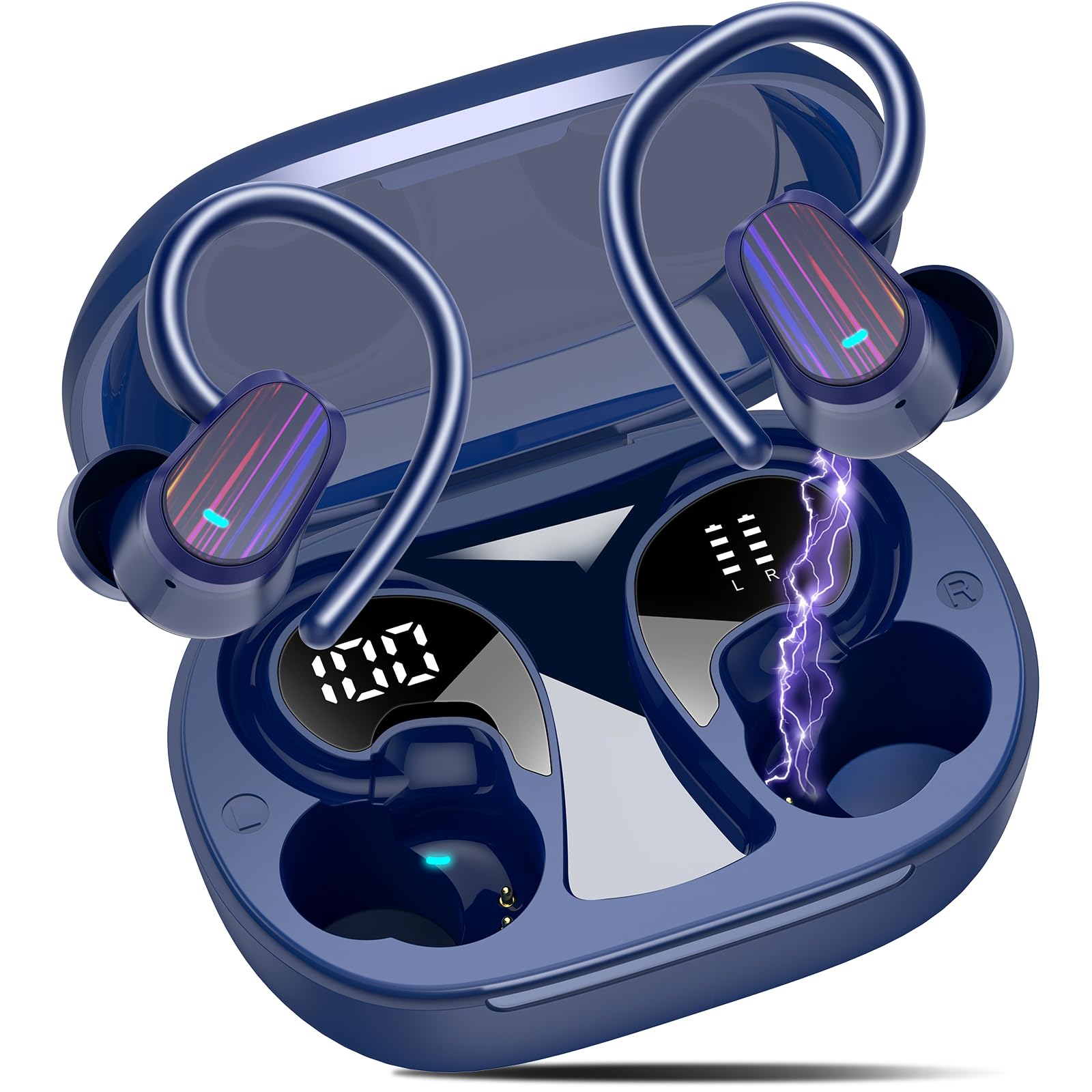
Image: Jesebang S75 Wireless Sport Earbuds and charging case.

Image: Internal structure highlighting the 14.2mm dynamic speaker for powerful stereo sound.

Image: ENC noise reduction technology for clear calls.
3. ترتیب کول
۴.۱ د ایربډز او کیس چارج کول
د لومړي ځل کارولو دمخه، د غوږ بډونه او د چارج کولو قضیه په بشپړه توګه چارج کړئ.
- Connect the provided USB-C charging cable to the charging port on the back of the case.
- د کیبل بل پای د USB بریښنا اډاپټر (شامل نه دی) یا د کمپیوټر USB پورټ سره وصل کړئ.
- د چارج کولو په قضیه کې د LED ډیجیټل ښودنه به د بیټرۍ سلنه وښييtage of the case and individual earbuds. Ensure both earbuds and the case are fully charged (100%) before initial use.

Image: Charging the earbuds and case with LED display.
۴.۲ ستاسو د وسیلې سره جوړه کول
The earbuds use Bluetooth 5.4 for a seamless connection.
- د لومړي ځل لپاره جوړه: د چارج کولو قضیه پرانیزئ. د غوږ بډونه به په اتوماتيک ډول د جوړې کولو حالت ته ننوځي.
- On your device (smartphone, tablet, computer), go to Bluetooth settings and turn on Bluetooth.
- Look for "S75" in the list of available devices and select it to connect.
- Once paired, the earbuds will automatically reconnect to the last paired device when you open the charging case.

Image: One-step auto pairing process.

Image: Bluetooth 5.4 Technology.
4. عملیات
۵.۱ د غوږۍ غوږوالۍ اغوستل
The S75 earbuds are designed with soft and elastic earhooks for a secure and comfortable fit.
- Choose the correct size eartips (S, M, L) for the best fit and sound quality.
- د غوږ بډ د غوږ په کانال کې ځای په ځای کړئ.
- Gently adjust the earhook over your ear until it feels secure and comfortable.

Image: Comfortable design with IPX7 waterproof rating and flexible earhooks.

Image: Instructions for easy and stable wearing of the earbuds.
۵.۱ سمارټ ټچ کنټرولونه
The earbuds feature highly sensitive touch sensors for easy control.
- پلی کول / ودرول: Single tap on either earbud (L/R).
- زنګونو ته ځواب ورکړئ: Short tap on either earbud (L/R).
- تلیفونونه بند کړئ: Long tap on either earbud (L/R).
- حجم پورته کول: Single tap on the Right earbud.
- کموالی: Single tap on the Left earbud.
- بله لار: Long tap (2s) on the Right earbud.
- مخکینی لار Long tap (2s) on the Left earbud.
- د غږ همکار فعاله کړئ: Triple click on either earbud (L/R).

Image: Smart touch control functions.
5. ساتنه
مناسب ساتنه ستاسو د غوږونو اوږد عمر او غوره فعالیت تضمینوي.
5.1 پاکول
- Regularly clean the eartips with a soft, dry cloth.
- Wipe the earbuds and charging case with a slightly damp ټوټه ، بیا ښه وچ کړئ.
- د سختو کیمیاوي موادو یا خړوبولو موادو کارولو څخه ډډه وکړئ.
5.2 ذخیره کول
- اییربډونه د چارج کولو په قضیه کې ذخیره کړئ کله چې کارول نه وي ترڅو د دوی ساتنه وکړي او چارج یې وساتي.
- د غوږ بډونه او بکس په یخ او وچ ځای کې وساتئ، د سختې تودوخې او مستقیم لمر وړانګو څخه لرې.

Image: IPX7 Waterproof design for daily use.
6. ستونزه حل کول
که تاسو له کومې ستونزې سره مخ شئ، مهرباني وکړئ لاندې عام حلونو ته مراجعه وکړئ:
۵.۱ د غوږونو نه جوړېدل
- ډاډ ترلاسه کړئ چې د غوږ بډونه چارج شوي دي.
- ډاډ ترلاسه کړئ چې ستاسو په وسیله بلوتوټ فعال شوی.
- د غوږ بډونه بیرته په کیس کې کېږدئ، پوښ وتړئ، څو ثانیې انتظار وکړئ، بیا یې بیا خلاص کړئ ترڅو د جوړې حالت ته بیا ننوځئ.
- Forget the device "S75" from your device's Bluetooth list and try pairing again.
۵.۲ غږ نشته یا ټیټ غږ
- په خپل وسیله او ایربډ دواړو کې د غږ کچه وګورئ.
- Ensure the earbuds are properly seated in your ears and the eartips provide a good seal.
- غوږوالۍ خپل وسیله سره وصل کړئ.
6.3 د چارج کولو مسلې
- ډاډ ترلاسه کړئ چې د چارج کولو کیبل په خوندي ډول د قضیې او بریښنا سرچینې دواړو سره وصل دی.
- یو بل USB-C کیبل یا د بریښنا اډاپټر هڅه وکړئ.
- ډاډ ترلاسه کړئ چې د غوږونو او د قضیې دننه د چارج کولو تماسونه پاک او له کثافاتو څخه پاک دي.
7. مشخصات
| فیچر | تفصیل |
|---|---|
| د ماډل نوم | S75 |
| بلوتوث نسخه | 5.4 |
| د بلوتوټ رینج | 15 متره |
| د آډیو ډرایور اندازه | 14.2 ملی متره |
| د شور کنټرول | ENC Noise Canceling Mic |
| د اوبو د مقاومت کچه | IPX7 واټر پروف |
| د بیټرۍ ژوند (ایربډونه) | تر 10 ساعتونو پورې |
| د لوبې ټول وخت (د قضیې سره) | تر 50 ساعتونو پورې |
| د چارج کولو انٹرفیس | USB-C |
| د غوږ ځای پرځای کول | په غوږ کې |
| مواد | ربړ، سیلیکون |
| د توکي وزن | 3.84 اونس |
8. د خوندیتوب معلومات
Please read and follow these safety guidelines to prevent damage to your device or injury to yourself.
- د غوږ بډونه یا د چارج کولو قضیه مه جلا کوئ یا یې مه بدلوئ.
- وسیله د سختې تودوخې، مستقیم لمر وړانګو او خلاصو اورونو څخه لرې وساتئ.
- Avoid exposing the device to excessive moisture, although it is IPX7 waterproof, prolonged submersion is not recommended.
- د چارج کولو لپاره یوازې چمتو شوی چارجینګ کیبل یا تصدیق شوی USB-C کیبل وکاروئ.
- Do not use the earbuds at excessively high volumes for extended periods to prevent hearing damage.
- د ماشومانو او څارویو د لاسرسي څخه لرې وساتئ.
9. تضمین او ملاتړ
Specific warranty details are not provided in this manual. For warranty information, technical support, or customer service, please refer to the product packaging or contact Jesebang customer support directly through their official webسایټ یا پرچون پلورونکی چیرې چې محصول اخیستل شوی و.
۱۱. د محصول ویډیو
ویډیو: یو اوورview of the Jesebang Wireless Earbuds, highlighting their sports features and Bluetooth connectivity.