
پیژندنه
This manual provides instructions for the setup, operation, maintenance, and troubleshooting of your ATTACK SHARK V5 Wireless Gaming Mouse. Please read this manual carefully before using the product to ensure optimal performance and longevity.

Image: The ATTACK SHARK V5 Wireless Gaming Mouse, highlighting its 8000Hz wireless polling rate capability.
چمتو کول
د بسته محتويات
- ATTACK SHARK V5 Wireless Gaming Mouse
- د USB رسیور (2.4GHz)
- د USB-C چارج کول/ډیټا کیبل
- د کارن لارښود
د ارتباط طریقې
The ATTACK SHARK V5 mouse supports three connectivity modes: Wired, 2.4GHz Wireless, and Bluetooth.
- 2.4GHz بې سیم حالت: Insert the USB receiver into an available USB port on your computer. The mouse will automatically connect. The transparent LED lighting on the receiver indicates connection status.
- بلوتوث موډ: Switch the mouse to Bluetooth mode. On your computer or device, search for Bluetooth devices and select "ATTACK SHARK V5" to pair.
- د بریښنا حالت: Connect the mouse to your computer using the provided USB-C cable. This mode also charges the mouse.

Image: The ATTACK SHARK V5 mouse connected via its USB-C cable and showing the 2.4GHz wireless receiver, illustrating its triple-mode connectivity.
د ډرایور نصب کول
The mouse supports cloud-driven technology, which automatically identifies devices upon connection. For advanced customization, independent driver software is available for download from the official ATTACK SHARK website. This software allows for optimization of response speed, accuracy, and programmable features.
عملیاتي لارښوونې
د DPI تعدیل
The PixArt 3950MAX sensor offers a DPI range of up to 42,000. DPI settings can be adjusted in precise 50 DPI increments using the dedicated driver software. The mouse typically has a DPI button for on-the-fly adjustments through preset levels.
د رای ورکولو کچه
The mouse features an 8000Hz polling rate in wireless mode and a 1000Hz polling rate in wired mode. This high polling rate ensures rapid and responsive cursor movement.
د پروګرام وړ تڼۍ او میکرو
The ATTACK SHARK V5 has 6 buttons. Utilize the downloadable software to customize button functions, create macros, and adjust other settings such as DPI speed and lighting effects. This software provides a comprehensive interface for personalizing your mouse experience.
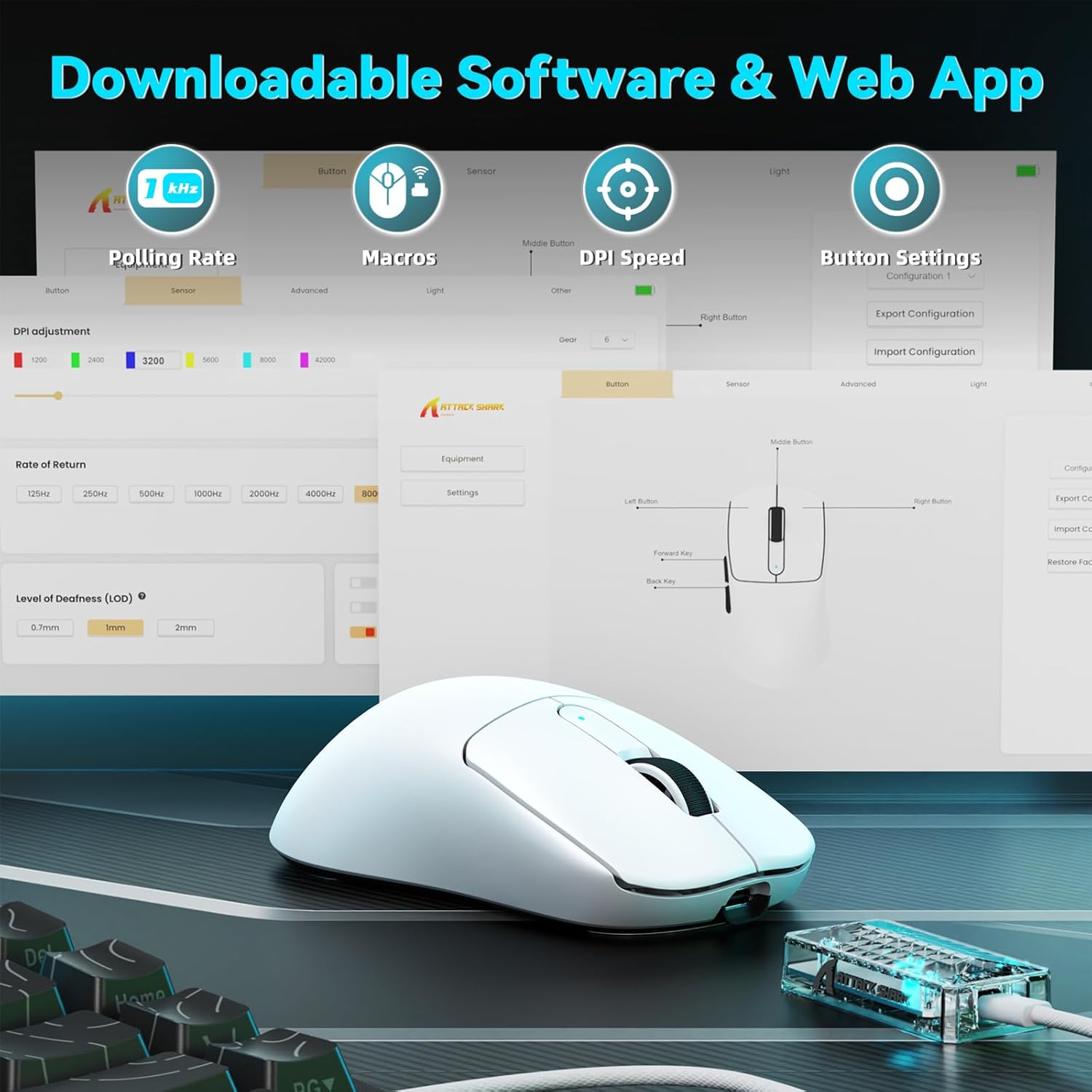
Image: A visual representation of the downloadable software interface, showing options for polling rate, macros, DPI speed, and button settings.
د بیټرۍ مدیریت
The mouse is equipped with a 500mAh battery, providing extended usage. To charge, connect the mouse using the USB-C cable. The LED indicator on the mouse will show charging status.

انځور: یو داخلي view of the ATTACK SHARK V5 mouse, highlighting its high-capacity 500mAh battery.
ساتنه
پاکول
د غوره فعالیت او ظاهري ساتلو لپاره، په منظم ډول خپل موږک پاک کړئ. د سطحې پاکولو لپاره نرم، وچ ټوکر وکاروئ. د سختې خاورې لپاره، یو څه damp ټوکر کارول کیدی شي، ډاډ ترلاسه شي چې رطوبت داخلي برخو ته ننوځي. د سختو کیمیاوي موادو یا خړوبونکو موادو څخه ډډه وکړئ.
Nano Ice-Sense Coating
The mouse features a nano ice-sense coating designed to prevent slippage and ensure a firm grip, even during extended use or with sweaty hands. This coating requires no special maintenance beyond regular cleaning.
د ستونزو حل کول
موږک ځواب نه ورکوي
- ارتباط چیک کړئ: Ensure the USB receiver is properly inserted for 2.4GHz mode, or that the USB-C cable is securely connected for wired mode. For Bluetooth, verify the mouse is paired and selected in your device's Bluetooth settings.
- د بیټرۍ کچه: If in wireless mode, check the mouse's battery level. Connect the USB-C cable to charge if the battery is low.
- بیا پیل کول: خپل کمپیوټر یا وسیله بیا پیلولو هڅه وکړئ.
- چلوونکی: Ensure the necessary drivers are installed and up to date.
Inconsistent Tracking or Lag
- سطحه: Use the mouse on a clean, uniform surface. Avoid highly reflective or transparent surfaces.
- لاسوهنه: For wireless modes, ensure there are no strong sources of wireless interference nearby (e.g., other 2.4GHz devices, Wi-Fi routers).
- د DPI ترتیبات: Adjust DPI settings via the software to find a comfortable and stable tracking speed.
مشخصات
| فیچر | تفصیل |
|---|---|
| برانډ | په شارک برید وکړئ |
| ماډل | V5 |
| رنګ | سپین |
| ارتباط | Wired (USB-C), 2.4GHz Wireless, Bluetooth |
| سینسر | PixArt 3950MAX |
| د DPI حد | Up to 42,000 (50 DPI adjustable) |
| د بې سیم رای ورکولو نرخ | 8000Hz |
| د تار له لارې د رای ورکولو کچه | 1000Hz |
| وزن | تقریبا 55 ګرامه |
| سویچونه | Optical, 100 million click lifespan |
| سرعت | 60G |
| کوډ کوونکی | Richwell's 200W |
| د بیټرۍ ظرفیت | 500mAh |
| د تڼیو شمیر | 6 |
| د لاس لارښوونه | سمه ده |
| مطابقت لرونکي عملیاتي سیسټمونه | Windows, macOS, Linux (e.g., Mac OS 14 Sonoma, Ubuntu 22.04 Jammy Jellyfish, Windows 11) |
| د بیسیم رینج | 10 متره |
| مواد | پلاستیک |
| UPC | 752010843312 |
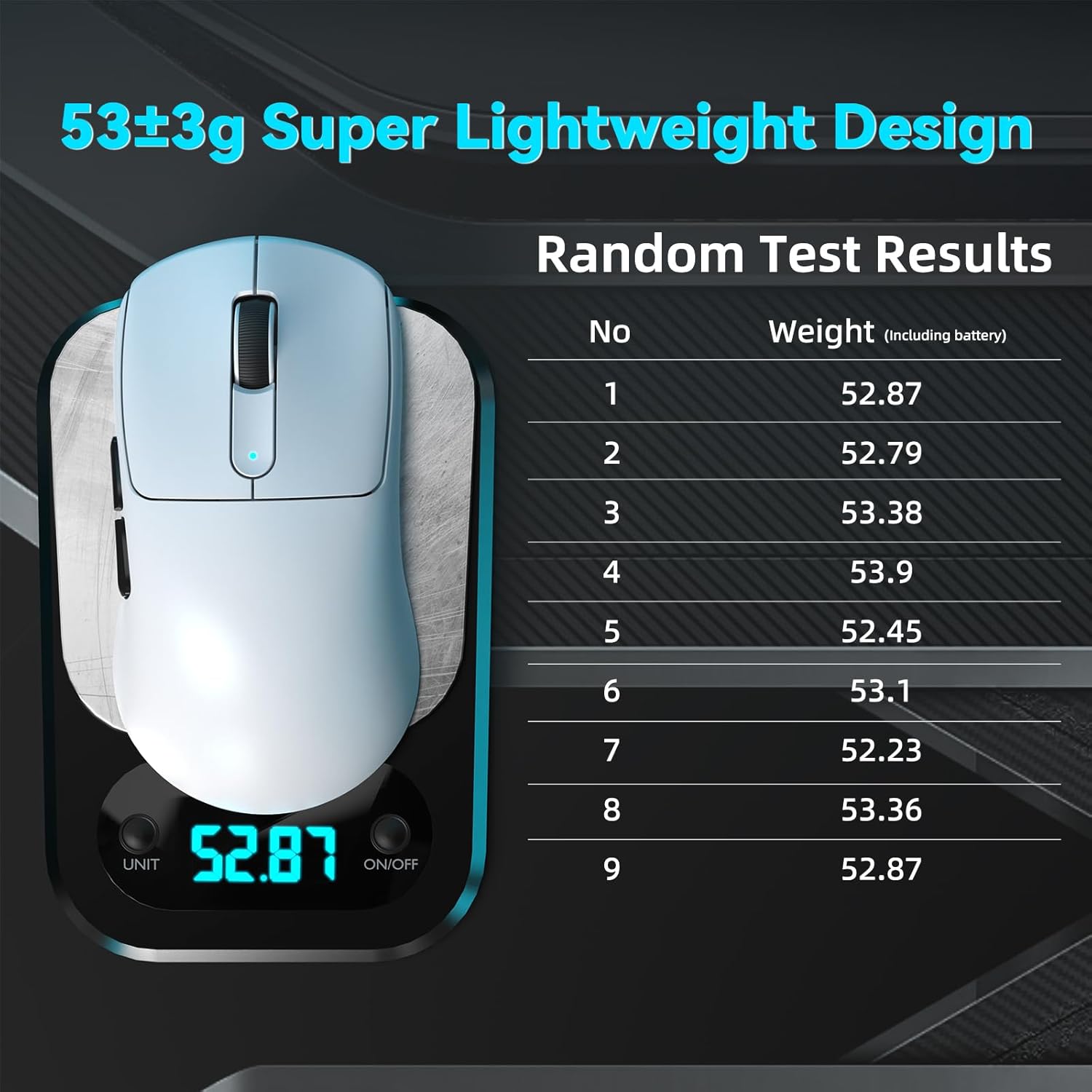
Image: The ATTACK SHARK V5 mouse on a digital scale, demonstrating its ultra-lightweight design at approximately 53 grams.

انځور: یو مفصل view of the Omron Optical Microswitch used in the ATTACK SHARK V5 mouse, known for its durability and precise clicks.
تضمین او ملاتړ
د تضمین معلومات
The ATTACK SHARK V5 Wireless Gaming Mouse comes with a د جوړونکي 1 کلن تضمین. دا تضمین د عادي استعمال لاندې موادو او کاریګرۍ نیمګړتیاوې پوښي. مهرباني وکړئ د تضمین ادعاوو لپاره د پیرود ثبوت وساتئ.
د پیرودونکي ملاتړ
For technical assistance, troubleshooting, or warranty inquiries, please visit the official ATTACK SHARK website or contact their customer support directly. Refer to the product packaging or the official webد اړیکو د تازه معلوماتو لپاره سایټ.