
پیژندنه
This manual provides instructions for the Zebronics CSH501 2.5" SSD/HDD Enclosure. This device allows you to connect a 2.5-inch SATA Solid State Drive (SSD) or Hard Disk Drive (HDD) to your computer via a USB Type-C 3.1 Gen 1 interface, enabling high-speed data transfer and portable storage solutions. It supports up to 6TB of storage capacity and features a tool-free slide design for easy installation.
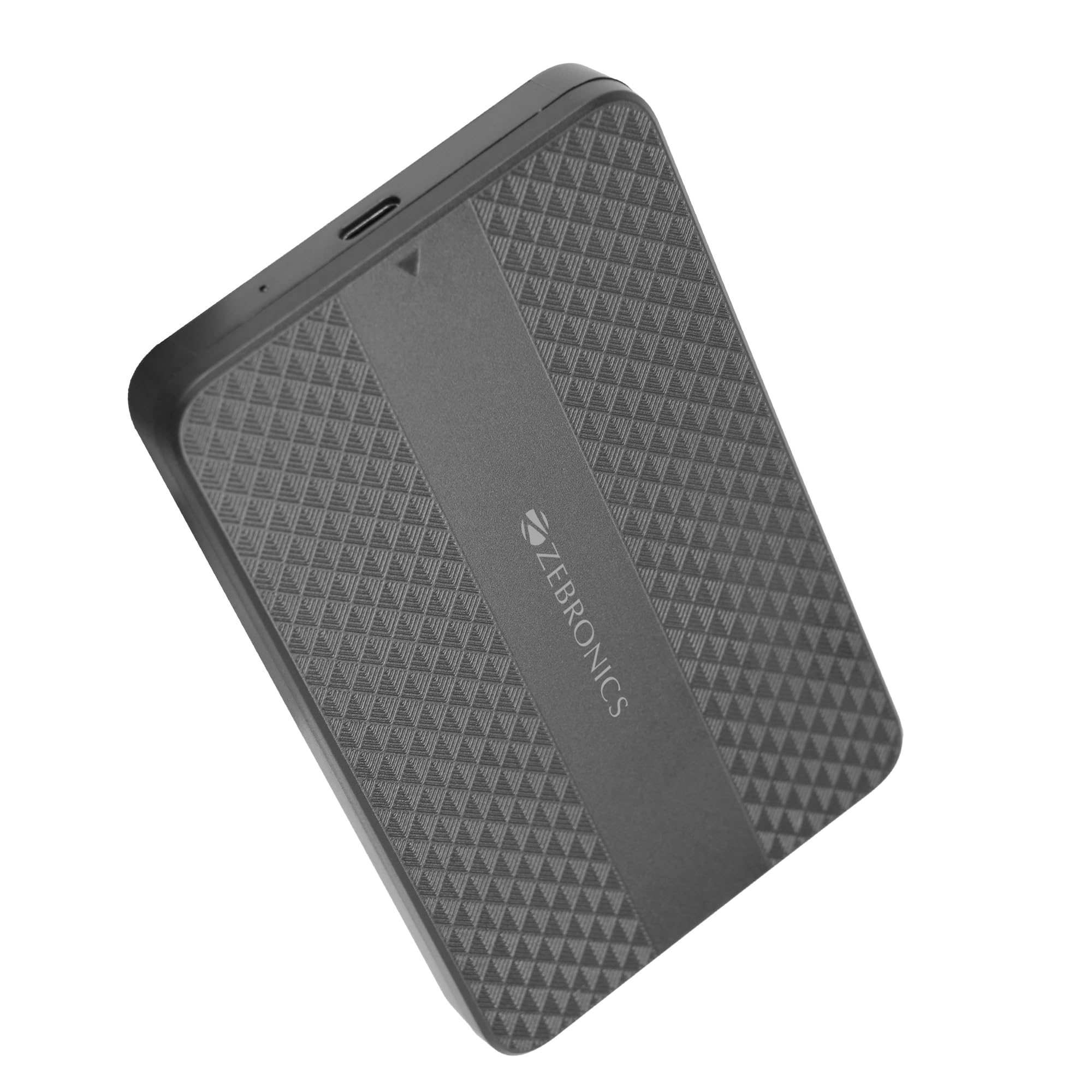
Image: The Zebronics CSH501 2.5 inch SSD/HDD Enclosure, a compact black device with a textured surface and Zebronics branding.
د بسته محتويات
ډاډ ترلاسه کړئ چې ټول توکي په کڅوړه کې شتون لري:
- 1 x 2.5" SATA SSD Enclosure (CSH501)
- 1 x فوم پیډ
- 1 x USB to Micro B Cable
مشخصات
| فیچر | تفصیل |
|---|---|
| ماډل | CSH501 |
| مطابقت لرونکي ډرایوونه | 2.5-inch SATA SSD/HDD |
| اعظمي. د ذخیره کولو ظرفیت | 6 TB |
| انٹرفیس | د USB ډول-C 3.1 Gen 1 |
| د معلوماتو د لیږد کچه | تر 5 Gbps پورې |
| مواد | پلاستیک |
| ابعاد (L x W x H) | 13L x 8W x 1.3H سانتي متره |
| وزن | 60 ګرامه |
| د OS ملاتړ | وینډوز، ماک، لینوکس |
تنظیم او نصب کول
The CSH501 enclosure features a tool-free slide design for quick and easy installation of your 2.5-inch SATA SSD or HDD.
- Step 1: Open the Enclosure
Gently slide the back cover of the enclosure to open it. - Step 2: Insert the Drive
Carefully insert your 2.5-inch SATA SSD or HDD into the enclosure, ensuring it connects securely to the internal SATA connector. You may use the provided foam pad to secure thinner drives. Close the cover by sliding it back until it clicks into place. - 3 ګام: کمپیوټر سره وصل کړئ
Connect the enclosure to your computer using the provided USB to Micro B cable. The enclosure is plug-and-play, requiring no additional drivers for most operating systems.

Image: A three-step visual guide demonstrating the tool-free slide setup: 1. Slide back to open the cover. 2. Insert the drive and close the cover. 3. Connect to the computer for plug & play operation.
عملیاتي لارښوونې
Once connected, the enclosure will be recognized by your operating system as an external storage device. You can then access, transfer, and manage files as you would with any other external drive.
- د معلوماتو لیږد: The USB 3.1 Gen 1 interface supports data transfer speeds up to 5 Gbps. Actual speeds may vary based on the connected drive, computer's USB port, and file ډولونه
- د عملیاتي سیسټم مطابقت: The enclosure is compatible with Windows, Mac, and Linux operating systems.
- ځواک: The enclosure is bus-powered via the USB connection, eliminating the need for an external power adapter.

Image: The Zebronics CSH501 enclosure connected to a laptop via its USB cable, illustrating its capability for data transfer speeds up to 5Gbps.

Image: The Zebronics CSH501 enclosure connected to a laptop, with text highlighting its compatibility across Windows, Mac, and Linux operating systems.
ساتنه
To ensure the longevity and optimal performance of your Zebronics CSH501 enclosure:
- وسیله پاکه او له دوړو څخه پاکه وساتئ. د پاکولو لپاره نرم، وچ ټوکر وکاروئ.
- د احاطې د سختې تودوخې، رطوبت یا مستقیم لمر وړانګو سره د مخ کیدو څخه ډډه وکړئ.
- وسیله د قوي تاثیراتو سره مه پریږدئ یا موضوع مه کوئ.
- Always safely eject the drive from your operating system before disconnecting the enclosure to prevent data corruption.
د ستونزو حل کول
If you encounter issues with your enclosure, refer to the following common solutions:
- ډرایو ونه موندل شو:
- Ensure the drive is properly seated within the enclosure and the cover is closed securely.
- هڅه وکړئ چې دا بند په خپل کمپیوټر کې بل USB پورټ سره وصل کړئ.
- د یو بل USB کیبل سره ازموینه وکړئ.
- ډاډ ترلاسه کړئ چې ډرایو پخپله فعال دی د دې په بل بند کې د ازموینې له لارې یا که امکان ولري په مستقیم ډول یې کمپیوټر سره وصل کړئ.
- For new drives, ensure they are initialized and formatted in your operating system's Disk Management (Windows) or Disk Utility (Mac).
- د لیږد ورو سرعت:
- Ensure the enclosure is connected to a USB 3.0/3.1 port on your computer. Connecting to a USB 2.0 port will result in slower speeds.
- The performance of the installed SSD/HDD also affects transfer speeds.
- لوی file transfers are generally faster than many small file لیږدونه
- احاطه ګرمېږي:
It is normal for the enclosure to become warm during extended use, especially during large data transfers, as heat is dissipated from the internal drive. Ensure adequate airflow around the device.
تضمین او ملاتړ
The Zebronics CSH501 enclosure comes with a 1 Year Carry-In Warranty to the service center. For warranty claims or technical support, please contact Zebronics customer service.
د جوړونکي د اړیکو معلومات:
زیبرونیکس انډیا پرائیویټ لمیټډ
نمبر ۱۳/۷، سمیټ روډ، رویاپیټا، چینای - ۶۰۰۰۰۲
For further assistance, visit the official Zebronics webسایټ ته مراجعه وکړئ یا د دوی د ملاتړ چینلونو سره اړیکه ونیسئ.