
1. پیژندنه
This manual provides instructions for the assembly, operation, and maintenance of your HOOBRO BF102UBZ01-FG05RS01 Narrow Side Table. This versatile furniture piece features a built-in charging station, multiple storage shelves, and a compact design suitable for various living spaces.

Image: The HOOBRO narrow side table with charging station, showcasing its compact design and functionality in a living room setting.
2. د خوندیتوب لارښوونې
- د راټولولو او کارولو دمخه ټولې لارښوونې په دقت سره ولولئ.
- ټولې کوچنۍ برخې او د بسته بندۍ توکي د ماشومانو او څارویو څخه لرې وساتئ ترڅو د ساه بندیدو خطرونو مخه ونیول شي.
- Ensure the product is assembled on a soft, clean surface to prevent scratches.
- Do not overload the shelves. Refer to the specifications for weight limits (if available).
- Place the table on a level and stable surface to prevent tipping.
- For the charging station, ensure the power cord is not pinched or damaged. Plug into a properly grounded electrical outlet.
- Do not expose the charging station to moisture or liquids.
3. د بسته محتويات
د اسمبلۍ پیل کولو دمخه، ډاډ ترلاسه کړئ چې لاندې لیست شوي ټولې برخې شتون لري او زیانمنې شوې نه دي. که کومه برخه ورکه یا زیانمنه شوې وي، مهرباني وکړئ د پیرودونکي ملاتړ سره اړیکه ونیسئ.
- Wooden Shelves (Top, Middle)
- د فلزي چوکاټ اجزا
- L-shaped Mesh Rack
- Power Strip with 1 AC Outlet and 2 USB Ports
- د اسمبلۍ هارډویر (پیچونه، بولټونه، د ایلن رنچ)
- د لارښوونې لارښود
4. تنظیم او مجلس
The assembly process for this side table is designed to be straightforward. Each part is numbered for easy identification. Follow the included clear instruction manual step-by-step.
- اجزا خلاص کړئ: Carefully remove all parts from the packaging and lay them out on a clean, soft surface.
- د برخو پیژندنه: Match each component to the corresponding number in the assembly diagram.
- د چوکاټ راټولول: Connect the metal frame components using the provided hardware. Do not fully tighten screws until all parts are loosely assembled.
- المارۍ ضمیمه کړئ: Secure the wooden shelves and the L-shaped mesh rack to the frame.
- د بریښنا پټه نصب کړئ: Mount the power strip to the designated area on the table frame.
- وروستی کلکوالی: Once all parts are in place, securely tighten all screws and bolts.
- ځای په ځای کول: Position the assembled table in its desired location, ensuring it is stable.
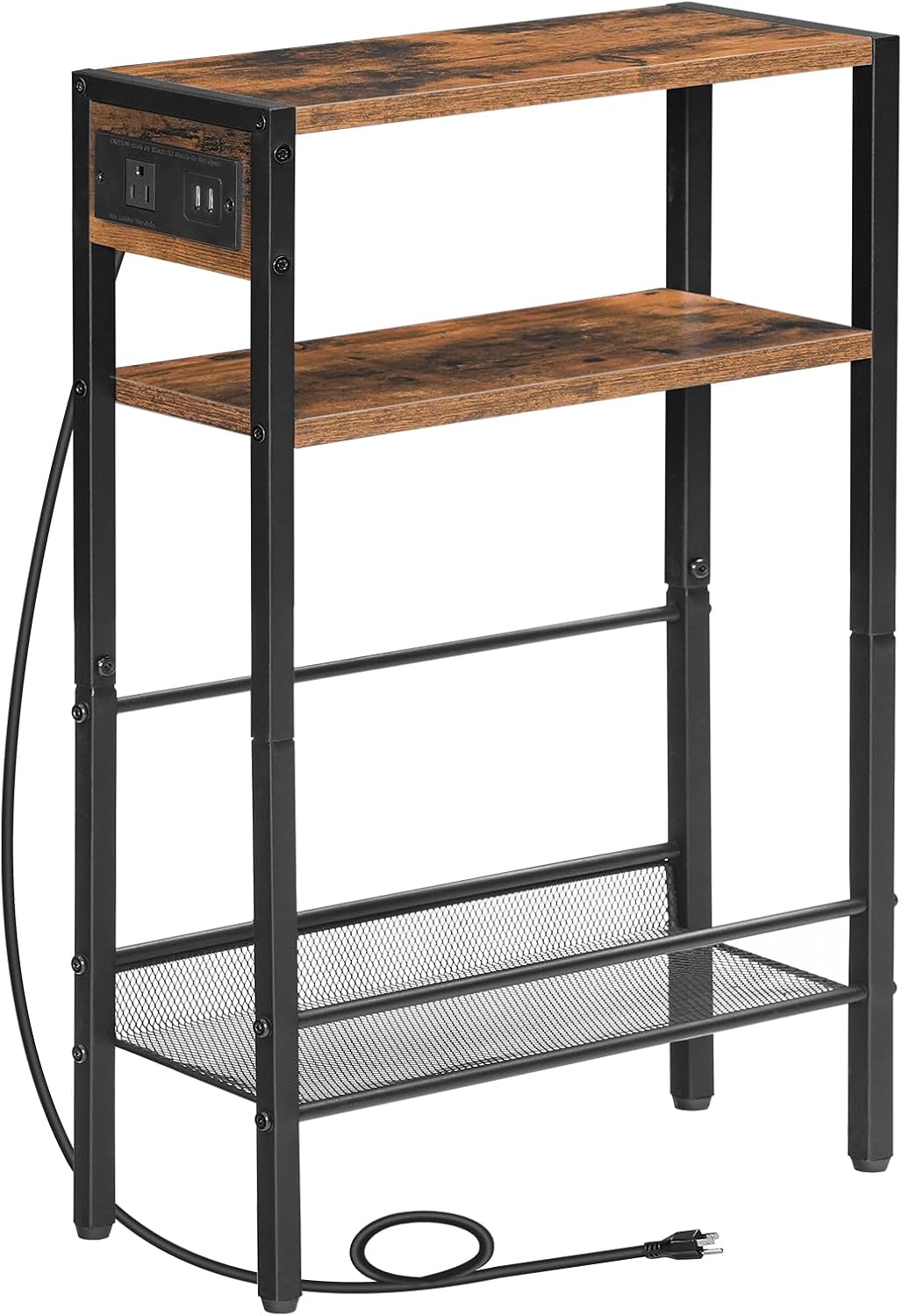
انځور: یو مفصل view of the side table's structure, highlighting the integrated charging station and shelf design.
5. عملیاتي لارښوونې
5.1 د چارج کولو سټیشن
The side table is equipped with a convenient power strip featuring 1 AC outlet and 2 USB ports.
- د بریښنا پیوستون: Plug the table's power cord into a standard wall outlet.
- د AC بهر: Use the AC outlet to power devices such as lamps، لپټاپونه، یا نور برقي وسایل.
- USB پورټونه: خپل سمارټ فونونه، ټابلیټونه، یا نور USB چلونکي وسایل د چارج کولو لپاره د USB پورټونو سره وصل کړئ.
۵.۱ د ذخیره کولو کارول
The table offers multiple storage options to help organize your items.
- پورته الماری: Ideal for placing a record player, a lamp, drinks, or decorative items.
- Middle Wooden Shelf: Suitable for commonly used items like remote controls, glasses, or small books.
- Bottom L-shaped Mesh Rack: Designed with side rails, this rack is perfect for storing magazines, larger books, or vinyl records.
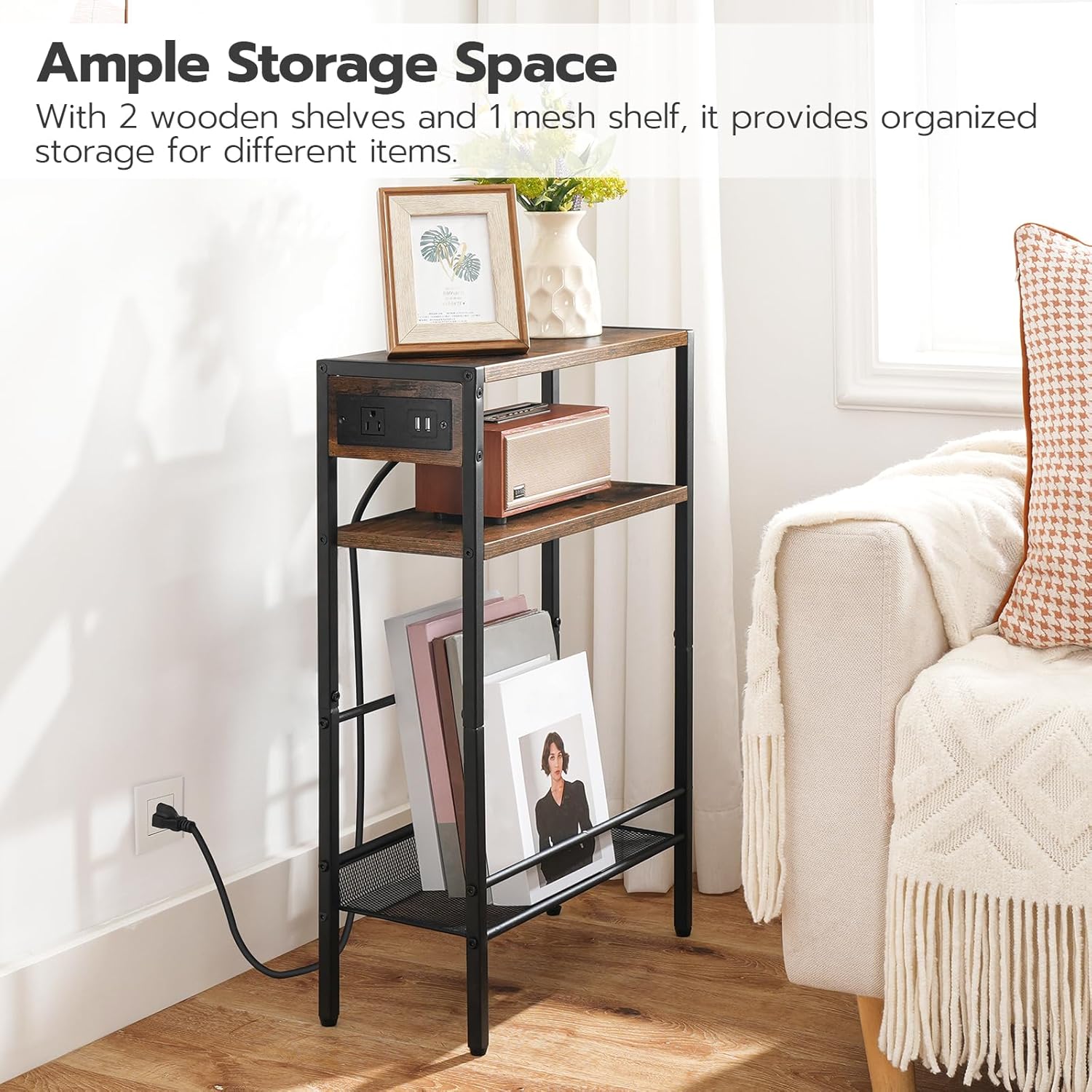
Image: The side table demonstrating its ample storage capacity with various items neatly organized on its shelves.
6. ساتنه
- پاکول: د میز سطحې د نرم، ډ سره پاک کړئamp ټوکر. د سختو کیمیاوي موادو یا خړوبونکي پاکوونکو کارولو څخه ډډه وکړئ، کوم چې کولی شي پای ته زیان ورسوي.
- خړوبول: Regularly dust the table to prevent buildup.
- بریښنایی خوندیتوب: Periodically inspect the power cord and charging station for any signs of wear or damage. Discontinue use if damage is found and contact customer support.
- ثبات چک: Occasionally check all screws and bolts to ensure they remain tight. Retighten if necessary to maintain stability.
7. ستونزه حل کول
- د چارج کولو سټیشن کار نه کوي:
- Ensure the table's power cord is securely plugged into a functional wall outlet.
- وګورئ چې ایا د دیوال آوټ لیټ پخپله بریښنا ترلاسه کوي (د بل وسیلې سره ازموینه وکړئ).
- Verify that the devices you are trying to charge are properly connected to the AC outlet or USB ports.
- جدول بې ثباته/ټپ شوی دی:
- ډاډ ترلاسه کړئ چې ټول اسمبلۍ پیچونه او بولټونه په بشپړ ډول ټینګ شوي دي.
- Check if the table is placed on an even surface. Adjust if necessary.
- ورکې یا زیانمنې برخې:
- If you discover any missing or damaged parts during unpacking or assembly, do not proceed with assembly. Contact HOOBRO customer support immediately for assistance.
8. مشخصات
| د ماډل شمیره | BF102UBZ01-FG05RS01 |
| ټولیز ابعاد | ۵.۴"L x ۵.۴"W x ۲.۸"H (۱۳.۷ سانتي متره L x ۱۳.۷ سانتي متره W x ۷.۱ سانتي متره H) |
| چارج سټیشن | 1 AC Outlet, 2 USB Ports |
| مواد | انجنیر شوی لرګی، فلزي چوکاټ |

Image: Detailed dimensions of the side table, including length, width, and height measurements.
9. تضمین او ملاتړ
For warranty information, product support, or to report missing/damaged parts, please contact HOOBRO customer service through the retailer's platform or the official HOOBRO website. Please have your model number (BF102UBZ01-FG05RS01) and purchase details ready when contacting support.