
پیژندنه
Thank you for choosing the SABLUTE KC15 Wireless Ergonomic Keyboard and Mouse Combo. This manual provides detailed instructions for setting up, operating, and maintaining your new peripheral set. Designed for comfort and efficiency, this combo features ergonomic wave keys, a cushioned palm rest, and silent operation, compatible with multiple operating systems.
د بسته محتويات
- 1 x SABLUTE Wireless Ergonomic Keyboard
- 1 x SABLUTE Wireless Mouse
- 1 x 2.4G USB رسیدونکی
- 1 x USB-C ته USB-A اډاپټر ته
- 1 x د کارونکي لارښود
د تنظیم کولو لارښوونې
۵.۱. د وسایلو ځواک ورکول
- The keyboard and mouse require 2 AA batteries each (not included). Open the battery compartments on the underside of both the keyboard and mouse and insert the batteries, ensuring correct polarity.
- Locate the ON/OFF switch on the underside of both the keyboard and mouse. Switch them to the 'ON' position.

شکل 1: Location of ON/OFF switch and battery compartment.
2. د رسیدونکي سره نښلول
- Locate the 2.4G USB receiver, typically stored within the mouse's battery compartment.
- د USB ریسیور په خپل کمپیوټر کې موجود USB-A پورټ کې ولګوئ.
- If your computer only has USB-C ports, use the provided USB-C to USB-A adapter. Connect the USB receiver to the USB-A end of the adapter, then plug the USB-C end into your computer's USB-C port.
- The keyboard and mouse are plug-and-play and should connect automatically.

شکل 2: USB-A receiver and USB-C adapter for versatile connectivity.
عملیاتي لارښوونې
1. Ergonomic Design and Comfort
- The keyboard features an ergonomic wave design that promotes a natural and relaxed typing posture, reducing wrist strain.
- An integrated cushioned palm rest provides additional support and comfort during extended use.
- Adjustable leg stands on the keyboard allow you to modify the typing angle for personalized comfort.

شکل 3: Ergonomic wave keyboard with palm rest for comfortable typing.

شکل 4: تفصيلي view of the cushioned palm rest construction.
2. Quiet Typing and Clicking
- The keyboard keys are designed for quiet operation, minimizing typing noise.
- The mouse features silent micro-switches, reducing click noise by up to 95%.
3. Hotkeys and Mouse Functions
- The keyboard includes standard F1-F12 shortcut hotkeys and 8 additional one-touch hotkeys for quick access to common functions.
- The mouse is a 6-button design with 3-level adjustable tracking speed (DPI) and dedicated forward/backward buttons for enhanced navigation.
شکل 5: Features of the ergonomic 7-button mouse.
۳.۳. د څو عملیاتي سیسټمونو مطابقت
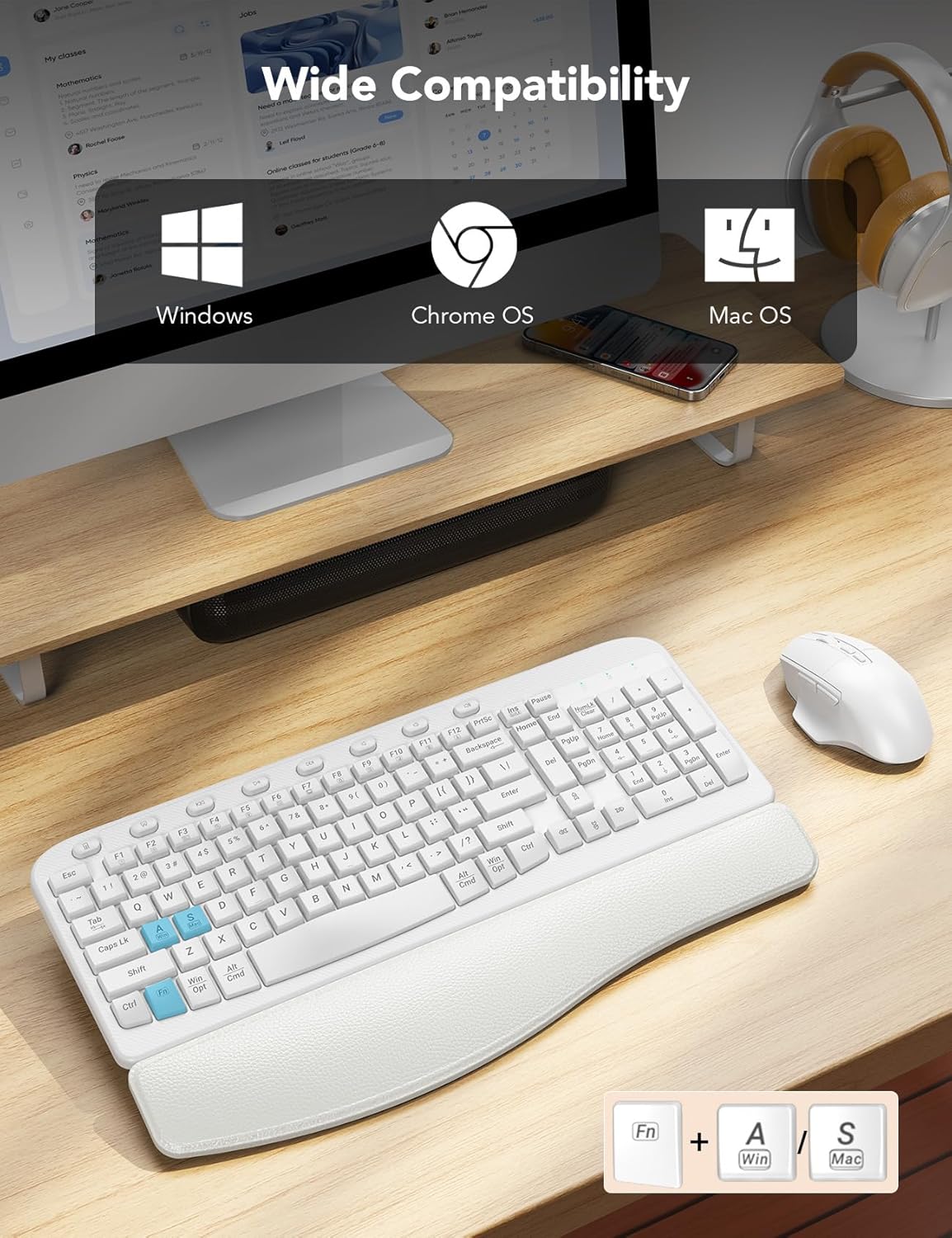
- The combo is compatible with Windows, macOS, and Chrome OS.
- To switch between Windows and macOS layouts, press FN + A د وینډوز لپاره یا FN + S د macOS لپاره.
شکل 6: Multi-OS compatibility and key combinations.
5. Integrated Phone Holder
- The keyboard includes a built-in slot at the top for holding your smartphone, keeping it conveniently visible while you work.
6. Smart Power Management
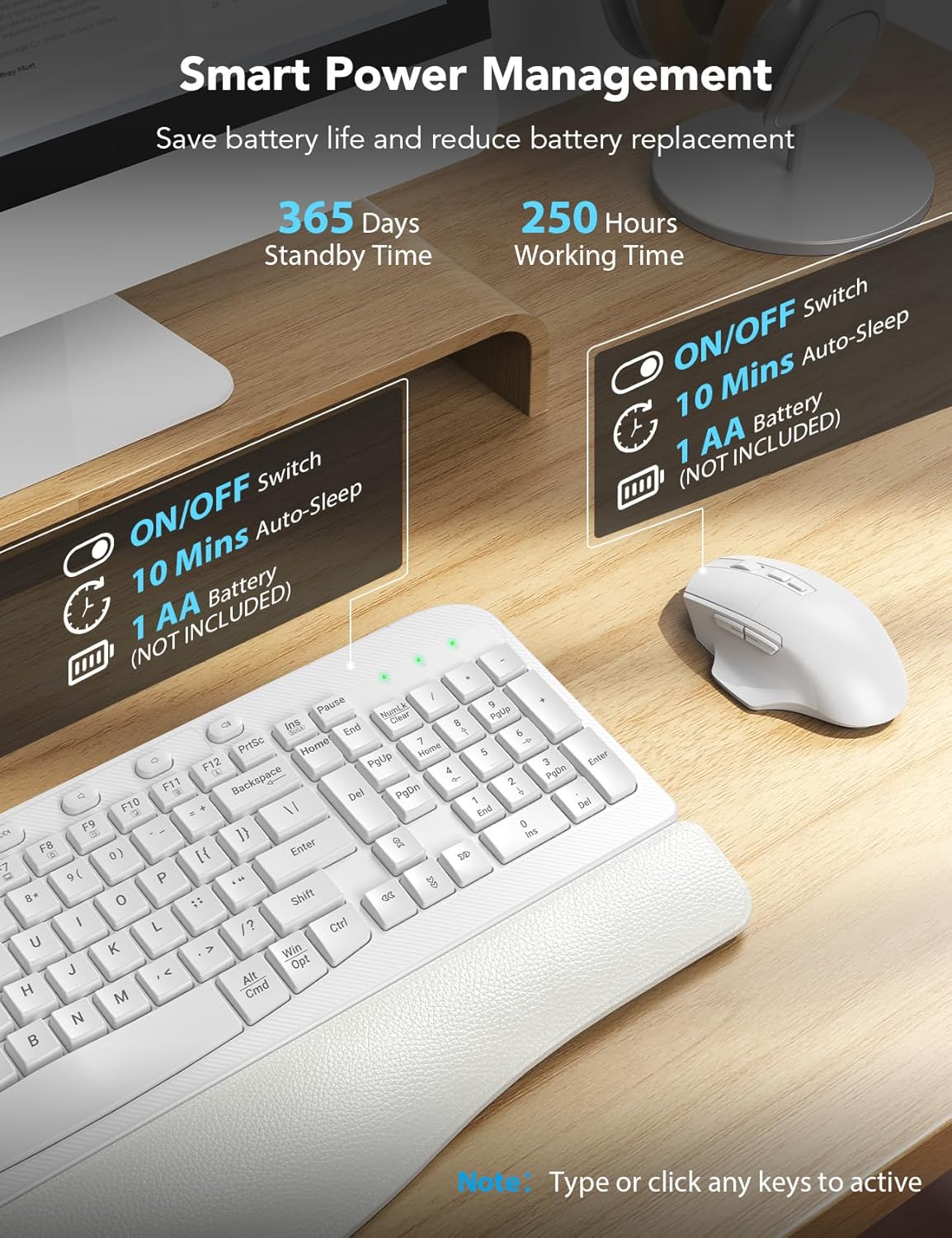
- The devices feature smart power management to conserve battery life.
- After 10 minutes of inactivity, both the keyboard and mouse will enter auto-sleep mode.
- To reactivate, simply type on the keyboard or click the mouse.
- Expected battery life: Up to 365 days standby time, 250 hours working time.

شکل 7: Smart power management features.
ساتنه
1. پاکول
- د کیبورډ او ماوس پاکولو لپاره، نرم، ډamp ټوکر د سختو کیمیاوي موادو یا خړوبولو پاکونکو کارولو څخه ډډه وکړئ.
- د کیلي ګانو ترمنځ د دوړو او کثافاتو لپاره، فشار شوي هوا وکاروئ.
2. د بیټرۍ بدلول
- When the devices stop responding or show signs of low power, replace the 2 AA batteries in each unit.
- د نویو بیټریو د داخلولو پر مهال سم قطبي والی ډاډمن کړئ.
د ستونزو حل کول
- وسایل ځواب نه ورکوي: Ensure the keyboard and mouse are switched 'ON' and have fresh batteries. Verify the USB receiver is securely plugged into your computer's USB port (or via the adapter).
- ځنډ یا وقفه ای اړیکه: Move the receiver closer to the keyboard and mouse. Ensure there are no large metal objects or other wireless devices interfering with the 2.4G signal.
- Incorrect key functions (Mac/Windows): د کارولو FN + A (وینډوز) یا FN + S (macOS) key combination to switch the operating system layout.
- د موږک د تعقیب ستونزې: Adjust the DPI settings on the mouse if available, or ensure the mouse is used on a suitable surface.
مشخصات
| فیچر | تفصیل |
|---|---|
| د ماډل شمیره | KC15 |
| د محصول ابعاد | 11.31 x 1.88 x 17.32 انچه |
| د توکي وزن | ۲.۴۵ پونډه |
| د ارتباط ټیکنالوژي | 2.4G USB بې سیم |
| د بریښنا سرچینه | 2 AA بیټرۍ (شامل ندي) |
| ځانګړي ځانګړتیاوې | Ergonomic wave keys, soft wrist rest, silent mouse, multi-OS compatibility, phone holder |
| مطابقت لرونکې وسیلې | Laptop, Personal Computer, Television (with USB-A or USB-C port) |
تضمین او ملاتړ
SABLUTE provides a 90-day replacement policy and a 360-day manufacturer warranty for this product. For technical support or warranty claims, please contact SABLUTE customer service.
- د پیرودونکي خدمت تلیفون: 1-213-296-1273 (امریکا)
- د کار ساعتونه: Mon-Fri, 9:00 AM - 1:00 PM & 2:00 PM - 6:00 PM (PST)