
1. پیژندنه
Thank you for choosing the Redragon K709 HE Rapid Trigger Gaming Keyboard. This manual provides essential information for setting up, operating, and maintaining your new keyboard. Please read it thoroughly to ensure optimal performance and longevity of your device.
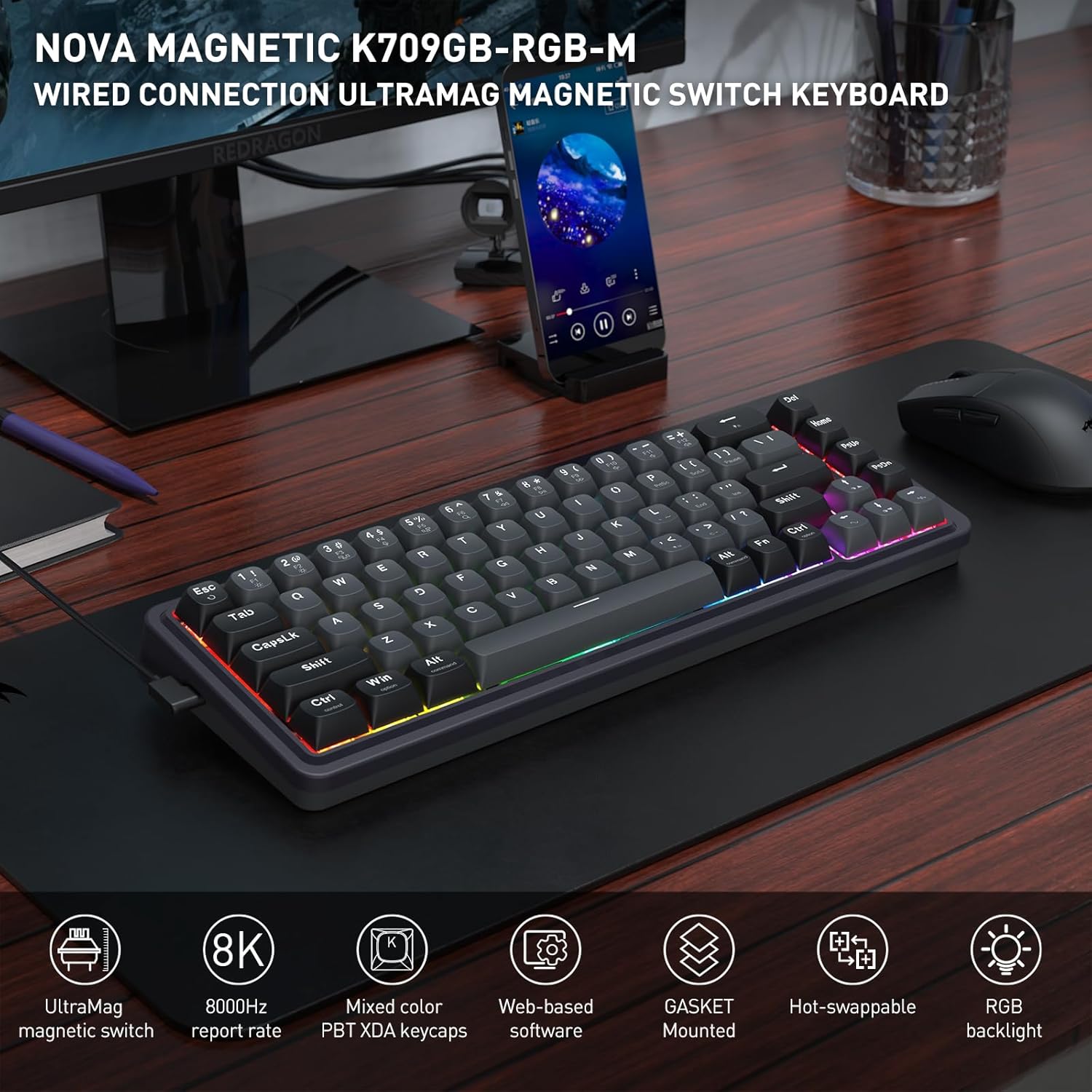
Image: The Redragon K709 HE keyboard, showcasing its compact design and RGB backlighting, positioned on a desk alongside a monitor and mouse.
2. د تنظیم کولو لارښود
2.1 د بسته محتويات
- Redragon K709 HE Rapid Trigger Gaming Keyboard
- د جلا کېدو وړ USB-A څخه USB-C کیبل
- کیکیپ پلر
- سویچ پلر
- Spare UltraMag Magnetic Switches (if included)
- د کارن لارښود

Image: The Redragon K709 HE keyboard displayed with its included accessories: a detachable USB-C cable, keycap puller, switch puller, and spare switches.
۴.۲ د کیبورډ نښلول
- د ورکړل شوي کیبل د USB-C پای په کیبورډ کې د USB-C پورټ سره وصل کړئ.
- د کیبل USB-A پای په خپل کمپیوټر کې موجود USB پورټ سره وصل کړئ.
- کیبورډ به په اتوماتيک ډول ستاسو د عملیاتي سیسټم لخوا وپیژندل شي.
۳.۴ د سافټویر نصبول (اختیاري مګر سپارښتنه شوې)
For advanced customization, including Rapid Trigger settings and key remapping, it is recommended to use the Redragon software. The K709 HE supports both a standard desktop client (Windows-exclusive) and web-based driver support.
- د وینډوز کاروونکي: Download the desktop client from the official Redragon webسایټ
- Other Operating Systems: ته لاسرسی web-based driver directly via your browser by visiting the Redragon website. This allows access to all software features without a dedicated installation.

Image: A computer screen displaying the Redragon web-based software interface, used for configuring keyboard settings and features.
3. عملیاتي لارښوونې
3.1 UltraMag Magnetic Switches
The K709 HE features next-generation UltraMag magnetic switches with a dual-module floating structure. These switches offer precise and smooth keystrokes due to their full-POM construction and enclosed base design.
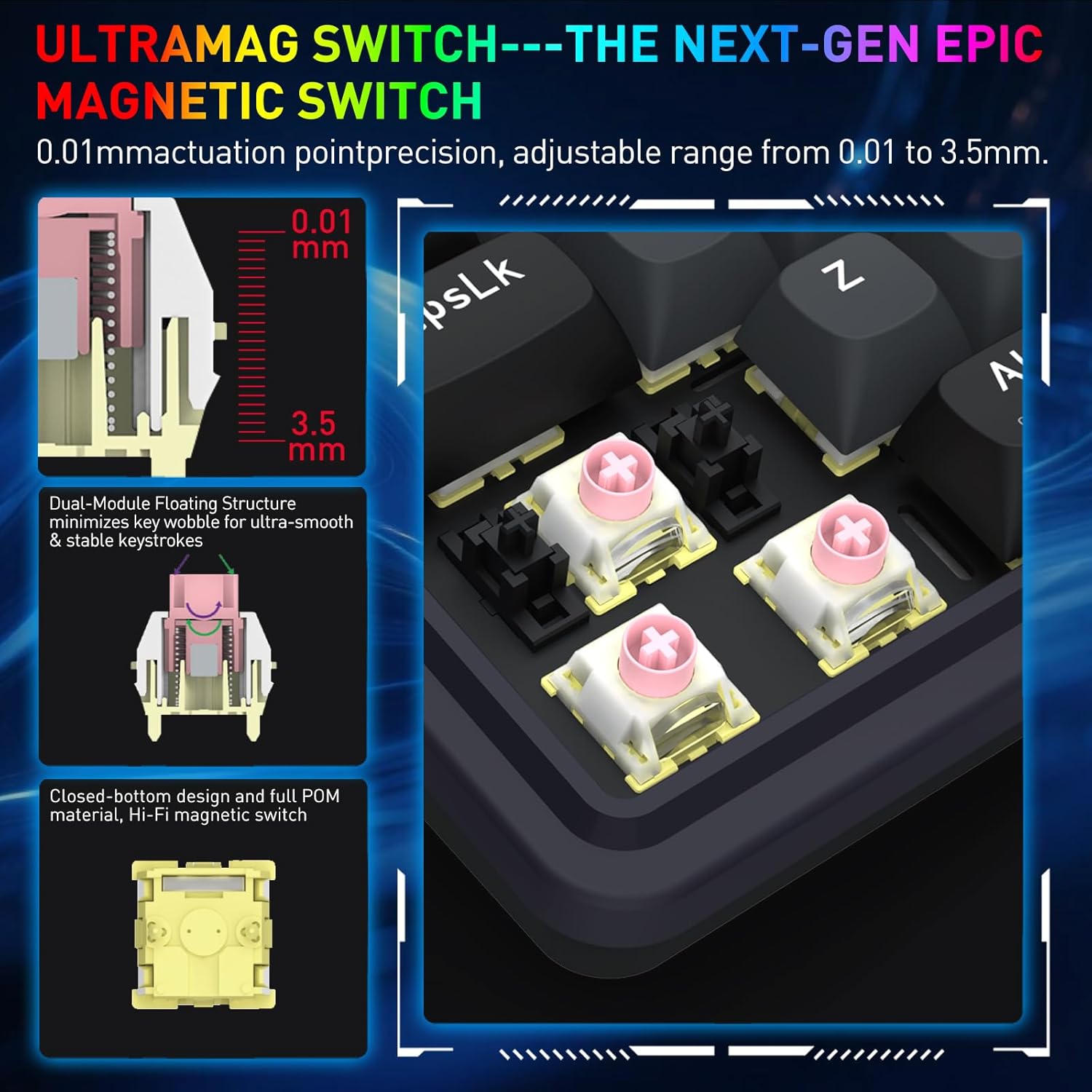
Image: A detailed diagram showing the internal components of the UltraMag magnetic switch, highlighting its dual-module floating structure and adjustable actuation points from 0.01mm to 3.5mm.
۳.۱ د چټک محرک ټیکنالوژي
Rapid Trigger technology allows for dynamic activation and deactivation of keys based on movement, not just a fixed actuation point. This feature is highly beneficial for competitive gaming.
- د عمل نقطې تنظیم کول: Using the software, the actuation point can be precisely adjusted between 0.1mm and 3.4mm. This allows for fine-tuning key sensitivity to your preference.
- Dynamic Activation/Deactivation: Keys activate upon initial press and deactivate immediately upon release, enabling faster repeated inputs and precise control in games.

انځور: بصري سابقهamples showing how Rapid Trigger technology enhances gameplay in titles such as Valorant for accurate movement, CS:GO for precise peeking, Apex Legends for advanced movement, and osu! for improved note accuracy.
3.3 8K Hyper-Polling
The K709 HE features an 8,000Hz hyper-polling rate, meaning it reports inputs to your computer up to 8,000 times per second. This results in an ultra-low latency of approximately 0.125ms, ensuring your actions are registered almost instantaneously.
3.4 Noise Dampدننه کېدل
The keyboard incorporates a 5-layer noise dampening system to reduce hollow sounds and provide a more satisfying typing and gaming experience. This includes:
- 3.5mm PO foam
- IXPE switch foam
- PET sound pad
- Bottom socket foam
- Silicone bottom pad
- سیلیکون ګازکیټ

Image: An exploded diagram of the K709 HE keyboard, illustrating the various layers including keycaps, UltraMag switches, top cover, TPR gasket, positioning plate, latex foam pad, IXPE switch pad, sound acting pad, PCBA, EVA noise absorbing foam, silicone bottom pad, and bottom case.
3.5 Team Wipe Engine (PRCS Technology)
This feature utilizes revolutionary PRCS technology with 4 modes, designed to optimize gaming performance by eliminating redundant inputs and ensuring clean, precise actions.
4. ساتنه
۷.۲ د کیبورډ پاکول
- د کیبورډ سطحې د پاکولو لپاره نرم، لینټ نه پاک ټوکر وکاروئ.
- د کیلي کیپسونو ترمنځ د دوړو او کثافاتو لپاره، فشار شوي هوا وکاروئ.
- To clean under the keycaps, use the provided keycap puller to carefully remove them. Clean the switches and plate with a soft brush or compressed air. Reattach keycaps by pressing them firmly onto the switches.
۵.۳ ګرم بدلیدونکي سویچونه
The K709 HE features a hot-swappable PCB, allowing you to easily replace individual switches without soldering. This is useful for customization or replacing a faulty switch.
- د مطلوب سویچ څخه د کی کیپ لرې کولو لپاره چمتو شوي کی کیپ پلر وکاروئ.
- Use the provided switch puller to gently grip the top and bottom clips of the switch. Pull the switch straight up to remove it from the PCB.
- Align the pins of the new switch with the holes on the PCB. Press the new switch firmly until it clicks into place. Ensure the pins are not bent.
- د کیلي کیپ بیا وصل کړئ.
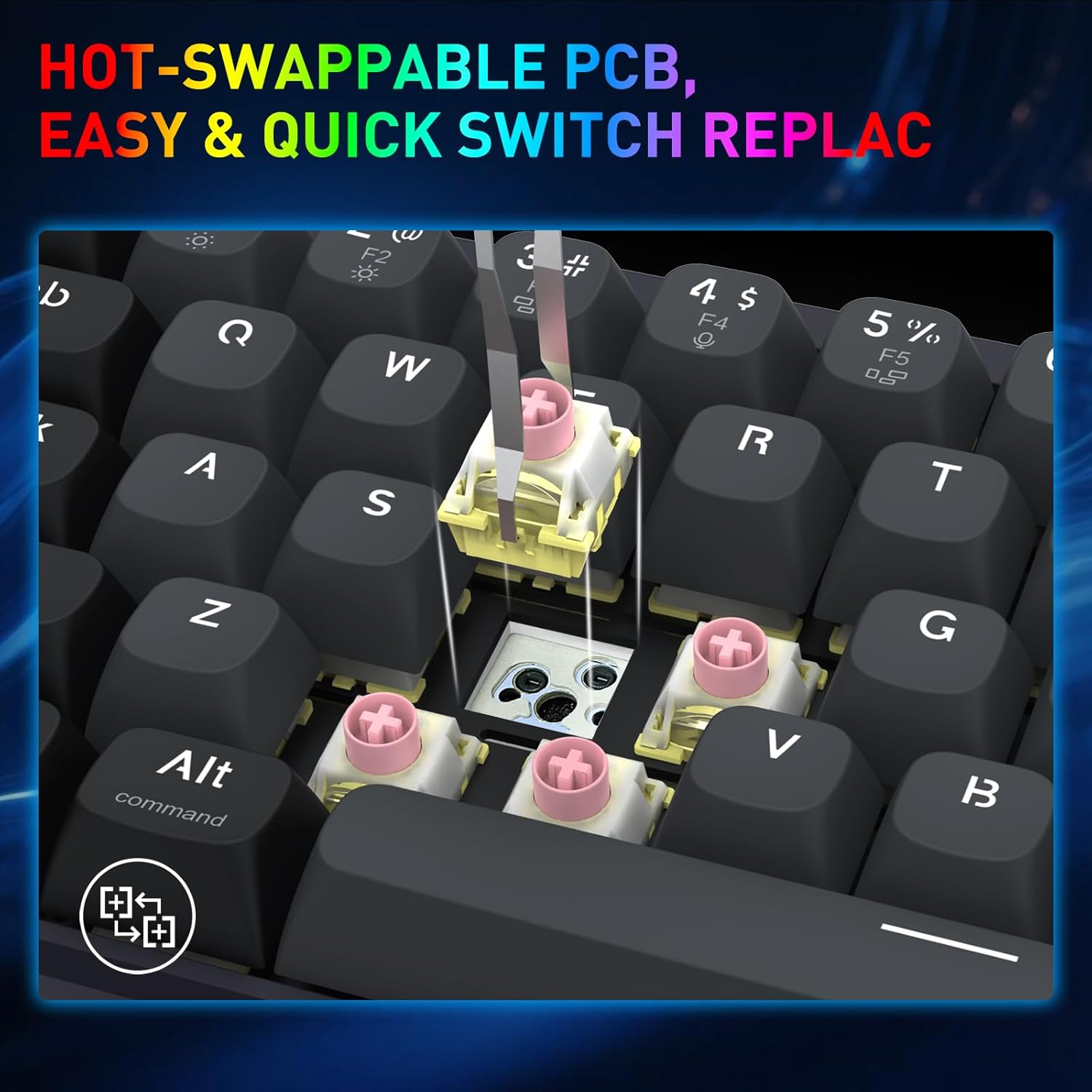
Image: A close-up shot demonstrating the process of removing a hot-swappable switch from the keyboard's PCB using a switch puller.
5. ستونزه حل کول
- کیبورډ ځواب نه ورکوي:
- ډاډ ترلاسه کړئ چې USB کیبل په خوندي ډول د کیبورډ او کمپیوټر دواړو سره وصل دی.
- هڅه وکړئ چې کیبورډ په خپل کمپیوټر کې بل USB پورټ سره وصل کړئ.
- د سیسټم پورې اړوند ستونزو د له منځه وړلو لپاره په بل کمپیوټر کې کیبورډ ازموینه وکړئ.
- ځانګړي کیلي کار نه کوي:
- Carefully remove the keycap and switch for the non-functional key using the provided tools.
- Inspect the switch for any visible damage or debris.
- If you have spare switches, try replacing the faulty switch.
- د RGB رڼا مسلې:
- Check the keyboard's lighting settings via the Redragon software.
- Ensure no conflicting software or drivers are interfering with the lighting control.
- Rapid Trigger not functioning as expected:
- Verify that Rapid Trigger is enabled and configured correctly within the Redragon software.
- Adjust the actuation point settings to find your preferred sensitivity.
6. مشخصات
| برانډ | ریډراګون |
| د ماډل نوم | Nova (K709 HE) |
| د ارتباط ټیکنالوژي | USB-C (وایر شوی) |
| د کیبورډ توضیحات | 68 Keys HE UltraMag Magnetic Switch Rapid Trigger Gaming Keyboard |
| د کلیدونو شمیر | 68 |
| Mechanical Keyboard Switch Model | Redragon UltraMag Magnetic Switch |
| د سویچ ډول | خطي |
| د تعقیب ټکي | د تنظیم وړ 0.1mm - 3.4mm |
| د رای ورکولو کچه | 8,000Hz (8K Hyper-Polling) |
| ځانګړي ځانګړتیاوې | ۵-پرت شور Dampening, 68 keys Compact, Mixed PBT Keycaps, Rapid Trigger, UltraMag Magnetic Switch |
| د کیبورډ شاته رڼا کول | RGB |
| مطابقت لرونکې وسیلې | PC |
| مواد | پلاستیک |
| رنګ | Serene Gray |
7. د تضمین معلومات
The Redragon K709 HE Rapid Trigger Gaming Keyboard comes with a د 1 کلن محدود تضمین د پیرود نیټې څخه. دا تضمین د عادي استعمال لاندې د تولید نیمګړتیاوې او کاري وړتیا پوښي. دا د ناوړه ګټې اخیستنې، پیښو، غیر مجاز بدلونونو، یا طبیعي پیښو له امله رامینځته شوي زیانونه نه پوښي.
مهرباني وکړئ د تضمین ادعاګانو لپاره د پیرود ثبوت وساتئ.
8. ملاتړ
د نورو مرستو، تخنیکي ملاتړ، یا د وروستي سافټویر او ډرایورونو ډاونلوډ کولو لپاره، مهرباني وکړئ رسمي ریډراګون ته مراجعه وکړئ. webسایټ:
تاسو کولی شئ د ریډراګون پیرودونکي خدماتو سره د دوی په ویب پاڼه کې چمتو شوي د اړیکو معلوماتو له لارې هم اړیکه ونیسئ. webسایټ