
1. پیژندنه
Thank you for choosing the FMOUSE M235 PRO Gaming Wireless Mouse. This tri-mode mouse offers versatile connectivity options (2.4G wireless, Bluetooth, and wired Type-C), high-performance features like 4800 DPI and 1000Hz polling rate, and customizable RGB lighting. This manual provides detailed instructions for setup, operation, and maintenance to ensure optimal performance.
2. د بسته محتويات
- FMOUSE M235 PRO Gaming Wireless Mouse
- 2.4G USB رسیدونکی
- د ټایپ-سي چارج کول/ډیټا کیبل
- د کارن لارښود
- د ذخیره کولو کڅوړه
3. محصول ختم شوview
The FMOUSE M235 PRO features an ergonomic hollow design for reduced hand fatigue and a lightweight build (approximately 65g). It includes multiple buttons for enhanced functionality and customizable RGB lighting.
انځور: پورته view of the FMOUSE M235 PRO Gaming Wireless Mouse.

Image: Lightweight design of the FMOUSE M235 PRO mouse.
د تڼۍ دندې:
- کیڼ تڼۍ: د معیاري کلیک فعالیت.
- ښي تڼۍ: د ښي کلیک کولو معیاري فعالیت.
- سکرول ویل: پورته/ښکته سکرول کړئ، په منځ کې کلیک وکړئ.
- د DPI تڼۍ: Cycles through DPI levels.
- د وړاندې کولو تڼۍ: په براوزرونو/غوښتنلیکونو کې مخ په وړاندې ځي.
- شاته تڼۍ: په براوزرونو/غوښتنلیکونو کې شاته نیویګیټ کوي.
- د حالت سویچ (لاندې): Switches between 2.4G, Bluetooth, and Wired modes.
- ON/OFF Switch (Bottom): موږک چالان یا بندوي.

انځور: ښکته view of the FMOUSE M235 PRO mouse with labeled components.
4. ترتیب کول
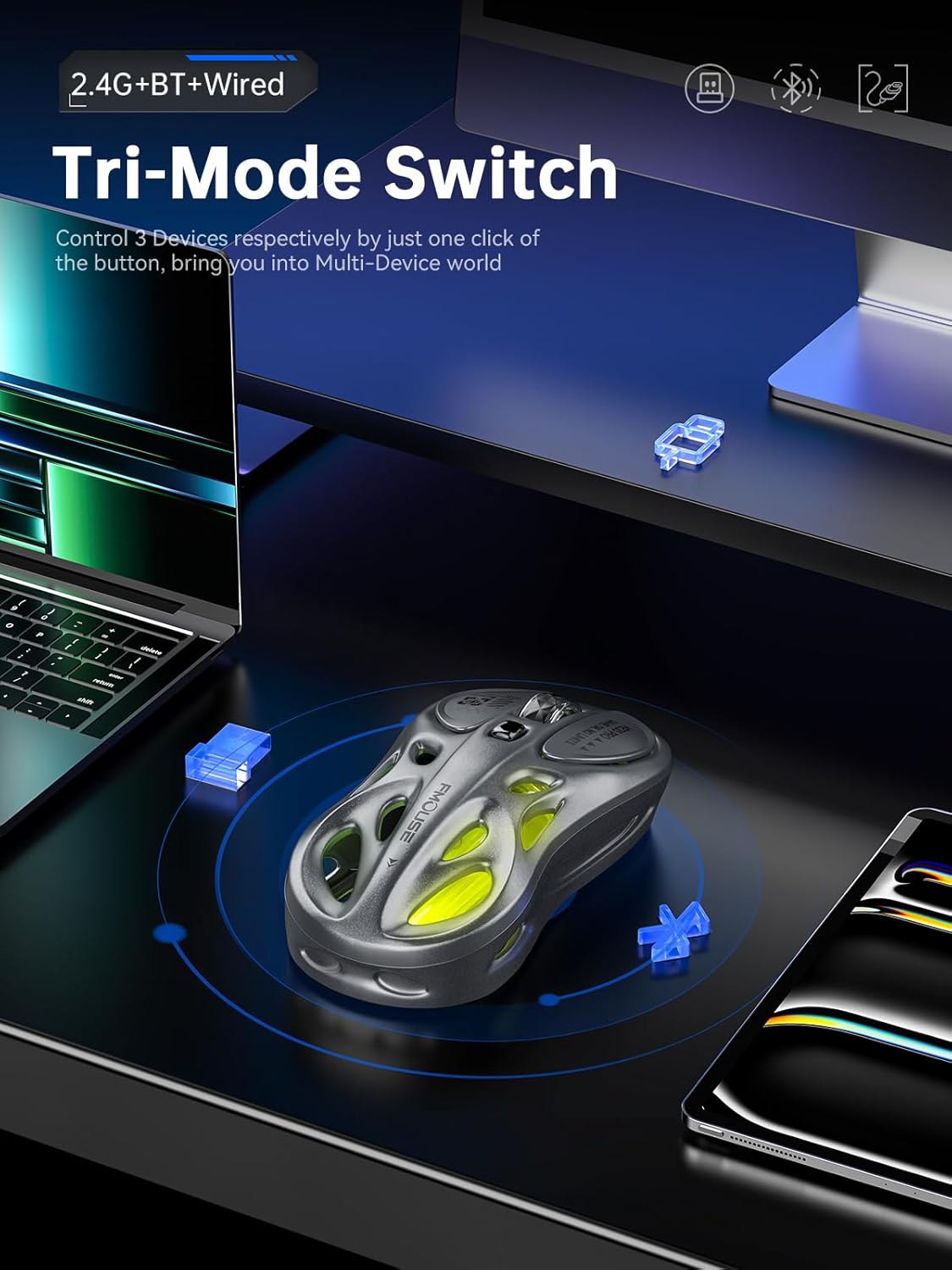
The FMOUSE M235 PRO supports three connection modes: Wired, 2.4G Wireless, and Bluetooth. You can seamlessly switch between up to 3 devices.
د بریښنا پيوستون
- Connect the Type-C end of the charging/data cable to the mouse.
- د کیبل USB-A پای د خپل کمپیوټر USB پورټ سره وصل کړئ.
- Ensure the mouse's ON/OFF switch is in the 'ON' position. The mouse will automatically switch to wired mode.
۳.۲.۱ ۲.۴ جي بېسیم اتصال
- Locate the 2.4G USB receiver in the package.
- د 2.4G USB ریسیور په خپل کمپیوټر کې موجود USB پورټ کې ولګوئ.
- Flip the mouse's ON/OFF switch to 'ON'.
- Press the 'MODE' switch button on the bottom of the mouse until the indicator light turns شین. This indicates 2.4G mode.
- The mouse should now be connected.
4.3 د بلوتوث اتصال
- Flip the mouse's ON/OFF switch to 'ON'.
- Press the 'MODE' switch button on the bottom of the mouse until the indicator light turns آبي (د بلوتوث ۱ لپاره) یا سور (for Bluetooth 2).
- On your device (computer, laptop, iPad, etc.), go to Bluetooth settings and enable Bluetooth.
- لټون new devices. The mouse should appear as "BT Mouse" or similar.
- Select the mouse to pair. The indicator light will stop flashing once successfully paired.
- To switch between two paired Bluetooth devices, press the 'MODE' switch button to toggle between blue and red indicator lights.
Video: Demonstrates the tri-mode connection process (wired, 2.4G, Bluetooth) for the FMOUSE M235 PRO Gaming Wireless Mouse. Shows how to plug in the data cable, insert the 2.4G USB receiver, and pair via Bluetooth with different devices.
5. عملیاتي لارښوونې
5.1 د DPI تعدیل
The mouse features 5 adjustable DPI levels (800-4800) for precise control. Press the DPI button located on the top of the mouse to cycle through the available DPI settings. Each DPI level may correspond to a different RGB color indicator for easy identification.

Image: Illustration of 5-level adjustable DPI settings.
۵.۴ د RGB رڼا کنټرول
The mouse features customizable RGB backlighting. Long press the DPI button to switch between multiple lighting modes and effects. Experience dynamic RGB track synchronization.
5.3 Customization and Macro Programming
For advanced customization, including button remapping, macro programming, and detailed lighting effects, download the official FMOUSE software (FMOUSE Futura) from the official website. The software allows you to adjust various parameters to personalize your mouse for specific tasks or games.

Image: Screenshot of the FMOUSE software for macro programming and customization.
6. چارج کول
The FMOUSE M235 PRO is equipped with a 500mAh rechargeable lithium-ion battery. Use the provided Type-C cable to charge the mouse.
- Connect the Type-C end of the cable to the mouse's charging port.
- د USB-A پای د بریښنا سرچینې سره وصل کړئ (د مثال په توګه، د کمپیوټر USB پورټ، د USB دیوال اډاپټر).
- The mouse's indicator light will typically show charging status (e.g., pulsing green).
- بشپړ چارج شاوخوا 2 ساعته وخت نیسي.

Image: Type-C charging illustration.
7. ساتنه
- پاکول: د موږک د پاکولو لپاره نرم، وچ ټوکر وکاروئ. د سختو کیمیاوي موادو یا کثافاتو موادو کارولو څخه ډډه وکړئ.
- ذخیره کول: موږک په یخ او وچ ځای کې د مستقیم لمر وړانګو او سختې تودوخې څخه لرې وساتئ.
- د بیټرۍ پاملرنه: To prolong battery life, avoid fully discharging the mouse frequently. Charge it regularly.
- د ترلاسه کونکي ذخیره: When not in use, store the 2.4G USB receiver in a safe place to prevent loss. Note that there is no dedicated storage slot on the mouse itself.
8. ستونزه حل کول
| مسله | احتمالي حل |
|---|---|
| Mouse not responding in 2.4G mode | Ensure the 2.4G USB receiver is securely plugged in. Check if the mouse is switched to 2.4G mode (green indicator light). Try plugging the receiver into a different USB port. |
| Mouse not pairing via Bluetooth | Ensure the mouse is in Bluetooth pairing mode (blue or red indicator light flashing). Make sure Bluetooth is enabled on your device and it's discoverable. Try restarting both the mouse and your device. |
| ځنډ یا وقفه ای اړیکه | Reduce distance between mouse and receiver/device. Avoid interference from other wireless devices. Ensure the mouse is fully charged. |
| د RGB څراغ کار نه کوي | Ensure the mouse is powered on. Long press the DPI button to cycle through lighting modes. Check software settings if applicable. |
| DPI نه بدلیږي | Press the DPI button firmly. If using custom software, ensure DPI settings are correctly configured and applied. |
| موږک چارج نه کوي | Verify the Type-C cable is properly connected to both the mouse and the power source. Try a different cable or USB port/charger. |
9. مشخصات
| فیچر | تفصیل |
|---|---|
| د ماډل شمیره | M235 PRO |
| د ارتباط ټیکنالوژي | 2.4GHz USB / Dual Bluetooth / Wired (Type-C) |
| د حرکت کشف ټیکنالوژي | Optical (PixArt PAW3212DB-TJDT chip) |
| د DPI کچه | 5 adjustable levels, up to 4800 DPI |
| د رای ورکولو کچه | 1000Hz |
| بیټرۍ | ۸۰۰۰mAh لیتیم آیون (د چارج وړ) |
| د توکي وزن | ۱۳.۴ اونس (تقریبا ۳۸۰ ګرامه) |
| ابعاد | 4.7 x 2.4 x 1.3 انچه (119 x 62 x 33 mm) |
| ځانګړي ځانګړتیاوې | RGB backlight, Customizable buttons, Macro programming, Ergonomic hollow design |
| مطابقت | Windows, Mac, Android (Laptops, iPads, MacBooks) |
10. تضمین او ملاتړ
For warranty information and technical support, please refer to the documentation included with your purchase or visit the official FMOUSE webسایټ. تاسو معمولا هلته د موټر چلوونکي، FAQs، او د پیرودونکو خدماتو لپاره د اړیکو معلومات موندلی شئ.
Official FMOUSE Webسایټ: www.fmouse.com