
1. پیژندنه
The BAOFENG UV-5R Mini is a compact, dual-band walkie-talkie designed for reliable communication. It features app programming, frequency copying, NOAA weather alerts, and adjustable power output. This manual provides essential information for the safe and efficient use of your radio.
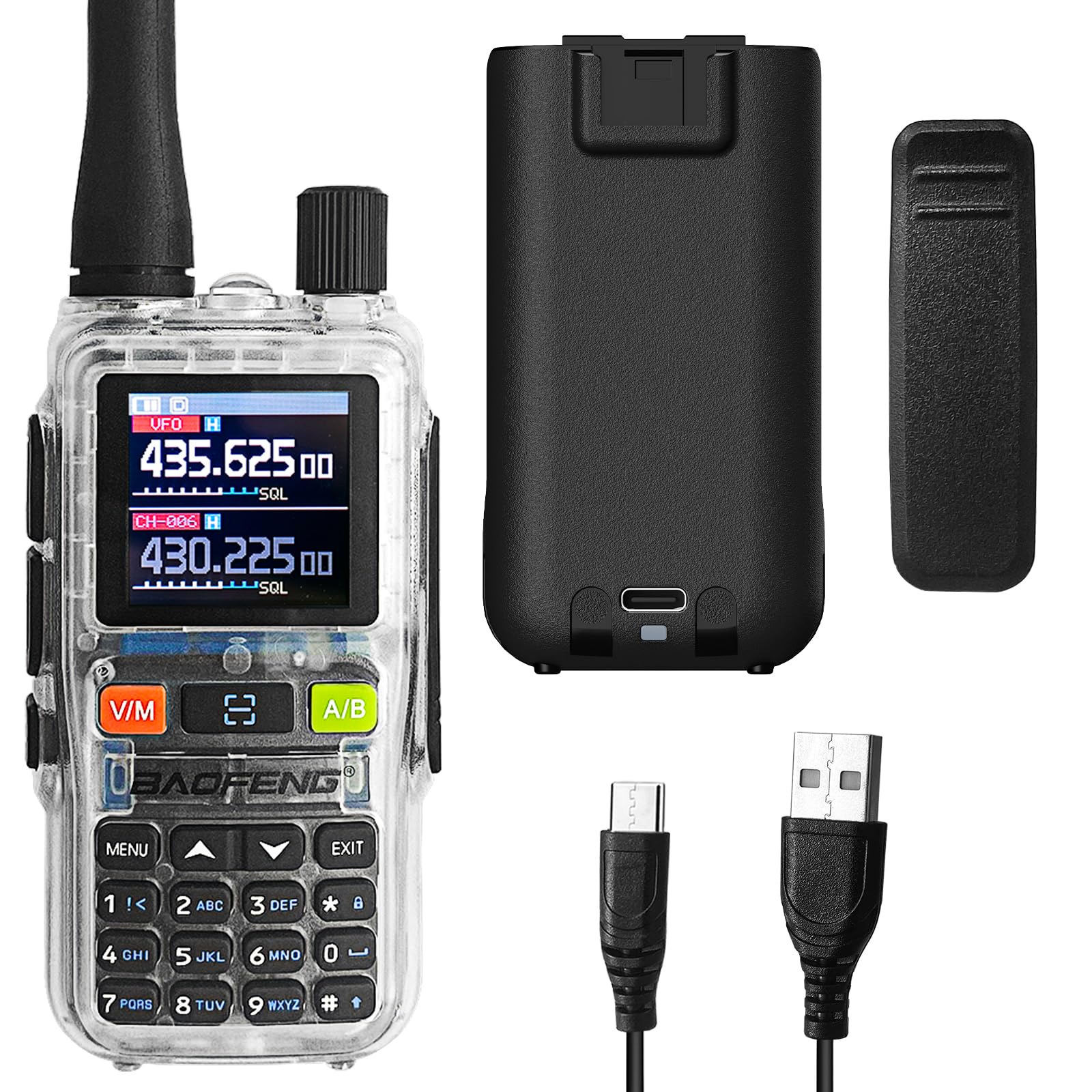
Figure 1: BAOFENG UV-5R Mini Radio. This image shows the front of the radio with its display and keypad.
۲. د بسته بندۍ محتويات او وسیلهview
2.1 د بسته محتويات
ډاډ ترلاسه کړئ چې ټول توکي ستاسو په کڅوړه کې شتون لري:
- BAOFENG UV-5R Mini Radio
- انتن
- بیټرۍ
- د بیلټ کلیپ
- د USB-C چارج کیبل
- د کارن لارښود
2.2 وسیله ختمه شوهview

شکل 2: مخکی view of the radio with key components labeled, including Antenna, Flashlight, Volume Power Knob, LED Indicator, PTT-A Button, PTT-B Button, Screen, Accessory Port, A/B button, Microphone, Monitor button, Search/Flashlight button, V/M-VFO/MR button, and Numeric Keypad.

شکل 3: اړخ view of the radio, showing the PTT buttons and accessory port.

شکل 4: شاته view of the radio, highlighting the USB-C charging port.
3. ترتیب کول
۵.۱ د بیټرۍ نصب او چارج کول
- بیټرۍ د راډیو شاته برخې سره سم کړئ او تر هغه وخته پورې یې ځای پر ځای کړئ تر څو چې کلیک وکړي.
- To charge, connect the provided USB-C cable to the radio's USB-C port and a compatible power source (e.g., computer, wall adapter, power bank, car charger).
- The LED indicator will show charging status. A full charge typically takes several hours.

Figure 5: The radio can be charged via USB-C from multiple sources, including a computer, wall plug, power bank, or car charger.
3.2 Antenna and Belt Clip Attachment
- انتن د ساعت په لور د راډیو په سر کې د نښلونکي سره ونښلوئ تر هغه چې د ګوتو سره کلک شي. ډیر مه کلک کوئ.
- Attach the belt clip to the designated slot on the back of the radio by sliding it down until it locks securely.
4. بنسټیز عملیات
۴.۱ د بریښنا فعالول/بندول او د حجم کنټرول
- To power on, rotate the Volume Power Knob clockwise.
- To power off, rotate the Volume Power Knob counter-clockwise until it clicks.
- Adjust the volume by rotating the Volume Power Knob.
4.2 Channel Selection and Frequency Mode
- د کارولو V/M button to switch between Frequency (VFO) mode and Channel (MR) mode.
- In Channel mode, use the up/down arrow keys to select a channel.
- In Frequency mode, enter frequencies directly using the numeric keypad.
4.3 لیږدول او ترلاسه کول
- Press and hold the PTT-A or PTT-B button to transmit. Speak clearly into the microphone.
- د ترلاسه کولو لپاره د PTT تڼۍ خوشې کړئ.
- The radio supports dual-band TX/RX and dual standby, allowing monitoring of two frequencies simultaneously.
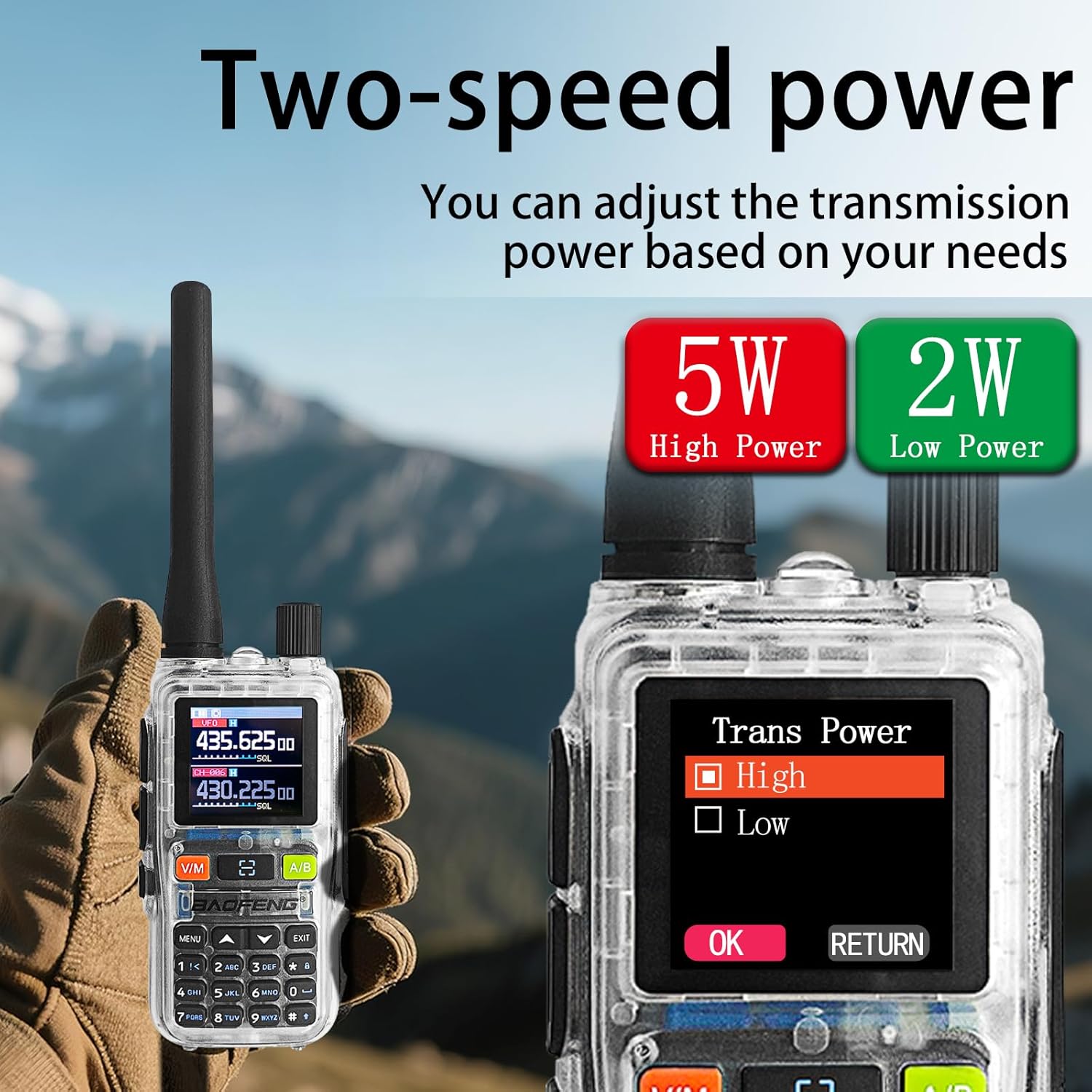
Figure 6: The radio's display showing two active frequencies for dual-frequency standby, with the PTT A/B buttons highlighted.
۷.۳ د NOAA د هوا خبرتیاوې
- The radio can receive NOAA weather alerts. Refer to the menu settings for activating and configuring NOAA channels.

Figure 7: The radio supports NOAA Weather Alerts, providing critical weather information.
4.5 Adjustable Power Output
- The radio supports adjustable power output (5W/2W). This can be configured through the menu or app.
- Higher power (5W) provides greater range, while lower power (2W) conserves battery life.
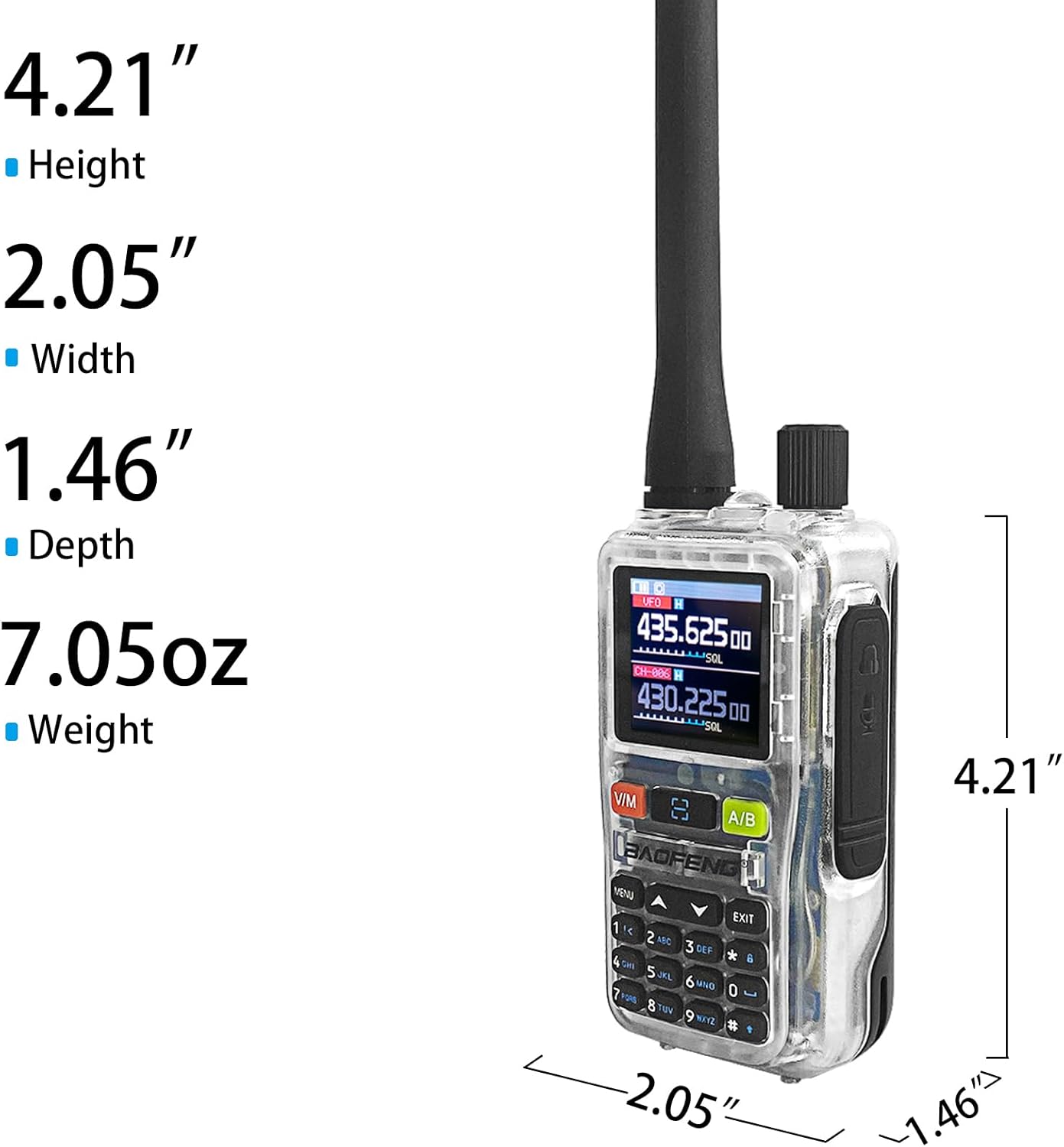
Figure 8: The radio offers adjustable transmission power, with options for 5W (High Power) and 2W (Low Power).
۵. پرمختللي ځانګړتیاوې او پروګرام کول
5.1 App Programming (Ola Radio)
The BAOFENG UV-5R Mini can be programmed using the Ola Radio app on iOS or Android devices. This allows for efficient batch updates and configuration of multiple devices.
- Download the "Ola Radio" app from your device's app store.
- Enable "Wireless Cps" in the radio's menu (MENU > Wireless Cps > ON).
- Open the app and connect to your radio.
- Configure channel settings, frequency mode, RX/TX CTCSS/DCS codes, and power settings within the app.
- Save and upload configurations to the radio.

Figure 9: The radio's display showing "Wireless Cps" setting and a smartphone screen displaying the Ola Radio app for programming.
ویډیو ۱: پایview of the BAOFENG UV-5R Mini Transparent Radio, demonstrating its features and compact design.
Video 2: Demonstration of the BAOFENG UV-5R Mini Radio, highlighting its dual-band capabilities and walkie-talkie functions.
5.2 One-Key Frequency Pairing
The radio supports one-key frequency pairing to quickly synchronize frequencies between two radios.
- ډاډ ترلاسه کړئ چې دواړه راډیوګانې فعالې دي.
- On the transmitting radio, long-press the scan button (often labeled with a magnifying glass icon or similar).
- The radio will enter search mode and automatically detect the frequency of another nearby radio.
- Once detected, you can save the frequency to a channel.

Figure 10: Two radios shown side-by-side, illustrating the process of one-key frequency pairing by long-pressing the scan button.
5.3 Customizable Side Key (SK1)
The SK1 side key can be assigned to various functions for quick access:
- رڼا: جوړ شوی فلش لائټ فعالوي.
- VOX: Enables Voice Operated Exchange for hands-free transmission.
- الارم: Activates an emergency alarm.
- سکین: Initiates channel or frequency scanning.
Refer to the radio's menu for customizing the SK1 function.

Figure 11: The radio's flashlight function is shown in use, useful for dark environments.
6. ساتنه
6.1 پاکول
- راډیو په نرمۍ سره مسح کړئ، دamp ټوکر د سختو کیمیاوي موادو یا خړوبولو پاکونکو څخه کار مه اخلئ.
- ډاډ ترلاسه کړئ چې د USB-C پورټ د دوړو او کثافاتو څخه پاک دی.
6.2 د بیټرۍ پاملرنه
- د لومړي استعمال څخه دمخه په بشپړه توګه بیټرۍ چارج کړئ.
- د بیټرۍ د ژوند اوږدولو لپاره د بیټرۍ د ډیر چارج کولو یا په بشپړ ډول وچولو څخه ډډه وکړئ.
- راډیو او بیټرۍ په یخ او وچ ځای کې وساتئ کله چې د اوږدې مودې لپاره نه کارول کیږي.
6.3 عمومي پاملرنه
- The radio is not water-resistant. Avoid exposure to water or high humidity.
- راډیو د خورا تودوخې سره مه اخلئ.
- Handle the antenna carefully to prevent damage.
7. ستونزه حل کول
| ستونزه | احتمالي لامل | د حل لاره |
|---|---|---|
| راډیو نه چالانېږي. | بیټرۍ ټیټه ده یا په سمه توګه نه ده نصب شوې. | بیټرۍ چارج کړئ. بیټرۍ په خوندي ډول بیا نصب کړئ. |
| لیږدول یا ترلاسه کول نشي کیدی. | Incorrect frequency/channel, low battery, or out of range. | Verify frequency/channel settings. Charge battery. Move closer to other radios. |
| ضعیف غږ کیفیت. | Weak signal, incorrect squelch setting, or damaged antenna. | Adjust squelch level. Check antenna connection. Move to an area with better signal. |
| App programming fails. | "Wireless Cps" not enabled on radio, or app connection issue. | Ensure "Wireless Cps" is ON in radio menu. Restart app and radio. Check Bluetooth connection. |
8. مشخصات
| فیچر | تفصیل |
|---|---|
| برانډ | BAOFENG |
| د ماډل شمیره | UV-5R مینی |
| د چینلونو شمیر | 999 |
| د فریکونسی رینج | 136-174MHz، 400-520MHz |
| د بریښنا تولید | 5W/2W (adjustable) |
| د خبرو کولو حد اعظمي | 5 کیلومتره |
| والیtage | 12 ولټه (DC) |
| چارج کول | د USB-C چټک چارج کول |
| ښودل | ۱.۱۴ انچه د TFT سکرین |
| د اوبو د مقاومت کچه | د اوبو مقاومت نلري |
| شاملې برخې | Antenna, Battery, Belt Clip |

Figure 12: Physical dimensions of the BAOFENG UV-5R Mini Radio: Height 4.21", Width 2.05", Depth 1.46", Weight 7.05oz.
9. تضمین او ملاتړ
9.1 د تضمین معلومات
This BAOFENG UV-5R Mini Radio comes with a 1 کلن تضمین د پیرود نیټې څخه. دا تضمین د عادي استعمال لاندې د تولید نیمګړتیاوې او نیمګړتیاوې پوښي. دا د ناوړه ګټې اخیستنې، پیښو، غیر مجاز بدلونونو، یا طبیعي پیښو له امله رامینځته شوي زیانونه نه پوښي.
مهرباني وکړئ د تضمین ادعاګانو لپاره د پیرود ثبوت وساتئ.
9.2 د پیرودونکي ملاتړ
For technical assistance, troubleshooting, or warranty inquiries, please contact BAOFENG customer support through the retailer where the product was purchased or visit the official BAOFENG webد اړیکو معلوماتو لپاره سایټ.