
محصول پای ته ورسیدview
The pTron Studio Pro are wireless over-ear headphones designed for extended listening and clear communication. They feature an ergonomic design with soft earpads and an adjustable headband for comfortable wear. Key features include long battery life, advanced audio drivers, and versatile connectivity options.
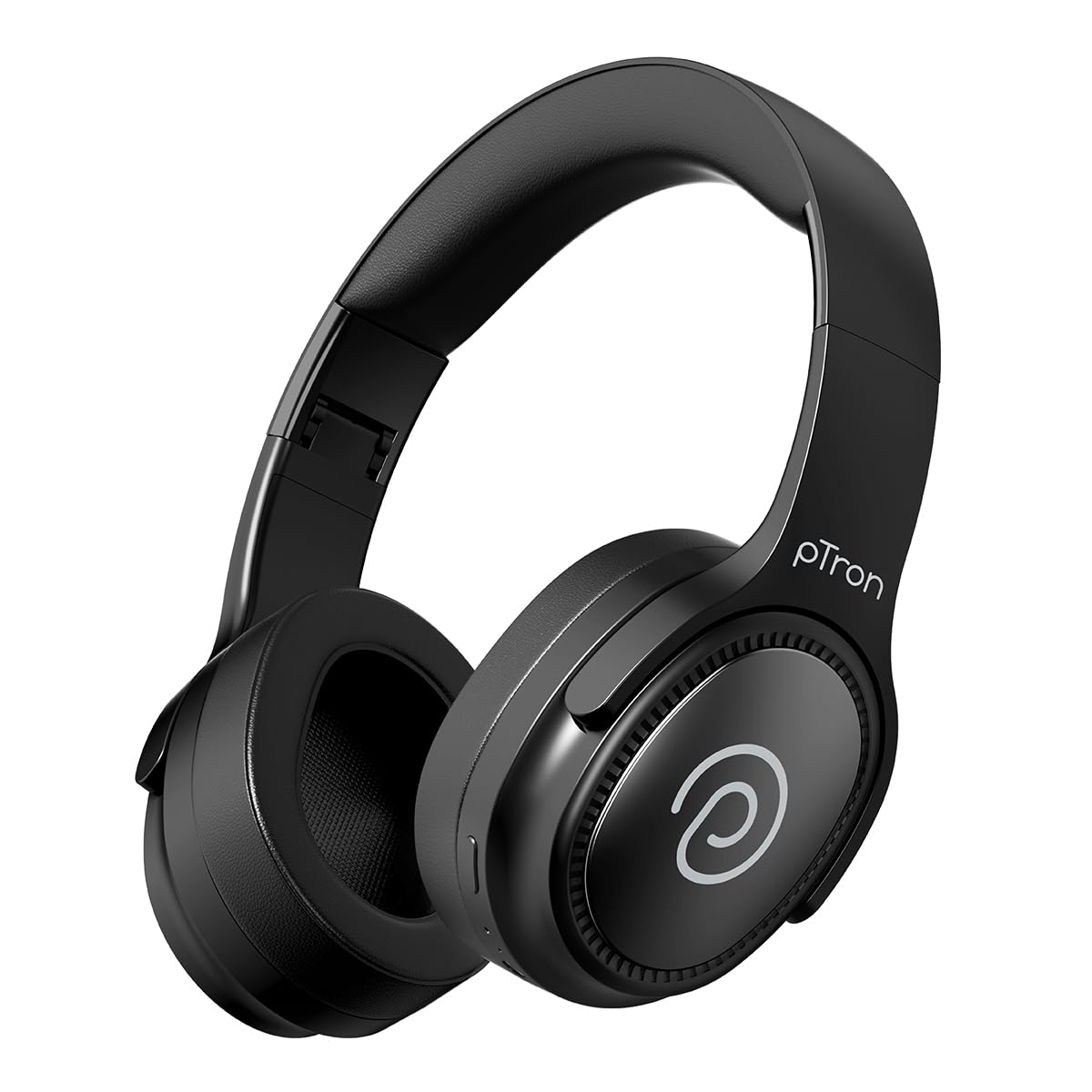
Image: pTron Studio Pro Wireless Over-Ear Headphones in Jet Black, showcasinد ښکلي ډیزاین سره.
کلیدي ځانګړتیاوې
- تمدید شوی د لوبې وخت: Up to 65 hours of music playback on a single full charge.
- چټک چارج کول: 2.5 hours for a full charge via Type-C. A 10-minute charge provides approximately 4 hours of playtime.
- د لوړ کیفیت غږ: Equipped with 40mm Neody Drivers for pristine stereo sound.
- زنګونه پاک کړئ: Built-in HD Microphone with TruTalk AI-ENC (Environmental Noise Cancellation) for crystal-clear calls.
- پرمختللی ارتباط: Fast Bluetooth v5.4 for instant pairing and stable connection.
- د دوه ګوني وسیلو جوړه کول: Seamlessly connect and switch between two devices simultaneously.
- څو اړخیزه طریقې: Dedicated Low-Latency Gaming Mode and Music Mode.
- د اوبو مقاومت: IPX4 rating, making them resistant to water splashes and sweat.
- Comfort & Portability: Ergonomic, lightweight, and foldable design with soft earpads and an adjustable headband for a perfect fit and easy storage.
- اسانه کنټرولونه: Multi-functional buttons for managing music, calls, and activating voice assistant.

Image: Infographic detailing the main features of the pTron Studio Pro headphones, including battery life, drivers, and connectivity.
په بکس کې څه دي
Upon unboxing your pTron Studio Pro headphones, you will find the following items:
- pTron Studio Pro Wireless Over-Ear Headphones
- د چارج کولو کیبل (Type-C)
- د کارن لارښود
Video: An official product video demonstrating the unboxing and key features of the pTron Studio Pro headphones.
د محصول ترتیب او کنټرولونه
Familiarize yourself with the physical components and control buttons of your pTron Studio Pro headphones.

انځور: تفصیلي view of the multi-function control buttons located on the ear cup, including power, volume, and track controls.
د کنټرول تڼۍ دندې:
| تڼۍ/عمل | فعالیت |
|---|---|
| د بریښنا تڼۍ (اوږده فشار) | بریښنا فعاله/بنده کړئ، د جوړې حالت ته ننوځئ |
| د پلې/پاز تڼۍ (یو ځل فشار) | موسیقي غږول/بندول، ځواب ورکول/زنګ ختمول |
| Play/Pause Button (Long Press) | زنګ رد کړئ، د غږ معاون فعال کړئ |
| غږ لوړ کړئ (+) (یو واحد پریس) | حجم زیات کړئ |
| غږ کم کړئ (-) (یو واحد پریس) | حجم کم کړئ |
| غږ لوړ کړئ (+) (اوږد فشار) | بله لار |
| غږ کم کړئ (-) (اوږد فشار) | مخکینی ټریک |
| Mode Button (Single Press) | Switch between Game Mode and Music Mode |
چمتو کول
1. د هیډفون چارج کول
- ورکړل شوی ټایپ-سي چارجینګ کیبل د هیډفونونو چارج کولو پورټ سره وصل کړئ.
- Connect the other end of the cable to a USB power source (DC5V-1A max.).
- د LED شاخص به د چارج کولو حالت وښيي. بشپړ چارج نږدې 2.5 ساعته وخت نیسي.
- د لسو دقیقو چارج کولی شي تر ۷ ساعتونو پورې د لوبې وخت چمتو کړي.

Image: The pTron Studio Pro headphones highlighting the Type-C charging port and emphasizing the 65-hour playtime.
2. د بلوتوث جوړه کول
- ډاډ ترلاسه کړئ چې هیډفونونه په بشپړ ډول چارج شوي دي.
- د بریښنا تڼۍ فشار ورکړئ او ونیسئ تر هغه چې د LED شاخص په بدیل سره سور او نیلي روښانه شي، د جوړه کولو حالت په ګوته کوي.
- په خپل وسیله (سمارټ فون، ټابلیټ، لیپ ټاپ) کې، بلوتوث فعال کړئ او د شته وسایلو لټون وکړئ.
- Select "pTron Studio Pro" from the list of devices.
- Once connected, the LED indicator will turn solid blue or stop flashing.
۳. د دوه ګوني وسیلو جوړه کول
- لکه څنګه چې پورته تشریح شوي، هیډفونونه د لومړي وسیلې سره یوځای کړئ.
- په لومړي وسیله کې بلوتوث غیر فعال کړئ. هیډفونونه به بیا د جوړې کولو حالت ته ننوځي.
- هیډفونونه د دوهم وسیله سره یوځای کړئ.
- په لومړي وسیله کې بلوتوث بیا فعال کړئ. هیډفونونه باید په اتوماتيک ډول دواړو وسیلو سره وصل شي.
- You can now switch audio playback between the two connected devices.

Image: The headphones connected to both a laptop and a smartphone, demonstrating the dual device pairing feature.
4. Wired Connection (3.5mm Aux-in)
- Insert one end of a 3.5mm audio cable (not included) into the Aux-in port on the headphones.
- د کیبل بل پای د خپل آډیو سرچینې د 3.5 ملي میتر جیک سره وصل کړئ.
- هیډفونونه به په اتوماتيک ډول تار لرونکي حالت ته لاړ شي.

Image: The headphones connected to a smartphone using a 3.5mm Aux-in cable, illustrating wired music playback.
عملیاتي لارښوونې
پاور آن/بند
- پاور آن: د بریښنا تڼۍ د نږدې 3 ثانیو لپاره فشار ورکړئ او ونیسئ تر هغه چې د LED شاخص روښانه شي.
- بندول: د بریښنا تڼۍ د نږدې 5 ثانیو لپاره فشار ورکړئ او ونیسئ تر هغه چې د LED شاخص بند نشي.
د موسیقۍ کنټرول
- پلی کول / ودرول: د پلی/پاز تڼۍ یو ځل فشار ورکړئ.
- بله لار: د حجم لوړولو (+) تڼۍ اوږد فشار ورکړئ.
- مخکینی لار د حجم کمولو (-) تڼۍ اوږد فشار ورکړئ.
- حجم پورته کول: Single press the Volume Up (+) button.
- کموالی: Single press the Volume Down (-) button.
د زنګ کنټرولونه
- ځواب / پای کال: د پلی/پاز تڼۍ یو ځل فشار ورکړئ.
- زنګ رد کړئ: د پلی/پاز تڼۍ اوږده فشار ورکړئ.
د غږ معاون
- د غږ همکار فعاله کړئ: Long press the Play/Pause button (after rejecting a call, if applicable, or when not on a call).
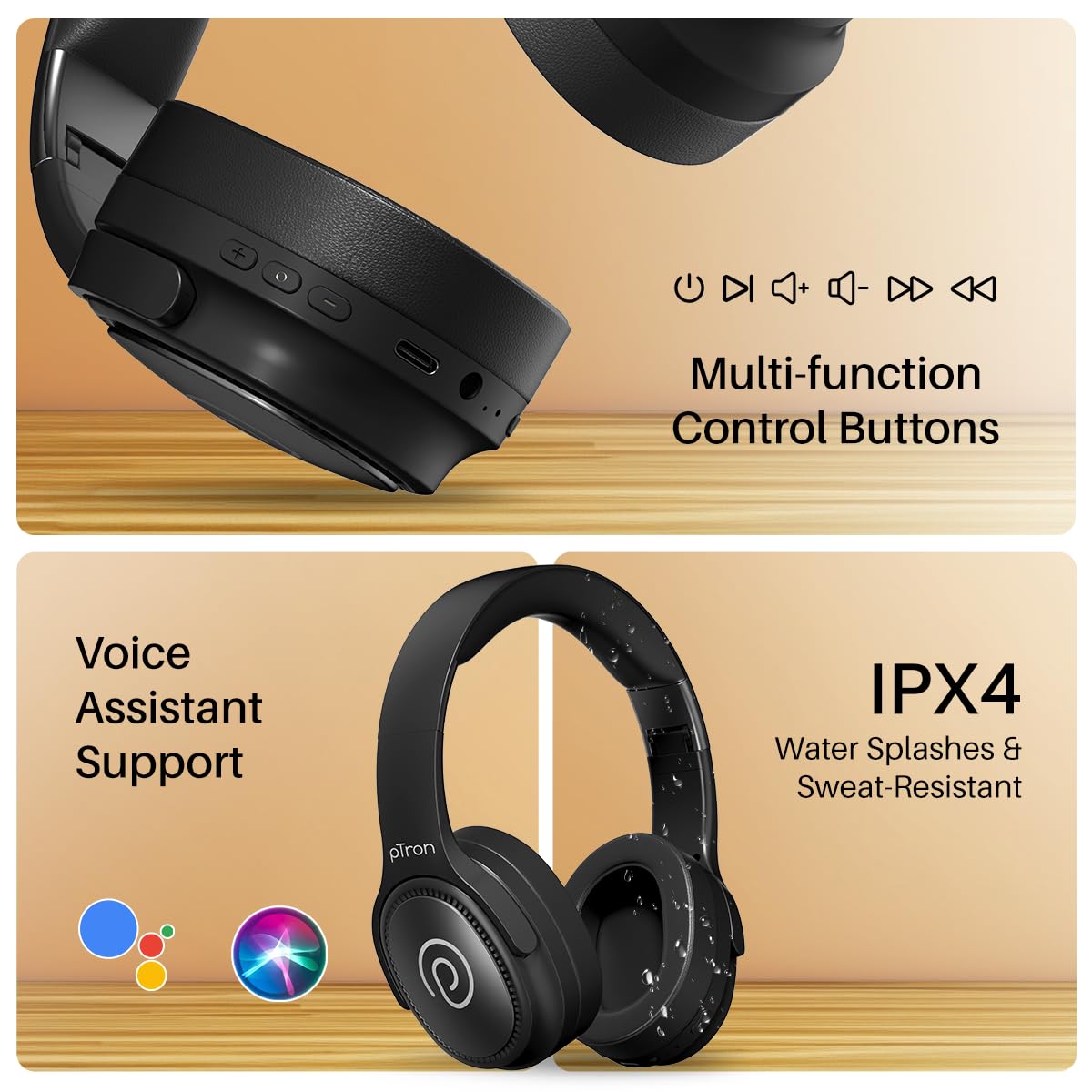
Image: The headphones illustrating support for voice assistants like Google Assistant and Siri, along with their IPX4 water-resistant rating.
Game & Music Modes
- بدلون موډل: Single press the Mode button to toggle between Low-Latency Gaming Mode and standard Music Mode.
ساتنه
To ensure the longevity and optimal performance of your pTron Studio Pro headphones, follow these maintenance guidelines:
- پاکول: د هیډفونونو د پاکولو لپاره نرم، وچ ټوکر وکاروئ. د کثافاتو پاکوونکي یا محلولونه مه کاروئ.
- ذخیره کول: کله چې په کارولو کې نه وي، هیډفونونه په یخ او وچ ځای کې وساتئ. د پوښلو وړ ډیزاین د کمپیکټ ذخیره کولو اجازه ورکوي.
- د اوبو ښکاره کول: While rated IPX4 for water splashes and sweat resistance, avoid submerging the headphones in water or exposing them to heavy rain. Dry them thoroughly if they get wet.
- چارج کول: Use only the provided Type-C cable and a compatible power adapter (DC5V-1A max.) for charging.
- د سختې تودوخې څخه ډډه وکړئ: هیډفونونه خورا لوړ یا ټیټ تودوخې ته مه ښکاره کوئ.
د ستونزو حل کول
If you encounter any issues with your pTron Studio Pro headphones, refer to the following common troubleshooting steps:
| ستونزه | د حل لاره |
|---|---|
| هیډفونونه نه چالانیږي. | ډاډ ترلاسه کړئ چې هیډفونونه په بشپړ ډول چارج شوي دي. د بریښنا سرچینې سره وصل شئ او د چارج کولو شاخص وګورئ. |
| د وسیلې سره جوړه نشي کیدی. | Make sure Bluetooth is enabled on your device and the headphones are in pairing mode (LED flashing red/blue). Move closer to the device. Forget previous pairings on your device and try again. |
| غږ نشته یا ټیټ غږ. | Check the volume levels on both the headphones and your connected device. Ensure the headphones are correctly paired. If using Aux-in, ensure the cable is fully inserted. |
| د زنګ وهلو کیفیت خراب دی. | Ensure the microphone is not obstructed. Move to an area with less environmental noise. Check your device's network signal. |
| هیډفونونه په مکرر ډول قطع کیږي. | Ensure there are no obstacles between the headphones and your device. Keep within the Bluetooth range (10 meters). Avoid strong electromagnetic interference. |
مشخصات
| فیچر | تفصیل |
|---|---|
| برانډ | pTron |
| د ماډل نوم | سټوډیو |
| د غوږ ځای پرځای کول | په غوږ کې |
| بلوتوث نسخه | 5.4 |
| د بلوتوټ رینج | 10 متره |
| د آډیو ډرایور اندازه | 40 ملی میتر |
| خنډ | 32 اوهم |
| د بیټرۍ اوسط ژوند | 65 ساعته |
| د بیټرۍ چارج وخت | 2.5 ساعته |
| د چارج کولو بندر | ټایپ-سي |
| د اوبو د مقاومت کچه | IPX4 (د اوبو مقاومت) |
| مایکروفون | Built-in HD Mic with AI-ENC |
| هیډفون جیک | 3.5 ملی جیک |
| د کنټرول ډول | Call Control, Push Button |
| د محصول ځانګړتیاوې | Fast Charging, Foldable, Microphone Included, Noise Isolation, Surround Sound |
| د توکي وزن | 200 ګرامه |
| مواد | اکریلونایتریل بوټاډین سټیرین (ABS) |
| مطابقت لرونکې وسیلې | ګرځنده تلیفونونه، ډیسټاپونه، لیپټاپونه، ټابلیټونه |
تضمین او ملاتړ
Your pTron Studio Pro headphones come with a manufacturer's warranty and dedicated customer support.
- تضمین: 6 Months Manufacturer Warranty from the Date of Purchase on Manufacturing Defects Only.
- جوړونکي اړیکه: Building A1, Red Box Creative Park, No. 3 Huancheng South Road, Bantian Street, Longgang District, Shenzhen City, China 518116.
- Customer Care Contact Details: 40-67138888 / ملاتړ@ptron.in
- د واردونکي اړیکه: پالریډ الیکترونیک پرایویټ لمیټډ، سین. نمبر ۵۶، لومړی پوړ، ګونډلاپوچAMPALLY VILLAGE, TECH PARK MTP, TSIIC-IALA NACHARAM, HYDERABAD - 500076, TELANGANA, INDIA.