
1. پیژندنه
Thank you for choosing the Goshyda USB Noise Cancelling Microphone. This device is designed for high-fidelity audio capture with intelligent noise reduction, suitable for various computer and laptop applications. This manual provides essential information for setup, operation, and maintenance to ensure optimal performance.
۲.۱ په بکس کې څه دي
- 1 x Goshyda USB Noise Cancelling Microphone
- 1 x USB کیبل
- 1 x د کارونکي لارښود

Image 1.1: The Goshyda USB Noise Cancelling Microphone and its included USB cable.
2. د محصول ب Featuresې
The Goshyda USB Noise Cancelling Microphone offers advanced features for superior audio performance:
- 360° Omnidirectional Sound Pickup: Captures sound from all directions with a pickup distance of up to 3 meters (9.8 ft).
- Intelligent AI Noise Reduction: Built-in DSP chip isolates environmental noise for clear voice capture.
- 192kHz Sampد نرخ نرخ: Dual-channel design provides high-fidelity sound reproduction, four times denser than regular microphones.
- کمپیکٹ او پورټ ایبل ډیزاین: Features magnetic absorption for easy storage and transport.
- د پلګ او پلی اتصال: Simple USB connection for immediate use with compatible devices.
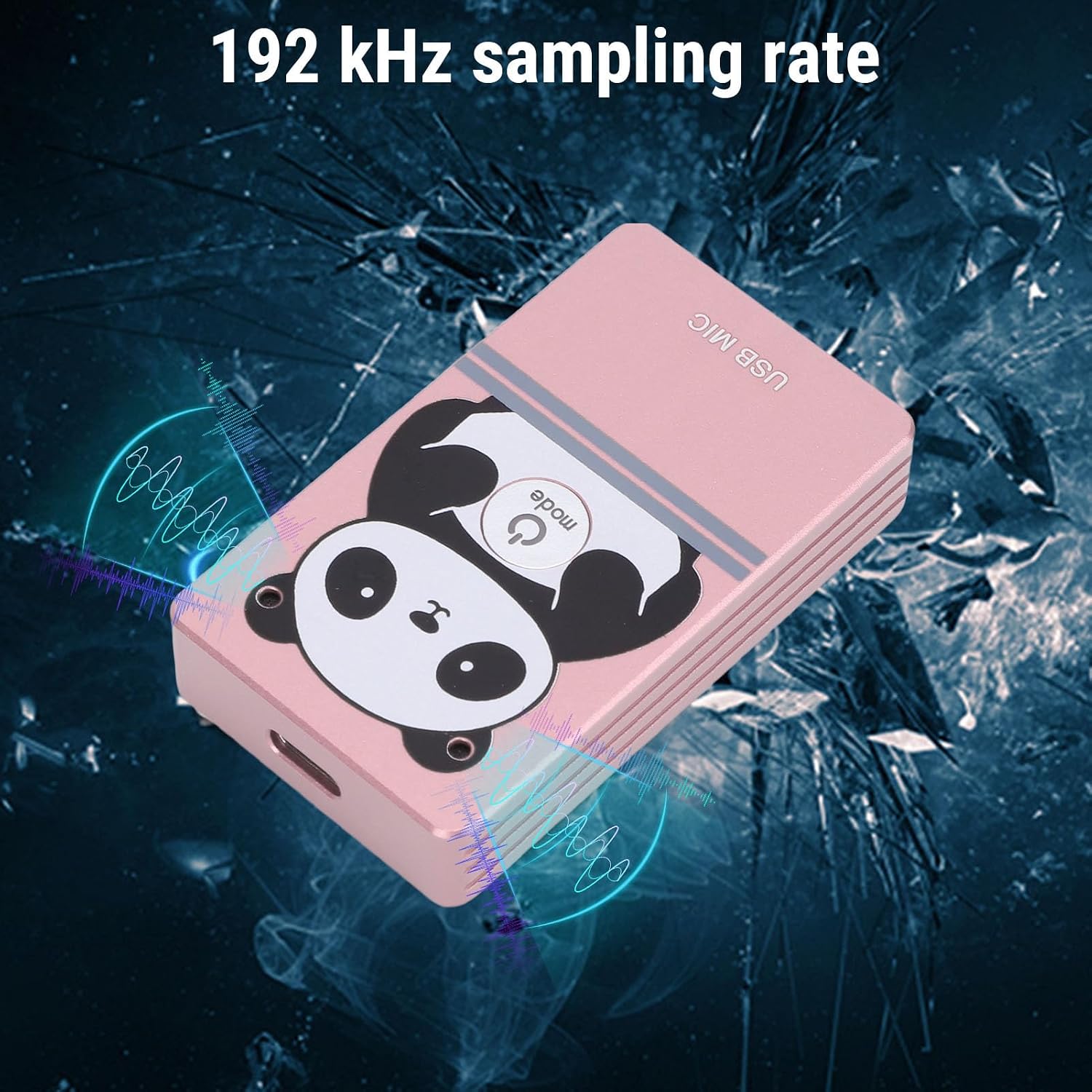
Image 2.1: The microphone's compact design with magnetic absorption for easy portability and storage.

Image 2.2: The microphone's compact and flexible design makes it suitable for travel, business trips, and live streaming.

Image 2.3: The microphone features 360-degree omnidirectional sound pickup for comprehensive audio capture.

Image 2.4: The microphone supports a 192 kHz sampling rate for high-fidelity audio recording.
3. ترتیب کول
3.1 د سیسټم اړتیاوې
The microphone is compatible with the following operating systems:
- وینډوز
- macOS (OS X)
- لینکس
- Android
3.2 پیوستون
- Locate an available USB port on your computer, laptop, or compatible Android device.
- Connect the provided USB cable to the microphone and then to the USB port on your device.
- The device should automatically recognize the microphone as a USB audio input device. No driver installation is typically required.
- Verify the microphone is detected in your device's sound settings.
4. عملیاتي لارښوونې
4.1 بنسټیز عملیات
Once connected, the microphone is ready for use. It functions as a standard USB audio input device. You can select it as your primary microphone in communication applications (e.g., video conferencing software, voice chat) or recording software.
۴.۴ د شور لغوه کول
The microphone features an intelligent AI noise reduction mode. This function is automatically active to filter out ambient noise, ensuring your voice is clear and distinct during calls or recordings.
4.3 Sound Pickup
Position the microphone centrally within your desired pickup area. Its 360° omnidirectional design allows it to capture sound effectively from all directions within a 3-meter radius. For optimal voice clarity, ensure the microphone is not obstructed.

Image 4.1: The microphone's effective sound pickup in a typical desktop environment.

Image 4.2: Application scenarios include collaborative work, consultations, online teaching, live streaming, karaoke, and game voiceovers.
5. ساتنه
- مایکروفون د نرم او وچ ټوکر سره پاک وساتئ.
- د مایکروفون د سختې تودوخې، رطوبت، یا مستقیم لمر وړانګو سره د مخ کیدو څخه ډډه وکړئ.
- Do not attempt to disassemble the microphone, as this may void any potential warranty and cause damage.
- Store the microphone in a safe place when not in use, utilizing its magnetic absorption feature for secure placement on metal surfaces.
6. ستونزه حل کول
| ستونزه | احتمالي لامل | د حل لاره |
|---|---|---|
| مایکروفون ندی موندل شوی | د USB اتصال خراب دی، د USB پورټ نیمګړتیا، د سیسټم ناسم تنظیمات. | Ensure USB cable is securely connected. Try a different USB port. Check your device's sound settings to ensure the microphone is selected as the input device. |
| Low or no sound output | Microphone volume too low, application settings, distance from microphone. | Adjust microphone volume in your device's sound settings. Check microphone input levels in your application. Ensure you are within the 3-meter pickup range. |
| د غږ کیفیت خراب یا خراب دی | High background noise, incorrect placement, software issues. | Ensure the AI noise reduction is functioning. Avoid placing the microphone near noisy sources. Update audio drivers if necessary. |
7. مشخصات
| فیچر | تفصیل |
|---|---|
| د ماډل شمیره | Goshydagn0bfcogim-13 |
| مواد | د المونیم مصر |
| د شور کمولو حالت | مصنوعي ذهانت (AI) |
| د فریکونسی رینج | 20Hz-40kHz |
| د پورته کولو فاصله | تقریبا ۸ متره (۲۶ فوټه) |
| غږ پورته کول | 360° Omnidirectional |
| Sampد نرخ کچه | 192kHz (Dual Channel) |
| د ارتباط ټیکنالوژي | USB 2.0 |
| مطابقت لرونکي سیسټمونه | وینډوز، ماکوس، لینوکس، اندروید |
| ځانګړی ځانګړنه | Adjustable, Magnetic Absorption |
| د توکي وزن | 5.1 اونس |
| د کڅوړې ابعاد | 6.3 x 3.54 x 1.97 انچه |
8. تضمین او ملاتړ
د تضمین معلوماتو او تخنیکي ملاتړ لپاره، مهرباني وکړئ د خپل پیرود سره چمتو شوي اسنادو ته مراجعه وکړئ یا مستقیم له پلورونکي سره اړیکه ونیسئ. د تضمین ادعاوو لپاره خپل د پیرود رسید وساتئ.