
1. پیژندنه
The Redragon GS821 Soundbar is a versatile audio system designed to enhance your entertainment experience. It features dual powerful drivers and dual diaphragms for high-fidelity stereo sound, rich bass, and clear dialogue. With multiple connectivity options including HDMI ARC, Optical, Bluetooth 5.3, AUX, and USB, it integrates seamlessly with various devices such as TVs, PCs, projectors, and smartphones. The soundbar also offers three specialized equalizer modes to optimize audio for movies, music, and dialogue.
This manual provides detailed instructions for setting up, operating, and maintaining your Redragon GS821 Soundbar. Please read it thoroughly before use to ensure proper functionality and to maximize your audio experience.
2. د بسته محتويات
ډاډ ترلاسه کړئ چې لاندې ټول توکي ستاسو په بسته کې شامل دي:
- Redragon GS821 Soundbar
- ریموټ کنټرول
- د بریښنا اډاپټر
- 3.5mm آډیو کیبل
- د دیوال د نصبولو کټ (پیچونه او لنگرونه)
- د کارونکي لارښود (دا لاسوند)
3. محصول ختم شوview
۱.۱ مخ او اړخ View
The soundbar features a sleek, compact design suitable for various placements.

The Redragon GS821 Soundbar, a compact audio device designed for TV and PC use.
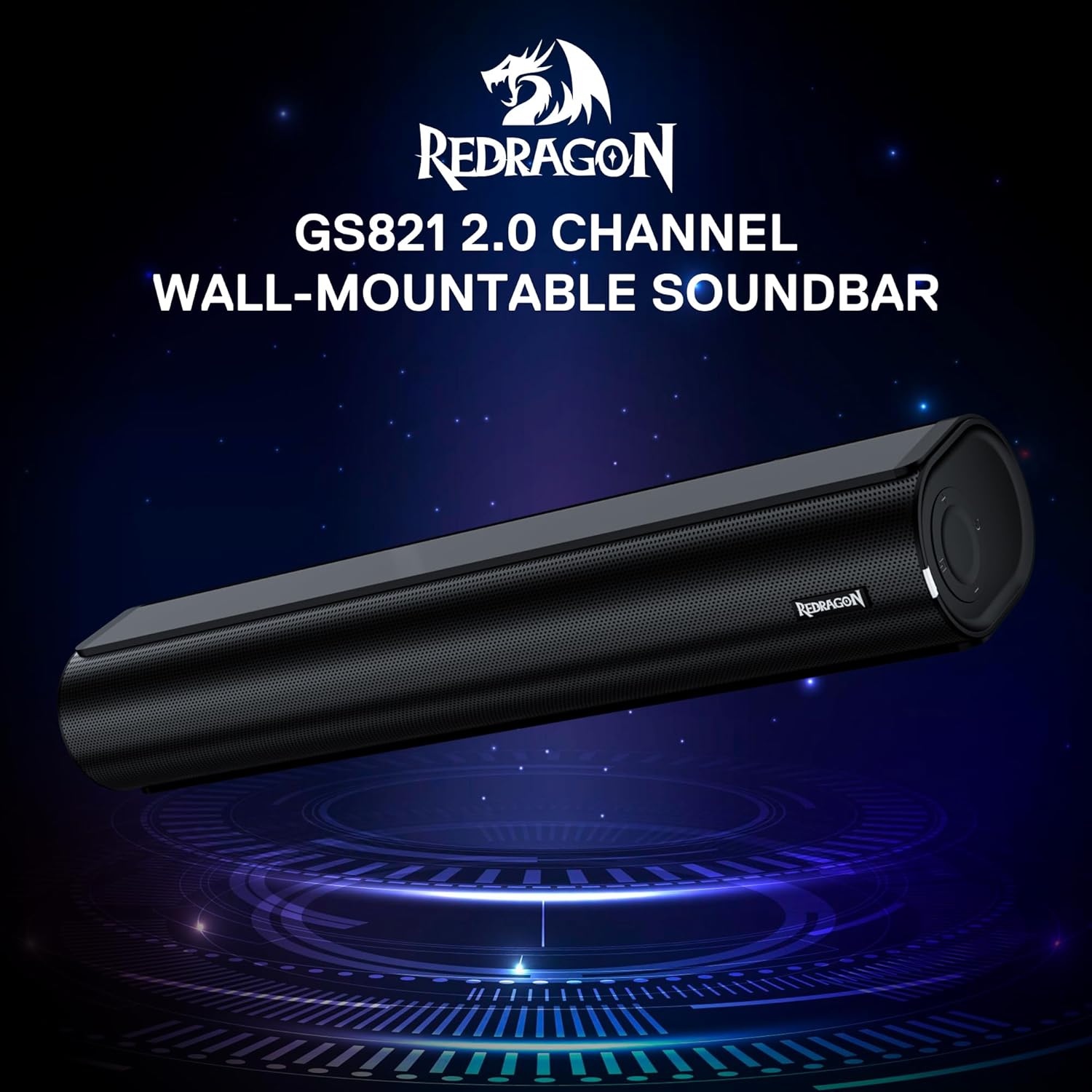
The Redragon GS821 Soundbar showing its compact dimensions: 15.9 inches wide, 4 inches deep, and 2.8 inches high.

یوه چاودنه وشوه view illustrating the dual 45mm sound units and internal components of the Redragon GS821 Soundbar, designed for Hi-Fi stereo sound.
۳.۲ شاته پینل او اړیکې
The rear panel provides various ports for connecting to your devices.
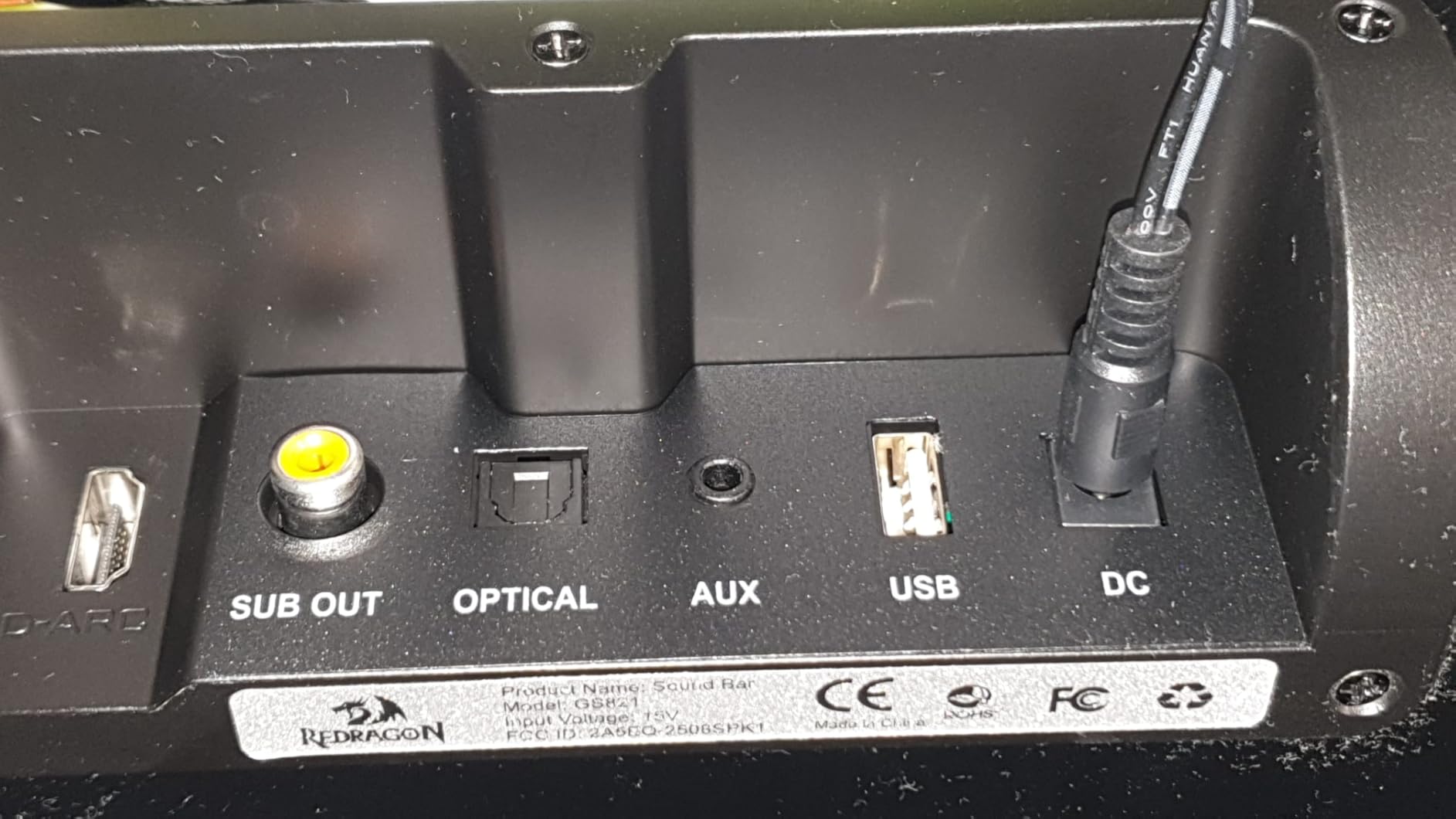
The rear panel of the Redragon GS821 Soundbar, featuring various input ports including HDMI ARC, Optical, AUX, and USB for versatile connectivity.
3.3 Controls and Remote
The soundbar can be controlled via its side buttons or the included remote control.

The included remote control for the Redragon GS821 Soundbar, alongside the manual control buttons located on the side of the soundbar for easy access.
4. ترتیب کول
4.1 ځای پرځای کول
The Redragon GS821 Soundbar can be placed on a tabletop or mounted on a wall.
- د ټابلیټ ځای پرځای کول: Position the soundbar on a flat, stable surface directly in front of your TV or monitor. Ensure it does not block any sensors or the screen.
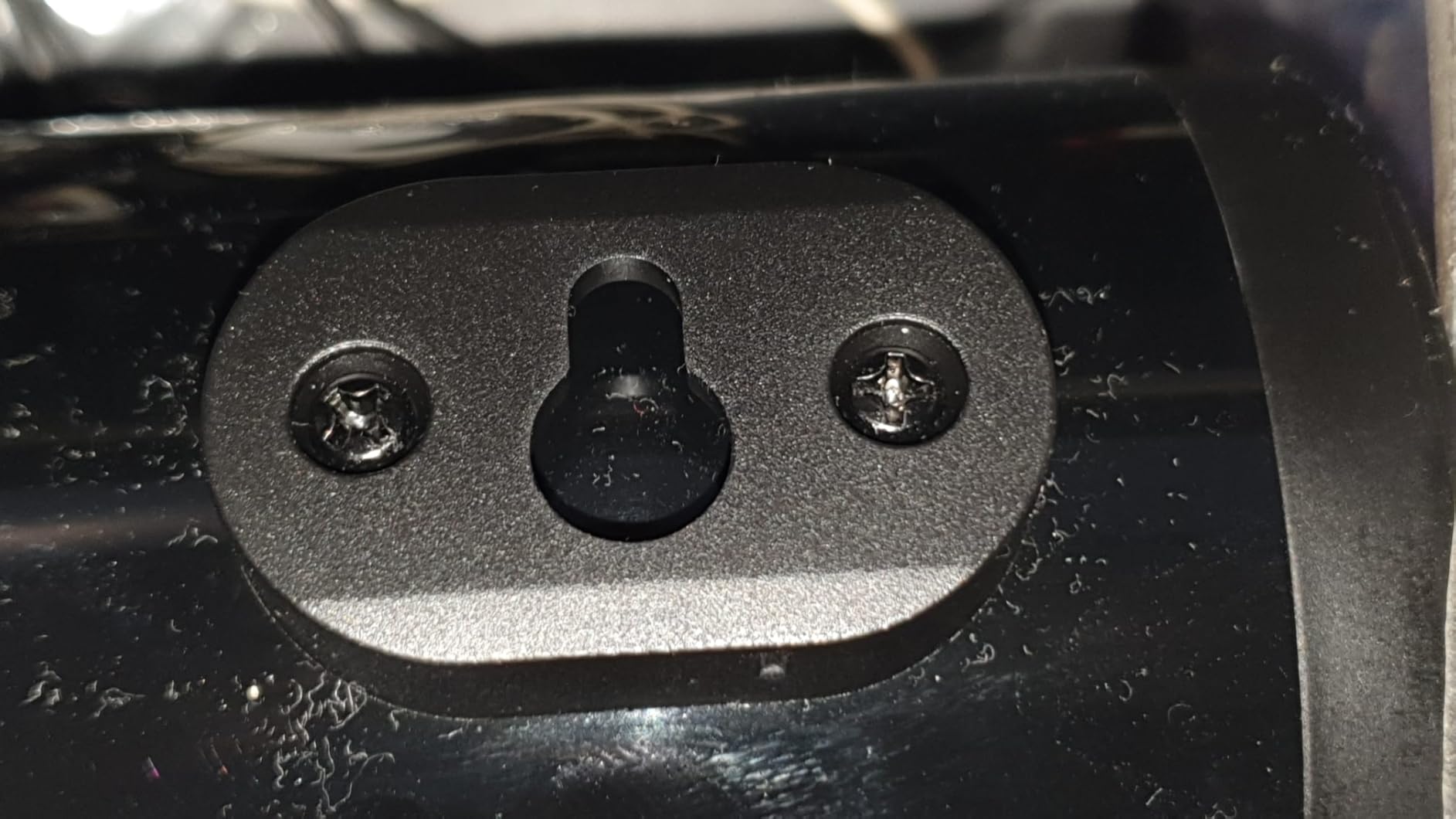
- دیوال نصبول: Use the provided wall mounting kit. Mark the desired positions on the wall, drill pilot holes, insert anchors, and secure the soundbar using the screws. Ensure the soundbar is level and securely fastened.
4.2 د بریښنا نښلول
- د بریښنا اډاپټر د غږ بار کې د DC IN پورټ سره وصل کړئ.
- د بریښنا اډاپټر په دیوال کې ولګوئ.
4.3 آډیو ارتباطات
د غږ بار د خپل آډیو سرچینې سره د نښلولو لپاره له لاندې میتودونو څخه یوه غوره کړئ:
- د HDMI ارک: Connect an HDMI cable from the soundbar's HDMI ARC port to your TV's HDMI ARC port. Ensure your TV's HDMI ARC function is enabled in its settings.
- نظري: Connect an optical cable from the soundbar's OPTICAL port to your TV's or device's optical output port.
- AUX (۳.۵ ملي متره): Use the provided 3.5mm audio cable to connect the soundbar's AUX port to the headphone jack or audio output of your device.
- USB: یو USB فلش ډرایو داخل کړئ چې آډیو لري files into the USB port. The soundbar will automatically detect and play compatible audio files.
- بلوتوث: For wireless connection, refer to section 5.3 Bluetooth Pairing.
5. عملیاتي لارښوونې
۸ پاور آن/بند
- د واحد د فعالولو یا بندولو لپاره د غږ بار یا ریموټ کنټرول کې د بریښنا تڼۍ فشار ورکړئ.
5.2 د ننوتلو انتخاب
Cycle through input modes using the 'M' button on the soundbar or the 'Input' button on the remote control. The LED indicator will change color to show the active input:
A guide to the LED indicator colors on the Redragon GS821 Soundbar, showing which color corresponds to each input mode (Standby, BT, ARC, Optical, AUX, USB).
- سور: ولاړ
- آبي: بلوتوث (BT)
- سیان: HDMI ARC
- سپین: نظري
- ژیړ: AUX
- ارغواني: USB
5.3 د بلوتوټ جوړه کول
د بلوتوث له لارې خپل وسیله وصل کړئ:

A visual representation of the advanced Bluetooth 5.3 technology integrated into the Redragon GS821 Soundbar, ensuring ultra-low latency for perfect audio synchronization.
- Switch the soundbar to Bluetooth mode (Blue LED). The soundbar will enter pairing mode automatically.
- په خپل وسیله (سمارټ فون، ټابلیټ، او نور) کې، بلوتوټ فعال کړئ او د شته وسایلو لټون وکړئ.
- Select "Redragon GS821" from the list to pair.
- یوځل چې جوړه شي ، د LED شاخص به فلش کول ودروي او قوي نیلي پاتې شي.
5.4 EQ موډونه
The soundbar offers three specialized EQ modes to optimize your listening experience. Press the EQ button on the remote control to cycle through them:

An illustration of the three specialized sound modes available on the Redragon GS821 Soundbar: Music, Movie, and Dialogue, each optimized for different audio experiences.
- د فلم حالت: Enhances surround sound effects for cinematic immersion.
- د موسیقۍ حالت: Boosts bass and high frequencies for a rich, full-bodied audio experience.
- د خبرو اترو طریقه: Isolates and clarifies human voices, ideal for news, podcasts, or talk shows.
5.5 د حجم کنټرول
Adjust the volume using the volume buttons on the soundbar or the remote control.
- مطبوعاتي + د حجم زیاتولو لپاره.
- مطبوعاتي - د حجم کمولو لپاره.
- فشار ورکړئ خاموش button on the remote to mute/unmute the sound.
6. ساتنه
- پاکول: د غږ بار سطحه پاکولو لپاره نرم، وچ ټوکر وکاروئ. مایع پاکوونکي یا خړوبونکي مواد مه کاروئ.
- ذخیره کول: کله چې د اوږدې مودې لپاره نه کارول کیږي، د غږ بار په یخ او وچ ځای کې د مستقیم لمر وړانګو او سخت تودوخې څخه لرې وساتئ.
- د خنډونو مخنیوی: Ensure the speaker grilles are not obstructed to maintain optimal sound quality.
7. ستونزه حل کول
| ستونزه | د حل لاره |
|---|---|
| هیڅ ځواک نشته | ډاډ ترلاسه کړئ چې د بریښنا اډاپټر په خوندي ډول د غږ بار او د کار کولو بریښنا سایټ سره وصل دی. |
| غږ نشته | Check the input source selection. Ensure the volume is not muted and is turned up. Verify audio cables are correctly connected. If using HDMI ARC, ensure the TV's ARC function is enabled. |
| د بلوتوټ جوړه کولو مسلې | Ensure the soundbar is in Bluetooth mode. Turn off and on Bluetooth on your device. Move your device closer to the soundbar. Forget the device from your Bluetooth list and try pairing again. |
| ریموټ کنټرول کار نه کوي | Check the battery in the remote control and replace if necessary. Ensure there are no obstructions between the remote and the soundbar. |
| د غږ خراب کیفیت / تحریف | Adjust the volume level. Try different EQ modes. Ensure the audio source is of good quality. Check cable connections for any damage. |
8. مشخصات
| فیچر | ارزښت |
|---|---|
| برانډ | ریډراګون |
| د ماډل شمیره | GS821 |
| د سپیکر اعظمي تولید ځواک | 20 واټ |
| د تعدد ځواب | 20000 Hz |
| د ارتباط ټیکنالوژي | Bluetooth (BT 5.3), HDMI ARC, Optical, USB, 3.5mm AUX |
| د آډیو وتلې حالت | سټیریو |
| د نصب کولو ډول | Tabletop Mount, Wall Mountable |
| رنګ | تور |
| د توکي ابعاد (D x W x H) | ۱۶"د x ۲۶"وچ x ۴۷"ح |
| د سیګنال څخه تر شور پورې نسبت | 80 dB |
| مطابقت لرونکې وسیلې | Desktop, Laptop, Projector, Tablet, Television |
9. د تضمین معلومات
The Redragon GS821 Soundbar comes with a ۱-کلن تضمین from the date of purchase. This warranty covers manufacturing defects and workmanship under normal use. It does not cover damage caused by misuse, accidents, unauthorized modifications, or external factors. Please retain your proof of purchase for warranty claims.
10. د پیرودونکي ملاتړ
If you encounter any issues or have questions regarding your Redragon GS821 Soundbar that are not addressed in this manual, please contact Redragon customer support. Refer to the official Redragon webد اړیکو د خورا تازه معلوماتو لپاره سایټ یا ستاسو د محصول بسته بندي.
د آنلاین ملاتړ او FAQs لپاره، لیدنه وکړئ: www.redragonzone.com