
1. پیژندنه
The MangoKit SR-L is a versatile audio device offering WiFi Internet Radio, FM Radio, Podcast playback, and Bluetooth streaming capabilities. It features a full-color display, 150 presets, and can be powered by mains or batteries for portable use. This manual provides detailed instructions for setting up and operating your SR-L radio.
2. د محصول ب Featuresې
- FM & Internet Radio: Access a wide range of local and global stations with clear digital sound.
- Bluetooth & Podcast Playback: Stream audio from your devices via Bluetooth or enjoy podcasts directly on the radio.
- 150 وړاندیزونه: Store up to 150 favorite stations across FM and Internet Radio for quick access.
- Alarm Clock Radio with Sleep Timer: Wake up to your preferred station or a buzzer, with snooze and sleep timer functions.
- Mains or Battery Powered: Operate using the included mains adapter or 4 AA batteries (not included) for up to 10 hours of portable listening.
- Full Colour Display: Provides clear information and easy navigation.
3. د بسته محتويات
- MangoKit SR-L WiFi Internet Radio
- د بریښنا اډاپټر
- د کارونکي لارښود (دا لاسوند)
4. د تنظیم کولو لارښود
4.1 Powering On Your Radio
The SR-L radio can be powered by the included mains adapter or 4 AA batteries (not included).
- اصلي ځواک: Connect the power adapter to the DC IN port on the back of the radio and plug it into a wall outlet.
- د بیټرۍ ځواک: Open the battery compartment on the back and insert 4 AA batteries, ensuring correct polarity. Close the compartment securely.
د غوره FM استقبال لپاره ټیلسکوپیک انتن پراخ کړئ.

Image: The MangoKit SR-L radio demonstrating its portability, suitable for outdoor use with battery power.
4.2 Initial Setup and WiFi Connection
Upon first power-on, the radio will guide you through the initial setup process.
- د ژبې انتخاب: Use the navigation controls to select your preferred language.
- وخت/نیټه: اوسنی وخت او نیټه وټاکئ.
- د شبکې ترتیب: The radio will scan for available WiFi networks. Select your network from the list.
- پاسورډ دننه کړئ: Use the rotary knob and buttons to enter your WiFi password. Confirm your selection.
- د پیوستون تصدیق: The radio will attempt to connect to the network. Once successful, a confirmation message will appear.

انځور: یو مفصل view of the radio's user-friendly controls and clear display, essential for navigation and setup.
5. عملیاتي لارښوونې
5.1 د کنټرول اوورview
د اصلي کنټرولونو سره ځان آشنا کړئ:
- ځواک/حجم نوب: د فعال/بندولو لپاره فشار ورکړئ، د حجم تنظیمولو لپاره وګرځوئ.
- د مینو تڼۍ: اصلي مینو ته لاسرسی ومومئ.
- د شا تڼۍ: پخوانۍ سکرین ته بیرته راشئ.
- سرچینه تtonۍ: Switch between Internet Radio, FM, Bluetooth, and Podcast modes.
- د نیویګیشن تڼۍ (پورته/ښکته/کیڼ/ښي): د مینو او لیستونو له لارې حرکت وکړئ.
- OK/Select Button (center of knob): ټاکنې تصدیق کړئ.
- Preset Buttons (1, 2, 3+): Quickly access saved favorite stations.
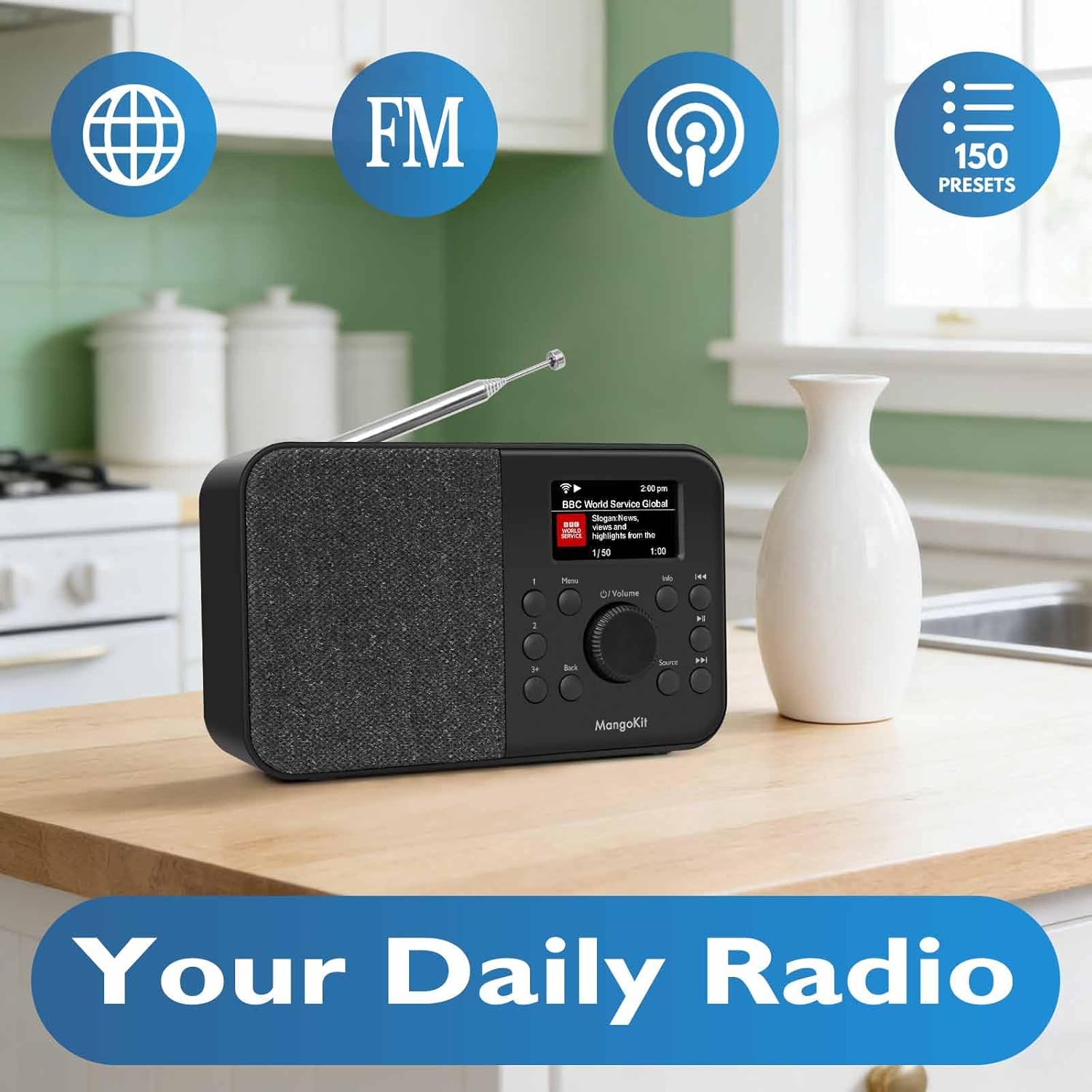
Image: The MangoKit SR-L radio highlighting its core functionalities: Internet Radio, FM, Podcast, and 150 Presets.
5.2 انټرنیټ راډیو
- فشار ورکړئ سرچینه تڼۍ تر هغه وخته پورې چې "انټرنیټ راډیو" غوره شي.
- Use the navigation buttons to browse stations by location, genre, or search.
- مطبوعاتي سمه / غوره کړه یو سټیشن غوره کول.
- د مخکینۍ برخې خوندي کولو لپاره، مطلوب سټیشن ته ټون وکړئ، بیا یو یې فشار ورکړئ او ونیسئ مخکینۍ buttons (1, 2, or 3+). Follow the on-screen prompts to save.
5.3 ایف ایم راډیو
- فشار ورکړئ سرچینه button until "FM Radio" is selected.
- Use the navigation buttons to manually tune or press and hold to auto-scan for the next available station.
- د مخکینۍ برخې خوندي کولو لپاره، مطلوب سټیشن ته ټون وکړئ، بیا یو یې فشار ورکړئ او ونیسئ مخکینۍ buttons (1, 2, or 3+). Follow the on-screen prompts to save.
۶.۵ بلوتوث سټریمینګ
- فشار ورکړئ سرچینه تڼۍ تر هغه وخته پورې چې "بلوتوث" غوره شي. راډیو به د جوړه کولو حالت ته ننوځي.
- On your mobile device, enable Bluetooth and search for "MangoKit SR-L".
- Select the radio to pair. Once connected, you can stream audio from your device.
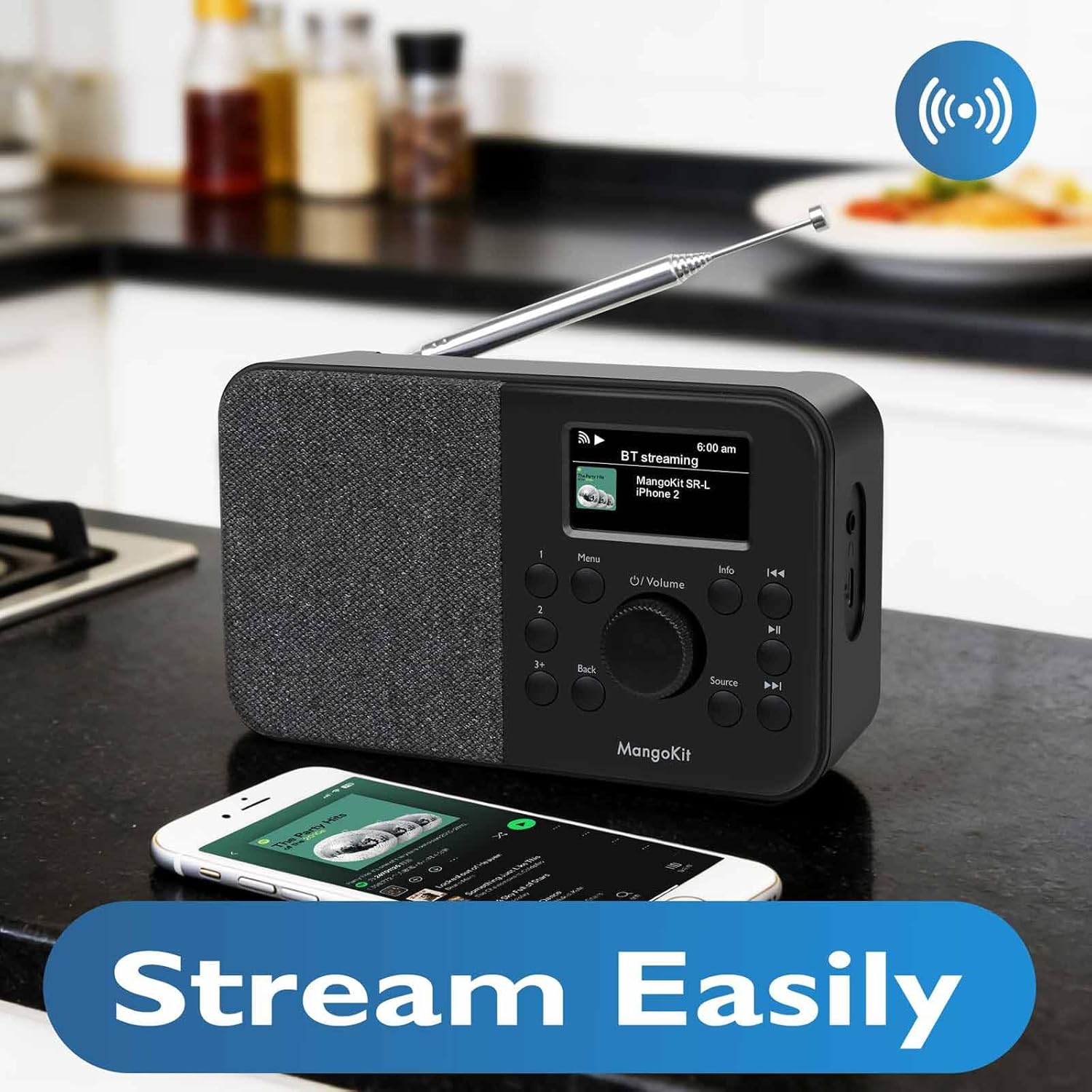
Image: The MangoKit SR-L radio seamlessly streaming music from a smartphone via Bluetooth.
5.5 Podcast Player
- فشار ورکړئ سرچینه button until "Podcast" is selected.
- Browse or search for podcasts using the navigation controls.
- مطبوعاتي سمه / غوره کړه to play an episode.
۴.۳ د الارم ساعت او د خوب وخت
- د الارم ترتیب کول: Go to the main menu, select "Alarm" and follow the prompts to set alarm time, source (FM, Internet Radio, or buzzer), and frequency.
- سنوز: When the alarm sounds, press any button (except Power) to activate snooze.
- د خوب وخت From the main menu, select "Sleep Timer" and choose a duration (e.g., 15, 30, 60 minutes). The radio will automatically turn off after the set time.

Image: The MangoKit SR-L radio positioned on a bedside table, illustrating its use as an alarm clock.
6. ستونزه حل کول
| ستونزه | احتمالي لامل | د حل لاره |
|---|---|---|
| هیڅ ځواک نشته | Power adapter not connected; batteries depleted or incorrectly inserted. | Check power adapter connection; replace batteries or ensure correct polarity. |
| No Internet Radio connection | Incorrect WiFi password; weak WiFi signal; router issue. | Re-enter WiFi password; move radio closer to router; restart router. |
| د FM ضعیف استقبال | انتن غځول شوی نه دی؛ مداخله. | Fully extend the telescopic antenna; reposition the radio away from electronic devices. |
| د بلوتوث وسیله به جوړه نه شي | Radio not in pairing mode; device already paired to another unit. | Ensure radio is in Bluetooth mode; unpair from other devices; restart both devices. |
7. مشخصات
- ماډل: SR-L
- نښه: منګوکیټ
- ارتباط: WiFi, Bluetooth 5.3, FM Radio
- ځواک: Mains adapter (included) or 4 x AA batteries (not included)
- د بیټرۍ ژوند: تر ۱۱ ساعتونو پورې (د AA بیټرۍ سره)
- ښکاره کول: Full Colour Display
- پریسیسټونه: 150 (Internet Radio & FM combined)
- وزن: تقریبا ۱۰.۰۸ اونس (پرته له بیټرۍ)
8. تضمین او ملاتړ
Your MangoKit SR-L radio comes with a standard manufacturer's warranty. For detailed warranty information, technical support, or service inquiries, please refer to the warranty card included in your package or visit the official MangoKit webسایټ. د تضمین ادعاوو لپاره د پیرود ثبوت وساتئ.
۱۱. د محصول ویډیو پای ته ورسیدهview
ویډیو: یو رسمي اوورview of the MangoKit SR-L WiFi Internet Radio, demonstrating its features and various modes of operation including Podcast and Bluetooth.