
1. پیژندنه او وروستهview
This manual provides detailed instructions for setting up and using your Rapoo Blade-Series E9310M Wireless Keyboard and M300G Silent Mouse Combo. This combo offers multi-device connectivity and a compact design for enhanced productivity across various operating systems.
کلیدي ځانګړتیاوې:
- Compact Wireless Combo: Features a 99-key layout with number pad and arrow keys, paired with a silent mouse with side buttons. This design optimizes typing and browsing efficiency while occupying 20% less space.
- Multi-Device and Multi-OS Support: Connects to up to 4 devices across Windows, Mac OS, and Linux via Bluetooth 5.0/4.0 and a plug-and-play USB receiver.
- د مایع ټایپ کولو تجربه: Laptop-like profile with incurve rounded keys ensures a fast, fluid, precise, and quiet typing experience.
- 5-DPI Adjustable Silent Mouse: The M300G mouse offers good portability and ergonomics, with 5 preset DPI levels (800/1000/1200/1600/2400) for smooth tracking.
- ملټي میډیا کلیدونه: Supports Windows and Mac OS dual system shortcuts for 12 common functions like play/pause and volume control.
- Aesthetic and Durable Design: Constructed with an aluminum alloy frame and a matte antioxidant finish for a delicate texture and enhanced durability.
- Refined Details: Includes device and capitalization indicator lights for improved user awareness and an upgraded Bluetooth 5.0/4.0 for extended battery life.
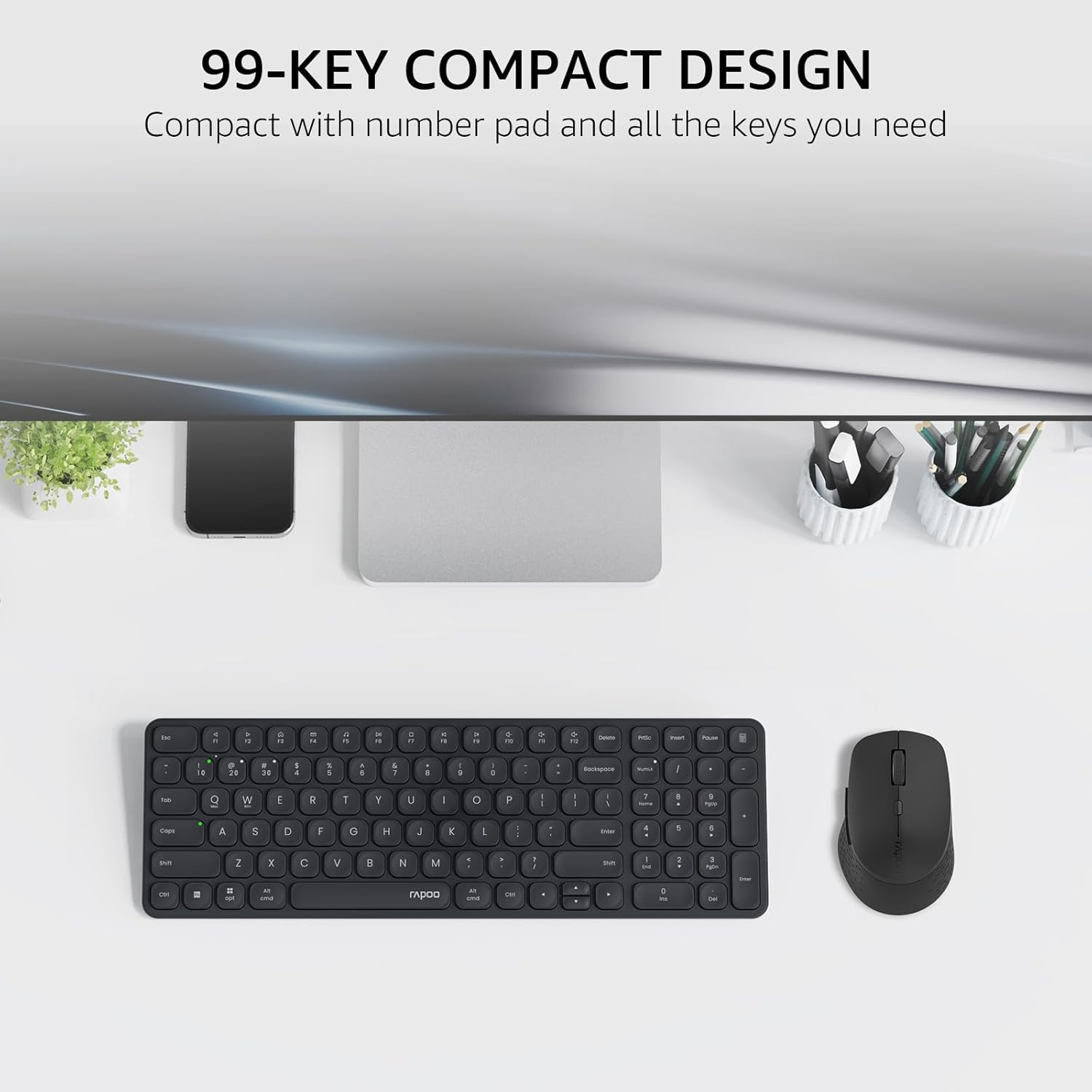
Image: The Rapoo E9310M keyboard and M300G mouse combo, showcasing its compact design on a desk.
۴. د تنظیم لارښوونې
2.1 د بیټرۍ نصب کول
The keyboard and mouse require AAA batteries. Two AAA batteries are included with the product.
- د کیبورډ او موږک په ښکته برخه کې د بیټرۍ کڅوړه ومومئ.
- د بیټرۍ کمپارټ پوښ خلاص کړئ.
- د AAA بیټرۍ دننه کړئ، د سم قطبیت ډاډ ترلاسه کړئ (+/-).
- د بیټرۍ کمپارټ پوښ په خوندي ډول وتړئ.
2.2 د وسایلو سره نښلول
Your Rapoo combo supports connection via 2.4GHz USB receiver or Bluetooth 5.0/4.0, allowing connection to up to 4 devices (3 via Bluetooth, 1 via 2.4GHz).
۳.۲.۱ ۲.۴GHz USB رسیور اتصال
- د USB ریسیور ومومئ، چې معمولا د موږک د بیټرۍ په برخه کې ساتل کیږي.
- د USB ریسیور په خپل کمپیوټر کې موجود USB پورټ کې ولګوئ.
- کیبورډ او ماوس د دوی د اړوندو بریښنا سویچونو په کارولو سره چالان کړئ.
- The devices should automatically connect to your computer. If not, press the 2.4G pairing button on the keyboard/mouse (refer to device for exact button location).
2.2.2 Bluetooth Connection (for up to 3 devices)
- کیبورډ او ماوس چالان کړئ.
- On the keyboard, press and hold one of the Bluetooth pairing keys (e.g., Fn + 1, Fn + 2, or Fn + 3) until the indicator light flashes, indicating pairing mode.
- On your device (PC, tablet, phone), go to Bluetooth settings and search for new devices.
- Select the Rapoo keyboard from the list and follow any on-screen prompts to complete pairing.
- Repeat steps 2-4 for the mouse, pressing its Bluetooth pairing button (usually on the underside) until its indicator flashes.
- To switch between paired Bluetooth devices, simply press the corresponding Bluetooth key (Fn + 1/2/3) on the keyboard or the Bluetooth switch on the mouse.
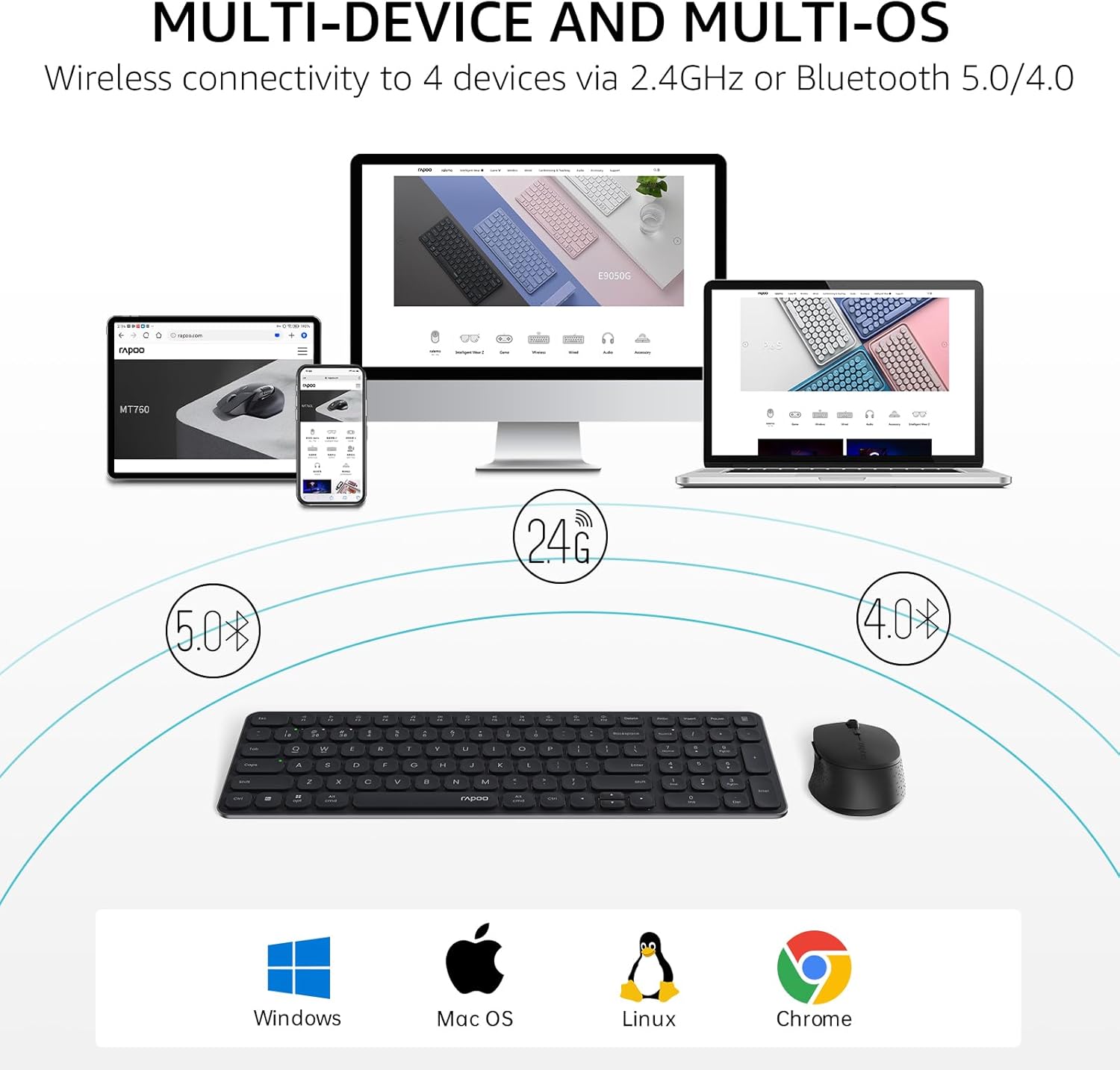
Image: The Rapoo keyboard and mouse combo connected to a desktop, laptop, tablet, and smartphone, illustrating its multi-device capability.
3. عملیاتي لارښوونې
3.1 د کیبورډ دندې
The E9310M keyboard features a 99-key layout, including a number pad and dedicated arrow keys, designed for efficient input.
3.1.1 ملټي میډیا کیلي
Access 12 widely used function keys by pressing the Fn key in combination with the corresponding F-keys (F1-F12). These shortcuts are compatible with both Windows and Mac OS.
- Fn+F1: پلی/ودرول
- Fn+F2: ودریږئ
- Fn+F3: مخکینی ټریک
- Fn+F4: بله لار
- Fn+F5: خاموش
- Fn+F6: حجم ښکته
- Fn+F7: حجم پورته
- Fn+F8: د لټون
- Fn+F9: کور
- Fn+F10: میل
- Fn+F11: زما کمپیوټر
- Fn+F12: د خوښې وړ
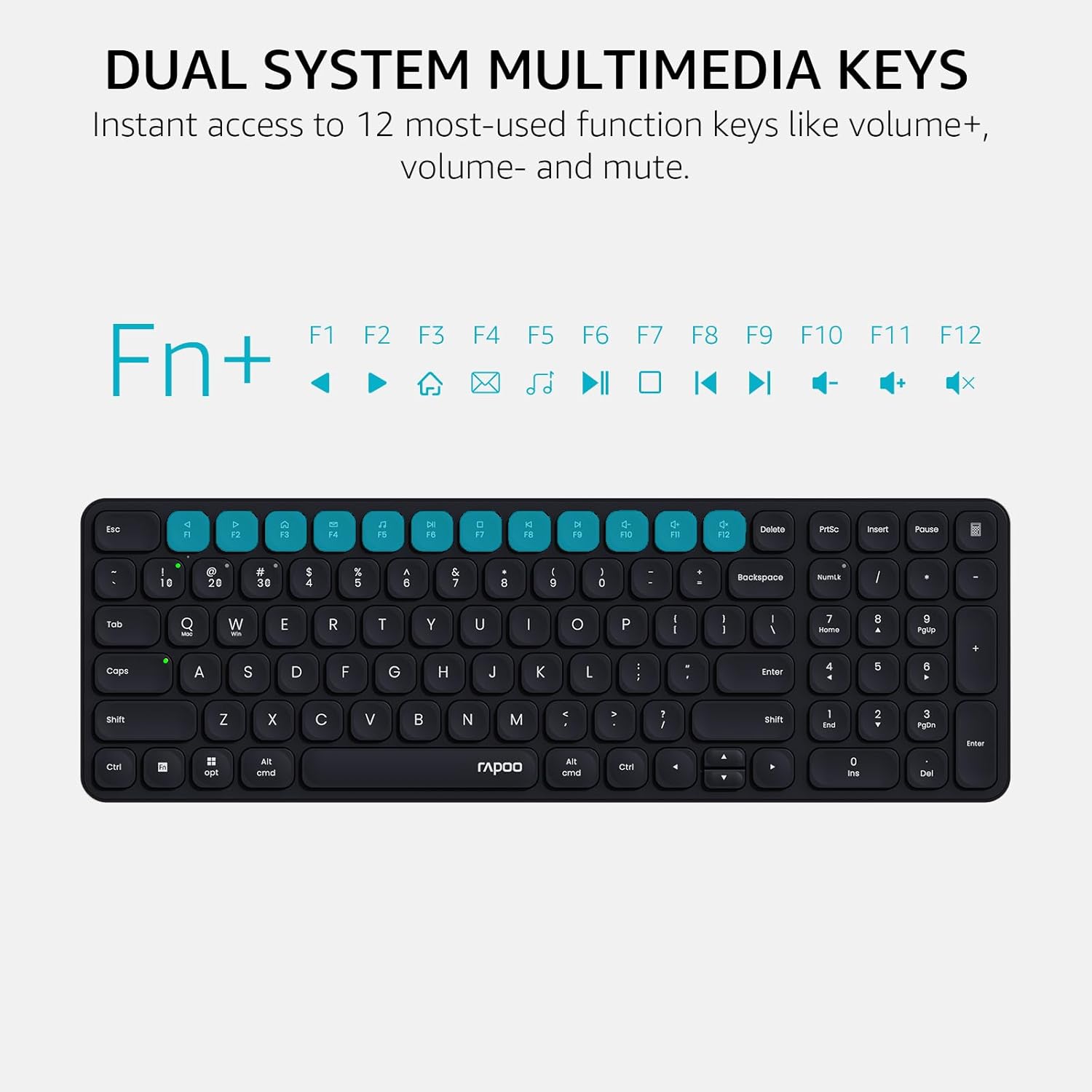
Image: Close-up of the Rapoo E9310M keyboard highlighting the multimedia function keys (F1-F12) and their corresponding icons.
3.1.2 Device and Capitalization Indicator Lights
The keyboard includes indicator lights to show which device is currently active and the status of the Caps Lock key.
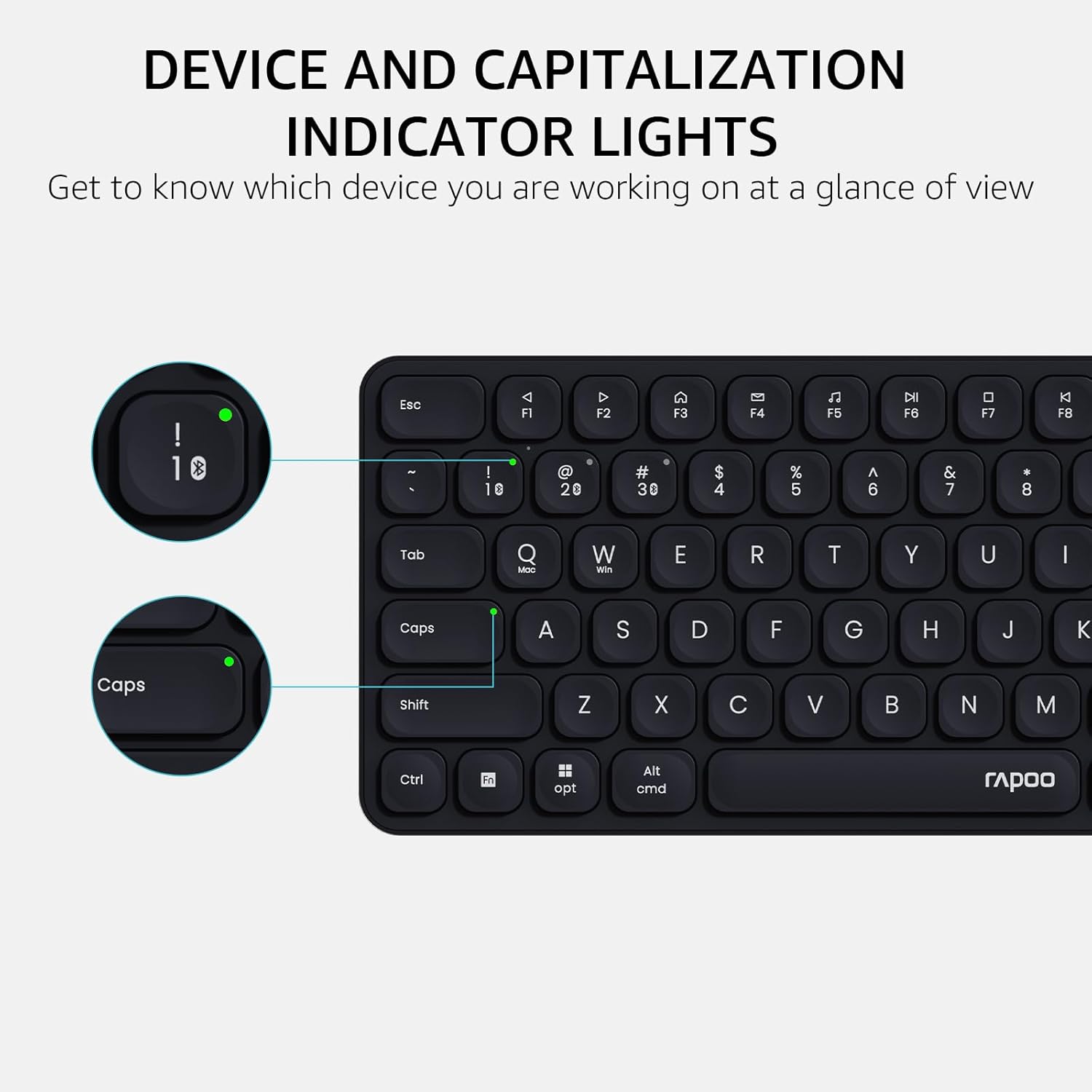
انځور: یو مفصل view of the Rapoo E9310M keyboard, pointing out the indicator lights for device connection and Caps Lock status.
۴.۳ د موږک دندې
The M300G Silent Mouse provides precise control with adjustable DPI settings and a quiet click design.
3.2.1 د DPI تعدیل
The mouse features 5 adjustable DPI levels (800/1000/1200/1600/2400) to suit different screen resolutions and user preferences. Press the DPI button (usually located near the scroll wheel) to cycle through the settings.
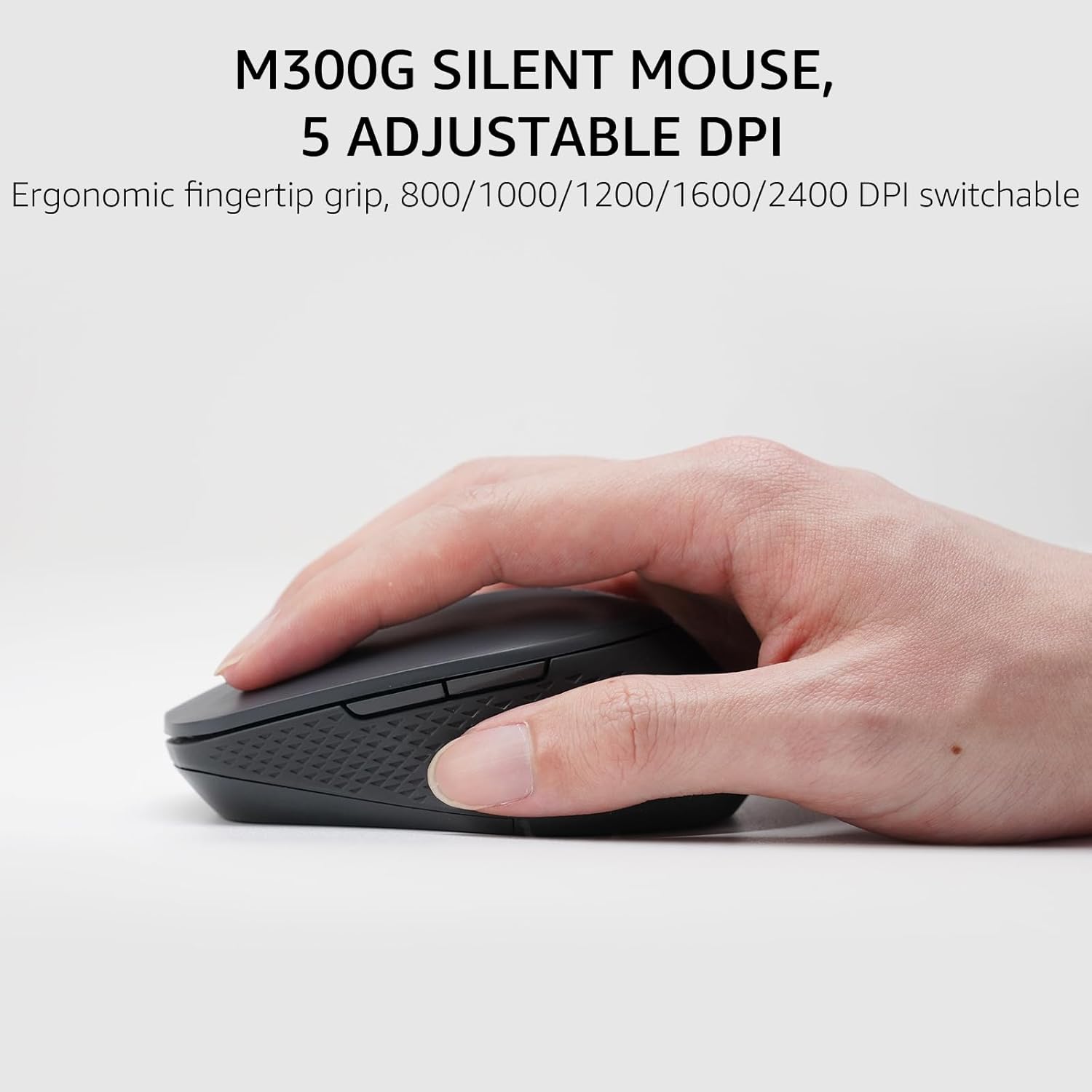
Image: The Rapoo M300G Silent Mouse, highlighting its ergonomic design and the DPI adjustment button.
4. ساتنه
4.1 پاکول
- Use a soft, dry cloth to clean the surfaces of the keyboard and mouse.
- د سختې خاورې لپاره، لږ څهampټوکر د اوبو یا نرم پاکولو محلول سره ومینځئ. د ډیر رطوبت څخه ډډه وکړئ.
- د کثافاتو پاکوونکي، محلولونه، یا ایروسول سپرې مه کاروئ.
4.2 د بیټرۍ بدلول
When the battery indicator light flashes or performance degrades, replace the batteries. The upgraded Bluetooth 5.0/4.0 technology extends battery life up to 12 months.
- وسیله بنده کړئ.
- د بیټرۍ کڅوړه خلاص کړئ.
- Remove old batteries and dispose of them according to local regulations.
- Insert new AAA batteries, observing correct polarity.
- کمپارتیا بنده کړئ.
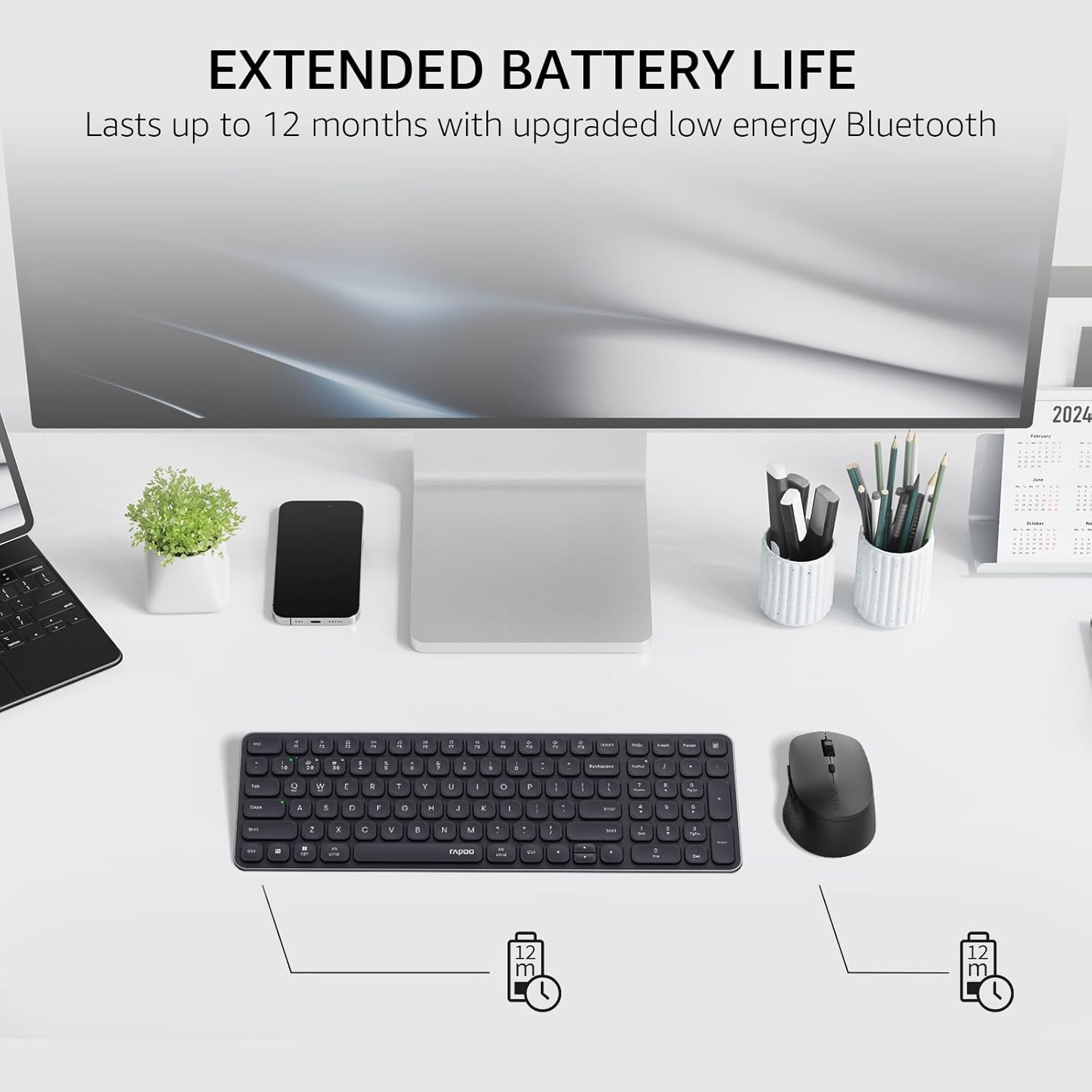
Image: The Rapoo keyboard and mouse on a desk, with an overlay indicating an extended battery life of up to 12 months.
5. ستونزه حل کول
۸.۱ د اتصال ستونزې
- وسیله نه نښلي: Ensure the keyboard/mouse is turned on and in pairing mode (indicator light flashing). Check your device's Bluetooth settings to ensure Bluetooth is enabled and the correct Rapoo device is selected.
- د 2.4GHz اتصال بې ثباته: Ensure the USB receiver is securely plugged into a working USB port. Try a different USB port. Ensure no other wireless devices are causing interference.
- Bluetooth connection dropping: Ensure the devices are within the effective range (typically 10 meters/33 feet). Check battery levels. Remove and re-pair the device if issues persist.
۵.۱ کیبورډ/ماوس ځواب نه ورکوي
- No input: Check battery levels and replace if necessary. Ensure the correct connection mode (2.4GHz or Bluetooth channel) is selected on the keyboard/mouse.
- کیلي کار نه کوي: د اغیزمنو کیليو شاوخوا پاک کړئ ترڅو هر ډول کثافات لرې کړئ.
- د موږک کرسر بې ثباته: Clean the mouse sensor. Ensure the mouse is used on a suitable surface. Adjust DPI settings if sensitivity is an issue.
6. مشخصات
| فیچر | تفصیل |
|---|---|
| برانډ | راپو |
| ماډل (کی بورډ) | E9310M |
| ماډل (موږک) | M300G |
| رنګ | تور |
| د ارتباط ټیکنالوژي | Bluetooth (5.0/4.0), Radio Frequency (2.4GHz) |
| مطابقت لرونکې وسیلې | Laptop, Personal Computer (Windows, macOS, Linux, Chrome OS) |
| د کیبورډ ترتیب | QWERTY, 99-Key with Number Pad |
| د موږک DPI | 800/1000/1200/1600/2400 (Adjustable) |
| د بریښنا سرچینه | د بیټرۍ چلول (2 AAA بیټرۍ شاملې دي) |
| د توکي وزن | 393.2 ګرامه |
| جوړونکی | د شینزین Rapoo ټکنالوژۍ Co., Ltd. |
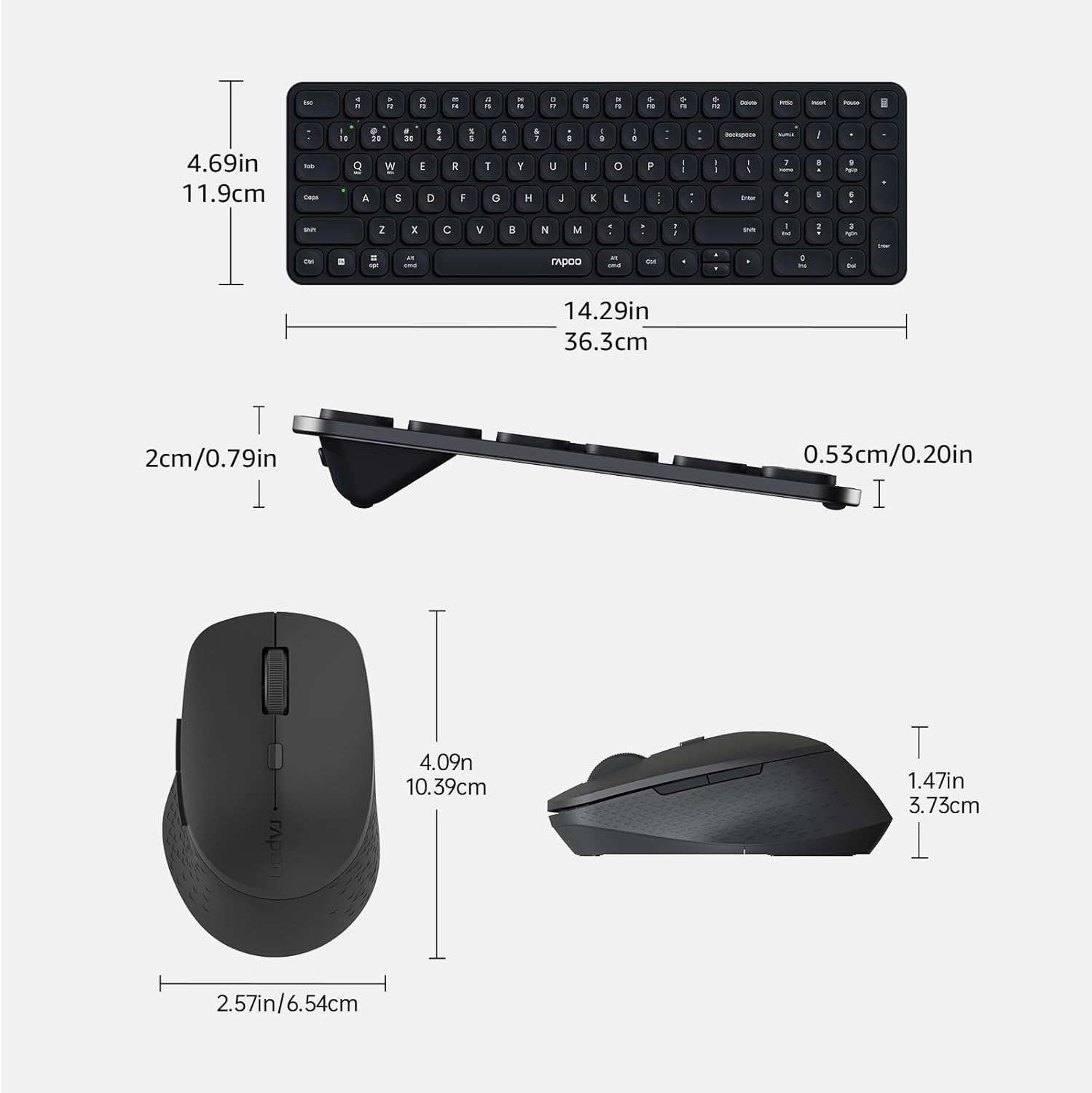
Image: Technical drawing showing the dimensions of the Rapoo E9310M keyboard and M300G mouse in inches and centimeters.
7. تضمین او ملاتړ
7.1 د تضمین معلومات
دا محصول د الف سره راځي 1 کلن تضمین د پیرود نیټې څخه. مهرباني وکړئ د تضمین ادعاوو لپاره د پیرود ثبوت وساتئ. تضمین د عادي استعمال شرایطو لاندې د تولید نیمګړتیاوې او نیمګړتیاوې پوښي.
7.2 د پیرودونکي ملاتړ
For technical assistance, troubleshooting, or warranty inquiries, please contact Rapoo customer support. Refer to the official Rapoo webد اړیکو د تازه معلوماتو لپاره سایټ یا د محصول بسته بندي.