
پیژندنه
Thank you for choosing the TECKNET TK-HS049 Hybrid Active Noise Cancelling Headphones. These headphones are designed to provide a superior audio experience with advanced noise cancellation, long battery life, and versatile connectivity. This manual will guide you through the setup, operation, and maintenance of your new headphones.
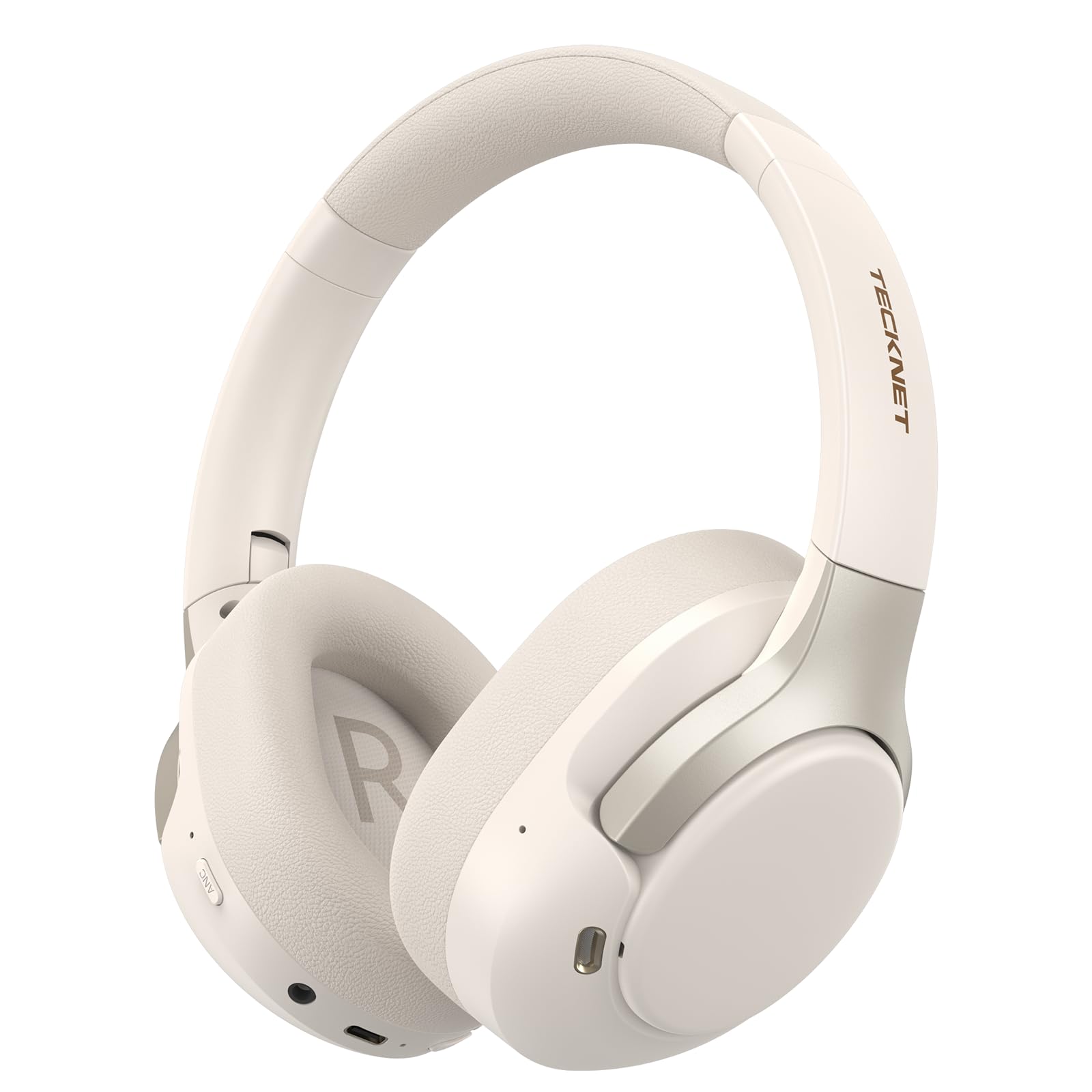
Image: TECKNET TK-HS049 Hybrid Active Noise Cancelling Headphones.
په بکس کې څه دي
- 1 x TECKNET TK-HS049 ANC Headphones
- 1 x 3.5mm آډیو کیبل
- 1 x د کارونکي لارښود
- 1 x د ډول-C چارج کیبل

Image: Contents of the product packaging.
محصول پای ته ورسیدview
Familiarize yourself with the various components and controls of your TECKNET TK-HS049 headphones.
انځور: اړخ view of the headphones highlighting control buttons and ports.
مهمې برخې:
- د بریښنا تڼۍ: د هیډفونونو د چالانولو/بندولو او د بلوتوث جوړه کولو لپاره کارول کیږي.
- د غږ لوړولو/راتلونکي ټریک تڼۍ: حجم زیاتوي یا بل ټریک ته ځي.
- د غږ کمولو/مخکینی ټریک تڼۍ: حجم کموي یا پخواني ټریک ته ځي.
- ملټي فنکشن بټن: موسیقي غږ کړئ/بند کړئ، زنګونه ځواب کړئ/پای ته ورسوئ.
- د ANC تڼۍ: Toggles Active Noise Cancellation modes.
- د ډول-C چارج کولو بندر: د هیډفون چارج کولو لپاره.
- 3.5mm آډیو جیک: د تار لرونکي آډیو اتصال لپاره.
- مایکروفون: د زنګونو او غږیزو امرونو لپاره.
چمتو کول
1. د هیډفون چارج کول
Before first use, fully charge your headphones. Connect the supplied Type-C charging cable to the charging port on the headphones and the other end to a USB power source (e.g., wall adapter, computer USB port).
- د LED شاخص به د چارج حالت وښیې.
- بشپړ چارج معمولا شاوخوا ۲-۳ ساعته وخت نیسي.
2. بریښنا فعال/بند
- پاور آن: د بریښنا تڼۍ د 3 ثانیو لپاره فشار ورکړئ او ونیسئ تر هغه چې د LED شاخص نیلي شي.
- بندول: Press and hold the Power button for 3 seconds until the LED indicator flashes red and then turns off.
3. د بلوتوث جوړه کول
د بلوتوث له لارې خپل هیډفونونه له یوې وسیلې سره وصل کړئ:
- ډاډ ترلاسه کړئ چې هیډفونونه بند دي.
- د بریښنا تڼۍ د 5 ثانیو لپاره فشار ورکړئ او ونیسئ تر هغه چې د LED شاخص په بدیل سره سور او نیلي روښانه شي، د جوړه کولو حالت په ګوته کوي.
- په خپل وسیله (سمارټ فون، ټابلیټ، لیپ ټاپ) کې، بلوتوث فعال کړئ او د شته وسایلو لټون وکړئ.
- Select "TECKNET TK-HS049" from the list of devices.
- یوځل وصل شو ، د LED شاخص به ورو ورو نیلي شيندي.
۳. د دوه ګوني وسیلو اتصال
The headphones support simultaneous connection to two Bluetooth devices, allowing seamless switching between them.
- Pair the headphones with the first device (e.g., smartphone) as described above.
- په لومړي وسیله کې بلوتوث غیر فعال کړئ. هیډفونونه به بیا د جوړې کولو حالت ته ننوځي.
- هیډفونونه د دوهم وسیلې سره یوځای کړئ (د مثال په توګه، لیپ ټاپ).
- په لومړي وسیله کې بلوتوث بیا فعال کړئ. هیډفونونه باید په اتوماتيک ډول دواړو وسیلو سره وصل شي.
- To switch audio, simply play media on the desired device.

Image: Dual device connection setup.
5. د تار نښلول
For devices without Bluetooth or when battery is low, use the included 3.5mm audio cable.
- د ۳.۵ ملي میتر آډیو کیبل یوه پای د هیډفون آډیو جیک سره وصل کړئ.
- بل پای د خپل وسیلې په 3.5 ملي میتر آډیو آوټ پټ کې ولګوئ.
- Note: Some headphone functions (e.g., ANC, EQ modes) may be limited or unavailable in wired mode without power.

Image: Wired connection via 3.5mm audio jack.
عملیات
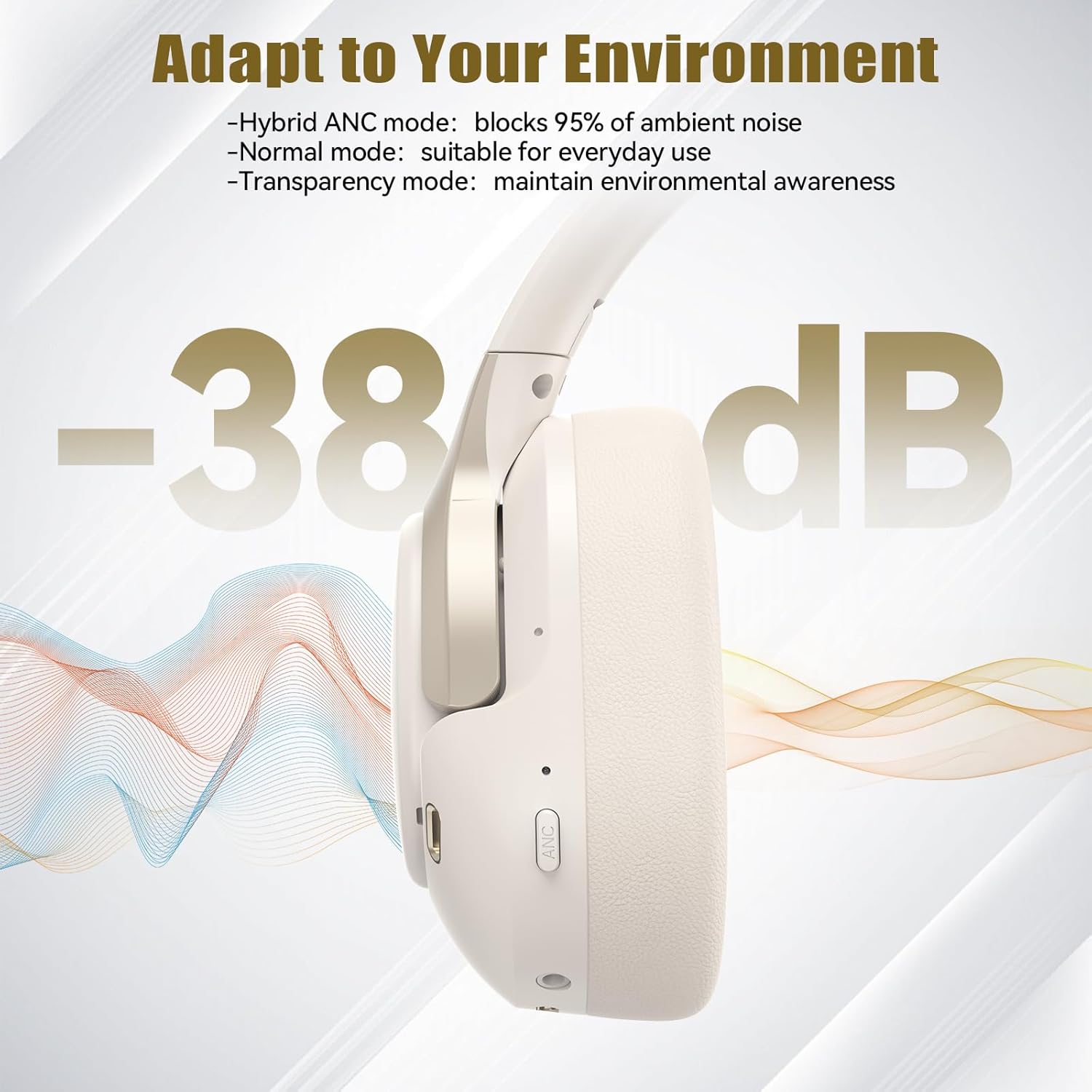
۲. د فعال شور لغوه کولو (ANC) طریقې
Press the ANC button to cycle through the available noise cancellation modes:
- Hybrid ANC Mode: Blocks up to 35dB-38dB of ambient noise, ideal for travel or noisy environments.
- نورمال حالت: ANC is off, suitable for everyday use where some environmental awareness is desired.
- د روڼتیا حالت: Allows ambient sounds to pass through, enhancing awareness of your surroundings.

Image: Hybrid Active Noise Cancellation in action.
2. د میوزیک غږول
- پلی کول / ودرول: یوځل د ملټي فنکشن ت buttonۍ فشار ورکړئ.
- بله لار: د حجم پورته کولو تڼۍ کېکاږئ او ونیسئ.
- مخکینی لار د حجم ښکته تڼۍ فشار او وساتئ.
- حجم پورته کول: د حجم پورته کولو تڼۍ په لنډ ډول فشار ورکړئ.
- کموالی: د غږ کمولو تڼۍ په لنډ ډول فشار ورکړئ.
3. د کال مدیریت
- ځواب / پای کال: یوځل د ملټي فنکشن ت buttonۍ فشار ورکړئ.
- زنګ رد کړئ: د 2 ثانیو لپاره د ملټي فنکشن تڼۍ فشار او ونیسئ.
- د غږ همکار: Double-press the Multi-function button to activate your device's voice assistant.
4. EQ Music Modes
The headphones feature 6 EQ music modes to optimize your listening experience for different genres. Press the EQ button (if available, or refer to specific button on your model) to cycle through these modes:
- نڅا
- ډبره
- کلاسیک
- غږ
- باس
- نرم

Image: Cycling through 6 EQ music modes.
ساتنه
To ensure the longevity and optimal performance of your TECKNET TK-HS049 headphones, follow these maintenance guidelines:
- پاکول: د غوږونو کپونه او سر بند پاکولو لپاره نرم، وچ ټوکر وکاروئ. د کثافاتو پاکونکي یا محلول مه کاروئ.
- ذخیره کول: When not in use, store the headphones in a cool, dry place, preferably in a protective case to prevent dust and damage.
- د رطوبت څخه ډډه وکړئ: Although the headphones have a waterproof rating, avoid prolonged exposure to water or high humidity. Do not submerge them.
- چارج کول: Only use the provided Type-C cable for charging. Avoid overcharging the battery.
- دحرارت درجه: هیډفونونه د سختې تودوخې (ګرمې یا سړې) سره مه مخ کوئ.
د ستونزو حل کول
که تاسو د خپلو هیډفونونو سره کومې ستونزې سره مخ شئ، لاندې عامې ستونزې او حل لارې وګورئ:
| ستونزه | د حل لاره |
|---|---|
| هیډفونونه به نه چالانیږي. | Ensure the headphones are charged. Connect to a power source and try again after a few minutes. |
| د بلوتوث له لارې جوړه نشي کیدی. | Make sure the headphones are in pairing mode (LED flashing red/blue). Disable and re-enable Bluetooth on your device. Ensure no other devices are connected. |
| غږ نشته یا ټیټ غږ. | Check volume levels on both headphones and your connected device. Ensure the headphones are properly paired. Try playing audio from a different source. |
| ANC اغېزمن نه دی. | Ensure ANC mode is activated. Check that the earcups form a good seal around your ears. ANC is most effective against low-frequency, constant noise. |
| مایکروفون کار نه کوي. | Ensure the headphones are connected via Bluetooth. Check microphone settings on your device. |
مشخصات
Detailed technical specifications for the TECKNET TK-HS049 headphones:
| فیچر | تفصیل |
|---|---|
| د ماډل شمیره | TK-HS049 |
| د ارتباط ټیکنالوژي | بېسیم (بلوتوث)، تار لرونکی (۳.۵ ملي میتر جک) |
| بلوتوث نسخه | 6.0 |
| د شور کنټرول | د هایبرډ شور لغوه کول (تر ۵۰dB پورې) |
| د موټر چلوونکي ډول | 40mm متحرک چلوونکي |
| د فریکونسی رینج | 20Hz - 20,000Hz (supports up to 40kHz for high-resolution audio) |
| د بیټرۍ ژوند (ANC فعال) | تر 40 ساعتونو پورې (په 60٪ حجم کې) |
| د بیټرۍ ژوند (ANC بند) | تر 70 ساعتونو پورې |
| د کنټرول طریقه | فزیکي تڼۍ |
| د غوږ ځای پرځای کول | په غوږ کې |
| مواد | Fabric, Silicone, Memory Foam (earcups) |
| د اوبو د مقاومت کچه | پنروک |
| مایکروفون | ۴ ENC مایکروفونونه |
| د EQ حالتونه | 6 Presets (Dance, Rock, Classical, Vocal, Bass, Soft) |

انځور: د بیټرۍ ژوند پای ته رسیدلیview.

Image: 40mm dynamic drivers for premium audio.

Image: Comfort features including memory foam earcups and adjustable headband.
تضمین او ملاتړ
TECKNET TK-HS049 headphones come with a د 36 میاشتو تضمین. If you encounter any problems during product use, please contact our professional customer service team for assistance. You can typically find contact information on the TECKNET official webسایټ یا ستاسو د پیرود پلیټ فارم له لارې.