
محصول پای ته ورسیدview
The DIERYA DK68 is a 60% compact mechanical keyboard designed for versatility and performance. It features triple-mode connectivity, allowing seamless switching between Bluetooth 5.0, 2.4GHz wireless, and USB-C wired connections. Equipped with clicky blue mechanical switches and vibrant RGB backlighting, it offers a responsive and customizable typing experience for both gaming and office use.

Figure 1: DIERYA DK68 Wireless Mechanical Keyboard showcasinد دې کمپیکټ ډیزاین او RGB رڼا سره.
د بسته محتويات
ډاډ ترلاسه کړئ چې ټول توکي په کڅوړه کې شتون لري:
- DIERYA DK68 Wireless Mechanical Keyboard
- USB-C ته USB-A کیبل
- کیکیپ پلر
- 2.4GHz USB Receiver (stored in the keyboard's back compartment)
- د کارونکي لارښود (دا لاسوند)
تنظیم او ارتباط
The DK68 keyboard supports three connection modes: USB-C wired, 2.4GHz wireless, and Bluetooth 5.0. Choose the mode that best suits your needs.
۳.۱.۳. د USB-C وایرډ حالت
- ورکړل شوی USB-C کیبل د کیبورډ USB-C پورټ سره وصل کړئ.
- د کیبل USB-A پای په خپل کمپیوټر کې موجود USB پورټ سره وصل کړئ.
- کیبورډ به په اتوماتيک ډول وپیژندل شي او د کارولو لپاره چمتو شي.
۲.۲. ۲.۴GHz بېسیم حالت
- Locate the 2.4GHz USB receiver in the compartment on the back of the keyboard.
- ریسیور لرې کړئ او په خپل کمپیوټر کې موجود USB پورټ کې یې ولګوئ.
- Turn on the keyboard using the switch located on the back.
- کیبورډ باید په اتوماتيک ډول له ریسیور سره وصل شي. که نه، فشار ورکړئ Fn + G (labeled '2.4G' on the key) to activate 2.4GHz pairing mode.

Figure 2: Triple-mode connectivity options including 2.4GHz wireless.
۳. بلوتوث ۵.۰ حالت
The keyboard can connect to up to three Bluetooth devices.
- Turn on the keyboard using the switch on the back.
- فشار ورکړئ او ونیسئ Fn+Z (labeled 'BT1'), Fn + X (labeled 'BT2'), or Fn + C (labeled 'BT3') for 3-5 seconds until the corresponding key's backlight flashes rapidly. This indicates pairing mode.
- On your device (PC, laptop, tablet, phone), enable Bluetooth and search for "DIERYA DK68".
- Select the keyboard to pair. The key's backlight will stop flashing once connected.
- د جوړه شوي بلوتوث وسیلو ترمنځ د بدلولو لپاره، په ساده ډول فشار ورکړئ Fn + Z/X/C.

Figure 3: Bluetooth connectivity for multiple devices.
عملیاتي لارښوونې
د RGB بیک لایټینګ کنټرول
The DK68 features 20 built-in RGB lighting effects and 16.8 million customizable colors. Use the following key combinations to control the lighting:
- Fn + Backspace: Turn backlighting On/Off.
- Fn+Shift: Switch light colors.
- Fn + داخل کړئ: Switch light modes (20 dynamic RGB modes).
- Fn + پورته تیر: روښانتیا زیاته کړئ.
- Fn + ښکته تیر: روښانتیا کمه کړئ.
- Fn + کیڼ تیر: Decrease light speed.
- Fn + ښي تیر: Increase light speed.

Figure 4: RGB lighting control key combinations for the DK68 keyboard.
د کیلي تنظیم کول او میکرو
The DIERYA DK68 supports full key anti-ghosting and N-Key Rollover (NKRO) for accurate input. For advanced customization, including key remapping, macro programming, and additional lighting effects, dedicated software is available. Please refer to the official DIERYA webد سافټویر ډاونلوډونو او لارښوونو لپاره سایټ.

Figure 5: Full N-Key Rollover and software customization capabilities.
میخانیکي نیلي سویچونه
The keyboard is equipped with clicky blue mechanical switches, providing a distinct tactile bump and an audible click with each keystroke. These switches are ideal for users who prefer clear feedback and a satisfying typing experience. They feature a medium 60gf actuation force (±15gf) and 2.3mm travel (±0.6mm), with a lifespan of 50 million clicks.

شکل 6: مفصل view of mechanical blue switches and their specifications.
ساتنه
د بیټرۍ مدیریت
The keyboard is powered by a 3000mAh lithium battery. To charge, connect the keyboard via the USB-C cable to a power source. The keyboard can be used while charging.
- Usage Time (Backlighting On): تر ۲۶ ساعتونو پورې.
- Usage Time (Backlighting Off): تر ۲۶ ساعتونو پورې.
- د خوب خوب حالت: The keyboard enters auto-sleep mode after 3 minutes of inactivity to conserve power.
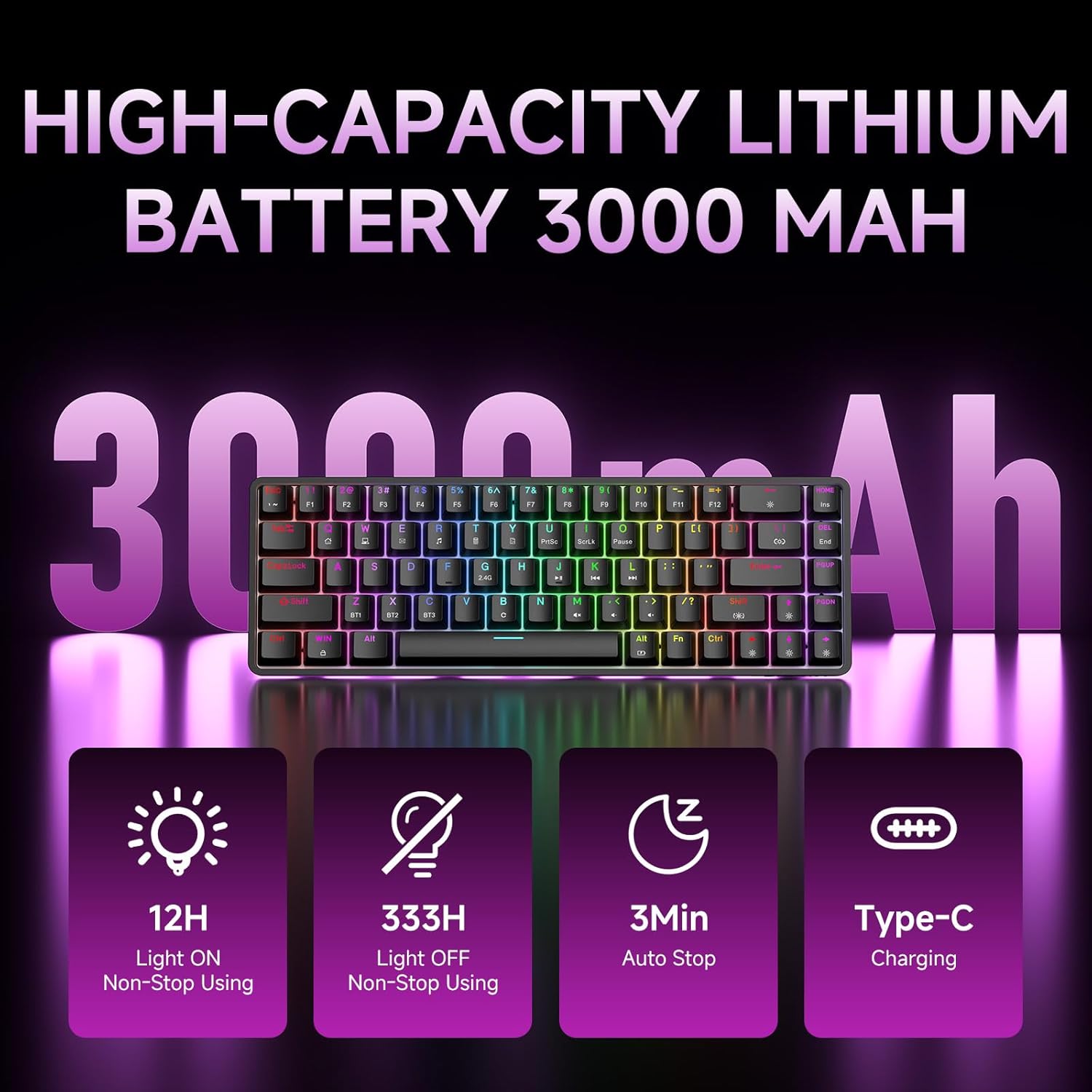
Figure 7: Battery capacity and power-saving features of the DK68.
پاکول او پاملرنه
- Use the provided keycap puller to carefully remove keycaps for cleaning.
- Clean the keyboard surface with a soft, damp ټوکر. د ډیر رطوبت څخه ډډه وکړئ.
- سخت کیمیاوي توکي او کثافات پاکونکي مه کاروئ.
- ډاډ ترلاسه کړئ چې کیبورډ د پاکولو دمخه بند دی.
د ستونزو حل کول
- کیبورډ ځواب نه ورکوي:
- Check the power switch on the back of the keyboard.
- Ensure the correct connection mode (wired, 2.4GHz, or Bluetooth) is selected.
- د 2.4GHz لپاره، ډاډ ترلاسه کړئ چې د USB ریسیور په خوندي ډول پلګ ان شوی دی.
- For Bluetooth, ensure the keyboard is paired and selected on your device. Try re-pairing if necessary.
- If using wired mode, try a different USB port or cable.
- د شا رڼا کار نه کوي:
- مطبوعاتي Fn + Backspace to toggle the backlighting.
- د بیټرۍ کچه وګورئ؛ ټیټه بیټرۍ ممکن د شا روښانتیا غیر فعاله کړي.
- کیلي نه راجستر کیږي:
- Ensure the keyboard is properly connected and powered on.
- If specific keys are not working, try removing and re-seating their keycaps.
مشخصات
| فیچر | تفصیل |
|---|---|
| د ماډل شمیره | DK68 |
| د ارتباط ټیکنالوژي | ۲.۴GHz بېسیم، بلوتوث ۵.۰، USB-C وایرډ |
| د سویچ ډول | Clicky Blue Mechanical Switches |
| کلیدي ترتیب | ۶۱ کیلي (۶۰٪ ترتیب) |
| شاته رڼا کول | RGB (16.8 Million Colors, 20 Effects) |
| د بیټرۍ ظرفیت | 3000mAh لیتیم پولیمر |
| مطابقت لرونکې وسیلې | د لوبو کنسول، لپ ټاپ، کمپیوټر، ټابلیټ |
| د غشی ضد | Full Key Anti-Ghosting & NKRO |
| مواد | پلاستیک |
| د توکي وزن | ۰.۳۷ پونډه (تقریبا ۱۶۸ ګرامه) |
| د کڅوړې ابعاد | 14.33 x 4.37 x 1.73 انچه |

Figure 8: Keyboard dimensions and compact 68-key layout.
تضمین او ملاتړ
For warranty information and technical support, please refer to the documentation included with your product or visit the official DIERYA website. Amazon's return policy for this product is 30 days from the date of receipt.