
پیژندنه
The iLive Cinema Pop-up Movie Kit is a comprehensive portable entertainment solution designed to transform any space into a personal cinema. This kit includes a 720p projector, a 120-inch ultra-bright projector screen, an adjustable tripod, and a powerful Bluetooth 5.0 speaker system. Enjoy crisp images and rich audio for both indoor and outdoor movie nights.
څه پکې شامل دي
- 720p پروجیکٹر
- 120-inch Anti-Wrinkle Polyester Projector Screen (16:9 aspect ratio, 1.3 gain)
- Professional-Grade Tripod with integrated bubble level (360-degree pan, ±180-degree tilt, 41.73-inch max height, 4 kg capacity)
- Bluetooth 5.0 Speaker System (dual 4-inch full-range speakers, 16W peak output, LED light effects, rechargeable battery)
- ریموټ کنټرول
- د بریښنا کیبل
- HDMI کیبل
- 3.5mm آډیو کیبل
- USB کیبل
- د لیږد قضیه
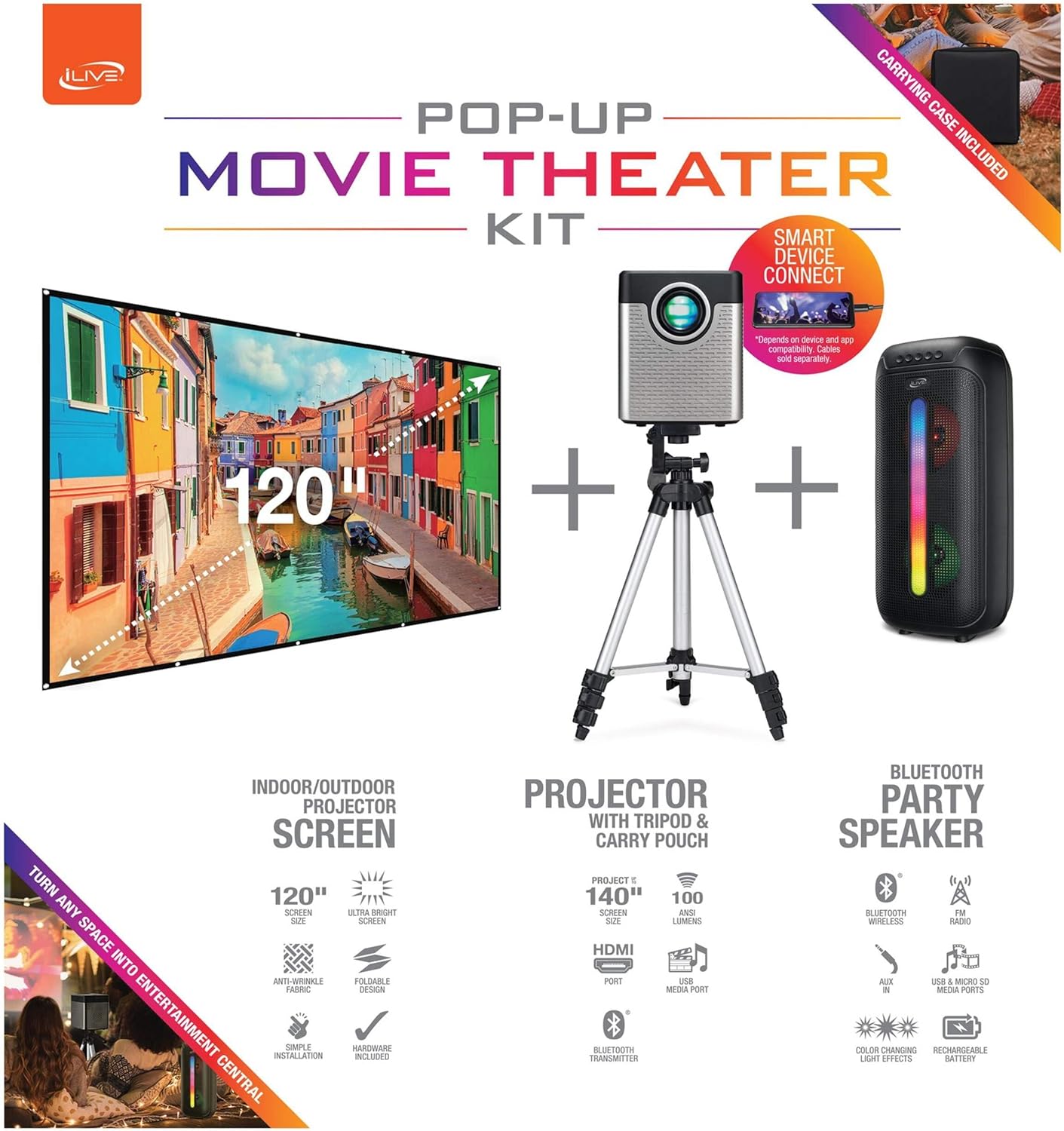
Figure 1: Diagram of the iLive Cinema Pop-up Movie Kit components.

Figure 2: The complete kit packed in its carrying case.
چمتو کول
- اجزا خلاص کړئ: ټول توکي په احتیاط سره د بار وړلو بکس څخه لرې کړئ.
- ټریپوډ راټول کړئ: Extend the legs of the tripod and secure them. Adjust the height to your desired viewing level. The integrated bubble level assists in ensuring a stable and level base.
- د پروجیکټر غره: Securely attach the projector to the tripod mount. Ensure it is stable and facing the desired projection area.
- Set Up Screen: Unfold the 120-inch anti-wrinkle screen. If using the tripod, attach the screen to the tripod frame using the provided fasteners. Ensure the screen is taut and wrinkle-free for optimal viewing. For alternative mounting, use the grommets along the screen's edges with appropriate wall hooks (not included).
- د مقام ویناوال: Place the Bluetooth speaker in a location that provides optimal sound distribution for your viewساحه
- بریښنا وصل کړئ: د بریښنا کیبل د پروجیکټر او مناسب بریښنا سایټ سره وصل کړئ.
- وسایل وصل کړئ (اختیاري): Connect your media source (e.g., laptop, gaming console, Blu-ray player) to the projector using an HDMI or USB cable. For external audio, use the 3.5mm audio input or connect wirelessly via Bluetooth to the speaker.

Figure 3: Projector mounted on the tripod.

شکل 4: مثالample outdoor setup with the projector and screen.
عملیاتي لارښوونې
د پروجکټور عملیات
- پاور آن/بند: د پروجیکټر یا ریموټ کنټرول د بریښنا تڼۍ فشار ورکړئ ترڅو واحد فعال یا بند کړئ.
- د ننوتلو سرچینه: Use the remote control to select the desired input source (HDMI, USB, etc.).
- د تمرکز سمون: د پروجیکټر لینز باندې د تمرکز حلقه تنظیم کړئ تر هغه چې انځور روښانه نه وي.
- د کیسټون سمون: If the projected image appears trapezoidal, use the keystone correction feature (manual or automatic, if available) to adjust the image to a rectangular shape. The projector supports vertical keystone correction.
- د اړخ نسبت: Select between 16:9 and 4:3 aspect ratios based on your content and preference.
- د پروجیکشن واټن: The projector has a flexible projection range of 2.6 to 12.5 feet. Adjust the distance to achieve the desired screen size.
د بلوتوټ سپیکر عملیات
- پاور آن/بند: Press and hold the power button on the speaker to turn it on or off.
- بلوتوث په خپل وسیله (د مثال په توګه، سمارټ فون، ټابلیټ) کې بلوتوث فعال کړئ. لټون the iLive speaker in the list of available devices and pair.
- د حجم کنټرول: په سپیکر یا ستاسو وصل شوي وسیله کې د کنټرولونو په کارولو سره حجم تنظیم کړئ.
- د LED رڼا اغیزې: The speaker features LED light effects. Refer to the speaker's specific controls for adjusting or disabling these effects.
- ریښتینی بې سیم سټیریو (TWS): If you have two iLive Bluetooth speakers, you can pair them together for a True Wireless Stereo experience. Follow the instructions provided with the speaker for TWS pairing.
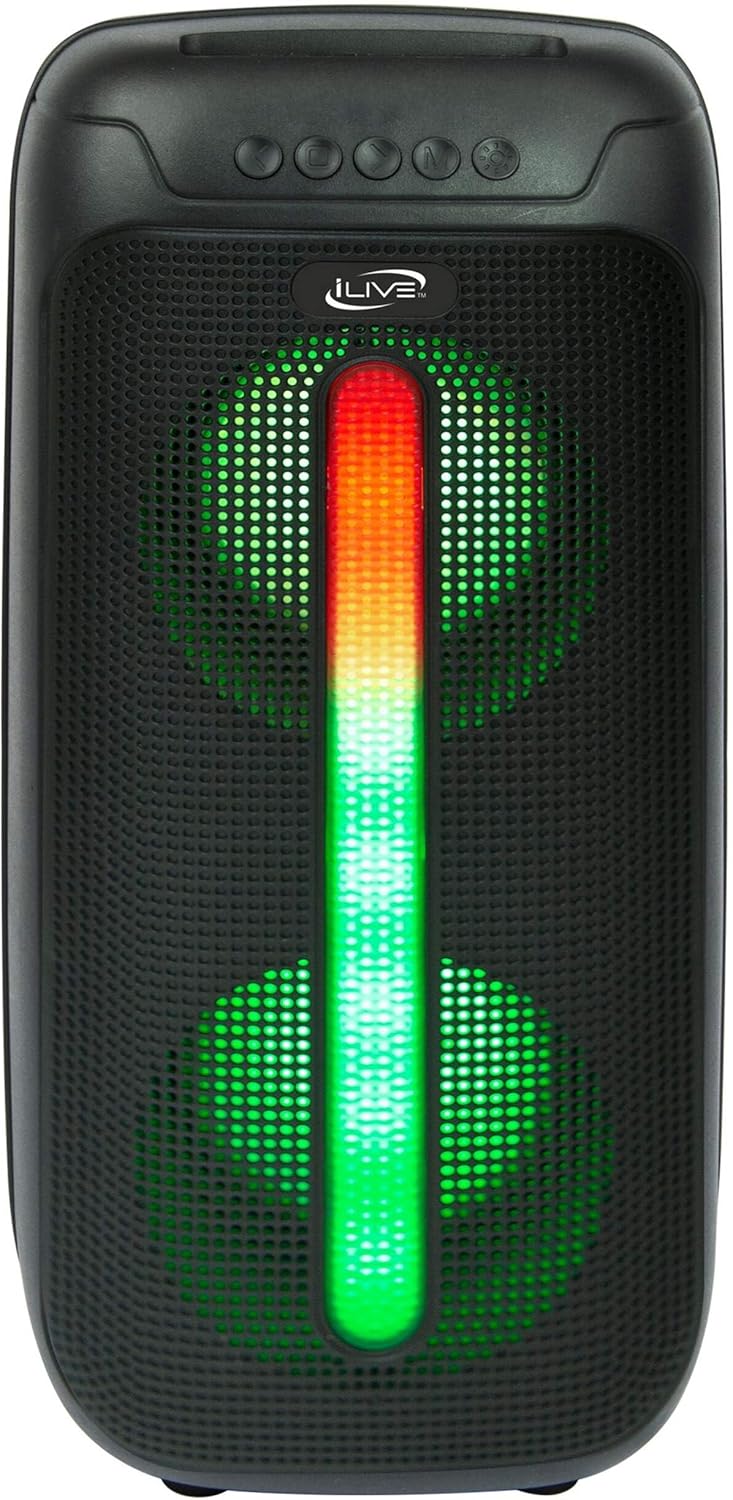
Figure 5: iLive Bluetooth 5.0 Speaker.
ساتنه
- د پروجیکټر لینز: د پروجیکټر لینز په نرمۍ سره پاکولو لپاره له نرم، لینټ څخه پاک ټوکر څخه کار واخلئ. د کثافاتو موادو یا سخت کیمیاوي موادو څخه ډډه وکړئ.
- Projector Vents: Ensure the projector's ventilation openings are clear of dust and debris to prevent overheating.
- د سکرین پاکول: The anti-wrinkle polyester screen can be gently wiped with a damp cloth if necessary. Allow it to air dry completely before folding or storing.
- د سپیکر پاملرنه: Keep the speaker dry and clean. Avoid exposing it to extreme temperatures or direct sunlight.
- ذخیره کول: When not in use, store all components in the provided carrying case in a cool, dry place to protect them from dust and damage.
د ستونزو حل کول
- په سکرین کې هیڅ انځور نشته:
- ډاډ ترلاسه کړئ چې پروجیکټر فعال دی او د لینز کیپ لرې شوی دی.
- تایید کړئ چې په پروجیکټر کې د ننوتلو سمه سرچینه غوره شوې ده.
- Check all cable connections (HDMI, USB) are secure.
- خړ انځور:
- د پروجکټور لینز کې د تمرکز حلقه تنظیم کړئ.
- Ensure the projection distance is within the recommended range (2.6-12.5 ft).
- Distorted Image (Trapezoidal):
- Use the keystone correction feature to adjust the image geometry.
- Ensure the projector is placed on a level surface or the tripod is properly adjusted.
- له سپیکر څخه غږ نشته:
- ډاډ ترلاسه کړئ چې سپیکر فعال او چارج شوی دی.
- Verify Bluetooth pairing or 3.5mm audio cable connection.
- په سپیکر او وصل شوي وسیله دواړو کې د حجم کچه وګورئ.
- د بلوتوټ جوړه کولو مسلې:
- ډاډ ترلاسه کړئ چې سپیکر د جوړه کولو حالت کې دی.
- سپیکر خپل وسیله ته نږدې کړئ.
- وسیله منقطع کړئ او بیا جوړه کړئ.
مشخصات
| فیچر | مشخصات |
|---|---|
| د ماډل شمیره | THE2024BDL |
| د ښودلو ریزولوشن | 1280 x 720 (720p) |
| د ښودلو ډول | LED |
| روښانتیا | 3000 Lumen |
| د تناسب تناسب | 1000:1 |
| د اړخ نسبت | ۴:۳، ۱۶:۹ |
| د رڼا سرچینه ژوند | 20,000 ساعته |
| د پروجیکشن رینج | ۳.۹ - ۴۳ فوټه |
| د عکس اعظمي اندازه | ۷۸۷ انچه |
| ارتباط | HDMI, USB, 3.5mm Audio, Bluetooth 5.0 |
| د سپیکر محصول | 16W Peak (Dual 4-inch drivers) |
| Speaker Battery Life | تر 4 ساعتونو پورې (په 50٪ حجم کې) |
| د Tripod ځانګړتیاوې | Integrated bubble level, 360-degree pan, ±180-degree tilt, 41.73-inch max height, 4 kg capacity |
| د ویډیو کوډ کولو ملاتړ | H.264، H.265 |
| د کنټرول طریقه | ریموټ کنټرول |
د رسمي محصول ویډیوګانې
دا مهال د دې محصول لپاره د پلورونکي رسمي ویډیوګانې شتون نلري.
تضمین او ملاتړ
For warranty information or technical support, please contact iLive customer service at 1-888-999-4215. Please have your model number (THE2024BDL) and proof of purchase ready when contacting support.