
1. محصول ختم شوview
The Nulea M512 is an ergonomic wireless trackball mouse designed for comfort and precise control. It features a 55mm trackball, adjustable DPI settings, and multi-device connectivity via Bluetooth or 2.4GHz wireless. Its ambidextrous design ensures usability for both left and right-handed users.

Image: The Nulea M512 Wireless Trackball Mouse, showcasing its ergonomic design and central trackball.
2. د بسته محتويات
- Nulea M512 بې سیم ټریکبال موږک
- د USB-C چارج کیبل
- 2.4GHz USB Receiver (stored in the mouse)
- Wrist Rest Pad
- د کارن لارښود
3. ترتیب کول
3.1 د وسیلې چارج کول
Before initial use, fully charge the Nulea M512 trackball mouse using the provided USB-C cable. Connect the USB-C end to the mouse and the USB-A end to a power source (e.g., computer USB port, wall adapter). The charging indicator will show the charging status.

Image: The Nulea M512 mouse connected via USB-C cable for charging.
۲.۳ ستاسو د وسیلې سره وصل کیدل
The Nulea M512 supports three connection modes: 2.4GHz wireless via USB receiver and two independent Bluetooth 5.0 channels (BT1, BT2).
- پاور آن: Locate the ON/OFF switch on the bottom of the mouse and slide it to the 'ON' position.
- د اتصال حالت غوره کړئ: Press the Mode Switch Key located on the side of the mouse to cycle through the connection options: USB (2.4GHz), BT1, BT2. The corresponding LED indicator will light up.
- 2.4GHz بې سیم اتصال:
- Retrieve the 2.4GHz USB receiver from its storage slot on the bottom of the mouse.
- د USB ریسیور په خپل کمپیوټر کې موجود USB-A پورټ کې ولګوئ.
- Ensure the mouse is set to USB mode. The connection should be established automatically.
- د بلوتوث اتصال (BT1/BT2):
- Set the mouse to either BT1 or BT2 mode using the Mode Switch Key.
- په خپل کمپیوټر یا وسیله کې، د بلوتوټ ترتیبات خلاص کړئ او د نویو وسایلو لټون وکړئ.
- Select "Nulea M512" from the list of available devices to pair.
- Once paired, the LED indicator for BT1 or BT2 will remain solid.

Image: The Nulea M512 connected to multiple devices (laptop, tablet, monitor) via Bluetooth and 2.4GHz wireless.
ویډیو: یو اوورview of the Nulea M512 Trackball Mouse, demonstrating its features and connectivity.
4. عملیاتي لارښوونې
4.1 د تڼۍ دندې
The Nulea M512 features a 55mm trackball and multiple buttons for enhanced control. Refer to the diagram below for button identification:

Image: Diagram illustrating the button layout and functions of the Nulea M512 trackball mouse.
- 1. Middle Key: Functions as a scroll lock or middle-click.
- 2. Back Key: بیرته دننه ځي web براوزرونه یا file سپړونکي
- ۲. کیڼ تڼۍ: معیاري کیڼ کلیک فعالیت.
- ۱. ښي تڼۍ: د ښي کلیک کولو معیاري فعالیت.
- 5. Right Scroll Wheel: عمودي سکرول کول.
- 6. Left Scroll Wheel: Horizontal scrolling.
- Mode Switch Key (Side): Cycles between 2.4GHz, BT1, and BT2 connection modes.
- DPI Key (Side): د کرسر حساسیت تنظیموي.
- Left/Right Hand Mode Switch Key (Side): Toggles between left-handed and right-handed button assignments.
Note: All buttons are non-programmable. The Middle and Back buttons are not compatible with macOS.
۳.۲ د DPI حساسیت تنظیم کول
The Nulea M512 offers four adjustable DPI levels (400/800/1200/1600) for precise cursor control. Press the DPI Key on the side of the mouse to cycle through these settings. The LED indicator will flash to indicate the current DPI level (e.g., one flash for 400 DPI, two flashes for 800 DPI, etc.).
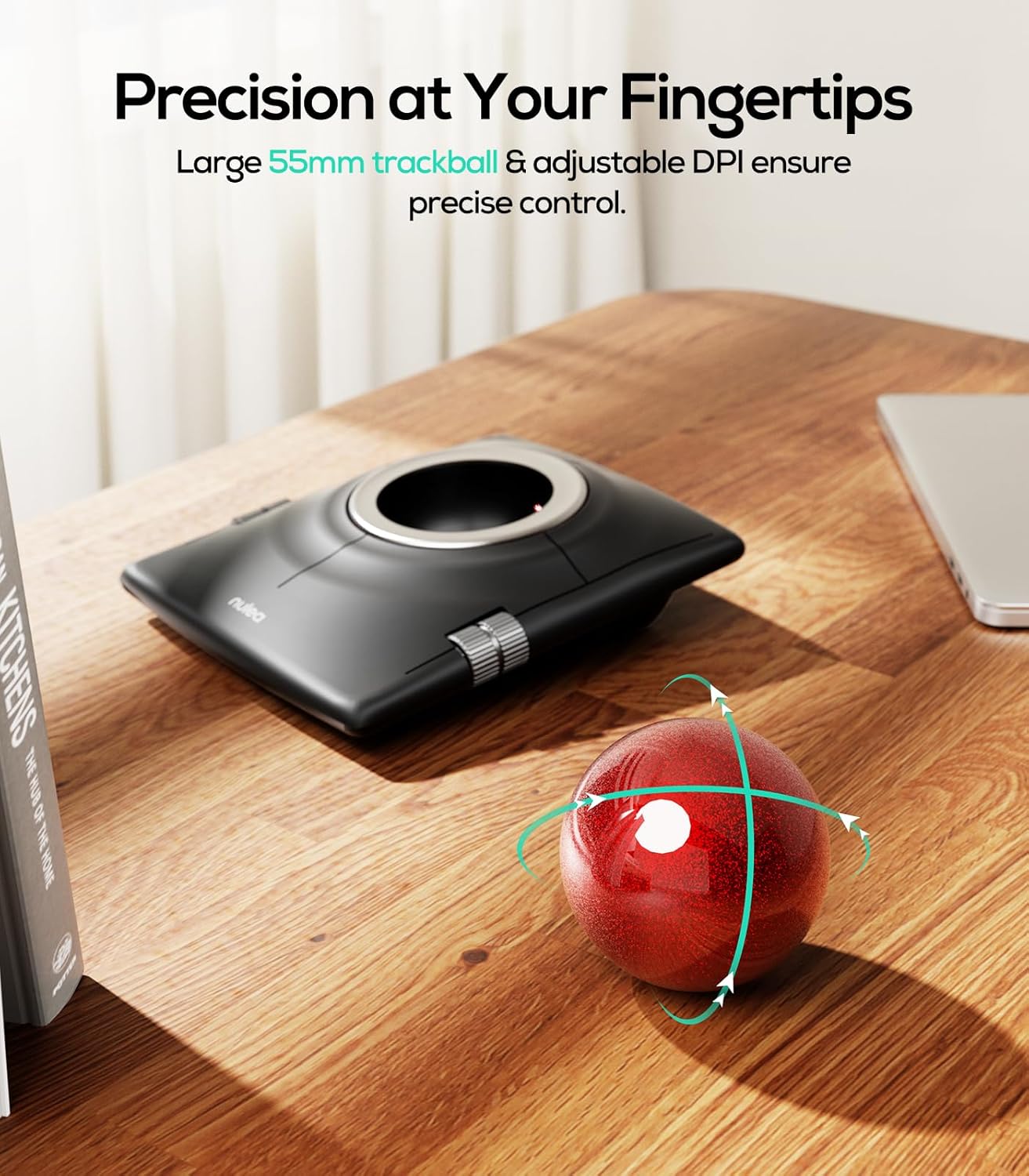
Image: The Nulea M512 trackball mouse highlighting its 55mm trackball and adjustable DPI for precise control.
4.3 Ambidextrous Mode
The M512 is designed for both left and right-handed users. Press the Left/Right Hand Mode Switch Key on the side of the mouse to swap the functions of the main buttons, adapting to your dominant hand for a natural grip.

انځور: پورته-ښکته view of the Nulea M512, illustrating its dual-handed design and the ability to switch between left and right-hand modes.
4.4 Drag-Hold Function
Activate the drag-hold function by simultaneously pressing the Middle Key and Back Key. This allows you to drag items without continuously holding down a button. Exit this mode by pressing any of the four main buttons.
4.5 Ergonomic Use with Wrist Rest
For optimal comfort and to reduce forearm strain during extended use, it is recommended to use the included wrist rest pad. Position the wrist rest in front of the trackball mouse to support your wrist and maintain a neutral hand posture.

Image: A hand using the Nulea M512 trackball mouse with the included wrist rest, demonstrating ergonomic finger control.

انځور: تفصیلي view of the ergonomic wrist rest pad, highlighting its memory foam and skin-friendly fabric for pressure relief.
5. ساتنه
۶.۱ د ټریکبال پاکول
Over time, lint, dust, and hair may accumulate around the trackball bearings, affecting smooth movement. To clean:
- Turn off the mouse using the ON/OFF switch.
- Gently push the trackball out from the hole on the bottom of the mouse.
- Wipe the trackball and the inside of the trackball socket with a soft, dry cloth.
- If necessary, use a brush or cotton swab to clean the optical sensor and the three support bearings inside the socket.
- Reinsert the trackball into the socket.
5.2 د بیټرۍ پاملرنه
To prolong battery life, turn off the mouse when not in use for extended periods. Recharge the mouse when the battery indicator shows low power.
6. ستونزه حل کول
- موږک ځواب نه ورکوي:
- ډاډ ترلاسه کړئ چې موږک فعال دی.
- د بیټرۍ کچه وګورئ او که اړتیا وي نو چارج کړئ.
- Verify the correct connection mode (2.4GHz, BT1, BT2) is selected.
- د 2.4GHz لپاره، ډاډ ترلاسه کړئ چې د USB ریسیور په خوندي ډول کمپیوټر ته ننوتل شوی دی.
- For Bluetooth, re-pair the device if the connection is lost.
- Trackball movement is erratic or sticky:
- Clean the trackball and its socket as described in the Maintenance section.
- تڼۍ په سمه توګه کار نه کوي:
- Ensure the mouse is in the correct left/right-handed mode.
- Note that the Middle and Back keys are not compatible with macOS.
- DPI sensitivity issues:
- Press the DPI Key to cycle through the four sensitivity settings until a suitable level is found.
7. مشخصات
| فیچر | تفصیل |
|---|---|
| برانډ | نولیا |
| د ماډل شمیره | M512 |
| د ارتباط ټیکنالوژي | بلوتوث، ۲.۴GHz USB |
| د خوځښت کشف | ټریکبال |
| Trackball Size | 55mm |
| د سمون وړ DPI | ۳، ۵، ۶، ۸ |
| د تڼۍ مقدار | 7 |
| د لاس لارښوونه | متضاد |
| د بریښنا سرچینه | د بیټرۍ چلول (د چارج وړ) |
| مطابقت لرونکې وسیلې | لپ ټاپ، شخصي کمپیوټر |
| عملیاتي سیسټم | وینډوز، ماکوس، انډرایډ |
| رینج | ۹ فوټه |
| د توکي وزن | 0.56 کیلوګرامه |
8. تضمین
The Nulea M512 Wireless Trackball Mouse comes with a 12-month hassle-free replacement warranty د پیرود نیټې څخه. مهرباني وکړئ د تضمین ادعاوو لپاره د پیرود ثبوت وساتئ. دا تضمین د عادي استعمال لاندې د تولید نیمګړتیاوې او نیمګړتیاوې پوښي.
9. ملاتړ
For technical assistance, troubleshooting, or warranty inquiries, please contact Nulea customer support through the official Nulea website or your retailer's support channels. Provide your product model number (M512) and a detailed description of the issue for efficient service.